

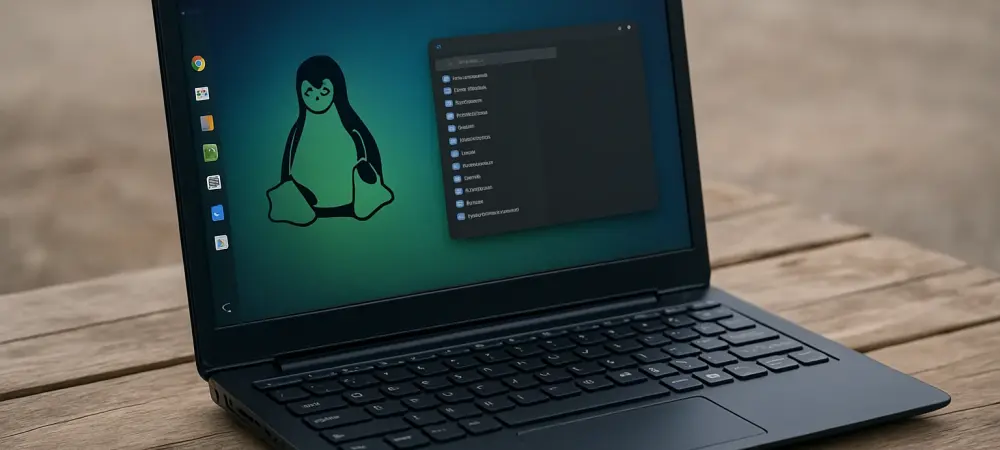
What if an entire operating system could fit in your pocket, ready to boot on any device with unmatched speed and zero trace? This concept, once a distant dream for tech enthusiasts, is now a tangible reality with a cutting-edge Linux distribution. Designed for those who value efficiency and mobility, this OS redefines how users interact with technology in a world bogged down by bloated software.
Why Zephix v8 Matters in Today’s Tech Landscape
The significance of this release lies in its response to a growing frustration with sluggish systems and privacy risks. As digital tools become increasingly resource-heavy, many users—ranging from developers to casual tinkerers—crave lightweight alternatives that don’t compromise on functionality. This latest version steps up as a solution, offering a streamlined experience built on Debian’s robust framework, ensuring stability while pushing the boundaries of portability.
This isn’t merely about running an OS on minimal hardware; it’s about empowering users to take control of their digital environment. With cyber threats looming larger each day, the ability to operate from a secure, portable drive without leaving data on host machines is a game-changer. This distribution addresses these modern challenges head-on, making it a vital tool for anyone seeking freedom from conventional computing constraints.
The Rising Demand for Lean and Mobile Operating Systems
Across the tech sphere, there’s a noticeable shift toward systems that prioritize efficiency over excess. Hardware varies widely—from aging laptops in schools to sleek ultrabooks in corporate settings—and users often struggle with software that demands more power than available. A lightweight OS like this one fills that gap, delivering performance on even the most modest devices while catering to a mobile-first lifestyle.
Privacy concerns also fuel this trend, as more individuals seek ways to minimize their digital footprint. The option to boot a personal system from a USB drive, untouched by the host computer, resonates with those wary of data breaches or tracking. This release taps into these evolving needs, providing a practical alternative for professionals and hobbyists alike who juggle multiple devices daily.
Moreover, the focus on minimal resource usage aligns with sustainability goals in tech. By extending the life of older machines, such systems reduce electronic waste, a pressing issue as device turnover accelerates. This dual benefit of practicality and environmental impact underscores why lightweight, portable solutions are no longer a niche interest but a mainstream necessity.
Core Innovations Driving Efficiency and Mobility
This version introduces several standout features that set it apart in the crowded Linux ecosystem. The adoption of the i3 window manager as the default interface marks a bold move toward speed, favoring keyboard-driven navigation over traditional mouse clicks. This design slashes resource consumption, ensuring fluid operation on hardware that would choke under heavier desktop environments.
Portability reaches new heights with the ability to run entirely from a USB drive, leaving no data behind on host systems. A significant enhancement—persistence support—allows users to save settings, files, and applications directly to the drive through a dedicated partition. This means a consistent, tailored experience no matter where the system boots, a boon for those constantly on the move.
Beyond the core, practical additions elevate its usability out of the box. Pre-installed tools like LibreOffice for documents, GIMP for image editing, and VLC for media playback cover essential tasks, while updated firmware drivers tackle hardware compatibility issues across diverse devices. These thoughtful inclusions ensure that functionality isn’t sacrificed for the sake of a lean build.
Voices from the Community and Expert Insights
Feedback from those who’ve tested this release paints a vivid picture of its impact. A seasoned tech reviewer described the balance of minimalism and utility as “striking,” noting that while the i3 interface might intimidate newcomers, its learning curve flattens quickly with the help of clear guides. This sentiment reflects a broader appreciation for the system’s intentional design.
Users, too, have shared compelling stories of transformation. One individual recounted reviving a 15-year-old laptop, turning it into a capable machine for web browsing and document editing without lag. Such real-world examples highlight how this OS breathes life into outdated hardware, offering a cost-effective alternative to purchasing new devices in an era of tight budgets.
Developers behind the project have also prioritized accessibility, evident in the overhauled official website that simplifies access to resources. This focus on user support, combined with community-driven forums buzzing with tips and customizations, creates a welcoming ecosystem. Together, these perspectives affirm the system’s role as a reliable choice for diverse needs, from casual use to specialized workflows.
How to Dive into This Portable Powerhouse
Getting started with this OS is straightforward for anyone eager to explore its capabilities. Begin by downloading the latest image from the official site and use a tool like Rufus or Etcher to create a bootable USB drive. Booting from the drive for the first time unveils the i3 environment, where dedicating a few minutes to mastering keyboard shortcuts via tutorials can significantly boost productivity.
Setting up persistence is the next practical step to personalize the experience. Following the provided instructions, allocate a partition or file on the USB to store data, ensuring that custom settings and files remain intact across sessions. This feature transforms the drive into a truly portable workspace, adaptable to any compatible machine encountered.
Testing hardware compatibility rounds out the initial setup. Leverage the included firmware drivers to address potential hiccups with Wi-Fi, graphics, or other peripherals, consulting community resources for troubleshooting if needed. With these steps, users can craft a seamless, mobile system that aligns perfectly with individual routines, whether for work, study, or travel.
Reflecting on a Milestone in Lightweight Computing
Looking back, the journey of this Linux distribution showcases a remarkable evolution, blending efficiency with user-centric design. The shift to a unified i3 interface, paired with persistence and robust hardware support, carved out a unique space for those seeking speed without complexity. It stands as a testament to how minimalism can coexist with practicality.
The feedback from users and experts alike paints a picture of an OS that not only meets but often exceeds expectations. Stories of rejuvenated old devices and seamless cross-device experiences underscore its real-world value. This release leaves an indelible mark by proving that lightweight systems can cater to modern demands without compromise.
For those inspired by this innovation, the next steps involve exploring its potential firsthand—downloading the system, experimenting with its features, and joining the vibrant community shaping its future. As technology continues to evolve, staying attuned to such portable solutions promises to keep users ahead of the curve, ready for whatever challenges lie ahead.