

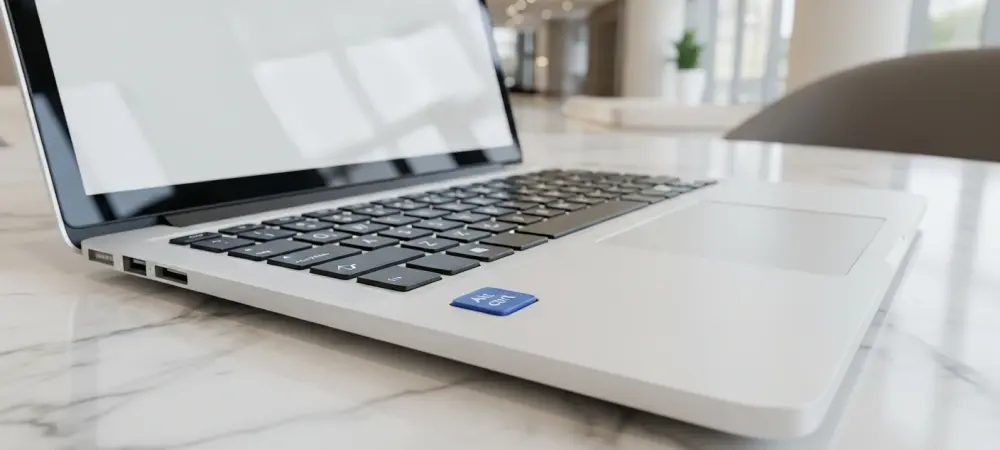
The landscape of personal computing is currently undergoing its most radical transformation in decades as hardware manufacturers attempt to bridge the gap between traditional productivity and generative artificial intelligence. Microsoft has recently signaled a major shift in its strategy by announcing that users will soon have the ability to remap the dedicated Copilot key, a physical addition that was initially intended to be a permanent fixture of the modern Windows experience. This decision marks a pivotal moment in the company’s hardware philosophy, moving away from a rigid, mandatory interface toward a more flexible approach that acknowledges the diverse needs of a global user base. By introducing this level of customization, the tech giant is effectively prioritizing user autonomy over its own aggressive branding initiatives, suggesting that even the most ambitious software integrations must eventually bow to the practical realities of daily ergonomics.
The Impact of Hardware Evolution
Historical Context: A Thirty-Year Milestone
The introduction of the Copilot key represents the first significant alteration to the standard Windows keyboard layout since the mid-nineties, marking a historic departure from three decades of design consistency. When the Windows key first appeared in 1994, it fundamentally changed how users navigated the operating system, eventually becoming an indispensable tool for shortcuts and menu access. By mandating a new physical button for its AI assistant, Microsoft attempted to replicate this historical success, signaling that artificial intelligence is no longer just a secondary feature but a foundational component of the computing environment. This hardware-level change was specifically designed to support the “Copilot+” PC branding, a new category of high-performance laptops optimized to handle complex, localized AI tasks without relying solely on cloud processing power.
This aggressive hardware strategy was intended to leverage Microsoft’s massive market share to secure a dominant position in the rapidly evolving AI landscape. By placing a proprietary assistant literally at the fingertips of every user, the company aimed to make its AI tools an unavoidable part of the professional and personal workflow. The goal was to establish a new industry standard where the presence of a dedicated AI button would distinguish modern, “intelligent” machines from the legacy hardware of the past. However, this top-down approach to design assumes that all users will find equal value in a single specific tool, a gamble that has historically met with mixed results in the tech industry. As the count from 2026 to 2028 shows a projected increase in AI-integrated devices, the success of such hardware mandates depends heavily on whether the added utility justifies the loss of traditional keyboard real estate.
Strategic Ambition: The AI PC Vision
Microsoft’s vision for the “AI PC” extends far beyond a simple software update, aiming to redefine the very nature of human-computer interaction through deeply integrated neural processing units. The Copilot key was envisioned as the physical gateway to this ecosystem, providing a frictionless entry point for users to engage with large language models and automated system management. In this strategic framework, the keyboard serves as more than just an input device; it becomes a curated environment where the manufacturer guides the user toward specific high-value services. By embedding the assistant into the physical chassis of the machine, Microsoft sought to create a permanent brand presence that would persist regardless of which applications a user chose to install or run. This move was a clear attempt to monopolize the “first touch” of the AI experience, ensuring that Copilot remained the default choice for the average consumer.
The long-term implications of this strategy involve a shift toward a more proactive operating system that anticipates user needs through continuous background analysis. Building the infrastructure for this transition required a hardware commitment that could not be easily ignored or disabled by the casual user. However, this approach often overlooks the specialized requirements of professional demographics, such as software developers or data analysts, who rely on every millimeter of their keyboard for complex macros and navigation. While the vision of a ubiquitous AI companion is compelling for many, the enforcement of a dedicated hardware button created a sense of “enforced adoption” that ran counter to the spirit of open customization that many Windows users have come to expect. This tension between corporate vision and user reality has forced a reevaluation of how much control the OS should exert over the physical interface.
Evaluating User Challenges
Ergonomic Hurdles: Breaking Muscle Memory
Despite the grand technical ambitions behind the new layout, the physical implementation of the Copilot key has encountered significant resistance due to its impact on established typing habits. For many users, the new key occupies the space previously reserved for the Right Control key or the Context Menu key, both of which are essential for high-speed navigation and specialized software shortcuts. This displacement has caused a widespread disruption of muscle memory, leading to a frustrating learning curve for individuals who have spent years perfecting their typing efficiency on a standard layout. When a user reaches for a familiar modifier and instead triggers a side-panel AI interface, the resulting interruption can be more than just a minor annoyance; it can fundamentally derail the flow of complex tasks and lead to significant productivity losses over time.
Furthermore, the placement of the key in a high-traffic area of the keyboard has led to a surge in reports of accidental activations during routine typing sessions. Unlike software features that can be toggled off, a physical button is a permanent obstacle that requires constant vigilance to avoid. This ergonomic friction is particularly acute for power users and programmers who utilize the right side of the keyboard for complex key combinations. The frequent, unintended popping up of the Copilot interface is seen by many as an intrusive element that prioritizes corporate marketing over functional utility. Microsoft’s rare acknowledgment that users have “experienced some challenges” with the key serves as a tacit admission that the hardware design did not sufficiently account for the diverse physical ways in which people interact with their computers on a daily basis.
Functional Redundancy: The Problem of Dead Weight
Beyond the physical layout issues, a dedicated AI button faces the challenge of being functionally redundant for a significant portion of the population that already uses alternative tools. In an era where users have a wide variety of choices, ranging from ChatGPT and Claude to specialized local models, being forced to have a hardware shortcut for a specific proprietary service feels unnecessarily restrictive. For those who have integrated different AI platforms into their workflow, or for those who simply have no need for an AI assistant in their specific field of work, the Copilot key becomes “dead weight” on their laptop chassis. It represents a lost opportunity to have a more useful, customizable button that could have been programmed for more relevant tasks, such as launching a specific app or performing a custom system macro.
The negative sentiment surrounding this perceived lack of utility has been amplified by the tech community, where reviews often highlight the key as a symbol of unnecessary “bloatware” in hardware form. When a manufacturer occupies valuable physical space with a feature that a user cannot change or ignore, it creates a sense of being a guest on one’s own device rather than the owner. This mismatch between Microsoft’s goal of AI dominance and the actual, varied needs of its users has fueled a demand for greater flexibility. The decision to allow remapping is a direct response to this feedback, recognizing that the only way to make a specialized hardware key acceptable to the masses is to allow it to evolve into something useful for each individual. Without this flexibility, the Copilot key risked becoming a widely disliked artifact of a brief period of overly aggressive corporate AI enthusiasm.
The Path to Customization
Native Solutions: Restoring User Agency
The forthcoming update for Windows 11 represents a significant policy reversal that restores a level of agency to the consumer by introducing native remapping capabilities for the Copilot key. Previously, users who were dissatisfied with the key’s function had to resort to third-party software or complex registry edits to change its behavior, solutions that were often unstable and beyond the technical reach of the average person. By integrating this feature directly into the Windows Settings menu, Microsoft is providing a streamlined, official way for all users to reclaim their keyboard layout. This universal solution is designed to work across all Windows 11 devices, regardless of whether they were manufactured by Dell, HP, Lenovo, or Microsoft themselves, ensuring a consistent experience across the entire PC hardware ecosystem.
This transition to a “choice-based” model reflects a maturing understanding of how AI features should be integrated into mature operating systems. Rather than forcing a specific behavior, the OS provides the hardware foundation and then allows the user to define its purpose. This flexibility is expected to include options to map the key to other system functions, such as opening the Start menu, launching the Search bar, or even acting as a standard modifier key. By lowering the barrier to customization, Microsoft is effectively neutralizing the primary criticism of the Copilot+ PC initiative. This move not only improves the user experience but also preserves the brand’s commitment to AI by allowing those who value the assistant to keep the shortcut, while permitting others to repurpose the space for their own specific productivity needs.
Future Outlook: Lessons in User-Centric Design
The decision to allow remapping sets an important precedent for the future development of AI-integrated hardware, emphasizing that software flexibility is the necessary companion to hardware innovation. As we look at the period from 2026 to 2028, it is clear that “AI PCs” will continue to evolve, but their success will likely depend on how well they respect the established workflows of their users. Microsoft’s pivot suggests that the industry is moving away from the “forced adoption” phase of AI and into a more nuanced era where these tools must earn their place on the keyboard through actual utility rather than executive mandate. This adjustment serves as a critical lesson for all tech companies: even the most powerful features can become liabilities if they are implemented in a way that feels intrusive or unchangeable.
In the future, we may see more “dynamic” hardware features that are designed from the ground up to be multipurpose, rather than being locked to a single service. The remapping update for Windows 11 is just the first step in a broader trend toward more customizable, user-centric hardware. For consumers, the actionable takeaway is to actively engage with these customization settings once the update rolls out to ensure their devices are optimized for their personal habits. For the industry, the move signals that the path to widespread AI adoption lies in providing users with tools they can control, rather than interfaces that control them. Ultimately, the evolution of the Copilot key demonstrates that the most successful technology is that which adapts to the user, rather than demanding that the user adapt to the technology.