

Setting the Stage for Windows 11’s Latest Update
Picture a scenario where a routine system update, intended to refine the user experience, inadvertently disrupts one of the most relied-upon tools in an operating system, creating unexpected challenges for users. This is precisely the situation with Microsoft’s latest optional update for Windows 11, known as KB5067036, which was released as a preview for versions 24## and 25## with promises of enhanced functionality and cutting-edge AI features. Yet, it has stumbled upon a significant glitch with Task Manager, a cornerstone utility for monitoring system performance. This unexpected issue raises questions about the balance between early adoption of new features and the stability users expect from a mature operating system.
The KB5067036 update, rolled out during the fourth week of the month, serves as a testing ground for improvements before the mandatory Patch Tuesday security patches. It targets not only general performance enhancements but also introduces specialized components for Copilot Plus PCs. However, the spotlight has shifted to an unintended flaw that keeps Task Manager running in the background even after closure, sparking curiosity about how such a critical tool could be affected and what it means for the broader Windows 11 ecosystem.
Diving into the Features of KB5067036
AI-Driven Innovations for Copilot Plus PCs
One of the standout aspects of this update lies in its AI enhancements tailored for Copilot Plus PC experiences. These include advancements in Image Search, which improves visual content recognition, and Content Extraction, designed to pull relevant data from complex sources. Additionally, Semantic Analysis offers deeper contextual understanding, while the Settings Model streamlines user configurations with intelligent suggestions. These features aim to transform how compatible Windows 11 devices interact with users, pushing the boundaries of personalized computing.
While these AI components signal Microsoft’s commitment to integrating advanced technology into everyday tools, their impact is currently limited to specific hardware configurations. For users with supported devices, the promise of a smarter, more intuitive system is enticing. However, the broader applicability of these enhancements across all Windows 11 setups remains a question, especially when overshadowed by more immediate concerns like system stability.
Servicing Stack Update: A Non-Negotiable Component
Bundled with KB5067036 is the servicing stack update, labeled as KB5067035, which plays a crucial role in ensuring that future updates install without hiccups. This component acts as the foundation for maintaining the update pipeline, addressing potential compatibility issues before they arise. Its inclusion underscores Microsoft’s focus on long-term system reliability, even in preview releases.
However, a notable caveat with this servicing stack update is its permanence. Once installed, it cannot be removed, even if users decide to roll back other parts of KB5067036. This limitation poses a challenge for those seeking a complete reversal of changes, particularly when facing disruptions, and highlights the importance of carefully considering the decision to install optional updates.
Uncovering the Task Manager Glitch
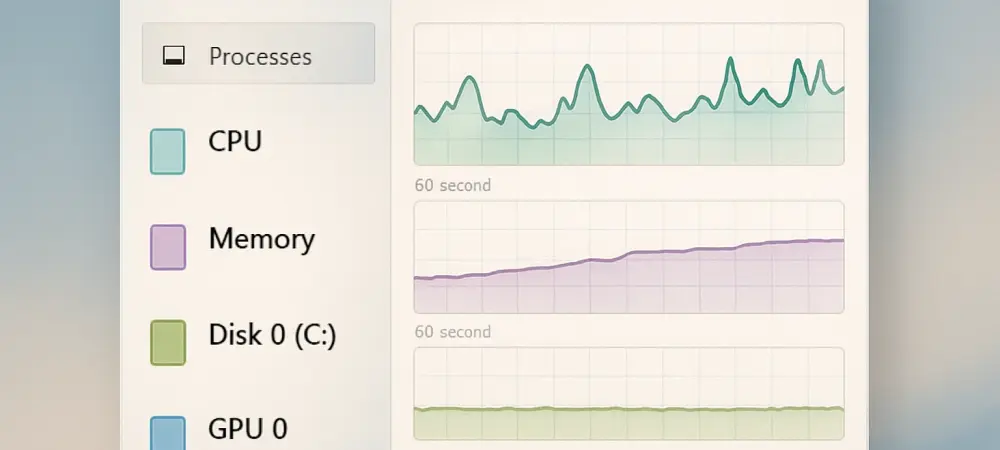
A significant drawback of this update is an unexpected bug affecting Task Manager, a vital utility for managing processes and monitoring resource usage. Contrary to normal behavior, Task Manager continues to run in the background after being closed by users. This persistent operation deviates from the expected termination of the process, leading to unnecessary consumption of system resources across both Windows 11 versions 24## and 25##.
The implications of this glitch extend beyond minor inconvenience, as it can subtly impact system performance, especially on devices with limited resources. Users accustomed to closing Task Manager to free up memory may find their efforts futile, resulting in frustration and diminished trust in system tools. Microsoft has acknowledged this as a known issue, confirming its widespread effect on the user base and signaling the urgency of a resolution.
This bug serves as a stark reminder of the complexities involved in rolling out system-wide updates. While Task Manager is a fundamental component, its malfunction in this context illustrates how even well-intentioned updates can introduce unforeseen challenges, prompting a closer look at testing protocols for preview releases.
Navigating Installation and Reversal Challenges
For users eager to explore the new features, accessing KB5067036 is straightforward through the Windows Update settings under the “Optional Updates Available” section. This placement reflects its status as a non-mandatory update, giving users the flexibility to opt in based on their willingness to test preview content. The installation process is designed to be seamless, aligning with Microsoft’s goal of making updates accessible to a broad audience.
However, for those encountering issues like the Task Manager bug, Microsoft offers guidance on removing the cumulative update using the DISM command-line tool. This method allows partial reversal of the changes, providing a workaround for affected systems. Yet, the non-removable nature of the servicing stack component means that a full rollback is not possible, leaving some elements of the update permanently integrated into the system.
This partial irreversibility underscores a critical consideration for users: installing optional updates can commit systems to certain changes with no complete way back. It emphasizes the need for caution and perhaps waiting for more polished versions of such updates, especially when core utilities are at risk of malfunction.
Weighing the Pros and Cons of Early Adoption
Microsoft’s strategy of releasing preview updates like KB5067036 allows for real-world testing and valuable user feedback before widespread deployment. This approach fosters innovation by introducing features such as AI enhancements early, giving a glimpse into the future direction of Windows 11. It also enables the company to refine functionalities based on actual usage patterns, potentially leading to more robust final releases.
On the flip side, this early access comes with inherent risks, as evidenced by the Task Manager issue. Such bugs can disrupt daily operations and erode confidence in the update process, particularly for users who rely on system stability for critical tasks. The trade-off between experiencing cutting-edge improvements and encountering potential glitches becomes a personal decision, influenced by individual tolerance for minor disruptions.
This dynamic highlights a broader theme in software development: the push for rapid innovation often clashes with the need for flawless execution. For many, the allure of new features may not outweigh the inconvenience of unexpected behavior in essential tools, suggesting a prudent approach of monitoring community feedback before installation.
Microsoft’s Path Forward and User Expectations
Addressing user feedback remains a priority for Microsoft, with active monitoring of issues like the Task Manager bug reported in KB5067036. The company’s acknowledgment of the problem indicates a proactive stance, and there is a strong likelihood that a fix will be included in upcoming updates. This iterative process of identifying and resolving issues is central to Microsoft’s commitment to enhancing Windows 11 over time.
Looking ahead, resolving such glitches promptly could reinforce user trust in optional updates as a reliable means of accessing new capabilities. The speed and effectiveness of Microsoft’s response will play a significant role in shaping perceptions of preview releases. A swift correction would demonstrate accountability and a dedication to user satisfaction, potentially encouraging more users to participate in early testing phases.
Beyond immediate fixes, this situation may prompt Microsoft to refine its quality assurance measures for preview updates. Strengthening pre-release testing could minimize the occurrence of similar issues, ensuring that the benefits of early access are not overshadowed by preventable flaws. This ongoing evolution of Windows 11 reflects a learning curve that, if navigated well, could lead to a more seamless user experience in the long run.
Reflecting on the Update’s Legacy
Looking back, the rollout of KB5067036 for Windows 11 marked a pivotal moment where ambitious AI enhancements collided with a notable setback in the form of the Task Manager bug. The update’s intent to push system capabilities forward was clear, yet the unintended persistence of Task Manager in the background left many users grappling with resource drain and operational hiccups. Microsoft’s recognition of the issue and the partial removal options provided some relief, though the permanent servicing stack component added a layer of complexity to full reversal.
Moving forward, users who encountered these challenges were advised to hold off on installing similar optional updates until patches were confirmed. For those considering future preview releases, keeping an eye on community forums and official announcements became a practical step to gauge stability. Microsoft’s ongoing efforts to refine Windows 11 through such updates suggested a trajectory of improvement, provided that lessons from this experience were integrated into tighter quality controls. This episode ultimately served as a learning opportunity, urging both the company and its user base to approach early adoption with informed caution.