

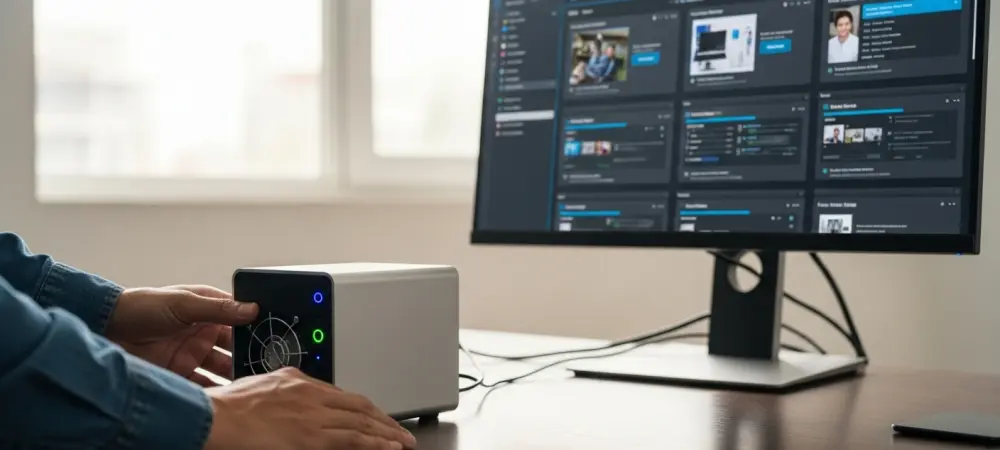
The transition from utilizing a dusty, secondary laptop for software testing toward a centralized server architecture marks a significant evolution in personal productivity and digital safety protocols. Keeping an older machine solely for running suspicious files or experimental scripts often leads to a cluttered workspace and an unexpected increase in the monthly electricity bill without providing adequate protection against modern threats. While the physical separation of a spare PC seems like a logical safety measure, it often fails to account for the sophisticated lateral movement capabilities that contemporary malware employs to jump from one device to another via local network connections. Furthermore, the sheer inconvenience of managing a dedicated physical tower—ranging from hardware failure risks to the slow process of reinstalling an entire operating system after a crash—often discourages users from conducting thorough tests in the first place. Centralizing these tasks onto a modern virtual machine server allows for a more streamlined, secure, and energy-efficient workflow that adapts to the fast-paced demands of current software development and cybersecurity landscapes.
Advanced Security: Network and Data Isolation
Centralizing experimental workloads within a virtual machine server provides a level of control that a physical secondary device simply cannot replicate through conventional means. By utilizing hypervisors like Proxmox or VMware ESXi, administrators can implement granular network rules that effectively place each virtual environment into a complete digital silo. This ensures that even if a specific instance becomes compromised by ransomware, the malicious code is physically unable to scan or infect other devices residing on the same home or office network. Such isolation is achieved through virtual local area networks and software-defined firewalls that intercept every packet leaving the guest operating system before it reaches the physical gateway. This proactive approach eliminates the anxiety associated with testing untrusted applications on a machine that might otherwise have access to shared folders, network printers, or sensitive cloud storage accounts, thereby protecting the core integrity of the local infrastructure.
Beyond preventing external infection, the internal structure of a virtualized environment facilitates a comprehensive data sterilization process that protects sensitive information from being leaked during testing. Unlike a spare PC that may still contain lingering cached files, browser cookies, or system registries from its previous life as a primary workstation, a virtual machine starts as a completely blank slate. Security enthusiasts can configure these guests to run without any real user data, ensuring that diagnostic tools or data-stealing malware find nothing of value to exfiltrate. This architecture creates a permanent disconnect between the physical hardware components and the software environment, making the host system entirely invisible to the guest. Even if a script attempts to query the motherboard serial number or the storage volume identifiers, it only receives the generic information provided by the virtualization layer, thus maintaining the privacy of the actual hardware.
Operational Efficiency: Instant Deployment and Reversion
The concept of treating an operating system as a disposable, reproducible file fundamentally changes the way power users approach technical troubleshooting and software experimentation. In a traditional hardware-based environment, a catastrophic system error or a corrupted registry entry necessitates an arduous recovery process that involves external boot media and several hours of manual configuration. Virtualization replaces this archaic workflow with snapshot technology, which allows the state of a running system to be captured and saved at any moment. Should a specific installation become unstable or infected after a series of tests, the user can revert to a perfectly clean state in mere seconds with a single mouse click. This capability encourages a much more aggressive testing strategy, as the consequences of a system-wide failure are effectively negated by the ability to restore a functional template instantaneously and without any data loss or manual reinstallation.
This disposability extends to the optimization of physical storage resources, as virtual disks only consume the amount of space required for the specific tasks at hand. When a secondary physical computer is utilized, its entire hard drive is dedicated to a single operating system regardless of how much space is actually being used by the active applications. In contrast, a virtual machine server allows for the thin provisioning of storage, where multiple guest environments share a common pool of high-speed NVMe capacity. Once a project is completed or a particular software evaluation is finished, the entire virtual machine can be deleted to reclaim that storage for other purposes immediately. This eliminates the need for maintaining a library of physical hard drives or dealing with the slow read-write speeds of external recovery disks. By consolidating multiple environments onto a single, high-performance host, the user maximizes the value of every gigabyte and watt consumed.
Compatibility Solutions: Emulation and Parallel Testing
Modern virtualization platforms offer sophisticated hardware emulation that allows newer operating systems to run on a wider variety of physical hardware than originally intended by manufacturers. For instance, the strict hardware requirements of modern Windows versions, such as the necessity for a Trusted Platform Module 2.0, can often prevent older spare PCs from functioning as viable test beds. A virtual machine server bypasses these physical limitations by presenting a virtualized TPM to the guest, enabling the installation of the latest software without needing to purchase new specialized hardware. Additionally, this layer of abstraction supports the execution of legacy operating systems that might struggle with the drivers for modern 64-bit processors or solid-state controllers. By emulating older architectures, a server can keep essential legacy tools functional within a modern environment, bridging the gap between historical software needs and contemporary performance standards. The ability to run multiple virtual machines in parallel on a single machine provides an unparalleled environment for cross-platform compatibility checks and version-specific debugging. Instead of cluttering a desk with several laptops to see how a program behaves across different builds of an operating system, a developer can simply open several windows on a high-resolution monitor. This simultaneous execution allows for real-time comparisons of software performance and visual rendering across various configurations, such as Windows 10, Windows 11, and several Linux distributions. Such parallelism is especially beneficial when testing network interactions between client and server applications, as both ends of the connection can be monitored on the same screen. This streamlined approach not only saves physical space but also drastically reduces the time spent switching between different devices, as the centralized management console provides a unified interface for all running instances.
Strategic Hardware: Implementing a Professional Virtual Lab
Successfully transitioning to a virtualized workflow required a host machine that provided significant computational headroom to handle the overhead of multiple concurrent guest systems. Recent trends in home laboratory setups favored high-performance mini PCs equipped with multi-core processors like the Intel i7-14650HX, which offered a robust architecture of 16 cores and 24 threads for intensive multitasking. These compact units provided the necessary processing power to run several resource-heavy virtual machines without experiencing latency or system throttling that would occur on older hardware. Pairing such a processor with at least 64 gigabytes of high-speed RAM ensured that each virtual environment had enough memory to operate smoothly while leaving enough for the hypervisor itself. Furthermore, the inclusion of modern networking standards such as 2.5 Gigabit Ethernet facilitated fast data transfers between the server and other devices on the network.
The move toward a centralized virtual machine server was ultimately completed when the legacy of maintaining multiple physical workstations gave way to a more agile and secure digital infrastructure. It became clear that the investment in a dedicated host yielded significant returns in terms of time saved during system deployments and the peace of mind provided by absolute network isolation. Administrators recognized that by utilizing advanced hypervisors, they could create a robust laboratory that was both scalable and easy to maintain regardless of the complexity of the software being tested. The strategy involved setting up automated backup routines and pre-configured system templates to further streamline the lifecycle of each virtual instance. Future considerations focused on expanding these capabilities through the integration of cloud-based synchronization and even more granular resource allocation to support the ever-growing demands of development and research.