

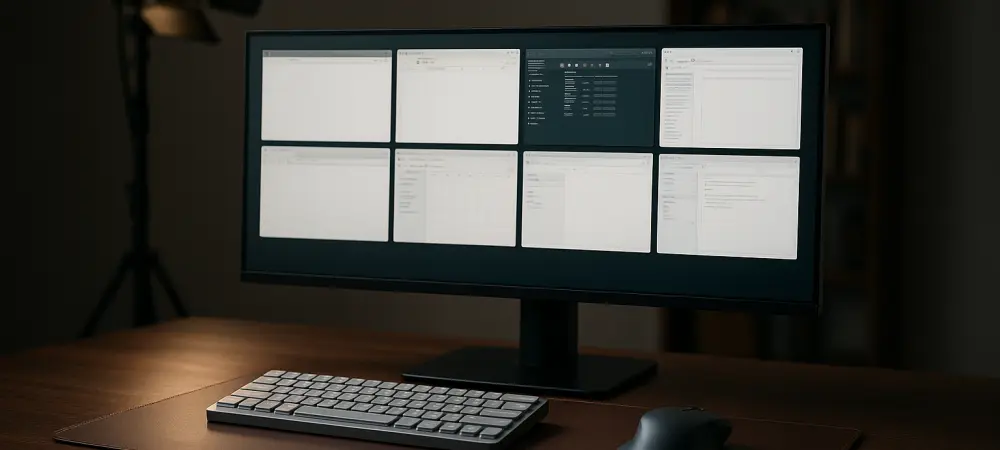
The introduction of Window Hopper aims to eliminate the digital noise encountered when using the traditional Alt + Tab shortcut for multitasking. This new utility within the Microsoft PowerToys suite addresses the common frustration of cycling through dozens of unrelated windows just to find a specific instance of a code editor or design tool. By allowing users to cycle through windows of only the currently active application, it provides a focused approach to navigation that mirrors the efficiency of high-end specialized operating systems. This development represents a significant shift in how developers approach power users, moving away from broad system-wide changes toward granular, behavior-specific tools. The focus on reducing cognitive load during complex tasks ensures that the flow state remains uninterrupted by administrative overhead. Consequently, professionals who rely on intensive window management now have a native-feeling solution to maintain deep focus throughout their workday.
Streamlining Workflow Management with Window Hopper
Precision Switching: Navigating Focused Applications
The functional core of Window Hopper revolves around its ability to identify and isolate process IDs associated with the front-most window. In a typical scenario, a software engineer might have five separate Visual Studio Code instances open alongside a dozen browser tabs and several terminal windows. Under the standard Windows interface, finding a specific code file requires scanning a cluttered grid of thumbnails. With the new utility, the user can trigger a dedicated shortcut that presents only those five code instances, effectively treating the application as a self-contained workspace. This level of isolation is particularly beneficial for users who do not utilize virtual desktops but still require a way to organize their tasks logically. The logic behind the tool is designed to be lightweight, ensuring that it does not impact system performance even when handling complex, multi-instance applications. This approach provides a streamlined path to specific data without requiring the user to reorganize their entire desktop, maintaining a clean visual field for the operator.
Beyond the immediate benefits of speed, this tool fosters a more intentional interaction with the operating system. When the cycle is restricted to a single application, the physical movement of the eyes and hands becomes more predictable, leading to the development of stronger muscle memory. For creative professionals working in suites like Adobe Creative Cloud, where multiple windows for different assets are often open simultaneously, this feature bridges the gap between chaos and organized production. It allows for a rapid jump between relevant project files while keeping reference materials in the background but readily accessible. Furthermore, the tool’s logic extends to recognizing grouped windows in the taskbar, ensuring that the user experience remains consistent with existing Windows navigation paradigms. By building upon familiar concepts rather than replacing them entirely, the update lowers the barrier to entry for users who may have previously found PowerToys to be overly technical. The result is a more cohesive environment that adapts to the user’s specific intent.
Configuration Synergy: Integration with FancyZones
The modular nature of PowerToys means that Window Hopper does not exist in a vacuum but rather works alongside established utilities like FancyZones. This synergy allows for a comprehensive management system where windows are not only positioned precisely on a high-resolution display but also accessed with newfound speed. Users who have defined complex zone layouts can now use Window Hopper to cycle through windows within a specific application without disturbing the meticulously arranged background windows. This is a game-changer for data analysts who might keep a static dashboard in one zone while rotating through various spreadsheets in another. The ability to maintain a fixed visual anchor while rapidly updating the active content within that anchor enhances the utility of ultra-wide monitors. By integrating these two features, the system creates a powerful environment for power users who manage massive amounts of information across diverse screen real estate. This combination of spatial and temporal organization represents a major step forward for modern desktop ergonomics.
Customization remains a cornerstone of the PowerToys philosophy, and the latest update provides extensive options for remapping shortcuts to suit individual ergonomic preferences. Many users opt to replace the default Windows switcher behavior entirely, while others prefer to keep it as a secondary option for broader navigation. The interface for these settings is designed to be intuitive, allowing for the easy adjustment of activation keys and visual styles. For instance, the transparency and size of the window thumbnails can be modified to reduce visual distraction further or to accommodate users with specific accessibility needs. This flexibility ensures that the tool remains useful across a variety of hardware configurations, from compact laptops to multi-monitor workstations. As the suite continues to evolve, the focus remains on user-driven improvements that prioritize utility over aesthetics. This philosophy has solidified PowerToys as an essential installation for any Windows user looking to optimize their daily operational throughput. The adaptability of the tool ensures it meets the needs of both casual users and professionals.
Expanding the Toolset for Power Users
Navigational Aids: Enhancing the Mouse Experience
While Window Hopper addresses keyboard-driven navigation, the update also brings significant refinements to mouse-related utilities, particularly Mouse Jump and Find My Mouse. These tools are indispensable for users operating on high-density displays where locating the cursor can occasionally become a tedious task. Mouse Jump allows for instantaneous teleportation of the cursor across vast screen distances, a feature that has been optimized for better performance on high-refresh-rate monitors common in the current landscape. The algorithm responsible for rendering the mouse-finding highlight was updated to be more responsive, ensuring that the visual cue appeared exactly when needed without lag. These small but critical adjustments contribute to a more fluid user experience, reducing the physical strain associated with repetitive mouse movements. For professionals who spend long hours at a computer, these ergonomic enhancements provide cumulative benefits that help prevent fatigue and improve overall comfort. The precision of these mouse tools complements the keyboard-centric nature of the window management updates.
The visibility enhancements also serve a vital role in accessibility, assisting users with visual impairments in keeping track of their point of interaction. By providing high-contrast highlights and scalable cursor indicators, PowerToys ensures that the Windows environment remains inclusive and adaptable to diverse user requirements. This commitment to accessibility is mirrored in the way the software handles high-DPI scaling across mismatched monitors, a common pain point for professionals who mix 4K and 1080p displays. The latest refinements ensured that the cursor and its associated highlights remained sharp and correctly proportioned regardless of the monitor’s resolution or scaling factor. This technical attention to detail prevented the visual artifacts that previously plagued third-party cursor tools. As a result, the desktop remains a cohesive space where the user feels in control rather than fighting against the limitations of the hardware or the software’s default settings. This focus on consistency across different display types is essential for maintaining productivity in multi-monitor setups.
Strategic Implementation: Enhancing Future Productivity
Looking forward, the development roadmap for PowerToys from 2026 to 2028 suggests an even deeper integration of context-aware tools that anticipate user needs based on active tasks. The current focus on window and mouse management provides a solid foundation for future utilities that may leverage local machine learning to suggest optimal window layouts or automate repetitive file-handling tasks. As the workforce continues to adopt hybrid and remote models, the portability of these settings through cloud synchronization will become increasingly important. Professionals will expect their customized productivity environments to follow them from the office to the home studio without manual reconfiguration. This trajectory indicates that these utilities serve as a testing ground for features that may eventually find their way into the core operating system experience. By engaging with a community of power users, the developers can iterate rapidly on these concepts, ensuring that only the most effective and stable tools are promoted. This iterative process is key to the long-term success of the platform. The latest update to the PowerToys suite proved to be a pivotal moment for desktop management, as it successfully addressed the growing complexity of modern digital workspaces. By prioritizing granular control through Window Hopper and enhancing cursor visibility, the developers provided a tangible solution to the persistent issue of cognitive overload. Users who integrated these tools into their daily routines reported a noticeable improvement in their ability to maintain focus and execute tasks with higher precision. The emphasis on customizability ensured that the software remained relevant for a wide range of professional disciplines, from engineering to the creative arts. Ultimately, the successful deployment of these features underscored the importance of community-driven development in shaping the tools of the future. The forward-looking strategies established during this period laid the groundwork for more advanced automation and intelligent system behaviors that continued to define the user experience. This evolution ensured that the desktop environment remained a powerful asset for professionals worldwide.