

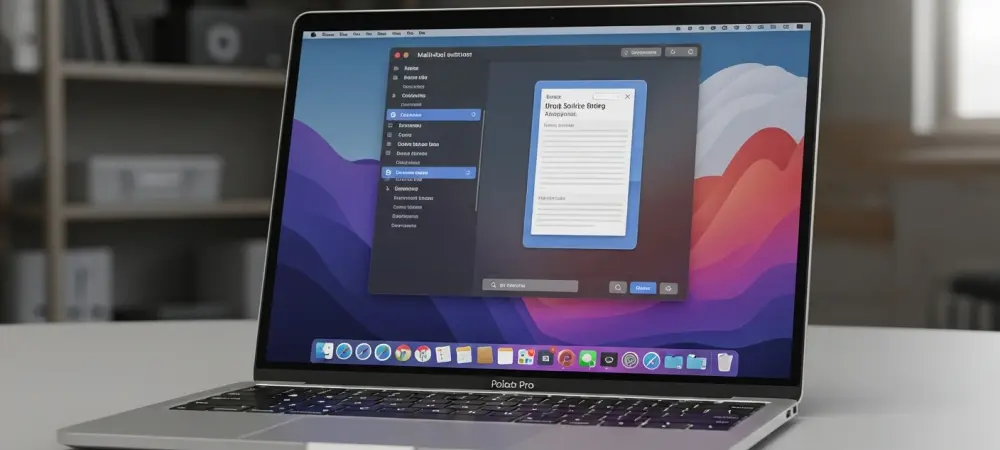
The boundary between traditional desktop computing and the fluid responsiveness of modern artificial intelligence is set to dissolve entirely with the upcoming release of macOS 27. As the technology community looks toward the 2026 Worldwide Developers Conference, this new operating system is being positioned as the defining moment for Apple’s next-generation hardware strategy. This update is not merely an incremental improvement; it represents a fundamental shift in how users interact with their machines by bridging the gap between high-performance local AI and the classic desktop environment. While previous versions focused on aesthetic refinements and cross-platform synergy with mobile devices, macOS 27 is taking a more disciplined approach by prioritizing system stability and internal optimization. By addressing several years of user feedback regarding software bloat and performance inconsistencies, Apple is attempting to deliver a software package that feels remarkably polished while simultaneously introducing features that were once considered the realm of science fiction. The goal is to provide a platform that is as reliable for professional video editors as it is intuitive for students, creating a unified experience that leverages the full power of the latest silicon.
Naming Traditions and System Refinement
The internal identity of macOS 27 is currently built around the moniker “Project Big Bear,” a name that continues the long-standing tradition of drawing inspiration from iconic California landmarks and natural wonders. While the marketing team is still considering other trademarked candidates like Shasta, Redwood, or Sequoia, the “Big Bear” designation suggests a transition toward a more rugged and robust software identity. This branding strategy mirrors the rugged elegance of the Sierra Nevada, signaling that the operating system is designed to handle the most demanding tasks without compromising its visual sophistication. The choice of a mountain-themed name often correlates with releases that emphasize strength and core architectural improvements rather than just a superficial redesign. This identity helps set the tone for the entire development cycle, framing the update as a return to the roots of what makes the Mac a powerful tool for creators and professionals who require a dependable and beautiful workspace for their daily operations.
Beyond the marketing labels, the development of macOS 27 follows what insiders call a “Snow Leopard” philosophy, which places a higher value on performance and reliability than on introducing flashy new visual effects. Apple is currently conducting an exhaustive review of the underlying system code to eliminate persistent bugs that have accumulated over the last few update cycles. This rigorous optimization process is specifically tuned for Apple Silicon, ensuring that every line of code takes full advantage of the unified memory architecture and the advanced neural processing units. By trimming away unnecessary background processes and refining the way the kernel manages resources, the system achieves a level of responsiveness that feels instantaneous. This focus on the foundation of the operating system ensures that the new AI features and hardware support do not come at the cost of stability or battery life. The result is a version of macOS that feels leaner and more athletic, providing a solid base for the ambitious features scheduled for introduction later this year.
The Evolution of Siri and Apple Intelligence
The most transformative element of macOS 27 is the complete overhaul of Siri, which effectively transitions the service from a basic voice-command assistant into a sophisticated, multi-modal AI chatbot. A new standalone Siri application is expected to debut, offering an interface that closely resembles iMessage, where users can engage in continuous text or voice-based conversations. This application will allow for complex document analysis, enabling users to drag and drop lengthy PDF files or spreadsheets into the chat window for instant summaries, data extraction, or content generation. Unlike previous iterations that felt disconnected from the user’s workflow, this new Siri maintains a searchable history of all past interactions, allowing for a persistent and evolving collaborative relationship between the human and the machine. The shift toward a text-first interface acknowledges the reality of modern work environments where voice commands are not always practical or socially appropriate. In a move that emphasizes flexibility and user choice, Apple is reportedly partnering with Google to integrate Gemini models for high-level tasks that require extensive external knowledge bases. A new system-level feature called “Siri Extensions” will allow users to customize their AI experience by swapping between different large language models, including Claude or Gemini, directly within the system settings. This modular approach allows the built-in AI to handle a wider variety of specialized requests, such as advanced coding assistance or creative writing, while still maintaining Apple’s industry-leading standards for privacy and data security. By offering these extensions, macOS 27 ensures that users are not locked into a single AI ecosystem, but can instead leverage the best tools available for their specific needs. This integration happens seamlessly in the background, with the system intelligently routing requests to the most appropriate model based on the complexity and nature of the user’s prompt.
The Three Pillars of Intelligent Interaction
The intelligence layer of macOS 27 is built upon three foundational pillars: personal context, onscreen awareness, and deep application integration. The system is designed to securely index a user’s emails, calendar events, and local files to create a comprehensive understanding of their personal context, allowing Siri to answer specific questions about upcoming deadlines or past communications. For instance, a user could ask for a summary of a specific project discussed in multiple email threads over the last three months, and the system would be able to synthesize that information accurately. This indexing happens entirely on-device to ensure that sensitive data never leaves the local hardware, maintaining a strict privacy barrier. This level of contextual awareness makes the assistant feel like a true digital partner that understands the nuances of the user’s professional and personal life without requiring manual data entry or constant reminders. Building on this contextual foundation, the operating system introduces advanced onscreen awareness that allows the AI to “see” and interpret what is currently displayed on the monitor. This capability enables the system to assist with active tasks, such as identifying a specific person in a video call or providing real-time technical support based on an error message appearing in a third-party application. Furthermore, the deep application integration allows macOS 27 to perform complex, multi-step actions across various programs simultaneously. A user might request the system to “find the travel photos from last weekend, resize them for email, and draft a message to my family,” and the OS will orchestrate the interaction between the Photos app, an image editor, and the Mail client without further intervention. This proactive approach to automation transforms the Mac from a collection of isolated apps into a cohesive environment where the operating system acts as the intelligent conductor of the user’s digital workflow.
Touchscreen Support and Interface Adjustments
A historic shift is arriving for the Mac hardware lineup as macOS 27 prepares to support the introduction of touchscreen capabilities on the next generation of MacBook Pro models. To facilitate this transition, the operating system features a dynamic user interface that intelligently adjusts the size and spacing of interactive elements based on the method of input. When the system detects a finger approaching the screen, menu items and buttons automatically expand to provide larger targets, ensuring that touch interactions are precise and frustration-free. Conversely, when the user switches back to a mouse or trackpad, the interface reverts to a more compact and information-dense layout suitable for fine cursor control. This adaptive behavior solves the long-standing problem of making a desktop OS usable on a touch-sensitive panel without sacrificing the precision that professional users demand from their primary workstations. In addition to physical touch targets, the update integrates a suite of intuitive gestures that will feel immediately familiar to those who have used an iPad or iPhone. Features like pinch-to-zoom, swipe-to-navigate, and fast-scrolling are being natively integrated into the core of the macOS experience, ensuring a smooth transition for users who frequently move between different Apple devices. To complement these functional changes, Apple is refining the “Liquid Glass” aesthetic by introducing a system-wide opacity slider in the Control Center. This tool allows users to manually adjust the transparency and blur effects of windows and menus, providing a better balance between modern visual style and the clarity required for long hours of work. By giving users direct control over these aesthetic parameters, the system accommodates varying visual preferences and lighting conditions, making the interface more versatile than ever before.
Creative Tools and Inclusive Features
The Photos app is receiving a significant update through the integration of Apple Intelligence, which introduces a suite of generative AI tools designed to simplify and enhance the creative process. A new “Extend” feature allows users to use AI to fill in the background or scenery beyond the original borders of a photographic frame, which is particularly useful for correcting composition or creating wide-format images from vertical shots. Additionally, the “Enhance” tool utilizes neural networks to perfectly calibrate lighting, color, and sharpness with a single click, producing professional-grade results without requiring manual editing skills. For users who have embraced the spatial photography trend, the “Reframe” tool allows for the post-capture adjustment of perspectives, effectively letting the photographer move the “camera” within a three-dimensional scene to find the perfect angle long after the shutter was pressed.
Accessibility continues to be a core focus for the development team, with macOS 27 introducing several innovative tools designed to make the platform more inclusive for all users. These enhancements include comprehensive native support for specialized gaming controllers and adaptive input devices, ensuring that the Mac remains a viable platform for gamers with diverse physical needs. The system also introduces real-time generated subtitles for any audio content playing on the device, whether it is a video call, a podcast, or a local media file, providing a crucial resource for the deaf and hard-of-hearing community. Furthermore, a new accessibility reader has been developed to simplify complex document layouts into a clear, high-contrast format that is easier for users with visual impairments or cognitive differences to navigate. A specialized API for FaceTime will also allow third-party sign language interpreters to join calls with a dedicated interface, ensuring that communication remains seamless and accessible for everyone.
Compatibility and Launch Timeline
The release of macOS 27 marks the definitive conclusion of the Intel era for Apple’s desktop computers, as the new operating system will officially require a machine equipped with an M1 chip or later. This decision is driven by the technical necessity of the Neural Engine found in Apple Silicon, which is required to power the extensive suite of on-device AI features that define this release. While the Rosetta 2 translation layer will remain available for a limited time to support legacy software, its presence is clearly being phased out as the entire ecosystem completes its transition toward a fully native architecture. This hardware requirement ensures that every user running the new OS has the processing power necessary to enjoy a fluid and responsive experience, preventing the fragmentation that can occur when modern software is forced to run on aging, inefficient processor designs.
Apple followed a strategic rollout schedule that prioritized developer readiness and system stability before the wide public release. The company unveiled the core features of macOS 27 during the Worldwide Developers Conference on June 8, 2026, and immediately provided developers with a preliminary beta to begin testing their applications against the new AI frameworks and touch-enabled interface. This was followed by a public beta in July, which allowed early adopters to provide feedback on the “Liquid Glass” refinements and the new Siri application. By the time the final version launched in the fall, coinciding with the debut of new MacBook Pro hardware, the software had undergone months of rigorous real-world testing. This phased approach ensured that the transition to a more intelligent and touch-capable Mac was handled with the level of precision and care that professional users have come to expect from the platform.