

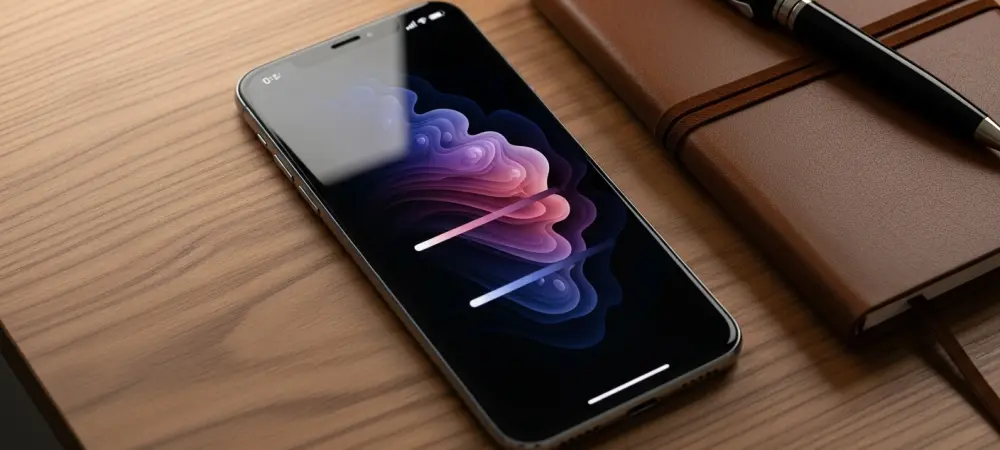
The arrival of iOS 27 signals a transformative era for mobile computing where the boundary between the physical device and its digital interface dissolves into a singular, fluid experience. Rather than merely iterating on existing frameworks, this update reimagines the smartphone as a highly adaptive partner that anticipates needs through deep architectural refinements and a commitment to user-centric design. While previous cycles focused on adding features, the current focus remains on perfecting the synergy between advanced silicon and the operating system to ensure that every interaction feels natural and unburdened by technical friction. This strategic direction addresses the growing demand for tools that prioritize cognitive ease and system-wide efficiency, making the iPhone more than a communication device. By harmonizing sophisticated health analytics with a redesigned visual language, the update establishes a new baseline for what users should expect from their personal technology, reflecting a mature vision of the modern digital lifestyle.
The Architectural Foundation: Speed and Stability
The fundamental core of iOS 27 rests upon a completely rewritten animation engine that establishes a level of responsiveness previously unseen in the mobile industry. This architectural shift, often referred to as the “Liquid Engine,” allows the interface to react to touch and gestures with zero perceived latency, creating a tactile sensation that makes the software feel physically present. By optimizing how the processor allocates power during peak multitasking periods, the system maintains a high refresh rate even when background processes are exceptionally demanding. This efficiency extends to app launch times and thermal management, ensuring that the device remains cool and efficient during prolonged usage. For professionals relying on high-performance workflows, this means that the transition between complex creative suites and daily communication tools occurs without any stutter or delay, providing a consistent and reliable environment for productivity that adapts to the specific cadence of the individual user throughout their busy day. Beyond the internal processing improvements, the update introduces a sophisticated protocol known as Connectivity Assist to manage the complexities of modern network environments. This feature intelligently monitors the strength and quality of Wi-Fi and cellular signals, performing seamless handoffs to prevent the momentary data drops that typically occur when moving between different access points. This is particularly vital for the increasing number of users engaging in high-bandwidth activities such as remote video conferencing or cloud-based gaming while on the move. Furthermore, the underlying security frameworks for biometric authentication have been streamlined, allowing Face ID to function at wider angles and in more challenging lighting conditions without compromising safety. These enhancements ensure that the primary points of interaction—entering the device and accessing the web—are as frictionless as possible. The result is a system that feels inherently more stable and connected, reducing the small technical annoyances that can accumulate during a standard workday.
Visual Identity: Personalization and Information Flow
A significant aesthetic shift arrives with the introduction of the Liquid Glass design philosophy, which moves away from static imagery toward a dynamic and reactive visual experience. This new approach utilizes wallpapers and interface elements that respond to the physical movement of the device and the specific lighting conditions of the surrounding environment. By utilizing depth sensors and ambient light detectors, the Lock Screen and Home Screen now present a more immersive and personalized appearance that changes throughout the day to reflect the user’s context. This is not merely a cosmetic change but a functional one, as the design language incorporates subtle visual cues to guide the user’s eye toward the most relevant information. Such a high degree of customization allows for a bespoke interface that feels unique to each owner, moving the iPhone closer to being a truly personal reflection of one’s preferences rather than a generic piece of hardware that looks identical for every person.
To complement the new visual style, the system now supports extra-large widgets that serve as powerful information hubs for essential applications like Weather, Calendar, and Health. These widgets are designed to provide a wealth of “glanceable” data, reducing the need for constant app switching and allowing users to stay informed with a single look at their screen. Whether tracking complex meteorological patterns or monitoring a detailed daily schedule, these expanded views offer a level of detail previously reserved for full-screen applications. This focus on information density and accessibility ensures that the Home Screen remains a functional dashboard rather than just a collection of icons. By integrating these widgets with the Dynamic Island, the software creates a continuous flow of information that is both unobtrusive and highly accessible. This represents a strategic shift toward a “glance-first” philosophy, where the most important details are always within reach, minimizing the cognitive load required to manage a modern digital life.
Intellectual Integration: The Siri Evolution
Siri has undergone a massive transformation in iOS 27, evolving from a voice-activated assistant into a deeply integrated system tool that leverages advanced context-aware intelligence. This version of the assistant resides within a dedicated hub that allows for more complex, multi-step queries that take into account the user’s current activity across various applications. For instance, if a user is viewing a travel itinerary in an email, Siri can automatically cross-reference this information with transit data and local weather to provide proactive suggestions without being specifically prompted. This shift toward proactive intelligence means that the assistant becomes a more capable partner in managing daily logistics, moving beyond simple task execution to offer genuine insights. By minimizing its visual presence within the Dynamic Island, the assistant remains available for immediate assistance without interrupting the primary task at hand, creating a more cohesive and professional user experience that values the user’s time.
The integration of this intelligence extends deep into the file system and third-party applications, enabling a more natural way to search for and organize digital assets. Users can now search for specific photos based on complex descriptions or locate documents based on the context of past conversations, making the retrieval of information significantly faster. This capability is built on a foundation of on-device processing, ensuring that user data remains private and secure while still benefiting from the power of modern machine learning. Furthermore, the assistant now excels at understanding natural language nuances, allowing for a more conversational and less rigid interaction style. This makes the technology more accessible to a wider range of users, including those who may have found previous versions of voice control to be unintuitive or limited. The end result is a system that feels genuinely smart, capable of navigating the complexities of modern digital environments with ease and precision.
Communication and Inclusion: Enhancing the User Journey
Core communication tools such as Messages and Safari have received substantial updates aimed at improving both productivity and the creative expression of the user. Within the Messages application, a new auto-resend feature ensures that texts are delivered even in areas with poor cellular coverage by automatically retrying the transmission when the signal improves. Additionally, integrated drawing tools allow for more expressive communication, while Safari introduces a topic-based organization system that automatically groups related tabs to prevent digital clutter. These functional overhauls are designed to streamline the way people share information and browse the web, making the iPhone a more powerful tool for both professional collaboration and personal connection. By focusing on the small details of the communication experience, the software helps to eliminate the minor frustrations that can often occur during high-stakes messaging or complex research sessions. Accessibility and safety have been prioritized through significant upgrades to tools like VoiceOver and the introduction of real-time systemwide captions for all audio content. FaceTime now includes sign language interpretation features that can detect and prioritize the view of a user who is signing, making video calls more inclusive for the Deaf and hard-of-hearing community. Furthermore, parental controls have been strengthened with more granular settings that allow for a safer and more controlled digital environment for younger users. These enhancements demonstrate a commitment to making high-end technology accessible to everyone, regardless of their physical abilities or age. By ensuring that safety and inclusivity are baked into the core of the operating system, the update creates a more equitable experience for a global audience. This holistic approach to design ensures that the iPhone remains a versatile and responsible tool that serves the diverse needs of its entire user base without compromise.
Strategic Implementation: Preparing for the New Standard
The successful transition to this sophisticated mobile environment required a systematic approach to data management and device preparation. Users were encouraged to perform comprehensive backups before engaging with the initial rollout phases, ensuring that personal information remained protected during the optimization process. This period of early adoption allowed for the identification of minor bugs and performance bottlenecks, which were addressed through iterative updates before the wide public release. By maintaining compatibility for a broad range of hardware, including older models, the transition ensured that a vast majority of the user base could benefit from the core improvements in speed and security. This strategy effectively extended the lifecycle of existing devices while providing a robust foundation for the newest flagship models, proving that software longevity remains a cornerstone of the modern ecosystem and a key factor in maintaining long-term consumer trust.
Moving forward, the focus shifted toward maximizing the new personalization features and intelligence tools to create a more efficient daily routine. Those who adopted the update early reported that a focused approach to organizing widgets and fine-tuning Siri’s context-aware settings led to a significant decrease in the time spent on mundane administrative tasks. For the professional user, the investment in learning the new navigation gestures and file management shortcuts paid dividends in overall productivity. This proactive engagement with the software was essential for unlocking the full potential of the architectural changes introduced. As the digital landscape continues to evolve, the lessons learned from this rollout suggested that the most effective way to utilize mobile technology was through a combination of regular system maintenance and an openness to changing established habits. This forward-looking perspective ensured that the iPhone continued to serve as a reliable and highly capable extension of the user’s professional and personal life.