

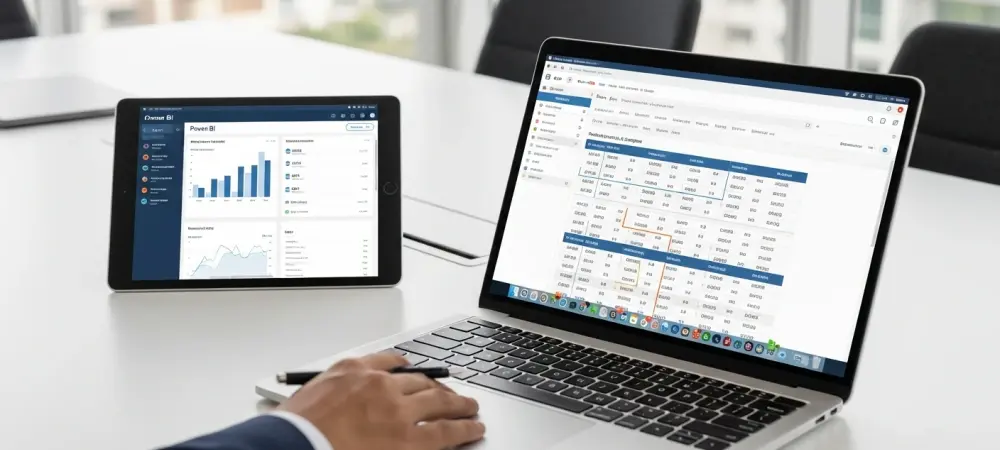
The sheer magnitude of a legacy ERP migration often reveals itself only when a controller stares at a decades-old chart of accounts and realizes that every single digit carries the weight of the company’s history. Moving from Sage 100 to Microsoft Dynamics 365 Business Central is not merely a technical checkbox or a software update; it is a profound digital translation. Organizations frequently find that their existing data structures, while comfortable, act as anchors preventing them from reaching the agility required in today’s high-velocity markets. This transition represents the moment a business sheds its rigid, on-premise skin to embrace a fluid, cloud-native existence that demands a higher level of data precision than ever before. Success in this journey depends entirely on the meticulous alignment of data from the old world to the new. While the excitement of real-time analytics and mobile accessibility is palpable, the underlying architecture must be sound to avoid the operational paralysis that follows a botched migration. The mapping process serves as the bridge between Sage 100’s segment-based logic and the dimension-driven flexibility of Business Central. It is a strategic endeavor that requires a deep understanding of how information flows through a modern enterprise, ensuring that every inventory item and every ledger entry retains its context and value after the move.
Is Your Data Ready for a Move to the Cloud?
The decision to migrate usually occurs when the limitations of Sage 100 begin to stifle growth, particularly for companies in the automotive, construction, or third-party logistics (3PL) sectors. In these environments, the need for advanced integration with tools like Power BI or specialized industry modules becomes a competitive necessity. However, moving to the cloud without a rigorous data audit is a recipe for disaster. Data that has lived in a local server for years often contains “ghost” records—obsolete inventory, duplicate vendors, and inconsistent naming conventions—that can clutter the pristine environment of Business Central. Preparation begins with an ERP readiness assessment to identify these hidden roadblocks before the first table is exported. This phase involves a cold, hard look at the quality of current records to determine what is worth saving and what should be left behind. Leaders must ask whether their valuation methods, such as LIFO, which Business Central does not natively support, can be reconciled into FIFO or Average Costing without compromising financial reporting. It is a period of house-cleaning that ensures the new system operates at peak efficiency from the very first day of go-live.
Beyond the technicalities, this stage requires securing stakeholder buy-in by demonstrating the long-term value of the migration. Utilizing an implementation cost calculator helps provide a transparent view of the investment, covering everything from licensing to specialized training. When department heads understand that a cleaner data set leads to more accurate forecasting and reduced manual reconciliation, the mapping process transforms from a chore into a strategic advantage. It is about building a foundation that supports not just the current business size, but the exponential growth projected in the coming years.
The Strategic Importance of Accurate Data Alignment
The fundamental difference between Sage 100 and Business Central lies in their DNone is built on rigid segments, while the other thrives on dynamic dimensions. In Sage 100, a change in a department or a new project often requires adding hundreds of new account strings to the General Ledger. Business Central flips this script by using dimensions, which are tags that can be attached to any transaction without ballooning the Chart of Accounts. Mapping these correctly is the difference between having a streamlined financial engine and a fragmented, confusing mess of legacy data.
Misalignment during this transition can lead to months of “forensic accounting” where teams struggle to explain why inventory valuations in the new system do not match the closing balances of the old one. For instance, if the mapping of unit of measure (UOM) conversions is slightly off, a company might find itself “selling” items it doesn’t have or “buying” quantities it cannot store. Precise alignment ensures that the historical narrative of the company remains intact, allowing leadership to run year-over-year comparisons without needing to manually bridge two different data languages.
Expert consultants often point out that the most successful migrations are those where the business takes the opportunity to “re-imagine” its processes rather than simply paving over the old ones. Instead of trying to force a legacy workflow into the new system, clever organizations use the mapping phase to simplify their structures. This might mean consolidating fifteen different item categories into five meaningful ones or finally cleaning up a vendor list that has grown unwieldy over twenty years. The goal is to emerge from the migration leaner, faster, and more data-intelligent.
Core Pillars of the Data Mapping Process
Navigating the migration requires a modular approach that prioritizes the most sensitive areas of the business: inventory and the general ledger. These two pillars support the vast majority of operational activities and are the areas where mapping errors are most visible. By breaking the process down into specialized workstreams, a company can ensure that every field—from the basic item code to complex bill of materials (BOM) structures—is accounted for and correctly placed within the Microsoft ecosystem.
Comprehensive Pre-Migration Data Audit
A successful audit acts as a diagnostic tool, revealing the health of the existing data ecosystem before any migration scripts are run. On the inventory side, this involves scrutinizing SKU structures, identifying which items are tracked by lot or serial numbers, and assessing the complexity of multi-level BOMs. On the financial side, the focus shifts to the Chart of Accounts, examining how intercompany transactions are handled and where historical data might be incomplete. This audit is not a passive review; it is an active culling of data that no longer serves the business purpose.
Setting governance standards during this audit prevents “data rot” from re-entering the system after the migration. By assigning master data ownership to specific individuals, such as the warehouse manager for item accuracy or the controller for ledger integrity, a company creates a culture of accountability. These stewards are responsible for signing off on the deduplication of vendor records and the validation of customer data. This ensures that when the data finally lands in Business Central, it is not just “there,” but it is also trusted by the people who use it daily.
Inventory Module Field Mapping
The Item Master is the heartbeat of any distribution or manufacturing firm, and its mapping requires surgical precision. In Sage 100, the ‘ItemCode’ is the primary key, which must be mapped to the ‘No.’ field in Business Central while respecting character limits and formatting requirements. However, the mapping goes deeper than names; it involves the translation of replenishment logic, including reorder points, lead times, and safety stock levels. If these planning fields are not mapped accurately, the automated procurement suggestions in Business Central will be useless, leading to stockouts or overages.
Units of measure present another layer of complexity, as Business Central utilizes a base UOM and multiple conversion factors for sales and purchasing. A product that is bought in pallets, stored in boxes, and sold in individual units must have its conversion math perfectly mapped to ensure inventory totals remain accurate across all warehouse transactions. Furthermore, for companies that require lot or serial tracking, the migration must include the tracking specifications for all opening balances. This ensures that traceability—essential for compliance and quality control—is maintained from the very first transaction in the new environment.
Transforming the General Ledger and Dimensions
The shift from a segment-based GL to a dimension-based one is perhaps the most transformative aspect of the migration. Instead of a Sage 100 account string like 100-1000-01 (representing Department-Account-Division), Business Central uses a “Natural Account” (1000) and attaches dimensions (Department: 100, Division: 01). Mapping these segments to Global or Shortcut Dimensions requires a forward-looking strategy that anticipates how the company will want to slice and dice its financial data in the future.
Opening balances must be handled with extreme care to ensure that the “Total Debits” equal “Total Credits” to the final penny. The standard procedure involves closing the final period in Sage 100, extracting a clean trial balance, and importing those figures into a Business Central General Journal. This process often involves a “suspense” or “opening balance equity” account to ensure that the balance sheet remains in equilibrium during the multi-step import of assets, liabilities, and equity. Once the final entry is posted, the resulting trial balance in Business Central should be a mirror image of the final report from Sage 100.
Managing Historical Data and Opening Balances
Determining how much history to bring into the new system is a delicate balancing act between utility and performance. While it is tempting to migrate ten years of data, most experts recommend bringing over only two to three years of detailed history for trend analysis, while keeping the rest in a read-only Sage 100 archive. This keeps the new Business Central database “light” and responsive while still providing enough context for year-over-year reporting. For many, migrating summary totals for older years and detailed transactions for recent years provides the best of both worlds.
The reconciliation of open transactions—such as unpaid invoices or unfulfilled purchase orders—is the final piece of the historical puzzle. Unlike static opening balances, these records must be migrated as “live” documents so they can be processed in the new system. This requires mapping the status of each order and ensuring that the associated sub-ledgers (Accounts Receivable and Accounts Payable) align perfectly with the General Ledger. When a customer pays an invoice that originated in Sage 100 but is collected in Business Central, the data mapping must be robust enough to handle the transaction without losing the audit trail.
Expert Insights on Migration Pitfalls
Industry veterans frequently observe that “inadequate data cleansing” is the single greatest predictor of project failure. When companies rush through the mapping phase to meet a go-live deadline, they almost always pay the price in the form of post-migration chaos. According to ERP implementation specialists, dedicating a significant portion of the project timeline exclusively to data scrubbing can save hundreds of hours in manual corrections later. The most successful teams treat data mapping as a business-led initiative rather than a purely IT-driven task, ensuring that the people who understand the nuances of the data are the ones defining its new structure.
Another common pitfall is the “lift and shift” mentality, where a company tries to replicate its exact Sage 100 workflows in Business Central. This approach often ignores the powerful automation and native features of the newer platform. For example, some firms spend weeks trying to customize Business Central to mimic Sage 100’s rigid LIFO valuation, only to realize that adopting Average Costing would have provided a much clearer view of their current margins. Leveraging the experience of a partner like Trango Tech helps avoid these traps, as they can provide perspective on which legacy habits are worth keeping and which are holding the company back.
There is also a significant risk in underestimating the training requirements associated with new data structures. Even if the data is mapped perfectly, users who are accustomed to looking for a segment-based account number may feel lost when confronted with the dimension-based interface. Experts suggest that User Acceptance Testing (UAT) should be as much about “learning the data” as it is about “learning the software”. When a warehouse worker can look at a migrated item record and immediately understand where to find the bin location and lead time, the migration has achieved its functional goal.
Practical Framework for a Successful Execution
A disciplined execution framework reduces the anxiety of the cutover and ensures that every stakeholder knows their role in the transition. This roadmap moves from theoretical mapping to practical application, using a series of checks and balances to catch errors before they impact the live environment. By following a structured path, the organization can transition with confidence, knowing that its digital foundation is secure.
Establishing Data Governance Standards
The creation of a data governance protocol is the first line of defense against information decay. This framework defines who has the authority to create new records, how data should be formatted, and what fields are mandatory for every transaction. By standardizing these rules before the migration, the company ensures that the clean data it worked so hard to map stays clean over time. This involves setting up “Data Templates” in Business Central that automatically apply certain attributes to new items or customers, reducing the chance of human error during manual entry.
Effective governance also includes a plan for handling “dirty data” that is identified during the audit. Whether it is merging duplicate vendors or correcting inconsistent addresses, these corrections should be made in the source system (Sage 100) before the final export whenever possible. This “clean at the source” approach simplifies the mapping logic and ensures that the final data set is as accurate as it can be. It also establishes a clear “version of the truth” that everyone in the organization can rely on as they move toward the new platform.
The Parallel Run Strategy
There is no substitute for the “parallel run” strategy when it comes to validating data mapping. By operating Sage 100 and Business Central simultaneously for a brief period—usually one to two weeks—a company can enter live transactions into both systems and compare the outputs. If the daily sales totals, inventory receipts, and ledger postings match exactly in both environments, it provides empirical proof that the mapping is correct. This “safe” environment allows users to discover edge cases or mapping gaps without the pressure of a full-scale operational shutdown.
While a parallel run requires extra effort from the staff, the insights gained are invaluable. It often reveals subtle differences in how the two systems handle tax rounding, discount calculations, or cost layering. Identifying these discrepancies early allows the implementation team to tweak the mapping logic before the final cutover. It is the ultimate stress test for the data, ensuring that the transition from a legacy system to a modern ERP is a seamless evolution rather than a jarring disruption.
User Acceptance Testing (UAT)
User Acceptance Testing represents the shift from technical validation to functional reality. During UAT, subject matter experts from every department—finance, sales, purchasing, and the warehouse—perform their daily tasks using the migrated data. The goal is to ensure that the data is not only accurate but also “usable” in a real-world context. Can the purchasing manager run a replenishment report that makes sense? Can the sales team find the correct pricing for a long-time customer? These are the questions that UAT answers, providing a final layer of insurance before go-live.
This phase is also an opportunity to refine the user interface based on how people interact with the migrated data. If users find that they have to click through too many screens to see a critical dimension, the implementation team can adjust the page layouts or add “FactBoxes” to surface that information more efficiently. UAT turns the data mapping project into a user-centric solution, ensuring that the new system empowers the workforce rather than frustrating them with unfamiliar or poorly placed information.
Post-Migration Validation Checklist
Before the final cord is cut and Sage 100 is moved to the archives, a rigorous validation checklist must be completed. This checklist acts as the final “sanity check” for the entire organization, covering every critical data point from the balance sheet to the warehouse floor.
- Verify that active item counts match exactly between Sage 100 and Business Central.
- Reconcile the total inventory value on the balance sheet with the detailed inventory sub-ledger.
- Ensure that all dimension values appear correctly on posted opening balance transactions.
- Confirm that aging reports for Accounts Receivable and Accounts Payable match the final Sage 100 exports to the penny.
- Test that all integrated systems, such as e-commerce platforms or EDI connections, are correctly reading the new data structures.
Once these points are verified, the business can move forward with the certainty that its financial and operational history has been successfully translated. The transition to Business Central is finally complete, not just as a software installation, but as a wholesale modernization of the company’s most valuable asset: its data. The focus then shifts from “moving data” to “using data,” as the organization begins to leverage the advanced analytics and automated workflows that the cloud environment provides. The road ahead is paved with clearer insights, better margins, and a digital infrastructure designed to scale toward future challenges.