

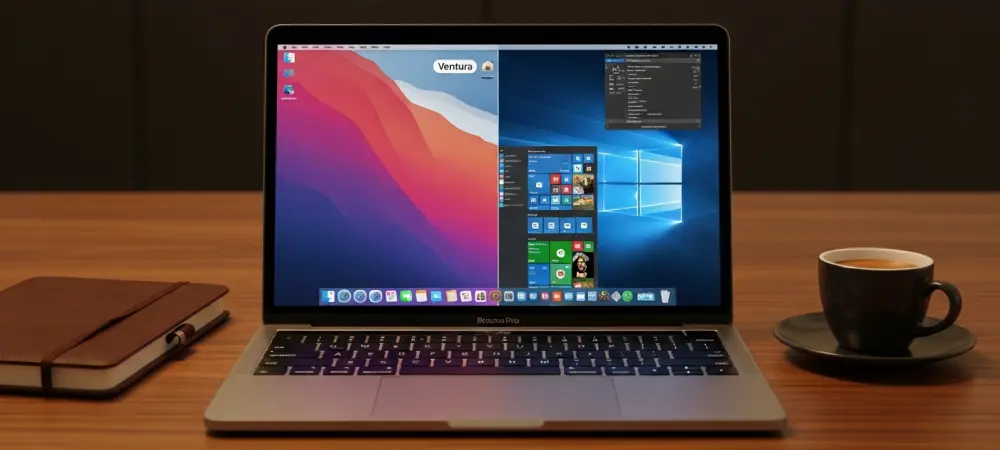
The landscape of modern computing has undergone a seismic shift as the transition to proprietary silicon architecture reached full maturity, yet the necessity of maintaining access to Windows-specific environments persists as a critical requirement for a diverse array of professional and creative industries. Despite the significant advancements in macOS software availability, many essential applications—ranging from specialized enterprise databases like Microsoft Access to proprietary industrial engineering tools—remain tethered to the Windows ecosystem. For the contemporary user, the challenge is no longer about choosing between hardware platforms, but rather about identifying the most efficient bridge to span the gap between these two powerful operating systems. In 2026, the options for virtualization and emulation have evolved to provide near-native performance levels, allowing users to leverage the power of M-series chips while simultaneously running full-featured Windows environments. This technological synergy ensures that a single device can handle everything from high-end video editing in Final Cut Pro to complex data analysis in a Windows-only SQL environment without the friction of hardware limitations. Selecting the appropriate tool requires an evaluation of specific needs, including graphical performance requirements, integration preferences, and budgetary constraints, as each solution offers a distinct approach to cross-platform compatibility.
1. Parallels Desktop: The Premier Choice For Seamless Integration
Parallels Desktop has maintained its position as the industry leader by offering the most polished and user-friendly experience for those who need to run Windows applications alongside macOS without interruption. The software is particularly renowned for its Coherence mode, a feature that hides the Windows desktop entirely, allowing individual Windows programs to appear as if they were native Mac applications floating on the macOS desktop. This level of integration extends to the system level, where Windows apps can be pinned to the Mac Dock, and files can be dragged and dropped between environments with zero latency. For professionals who move between platforms throughout the workday, Parallels eliminates the mental overhead of switching operating systems, creating a unified workspace that feels cohesive rather than fragmented. The software also handles complex tasks like printer sharing and peripheral connectivity automatically, ensuring that USB devices or network drives are instantly accessible to the virtual machine without manual configuration by the user.
Performance on the latest Apple Silicon hardware is exceptional, as Parallels has been optimized to utilize the high-efficiency and high-performance cores of the M-series architecture effectively. It supports sophisticated hardware pass-through, allowing Windows to access the Mac’s camera, microphone, and even the biometric security of Touch ID for a more secure and integrated experience. Developers find the software especially useful due to its robust support for various Linux distributions and its ability to take snapshots, which allow a user to save the current state of a virtual machine and revert to it instantly if a software test goes wrong. While the subscription-based model is a consideration for budget-conscious users, the frequent updates and reliable technical support justify the cost for those whose livelihood depends on stable cross-platform access. Recent updates have focused on enhancing graphics acceleration, making it one of the few virtualization platforms capable of running modern productivity suites and moderate gaming workloads with fluid frame rates and high stability.
2. VMware Fusion: Professional Grade Virtualization For Home Users
VMware Fusion has undergone a significant transformation in recent years, shifting its focus toward providing a high-performance, enterprise-grade virtualization engine that is now more accessible to the broader public. Following strategic changes in its licensing model, the Pro version of the software is now available for free for personal, home, and student use, making it one of the most powerful free tools in the Mac ecosystem. This move has positioned VMware as a formidable competitor to paid solutions, particularly for users who require a robust environment for IT testing, software development, or running legacy applications without the cost of a recurring subscription. The software excels at creating isolated virtual environments that can mimic complex network topologies, which is an invaluable feature for cybersecurity professionals and systems administrators who need to test deployments in a controlled sandbox. While it may lack the flashy consumer-oriented features of some rivals, its core virtualization technology remains exceptionally stable and efficient.
The technical capabilities of VMware Fusion on modern Mac hardware include support for DirectX 11 and OpenGL graphics, ensuring that Windows applications with moderate graphical requirements run smoothly. It provides a highly customizable experience, allowing users to allocate specific amounts of processor cores and system memory to each virtual machine to balance performance between the host and guest operating systems. Although the development cycle for new consumer features has slowed compared to other platforms, the stability of the underlying Hypervisor remains a major selling point for those who prioritize reliability over aesthetic integration. For users who do not require the deep macOS integration found in other tools, VMware Fusion provides a straightforward window into the Windows world that is both powerful and cost-effective. It also offers a command-line interface for more advanced users who wish to automate their virtual machine management, making it a staple tool for those who prefer a more technical approach to virtualization and operating system management.
3. UTM Virtual Machines: Versatile Open-Source Solutions For Technical Users
UTM Virtual Machines represents the pinnacle of open-source innovation in the Mac virtualization space, offering a unique combination of speed and flexibility that appeals to developers and technical enthusiasts alike. Built upon the powerful QEMU emulation engine, UTM provides two distinct methods for running foreign operating systems: virtualization and emulation. Virtualization allows for near-native performance by running ARM-based versions of Windows or Linux directly on Apple Silicon, while emulation enables the software to simulate older Intel-based architectures. This versatility is crucial for users who need to access legacy software that was never updated for modern processors, providing a lifeline for niche industrial or scientific applications. The software is available for free through the developer’s website, though a paid version exists on the Mac App Store to support continued development and provide the convenience of automatic updates.
One of the defining characteristics of UTM is its ability to run a wide range of operating systems beyond just Windows 11, including older versions of Windows like XP or 7, and various distributions of Linux and Unix. However, users should be aware that the interface is more utilitarian and requires a deeper understanding of system resources, such as disk image formats and virtual hardware configurations. While it currently lacks the 3D graphics acceleration found in paid competitors, it remains an excellent choice for business productivity, software testing, and running lightweight applications that do not rely on complex GPU calculations. The open-source nature of the project means that it benefits from a transparent development process and a community of users who contribute to its ongoing improvement. For those who prioritize software freedom and need a tool that can adapt to a wide variety of architectural requirements, UTM stands out as a highly capable and cost-effective solution for the modern Mac user.
4. CodeWeavers CrossOver: Efficient Execution Without Operating System Overhead
CodeWeavers CrossOver offers a fundamentally different approach to running Windows software by eliminating the need for a virtual machine or a full installation of the Windows operating system. Instead of simulating hardware, CrossOver utilizes a compatibility layer based on the WINE project to translate Windows system calls into macOS commands in real-time. This method is significantly more resource-efficient than traditional virtualization because it does not require the Mac to run two entire operating systems simultaneously, freeing up memory and processor power for the application itself. It is the ideal solution for users who only need to run a handful of specific Windows programs, such as specialized accounting software or productivity tools, without the complexity of managing a full Windows environment. The installation process is simplified through a series of “bottles,” which are isolated environments pre-configured to run specific applications with the best possible compatibility.
In the realm of gaming, CrossOver has become a vital tool for Mac users, especially since its technology serves as the foundation for Apple’s own Game Porting Toolkit. This relationship ensures that the software is always at the cutting edge of graphics translation, allowing many DirectX 12 games to run on Mac hardware with impressive performance. The developer maintains an extensive compatibility database where users can check the status of thousands of applications before purchasing a license. As the industry moves toward 2027, the software is transitioning to run natively on Apple Silicon without relying on the Rosetta translation layer, which promises even greater efficiency and lower latency for demanding tasks. For many, the ability to launch a Windows game or app directly from the macOS Applications folder, as if it were a native program, provides the most elegant and streamlined experience available today. While not every application is compatible, the ones that are often run with a level of performance that exceeds traditional virtualization methods.
5. Windows 365 Cloud PC: Corporate Streaming And Remote Accessibility
Windows 365 Cloud PC represents the shift toward a service-oriented computing model where the operating system is no longer tied to local hardware but is instead hosted in the cloud. This solution allows Mac users to stream a full version of Windows 11 directly to their device via a web browser or a dedicated remote desktop application, effectively turning the Mac into a high-powered terminal. Because the actual processing and storage occur on Microsoft’s servers, this method is virtually independent of the Mac’s local specifications, making it possible to run resource-intensive Windows software even on an entry-level MacBook Air. This approach is particularly advantageous for corporate environments that prioritize centralized management, security, and the ability for employees to access their workspace from any device, including iPads and iPhones. The subscription-based model provides a predictable monthly cost, though it is generally higher than local virtualization options due to the inclusion of cloud infrastructure.
The primary requirement for a successful Windows 365 experience is a stable and high-speed internet connection, as the fluidity of the interface is entirely dependent on network latency. When connected to a fast network, the experience is remarkably smooth, with minimal input lag and the ability to handle complex multitasking across different platforms. It also solves the problem of local storage constraints, as all Windows files and applications are stored in the Microsoft cloud, leaving the Mac’s local drive free for other uses. This makes it an excellent choice for users who need to maintain a strict separation between their personal Mac environment and their professional Windows workspace. While it may not be suitable for high-end gaming or low-latency video editing due to the inherent delays of cloud streaming, it is an unparalleled tool for general business productivity, software development, and accessing enterprise-level Windows services from anywhere in the world.
6. Wine And VirtualBox: Free Tools For Specialized Use Cases
For users who possess a high degree of technical expertise and prefer to avoid commercial software, Wine offers a powerful but complex alternative for running Windows applications. As a free and open-source compatibility layer, it functions similarly to CrossOver but lacks the user-friendly interface and automated installation scripts provided by paid products. Using Wine often involves working with the Terminal and manually configuring environments to ensure specific applications function correctly, which can be a daunting task for the average consumer. However, for hobbyists and developers, it provides a deep level of control over the translation process and allows for the execution of Windows binaries without the overhead of a virtual machine. It is a testament to the power of community-driven software, continuing to evolve with support for modern graphics APIs and networking protocols, even as hardware architectures continue to shift.
VirtualBox, maintained by Oracle, remains a significant player in the virtualization space, though its utility for modern Mac users has become more specialized. While it was once the go-to free virtualization tool for Intel-based Macs, its transition to supporting Apple Silicon has been slower and more focused on enterprise management features rather than consumer-facing performance. It remains an excellent choice for users who still operate on Intel-based Mac hardware, offering a comprehensive suite of tools for managing virtual machines, including sophisticated networking options and folder sharing. In an enterprise setting, VirtualBox is often used by IT managers to deploy standardized virtual environments across a fleet of computers, regardless of the host operating system. While it may not offer the same level of graphics acceleration or macOS integration as Parallels or VMware for the casual user, its professional-grade feature set and free license for educational use ensure its continued relevance in specific professional contexts.
7. Apple Boot Camp: Native Performance On Legacy Intel Hardware
Apple Boot Camp remains the gold standard for achieving the absolute maximum performance out of Windows on a Mac, provided the user is operating on an older Intel-based machine. Unlike virtualization, which runs Windows as an application within macOS, Boot Camp allows the user to partition their hard drive and install Windows directly onto the hardware. This means that when the Mac boots into Windows, it has direct access to every bit of processing power, system memory, and the dedicated graphics card without any translation layers or host OS overhead. This native execution is critical for high-end gaming, complex 3D rendering, and professional CAD software that requires the full capabilities of the hardware. However, the trade-off is that users cannot run Mac and Windows apps simultaneously; they must restart the entire computer to switch between operating systems, which can be a significant disruption to modern workflows. The primary limitation of Boot Camp in 2026 is its total absence from Apple Silicon Macs, as the M-series architecture is fundamentally incompatible with the standard x86 version of Windows that Boot Camp was designed to host. For those still using Intel Macs, Boot Camp provides a stable and free way to utilize the hardware’s full potential, though it does not support the latest security features like TPM 2.0 required for official Windows 11 support without specific workarounds. Many users with legacy hardware continue to rely on Boot Camp for tasks that simply demand too much from a virtualized environment, such as competitive gaming or high-fidelity audio processing. As the world moves further away from the Intel era, Boot Camp is increasingly seen as a specialized tool for maintaining older systems rather than a viable path for new hardware. Nevertheless, for the millions of Intel Macs still in service, it remains a powerful utility that provides the most authentic Windows experience possible on Apple hardware.
8. Hardware Compatibility: Navigating Apple Silicon And Intel Architectures
Understanding the distinction between processor architectures is fundamental to choosing the right method for running Windows on a modern Mac. Apple Silicon uses the ARM architecture, which is significantly more power-efficient and offers higher performance per watt than the traditional x86 architecture used by Intel and AMD. This shift means that modern Macs cannot run the standard version of Windows natively; instead, they must run the ARM-specific version of Windows 11. While Microsoft has made incredible strides in ensuring that the ARM version of Windows can run traditional x86 applications through its own internal emulation, this adds a second layer of translation when running inside a virtual machine. Users must be aware that while productivity apps like Office and web browsers run flawlessly, certain low-level system utilities or drivers designed for Intel hardware may still encounter compatibility issues in this environment.
For those still utilizing Intel-based Macs, the landscape is much simpler but increasingly dated, as these machines can run standard x86 Windows without any architectural translation. This allows for broader compatibility with older software and hardware drivers that have not yet been updated for ARM. However, as the industry continues to gravitate toward Apple Silicon, the performance gap between old Intel Macs and new M-series machines has widened to the point where even a virtualized ARM environment on a new Mac often outperforms a native x86 environment on an old one. Future-proofing a workflow in 2026 involves embracing these virtualization technologies, as they are the primary focus of development for software companies like Parallels and VMware. The transition has also led to improvements in how macOS manages system resources, ensuring that virtual machines can access the unified memory architecture of the M-series chips to deliver lightning-fast data transfer speeds between the two operating systems.
9. Step-By-Step Guide: Setting Up Windows 11 On Apple Silicon
The process of installing Windows 11 on a modern Mac has been significantly streamlined, particularly through the use of automated assistants found in leading virtualization software. The first step involves opening the chosen virtualization application, such as Parallels Desktop, and selecting the option to acquire a fresh copy of Windows 11 directly from Microsoft’s servers. The application will present a clear interface that guides the user through the download process, automatically identifying the specific ARM-based version required for the Mac’s architecture. This eliminates the need for users to manually search for ISO files or navigate complex Microsoft download pages, as the assistant handles the retrieval and verification of the installation media in the background. Once the download is initiated, the software prepares a virtual disk and configures the initial hardware settings to ensure a smooth transition into the setup phase.
After the software has retrieved the correct installer, the actual Windows installation begins within a secure virtual window, where the user will be prompted to select regional settings and keyboard layouts. Once the initial setup is complete and the Windows desktop appears, the final crucial step is to activate the operating system to ensure full access to all features and security updates. This is typically done by opening the Microsoft Store app within the virtual environment or by navigating to the activation settings to enter a valid product key. For users who do not already own a license, the Microsoft Store provides a convenient way to purchase a digital key that is immediately linked to their virtual hardware. Once activated, it is highly recommended to install the “Tools” or “Guest Additions” provided by the virtualization software, as these drivers optimize graphics performance, enable seamless mouse movement between OSs, and allow for shared folders between the Mac and the virtual Windows PC.
10. Frequently Asked Questions: Understanding The Virtual Landscape
A common point of confusion for many users is the basic definition and function of a virtual machine in a modern computing context. Essentially, a virtual machine is a sophisticated piece of software that mimics the physical components of a computer—such as the CPU, RAM, and hard drive—to trick an operating system into thinking it is running on real hardware. This allows the host Mac to run a guest operating system, like Windows 11, in an isolated environment that behaves exactly like a separate PC. Users often wonder if they need a separate license for Windows when using these tools, and the answer is generally yes; while the virtualization software itself may be free or paid, the Windows operating system remains a licensed product from Microsoft that requires its own activation key. This is a critical consideration for budgeting, as the cost of a Windows 11 Pro license should be added to the total investment.
For developers and IT professionals, the question of which tool is best often comes down to the specific requirements of their testing environment. Parallels Desktop is frequently cited as the top choice for professional developers due to its high-speed performance, comprehensive snapshot features, and its ability to run various Linux distributions alongside Windows. This allows for a multi-layered development environment where a coder can test an application on macOS, Windows, and Ubuntu simultaneously on a single machine. Another frequent question involves the impact on battery life and system performance; because running a virtual machine is a resource-intensive task, users will notice a faster drain on the Mac’s battery and a slight increase in thermal output. However, the efficiency of M-series chips has mitigated much of this impact, allowing for several hours of productive Windows use even on portable devices without the need for a constant power source.
11. Strategic Considerations: Choosing The Right Pathway Forward
The decision regarding which virtualization or emulation path to take depended heavily on the specific nature of the user’s workflow and the technical demands of their essential applications. For the majority of professional users who prioritized productivity and a frictionless experience, the investment in a premium subscription for high-end integration proved to be the most logical choice. These users benefited from the constant updates that ensured compatibility with every new version of macOS and Windows, effectively future-proofing their setups against hardware or software shifts. In contrast, those with a more technical background or a limited budget found significant value in the open-source and free offerings, provided they were willing to invest the time required for manual configuration and optimization. The evolution of cloud-based solutions also offered a compelling third path for those who required high-end Windows performance without taxing their local Mac hardware, provided they had the necessary network infrastructure.
As the industry moved toward even tighter integration between different processor architectures, the boundaries between operating systems continued to blur, making the Mac a truly universal workstation. Actionable next steps for any user involved conducting a thorough audit of their must-have Windows applications to determine their graphical and processing requirements before committing to a specific tool. Testing these applications through free trials or the free versions of VMware and UTM provided a risk-free way to evaluate performance in a real-world context. Ultimately, the successful implementation of a cross-platform strategy allowed users to enjoy the premium build quality and interface of a Mac while maintaining the indispensable flexibility of the Windows ecosystem. This dual-environment approach maximized utility and ensured that no piece of software was out of reach, regardless of its native platform. In the end, the maturity of these tools transformed the Mac from a single-platform device into a versatile powerhouse capable of tackling any digital challenge.