

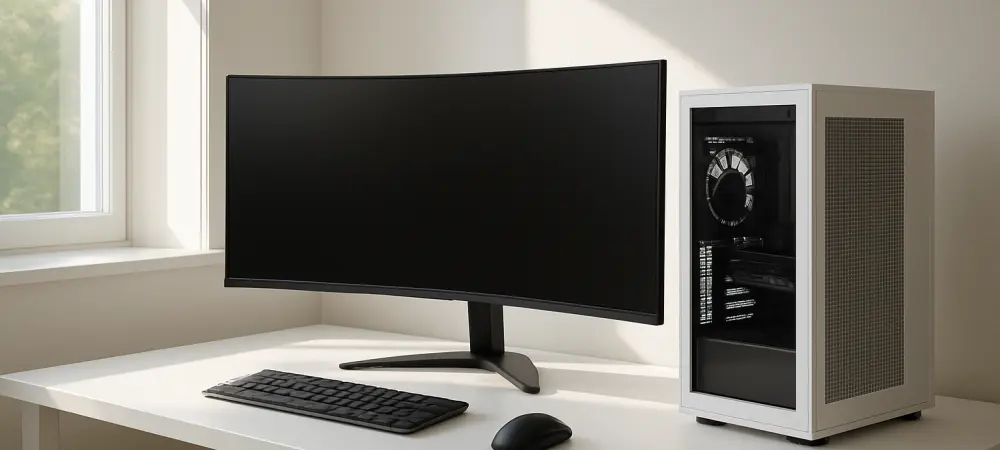
The prevalence of high-intensity RGB lighting in modern gaming hardware has transformed the power management debate into a matter of sleep hygiene, as persistent illumination can disrupt a dark environment. Beyond the visual distractions, the decision to leave a system active involves an intricate web of financial and mechanical considerations that have evolved significantly since the turn of the decade. In the early days of computing, frequent power cycles were viewed with suspicion, as the mechanical stress on traditional hard drives was a legitimate concern for data integrity. However, the landscape of 2026 has been defined by high-efficiency power supplies and resilient solid-state architecture that challenges these legacy assumptions. The modern user must weigh the convenience of an instantaneous wake-from-sleep command against the cumulative cost of electrical waste and the gradual accumulation of dust that occurs during long periods of idling. It is no longer just about hardware survival but about optimizing a digital ecosystem.
Evaluating Energy Consumption and Electrical Costs
A primary motivator for shutting down a computer remains the reduction of electricity costs and environmental impact. While some argue that the initial power surge required to boot a system consumes more energy than several hours of idling, this is a pervasive myth in the context of modern engineering. Contemporary power supply units are designed with sophisticated capacitors and soft-start circuits that minimize the impact of in-rush current, making the energy cost of a cold boot negligible. Conversely, even an idling desktop can draw a consistent thirty to fifty watts of power, which translates to a significant sum over months of uninterrupted operation. When a system is left on overnight, it is essentially burning money for no operational gain, contributing to unnecessary carbon emissions and heat generation. In a residential setting where multiple high-performance machines might be present, the cumulative energy savings from a daily shutdown routine can offset a portion of annual maintenance or upgrade costs.
Thermal Cycling and Component Longevity
The physical health of internal components is often cited as a reason for maintaining a constant power state to avoid the effects of thermal cycling. This phenomenon occurs when parts expand and contract as they heat up and cool down, which can theoretically weaken solder joints or stress integrated circuits over many years. However, the industrial-grade components found in 2026-era motherboards and graphics cards are engineered to withstand thousands of these cycles, far exceeding the typical lifespan of the hardware itself. In contrast, leaving a computer running indefinitely subjects mechanical parts, such as cooling fans and liquid cooling pumps, to continuous friction and wear. A system that never rests will naturally reach its bearing failure point sooner than one that is powered down when not in use. Furthermore, active cooling systems act as air filters, constantly pulling in dust and microscopic debris that coat sensitive electronics, leading to increased temperatures and potential thermal throttling over time.
Fast Booting and Solid State Storage
The historical justification for avoiding a shutdown was largely rooted in the sluggish performance of mechanical hard drives and the lengthy initialization of legacy BIOS systems. During that era, waiting for a computer to become usable could take several minutes, making the “always on” approach a necessary convenience for busy professionals. Today, the ubiquity of high-speed NVMe Gen5 and Gen6 storage has almost entirely eliminated this barrier to efficiency. Modern operating systems are now capable of reaching the desktop from a cold start in under ten seconds, rendering the time-saving argument for continuous operation largely obsolete. This rapid accessibility allows users to treat their desktop more like a mobile device, powering it on only when a task is at hand. By utilizing the speed of current storage architecture, the friction of starting a workday is minimized, allowing the hardware to remain dormant and protected during the vast majority of the night without compromising productivity.
System Stability and Software Maintenance
Regular reboots play a crucial role in maintaining the software health and stability of a high-performance system. Over days of continuous operation, various background processes, memory leaks, and cached data can accumulate, gradually degrading the responsiveness of the operating system. While modern kernels are much more resilient than their predecessors, a fresh power cycle remains the most effective method for clearing the system memory and resetting the execution environment. This process ensures that temporary files are purged and that driver-related glitches are resolved before they can manifest as system crashes or performance stutters during critical tasks. Additionally, many security updates and firmware patches require a full restart to be properly applied to the system architecture. By incorporating a nightly shutdown into a routine, users ensure that their machines are always running on the most current and stable configuration, preventing the slow decline in performance that often plagues systems.
Light Pollution and Environmental Impact
The aesthetic shift toward transparent chassis and pervasive internal lighting has introduced a psychological component to power management. Many high-end components are now equipped with light-emitting diodes that cannot always be fully disabled through software without impacting other system functions. For users who maintain a home office or gaming setup in their sleeping quarters, this light pollution can significantly interfere with the production of melatonin and the quality of circadian rhythms. Beyond personal health, the collective environmental impact of millions of idling PCs represents a massive waste of resources that could be easily mitigated. Choosing to cut the power completely is a small but meaningful contribution to reducing the overall demand on the local power grid, especially during peak hours when energy production may rely on less sustainable and more expensive sources.
Strategic Transitions and Future Considerations
Ultimately, the decision to manage power states settled into a nuanced balance between operational readiness and hardware preservation. Users found that utilizing sleep modes for short breaks and total shutdowns for extended absences provided the most sustainable path forward. This approach allowed for the immediate resumption of complex projects while ensuring that the mechanical components of the system were not subjected to unnecessary friction and heat. The industry observed that regular power cycles actually prolonged the effective life of the machine by reducing the accumulation of dust and the degradation of cooling fluids in high-end thermal solutions. As systems became more efficient and boot times reached near-instantaneous levels, the ritual of the daily shutdown became a standard practice for maintaining a clean and responsive digital environment. This transition marked a broader realization that technology functioned best when it was allowed to reset, much like the individuals who operated it, ensuring a more reliable and energy-efficient future.