

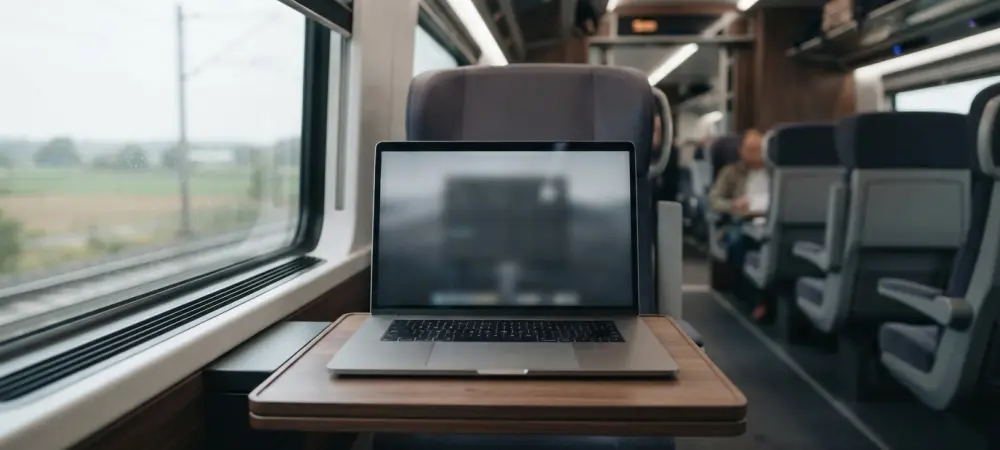
The transition from a stationary workstation to a mobile environment forces users to contend with significant constraints regarding screen real estate and power availability. While a desktop setup often permits the indulgence of massive ultrawide monitors and a constant tether to a wall outlet, the laptop user operates within a world of physical compromises. In the current landscape of 2026, the diversity of the Linux ecosystem offers numerous paths for mobile professionals, yet the choice of a desktop environment remains the most critical factor in determining whether a machine feels like a powerful tool or a restrictive burden. This decision transcends simple aesthetics, touching upon the core of human-computer interaction where every millimeter of vertical space and every milliampere of battery capacity matters. Selecting an interface requires a deep understanding of how software interacts with the physical reality of a thirteen- or fourteen-inch screen and a glass trackpad. These constraints necessitate a software layer that is both intelligent and unobtrusive.
Evaluation Criteria for Mobile Computing
When assessing the viability of a desktop environment for portable use, the primary metric involves the efficient utilization of limited screen real estate. Every pixel consumed by decorative title bars, thick panels, or unnecessary margins represents a loss of functional space for the application currently in use. Efficiency of the user interface is further evaluated by how well it reduces friction between the user’s intent and the system’s execution. A streamlined workflow should minimize the number of clicks or keystrokes required to launch applications, search for files, or switch between active tasks. In a mobile setting, where a mouse is often absent, the system’s ability to provide a cohesive experience through keyboard shortcuts becomes a defining characteristic. This ensures that the professional can remain productive while commuting or working in unconventional spaces where traditional peripheral devices are not feasible to deploy or manage effectively.
Beyond spatial management, the responsiveness of the software to modern input methods determines the overall fluidity of the experience. Contemporary laptops frequently include sophisticated multi-touch trackpads and high-resolution touchscreens that demand native support from the operating system to function correctly. This includes the implementation of three-finger swipes for workspace navigation and intuitive pinch-to-zoom capabilities that feel immediate rather than delayed. Battery optimization represents another vital pillar of the evaluation process, as software that exerts excessive pressure on the processor or graphics chip can significantly shorten the operational window of a single charge. Advanced environments must provide integrated tools that allow for granular control over power profiles, dimming logic, and background process management. These features ensure that the hardware can sustain intensive workloads throughout a full workday without requiring frequent visits to a power source.
Comparing Traditional and High-Performance Environments
Traditional desktop environments like Cinnamon and Xfce cater to those who prefer a familiar, window-centric metaphor reminiscent of legacy operating systems. Cinnamon is frequently recognized for its accessibility, offering a polished bottom panel and a hierarchical menu system that requires almost no learning curve for new users. It handles basic window tiling with competence and remains efficient enough to run on hardware from several years ago without performance degradation. However, its adherence to traditional design can be a drawback on small screens, as the persistent panel and thick window decorations consume valuable vertical space that could be better utilized by the active document or browser. Similarly, Xfce remains a lightweight champion, providing exceptional battery longevity due to its minimal resource footprint. Despite its efficiency, it often feels dated on modern machines, lacking the deep integration for gesture-based navigation and touchscreen interaction found in newer competitors.
For users who prioritize raw performance and deep customization, environments like Hyprland and KDE Plasma offer distinct advantages. Hyprland operates as a dynamic tiling window manager, utilizing the Wayland protocol to deliver an exceptionally fast and resource-efficient experience. By arranging windows in a non-overlapping grid, it maximizes screen usage and encourages a keyboard-driven workflow that is highly effective for developers. However, its reliance on manual configuration via code files creates a significant barrier to entry for the average professional. In contrast, KDE Plasma provides the most comprehensive set of power management tools available in the Linux world, categorized under its PowerDevil module. While visually stunning and highly flexible, Plasma can occasionally feel resource-heavy, and its interface scaling on high-density displays sometimes lacks the consistency needed for a flawless touchscreen experience.
The GNOME Advantage: Simplicity and Integration
GNOME distinguishes itself by rejecting traditional desktop metaphors in favor of a minimalist, distraction-free philosophy that prioritizes the active application. By removing permanent taskbars and desktop icons, the environment ensures that the user’s content occupies the maximum possible area of the display. This design choice is particularly impactful on laptops, where the absence of visual clutter allows for a deeper focus on the task at hand. The Activities Overview serves as a centralized hub for managing windows and searching for applications, streamlining the interaction model into a single, cohesive layer. This approach fundamentally changes how a user perceives the operating system, shifting it from a complex control center to a quiet background facilitator. For the mobile professional, this means less time spent managing the desktop itself and more time engaged with meaningful work. The result is a highly efficient environment that leverages the strengths of the hardware while mitigating the limitations of a small screen.
Technical integration with modern hardware remains one of the strongest arguments for using GNOME on a portable device. Its support for the Wayland display protocol provides a foundation for smooth, tear-free animations and industry-leading security features. The implementation of workspace management in GNOME is widely regarded as the most intuitive in the industry, allowing for fluid transitions between virtual desktops through simple horizontal trackpad gestures. This allows a user to maintain multiple full-screen applications and switch between them as if they were physically adjacent displays, effectively overcoming the limitations of a single laptop screen. Furthermore, the environment provides the most polished touchscreen experience available for Linux, with large hit targets and responsive finger-based scrolling that rival proprietary mobile operating systems. These features are not merely additions but are deeply woven into the fabric of the shell, ensuring that the software feels native to the laptop hardware right from the initial installation.
Optimal Pathways for Portable System Deployment
The comprehensive evaluation of these diverse desktop environments highlighted that the most effective mobile workstation was the one that balanced resource usage with user efficiency. While Xfce and Hyprland provided specialized benefits for older hardware and niche workflows, GNOME emerged as the most well-rounded solution for contemporary professional needs. It offered a sophisticated blend of spatial economy and hardware synergy that transformed the portable computing experience. Professionals who adopted this environment benefited from a system that anticipated the demands of trackpad navigation and power conservation without requiring extensive manual tuning. The decision to prioritize a streamlined workflow over traditional desktop metaphors proved to be the correct strategy for addressing the physical constraints of mobile computing. This evolution ensured that the Linux desktop remained a competitive and highly functional choice for a global mobile workforce.
In light of these findings, organizations and individual users were encouraged to audit their hardware requirements against the specific strengths of their chosen interface. The implementation of power profiles and gesture-based multitasking allowed for a significant increase in productivity during transit and remote operations. Future developments in the ecosystem were directed toward enhancing the interoperability between different hardware vendors and further refining the efficiency of the Wayland compositor. By focusing on these core areas, developers maintained the momentum of the Linux desktop as a premier platform for high-performance portable computing. Users who transitioned to these modern environments discovered that the previous limitations of laptop hardware were largely mitigated by intelligent software design. This journey through various desktop paradigms solidified the understanding that the best interface was the one that successfully disappeared into the background of the user’s workflow.