

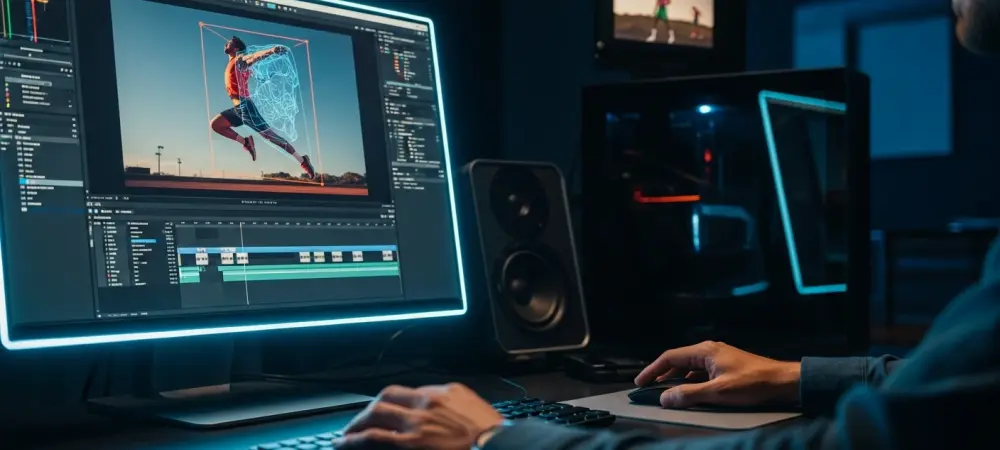
The meticulous and often grueling process of rotoscoping, which involves manually tracing subjects frame by frame to isolate them from their backgrounds, has long been a significant bottleneck in post-production workflows. Adobe is aiming to fundamentally alter this reality with its landmark Premiere version 26.0 update, released on January 20, 2026, which introduces a suite of sophisticated, AI-driven tools designed to automate this complex task. The update’s centerpiece is a revolutionary AI object mask, powered by an advanced on-device artificial intelligence model engineered for precise subject detection. This release signifies a major shift, moving a task once reserved for visual effects specialists directly into the hands of video editors, thereby democratizing a powerful creative capability. The core philosophy of this update blends speed, precision, and a user-friendly approach, directly addressing the longstanding challenges associated with isolating elements within a video frame and setting a new standard for efficiency in professional video editing.
Revolutionizing Selection With On-Device Intelligence
The new AI masking feature completely reimagines the selection process, enabling editors to isolate any person or object within a frame with a simple click. As a user moves the cursor over the footage, the software intelligently presents visual overlays, highlighting potential subjects for selection in real time. Once an object is chosen, Premiere’s AI initiates a dynamic tracking process that automatically adjusts the mask to accommodate intricate changes in the subject’s shape, subtle shifts in lighting, and complex camera movements. A pivotal aspect of this technology is its reliance on on-device processing. This design choice ensures significantly faster performance by leveraging the local computer’s hardware while also guaranteeing strict user data privacy by eliminating the need to upload and analyze footage on cloud-based servers. This self-contained approach not only boosts speed but also provides a more secure and responsive editing experience for professionals handling sensitive or high-resolution content.
Beyond the groundbreaking AI object selection, the update delivers a comprehensive performance overhaul to the existing shape-masking tools, elevating their capabilities to meet modern production demands. The redesigned Ellipse, Rectangle, and Pen tools now feature tracking capabilities that are an astonishing twenty times faster than in previous versions, providing a critical enhancement for editors working with demanding high-resolution 4K and 8K projects. Furthermore, new functionalities have been introduced to expand creative control and precision. Editors can now use bi-directional tracking, which analyzes footage both forward and backward from a designated point, to create more stable and accurate masks. Another powerful addition is 3D perspective tracking, a feature that allows masks to realistically adhere to surfaces that are rotating or changing their angle relative to the camera, opening up new possibilities for advanced visual effects and motion graphics directly within the editing timeline.
A Leap Forward in Workflow and Usability
The user experience was also a central focus of the version 26.0 update, with thoughtful enhancements designed to create a more intuitive and efficient interface. Key masking and selection tools are now directly accessible from the main toolbar, reducing the need to navigate through complex menus and allowing editors to maintain a smoother creative flow. For situations that still require manual refinement, the introduction of modern Bézier curves provides a far more fluid and precise method for adjusting mask points, allowing for the creation of organic and smooth shapes with greater ease. Ultimately, this update represents a major evolution for Adobe Premiere, successfully bridging the gap between standard video editing and the world of specialized visual effects. By automating a traditionally labor-intensive process and simultaneously enhancing the performance of core creative tools, Adobe has empowered a wider range of editors to achieve professional-grade results with unprecedented efficiency, security, and artistic control.