

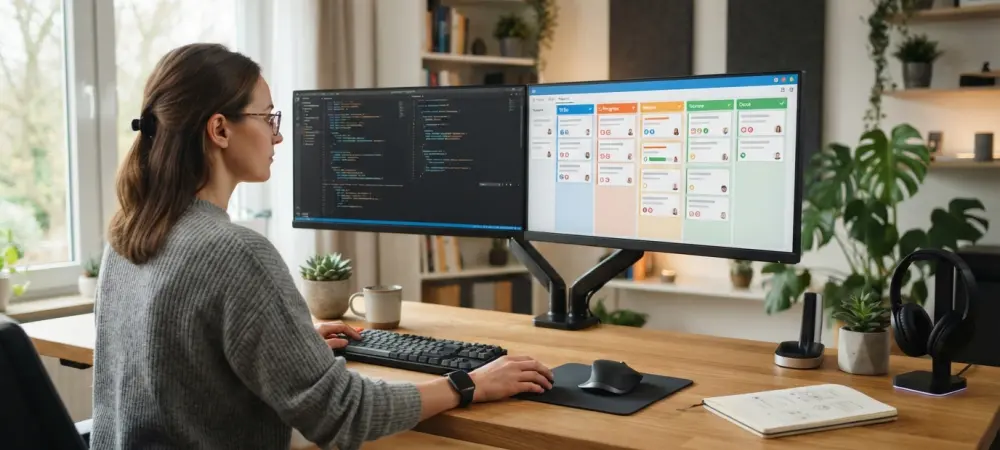
The relentless flicker of computer screens as developers jump between coding environments and project management boards has finally met its match in a singular, intelligent interface. For many years, the standard engineering workflow functioned as a fragmented mess of browser tabs, where mental energy dissipated during every transition from a code editor to a ticket tracking system. This constant oscillation between creative production and administrative overhead created a measurable decline in velocity, often referred to as a “cognitive load” that stifled innovation. Microsoft responded to this friction by launching a deep integration between Azure DevOps and Copilot, effectively turning the AI assistant into a bridge that spans the entire software development lifecycle.
The End of the Tab-Switching Tax in Software Engineering
Engineers previously navigated a landscape where work was discussed in one place and executed in another. The introduction of this plugin aims to reclaim the hours lost to manual updates and status checks. By embedding project management capabilities directly into the conversational flow of Copilot, the system eliminates the need to leave the integrated development environment to verify a requirement or update a task status. This evolution suggests that the future of engineering is not just about writing code faster, but about reducing the friction surrounding the code itself.
Furthermore, this integration addresses the industry-wide demand for hyper-automation, transforming AI from a simple code-completion tool into a comprehensive project orchestrator. The administrative side of software development, which often feels like a separate chore, is now being absorbed into the primary workspace. This shift ensures that the metadata of a project—the tickets, the labels, and the timelines—remains as dynamic and current as the source code itself.
Bridging the Gap Between Intent and Infrastructure
Bridging the gap between the initial idea and the underlying infrastructure represents a fundamental change in how technical teams operate. While DevOps practices matured over the last several years, a persistent wall remained between the planning tools and the execution platforms. The release of the Azure DevOps plugin marks a shift toward “ChatOps,” an environment where natural language serves as the primary interface for technical execution. This allows a project manager or a developer to express a goal in plain English and have the AI translate that intent into the structured reality of a repository or a sprint board.
Modern software development is as much about administrative coordination as it is about syntax, and this tool acknowledges that reality. By allowing the conversational flow of a team to dictate technical actions, Microsoft is lowering the barrier to entry for complex project management tasks. This transition moves the industry closer to a reality where the intent of the developer is the only thing that matters, with the AI handling the heavy lifting of infrastructure mapping.
A Unified Command Center for the Development Lifecycle
This new integration functions as a unified command center, allowing developers to query work items, pull requests, and release pipelines through simple dialogue. Instead of searching through complex menus, a user can ask Copilot for the status of a specific deployment or a list of high-priority bugs. The ability to pull information from various sources into a single chat window provides a level of visibility that was previously impossible without significant manual effort. This accessibility ensures that every team member, regardless of their familiarity with the Azure DevOps interface, can stay informed.
Beyond simple queries, the AI can synthesize unstructured data into actionable backlogs. For instance, it can take a rough draft of stakeholder meeting notes or a vision document in Microsoft Word and automatically generate a hierarchy of epics, user stories, and acceptance criteria. This cross-ecosystem synergy allows teams to move from a requirements document directly to a task in the DevOps environment with zero manual data entry. It essentially creates a pipeline where human conversation becomes the direct input for technical documentation.
The plugin also assists in the daily maintenance of a project by identifying outstanding tasks and helping teams triage bugs. By surfacing critical information through a chat interface, it ensures that high-priority issues are addressed promptly. This automated triage capability reduces the time spent in refinement meetings, as the AI can pre-sort and categorize incoming tickets based on historical patterns and current project priorities.
Expert Perspectives on AI-Augmented Engineering
Industry analysts suggest that the goal of this AI expansion is to maximize the flow state for software engineers. When a developer can stay within their primary coding environment while handling administrative necessities, the mental effort required to navigate complex toolsets drops significantly. This represents the maturation of an AI strategy that moves beyond simple code completion and into the realm of ecosystem management. The consensus among tech leaders is that AI should act as a teammate that understands the context of the work, rather than just a utility for syntax.
However, objective analysis indicates that this capability is currently positioned as a premium offering. It is primarily tailored for enterprise-level teams that have already invested in the high-tier Microsoft Copilot subscriptions. While the productivity gains are significant, the reliance on a specific stack means that the benefits are most tangible for organizations fully committed to the Microsoft ecosystem. As this technology matures between 2026 and 2028, the focus will likely shift toward making these integrations more accessible to smaller teams.
Implementing the Azure DevOps Plugin in Your Workflow
To get started with these new capabilities, organizations must first verify that they are operating within the supported Copilot tiers and enable the plugin via the customization interface. Once active, mastering the natural language commands becomes the primary focus for the team. Best practices involve using specific queries to check project status or trigger deployment pipelines without leaving the chat interface. Teams must also establish protocols for auditing the AI-generated assets to ensure that the user stories and features created from unstructured notes meet technical standards.
In the final assessment, the integration of these features allowed teams to shift their focus from maintenance to creation. It provided a roadmap for moving toward a more autonomous project management environment where the AI handled the heavy lifting of documentation. Engineers discovered that centralizing communication into a single interface reduced the loss of information and improved overall project clarity. As organizations adopted these tools, they explored new ways to refine automated story generation and further centralize their technical truth. This transition proved that the administrative burden of development could be mitigated through intelligent orchestration, leaving the creative problem-solving to the human experts.