

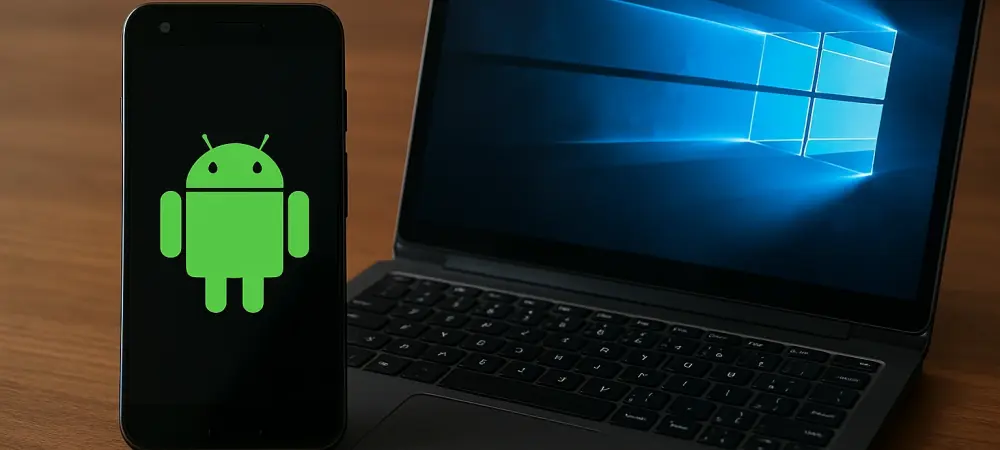
Imagine a world where the transition between mobile and desktop experiences is so fluid that users can pick up exactly where they left off, regardless of the device in hand, and this vision is becoming a reality with a groundbreaking feature recently introduced by a leading tech giant. The ability to resume applications seamlessly from an Android phone to a Windows 11 PC marks a significant step forward in device interoperability. This development, currently in testing among select users, promises to enhance productivity and convenience for millions who juggle tasks across multiple platforms. By bridging the gap between mobile and desktop environments, this innovation addresses a long-standing challenge of maintaining workflow continuity. As technology continues to evolve, such advancements highlight the industry’s focus on creating cohesive ecosystems that prioritize user experience. This article delves into the specifics of this feature, its initial implementation, and what it could mean for the future of cross-device functionality.
1. Unveiling the Seamless Transition Feature
The concept of resuming apps across devices is not entirely new, but its integration into Windows 11 with Android compatibility represents a notable leap. This functionality allows users to start a task on an Android phone and continue it effortlessly on a Windows 11 PC. Initially rolled out to testers in specialized preview channels, the feature showcases a commitment to enhancing user experience through thoughtful design. The process is designed to be intuitive, ensuring that even those unfamiliar with complex tech setups can benefit from it. At launch, the capability is limited to specific applications, but it sets a precedent for broader adoption. This integration reflects a growing trend of cross-platform synergy, where the boundaries between devices blur to create a more unified digital environment. For users who rely on multiple devices daily, this could redefine how tasks are managed and completed, reducing friction and saving valuable time in an increasingly connected world.
Beyond the basic premise, the feature’s rollout in preview builds indicates a cautious yet promising approach to implementation. Testers in these channels have the opportunity to explore how the resumption works with real-world applications, providing critical feedback for refinement. The initial focus on a single app highlights a strategic choice to perfect the experience before expanding to other software. This phased introduction helps ensure stability and reliability, addressing potential bugs or compatibility issues early on. Moreover, the setup process, while requiring some user configuration, is straightforward, involving just a few steps to link devices. This balance of innovation and accessibility underscores the intent to make technology work seamlessly for everyone. As more users gain access to this feature, the insights gathered will likely shape its evolution, paving the way for a more robust and versatile tool that could transform daily digital interactions across diverse user bases.
2. Starting with a Familiar Application
The journey of app resumption begins with a popular music streaming service, chosen as the first application to support this cross-device feature. Users can start listening to a track or episode on their Android phone and, upon returning to their Windows 11 PC, receive a notification to continue playback exactly where they paused. This specific use case demonstrates the potential for seamless transitions in entertainment, a domain where continuity can significantly enhance user satisfaction. The requirement for identical account credentials across devices ensures a secure and personalized experience, maintaining consistency in playlists and preferences. While currently limited to one app, this initial step serves as a proof of concept, illustrating how such technology can bridge mobile and desktop environments. For many, this could mean uninterrupted enjoyment of media, eliminating the need to manually sync progress or search for content anew on a different device.
Expanding on this starting point, the selection of a widely used streaming app reflects a deliberate focus on everyday utility. By targeting an application with a massive user base, the feature gains visibility and immediate relevance, encouraging early adoption among testers. The mechanism behind the resumption—triggered by a taskbar alert on the PC—offers a glimpse into how intuitive design can simplify complex processes. This alert system ensures that users are promptly informed of the opportunity to continue their session without navigating through multiple menus or settings. Additionally, the underlying technology requires a stable connection between the Android phone and Windows 11 PC, achieved through specific mobile device access permissions. This setup, while a minor hurdle, is crucial for maintaining the feature’s reliability. As this functionality matures, the lessons learned from this initial application could inform broader compatibility, potentially revolutionizing how users interact with media and other content across their devices.
3. Setting Up for a Connected Experience
For those eager to test this cross-device resumption, a few configuration steps are necessary to establish the connection between an Android phone and a Windows 11 PC. Users must navigate to the appropriate settings on their PC to enable mobile device access, granting permission for the two systems to communicate effectively. Following this, a dedicated app on the Android device must be installed and configured to run in the background, ensuring that the resumption feature operates without interruption. These steps, though simple, are essential for creating a secure and efficient link between the platforms. Detailed instructions provided by the developers guide users through the process, minimizing confusion and potential errors. This setup phase, while a one-time effort, lays the groundwork for a smoother digital experience, highlighting the importance of user preparation in adopting new technologies.
Delving deeper into the setup, the emphasis on background app permissions reveals a critical aspect of maintaining functionality. Without this allowance, the connection between devices could falter, disrupting the seamless transition that defines this feature. The process also underscores the importance of user control over device interactions, as permissions can be adjusted to suit individual preferences or security concerns. On the PC side, the management of connected devices through a centralized settings menu offers a clear overview of linked hardware, fostering transparency in how data and access are handled. This configuration not only facilitates the current app resumption feature but also prepares the system for potential future expansions to other applications. As users complete these steps, they contribute to a growing ecosystem of interconnected devices, where the synergy between mobile and desktop platforms becomes increasingly integral to daily tasks and entertainment, setting a standard for future innovations.
4. Future Possibilities and Reflections
Looking ahead, the framework established for app resumption opens doors to a wide array of possibilities beyond the current scope. While the feature debuted with a single music streaming app, developers of other software, particularly in media and productivity sectors, may soon adopt similar capabilities. Streaming video services, standalone media players, or even document editing tools could leverage this technology to offer uninterrupted user experiences across devices. The success of this initial rollout will likely depend on developer interest and user feedback, which will shape the direction of future updates. Although compatibility with other mobile operating systems remains uncertain, the focus on Android suggests a targeted approach to capturing a significant market share. This development could inspire a wave of innovation, encouraging a more integrated approach to app design in the tech industry.
Reflecting on the rollout, the cautious introduction through preview channels proved to be a strategic move, allowing for iterative improvements based on real-world testing. The choice to start with a popular app ensured early engagement, setting a benchmark for what seamless integration could achieve. Looking back, the configuration steps, though necessary, highlighted the balance between accessibility and security in adopting new features. Moving forward, stakeholders should consider expanding support to diverse applications while maintaining user-friendly setup processes. Additionally, exploring ways to enhance cross-platform compatibility could address gaps for users of other mobile systems. As this technology evolves, it becomes clear that sustained collaboration with app developers is essential for broader adoption. Future efforts should focus on streamlining integration and fostering an environment where cross-device functionality becomes a standard expectation, ultimately benefiting users with a more cohesive digital landscape.