

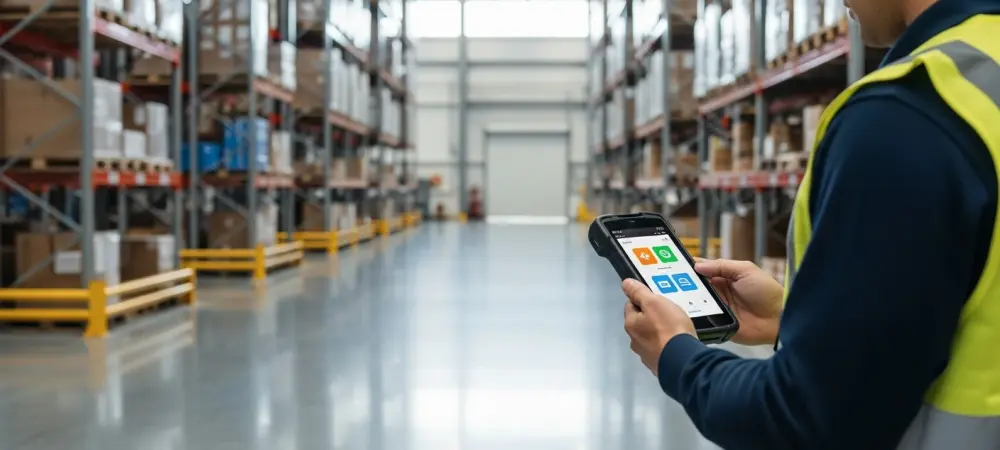
The complexity of managing a diverse fleet of mobile barcode scanners often dictates the overall speed and accuracy of a modern distribution center. Warehouse efficiency relies on the seamless integration of hardware and software. This guide explores how SureMDM acts as a central nervous system for mobile barcode scanners and Android-based computers running Warehouse Insight or WMS Express. By centralizing management, businesses can eliminate traditional logistical bottlenecks, ensuring that every handheld device is a high-performing extension of the Microsoft Dynamics 365 Business Central environment.
Streamlining Dynamics 365 Business Central Mobile Operations
Hardware must act in perfect harmony with the cloud environment to prevent data lag. When devices are managed through a unified platform, the connection between the warehouse floor and the ERP system stays robust. This integration allows for a fluid data flow that is essential for real-time inventory accuracy and order fulfillment. Centralizing the control of these devices removes the guesswork from technical deployments. It empowers administrators to maintain a standard of performance that is difficult to achieve with manual processes. Every scanner becomes a reliable endpoint, specifically tuned to handle the rigorous demands of the Business Central ecosystem.
Overcoming the Logistical Hurdles of Modern Warehousing
Historically, deploying a fleet of mobile devices required significant manual intervention, with IT staff physically configuring each scanner, installing software, and managing updates one by one. As businesses scale across multiple locations, this labor-intensive approach becomes a major liability. Modern distribution and manufacturing environments demand a shift toward automated, remote-first management to maintain uptime and ensure that hardware remains a tool for productivity rather than a source of technical friction.
Furthermore, the variety of hardware models in use can complicate maintenance. Without a central management system, ensuring that a Zebra scanner in one facility and a Honeywell device in another have the same security settings is nearly impossible. Automation bridges this gap, allowing for a consistent policy across the entire organization.
Implementing Centralized Device Control via SureMDM
Step 1: Initiating Zero-Touch Enrollment and Provisioning
The foundation of a secure MDM strategy begins with a clean slate. To gain full management capabilities, devices must be enrolled from a factory-reset state, ensuring the MDM agent has the necessary permissions to control the operating system.
Resetting Hardware to Ensure Android Enterprise Compliance
Starting from a reset state allows the MDM to establish itself as the device owner. This level of control is necessary to enforce strict security policies and prevent users from bypassing management protocols. It ensures the hardware is locked into a professional configuration from the moment it is turned on.
Utilizing Barcode-Based Rapid Configuration for Day-One Readiness
By scanning a single, pre-configured barcode, the device automatically retrieves its settings and applications over the air. This rapid provisioning allows warehouse workers to begin using their tools immediately without waiting for an IT specialist to manually enter network credentials or install Warehouse Insight.
Step 2: Enforcing Focus with Kiosk Mode and App Lockdown
Warehouse environments require devices to be purpose-built tools. SureMDM allows administrators to restrict the user interface so that only approved applications, such as Warehouse Insight, are accessible to the operator.
Restricting Access to Unauthorized Software and Web Browsing
Locking down the device prevents employees from accessing distracting websites or unapproved applications. This restriction not only boosts productivity but also protects the device from potential malware or security threats that could compromise the connection to Business Central.
Customizing the User Interface for Faster Navigation and Fewer Errors
A simplified home screen ensures that workers do not waste time searching for the correct tools. By placing essential applications like WMS Express front and center, companies reduce the learning curve for new hires and minimize the potential for navigation errors during high-pressure shifts.
Step 3: Automating Security Protocols and Unified Updates
Maintaining security across a fleet of mobile scanners involves more than just passwords. Centralized control allows IT departments to push critical patches and safeguard sensitive data without needing the device in hand.
Scheduling Simultaneous OS Patches and Business Central App Updates
Updates can be pushed to all devices at once during scheduled maintenance windows. This approach prevents version drift, where some devices run older, potentially buggy software while others are up to date, ensuring a uniform experience across the fleet.
Executing Remote Wipes and Device Locks to Prevent Data Breaches
If a scanner is lost or stolen, an administrator can instantly wipe all sensitive data remotely. This capability is vital for protecting company secrets and ensuring that access to the inventory database remains restricted to authorized personnel only.
Step 4: Maintaining Visibility Through Real-Time Health Monitoring
Proactive management prevents supply chain disruptions. By monitoring device health remotely, managers can identify hardware issues before they result in worker downtime.
Tracking Battery Cycles and Connectivity Stability Across Remote Sites
The system provides data on battery health and signal strength for every device in the network. If a battery is failing to hold a charge, IT can preemptively ship a replacement, preventing a worker from being stranded with a dead scanner in the middle of a shift.
Leveraging Geographic Location Tracking for Multi-Warehouse Fleet Oversight
Administrators can see the location of every managed asset in real time across different geographic sites. This oversight is helpful for asset recovery and for ensuring that hardware stays within its designated warehouse boundaries.
Core Pillars of a Successful MDM Deployment
Zero-Touch Provisioning represents the shift from manual labor to automated, barcode-triggered configuration. This method significantly reduces the time required to expand operations or replace damaged units. Operational Security utilizes kiosk mode to ensure devices are used strictly for business purposes, which protects the integrity of the data being fed into the ERP.
Unified Maintenance prevents version drift by deploying updates to all devices simultaneously, keeping the entire fleet in sync. Remote Support reduces on-site IT requirements through over-the-air troubleshooting and monitoring. These pillars collectively support a robust mobile infrastructure that scales easily with the needs of the business.
The Future of Remote-First IT Management in Logistics
As the global supply chain moves toward greater automation, the ability to manage hardware remotely is no longer a luxury but a necessity. The integration of SureMDM with Business Central represents a broader trend toward headless IT management, where hardware from Zebra, Honeywell, or Datalogic can be deployed anywhere and managed from a single screen.
This scalability ensures that as a company grows, its technical infrastructure can expand without a proportional increase in administrative overhead. The ability to control thousands of devices as easily as one allows organizations to focus on logistics rather than technical troubleshooting.
Elevating Warehouse Efficiency Through Automated Device Management
Adopting SureMDM for Business Central warehouse devices transformed mobile hardware from a management burden into a strategic asset. By synthesizing remote configuration with robust security protocols, businesses ensured their mobile tools remained functional and secure. The transition toward this MDM approach established a foundation for resilient warehouse operations that moved beyond the limitations of manual configuration. Companies that prioritized these automated workflows secured their supply chains against technical downtime and operational friction. This shift toward centralized control enabled a new standard of efficiency that supported long-term growth and technical stability in demanding environments.