

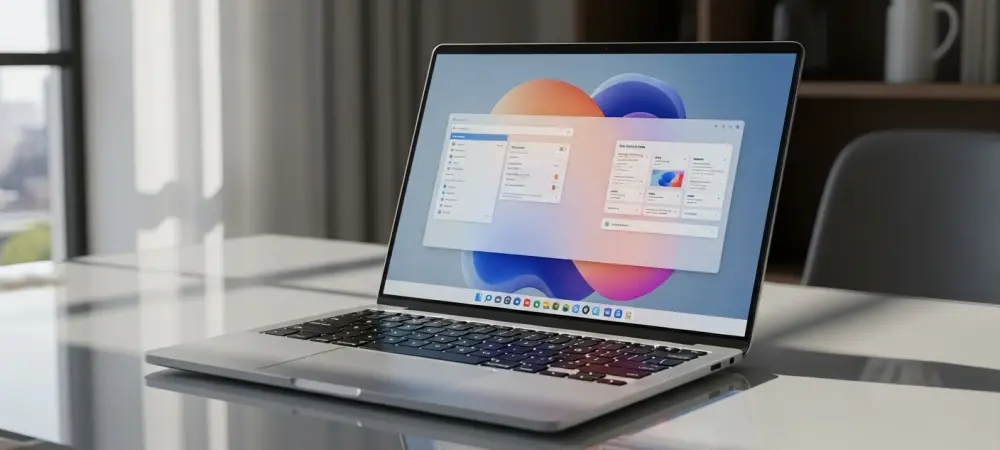
The rapid evolution of open-source interface design has reached a significant milestone with the official debut of KDE Plasma 6.7, a release that redefines the expectations for modern computing environments. While the Linux desktop market has often been divided between the minimalist efficiency of GNOME and the granular customizability of previous KDE iterations, this latest version successfully bridges that gap by offering a polished, cohesive experience that rivals proprietary operating systems. The development team has focused intensely on refining the underlying Wayland protocols and enhancing visual consistency, resulting in a desktop that feels remarkably fluid even on hardware configurations that might have struggled with older software stacks. This release is not merely an incremental update but a comprehensive overhaul that addresses long-standing usability concerns while introducing sophisticated aesthetic choices that cater to both long-time enthusiasts and professional users looking for a reliable daily driver.
The architectural improvements in Plasma 6.7 provide a foundation for a high-performance workspace that minimizes latency and maximizes screen real estate through intelligent window management. System responsiveness has been noticeably improved through the optimization of the KWin compositor, which now handles heavy graphical loads with a level of grace that was previously difficult to achieve in the Linux ecosystem. By prioritizing stability alongside visual flair, the KDE community has managed to produce a version of the desktop that feels exceptionally mature and ready for enterprise-grade deployment. Whether used for software development, creative media production, or general administrative tasks, the interface remains unobtrusive while providing instant access to powerful configuration tools. This balance of power and simplicity is the hallmark of the 6.7 release, marking it as a definitive high point in the project’s long and storied history of community-driven innovation.
1. Aesthetic Refinement and the Return of Classic Themes
The visual identity of Plasma 6.7 has been significantly elevated through the reintroduction of the Air and Oxygen themes, which have been meticulously updated to meet the standards of current high-resolution displays. These themes bring a sense of depth and elegance back to the desktop, utilizing soft gradients and glassy textures that contrast sharply with the flat, utilitarian design trends that have dominated the industry for the past several years. The Oxygen theme, in particular, offers a sophisticated glass-like appearance that feels both nostalgic and modern, providing a level of polish that makes the entire environment feel premium. This aesthetic shift is not just about nostalgia; it represents a commitment to providing users with diverse visual options that go beyond simple color changes. The implementation of these themes is seamless, integrating perfectly with the new icon sets and typography choices that define the Plasma 6.x series.
Beyond the specific themes themselves, the desktop now features a more robust set of customization tools for managing window decorations and shadow effects. Users can fine-tune the inner and outer glow of windows to match their specific lighting preferences, allowing for a level of personalization that is often missing from competing environments. A new quick toggle in the system tray allows for instantaneous switching between light and dark modes, catering to users who need to adjust their workspace based on changing ambient light conditions throughout the day. This attention to detail extends to the blur effects applied to transparent windows, which are now more consistent across different applications thanks to the implementation of the ext-background-effect-v1 Wayland protocol. The result is a desktop that looks exceptionally sharp and remains visually coherent regardless of how many disparate applications are open at any given time.
2. Advanced Functionality and Multi-Monitor Management
The transition to multi-monitor setups has been vastly improved in this release with the introduction of per-screen virtual desktops, a feature that power users have requested for several years. This functionality allows individuals to assign specific virtual desktops to individual monitors independently, rather than having the entire desktop workspace switch across all screens simultaneously. This approach is particularly beneficial for developers who may want to keep documentation static on one monitor while cycling through various coding environments on another. By decoupling the virtual desktop logic from a unified global state, KDE Plasma 6.7 offers a level of workflow flexibility that is currently unmatched by other major desktop environments. This change reflects a deep understanding of how modern professionals utilize their hardware to maximize productivity and reduce cognitive load during complex tasks.
Furthermore, the integration of specialized sharing tools has made network management significantly more intuitive for those operating in mixed-platform environments. The new dedicated shared printers feature simplifies the process of connecting to SMB-shared devices, such as those traditionally managed by Windows servers, by streamlining the discovery and authentication process. This enhancement removes a significant hurdle for users in corporate or educational settings where printing infrastructure is often managed through legacy protocols. Additionally, the system now includes a refined titlebar menu that allows users to exclude specific windows from screen captures and recordings. This privacy-focused feature is indispensable for professionals who frequently participate in video conferences or create tutorial content, as it ensures that sensitive information remains hidden from view without requiring complex post-production editing or manual window management.
3. Performance Optimization and Future Compatibility
The underlying performance of the Plasma 6.7 environment has been tuned to ensure that the user interface remains snappy even during periods of high CPU and GPU utilization. The development team has implemented significant changes to the way the compositor handles frame timing and input latency, resulting in a more immediate feel when dragging windows or navigating through the application launcher. These optimizations are particularly evident when using the Wayland session, which is now the recommended default for most users due to its superior security model and smoother rendering capabilities. The move toward a more efficient codebase has also had a positive impact on battery life for laptop users, as the desktop environment now requires fewer system resources to maintain its visual effects. This focus on efficiency ensures that the software remains viable for a wide range of hardware, from high-end workstations to aging portable machines.
Looking forward, the infrastructure established in this release sets the stage for even more ambitious projects within the KDE ecosystem. The modular nature of the Plasma framework allows for easier integration of emerging technologies, such as improved HDR support and more sophisticated color management profiles for creative professionals. The stability of the current API and ABI means that third-party developers can create widgets and extensions with greater confidence, knowing that their work will remain compatible across the 6.x lifecycle. By prioritizing a solid foundation, the KDE project has ensured that Plasma 6.7 is not just a great release for today, but a sustainable platform for the next several years of Linux desktop development. This commitment to long-term stability combined with a relentless pursuit of innovation makes this version a compelling choice for anyone seeking a high-performance, open-source computing experience.
4. Implementation Strategies for Modern Workflows
The deployment of KDE Plasma 6.7 into a production environment should be handled with a focus on leveraging its new configuration capabilities to match specific organizational needs. For users who require the latest features immediately, migrating to a distribution that provides the stable version of KDE Neon is a logical choice, as it offers the most direct path to the newest software updates. Once installed, administrators should encourage the use of the new per-screen virtual desktop settings to help employees manage complex projects more effectively. Training users on the quick-access toggles for theme switching and the new printer discovery tools can also reduce the number of support tickets related to basic desktop management. Taking the time to configure these features at the outset will ensure that the transition to the new environment is as seamless as possible for all stakeholders involved.
As organizations move toward more diverse hardware deployments, the scalability of Plasma 6.7 becomes a significant asset that should be explored through rigorous testing. Evaluating the performance of the Wayland compositor across different GPU vendors will help in determining the optimal driver configurations for maximum stability. It was observed during the beta phases that the desktop handles high-DPI displays with exceptional clarity, so investing in modern monitors will allow teams to fully appreciate the aesthetic and functional improvements of this release. Moving forward, the focus should remain on maintaining a clean and organized desktop environment by utilizing the updated KRunner features and the improved Task Manager, which both contribute to a more focused and efficient user experience. By adopting these strategies, users can fully harness the power of the most advanced Linux desktop environment released to date, ensuring long-term productivity and satisfaction.