

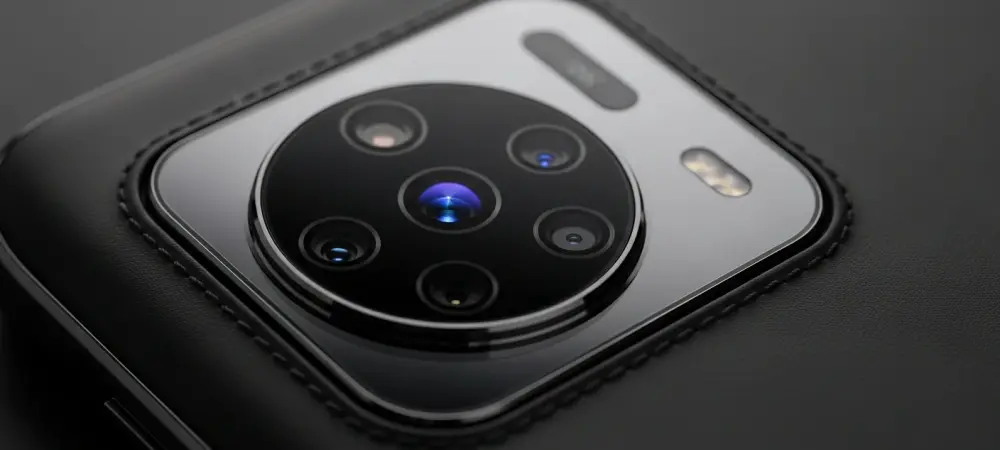
Great photos rarely happen by accident; they happen when intention meets tools that bend to the moment on a device built for range, and that is the promise the Oppo Find X9 Ultra turns into day-to-day results across 2,000+ frames. This guide translates that breadth into repeatable habits, showing how to pair focal choices, modes, and light with a workflow that consistently elevates keeper rate while keeping edits simple.
Versatility matters because real life refuses to sit still. One hour there is a backlit portrait; the next, a dim alley, a sudden skate trick, or a heron half a field away. The X9 Ultra spans an effective 14–230mm, with a Hasselblad Explorer teleconverter reaching 300mm, and its strength grows when technique aligns with that range. The following best practices distill what turns strong hardware and Hasselblad-influenced color into confident, creative output.
Why Versatility Demands a Best-Practices Mindset
Versatility rewards planning more than speculation. Start by choosing intent—story, subject, and distance—then let focal length and mode serve that goal. This posture shifts capture from reactive tapping to deliberate framing, which not only raises image quality but also reduces the temptation to over-edit later.
Moreover, a light computational touch pays off. The X9 Ultra’s processing respects edges, skin, and micro-contrast when guided with steady hands and clean compositions. Knowing when to let the phone help—and when to keep it out of the way—keeps images natural and coherent across a full album.
Core Setup: Building a Reliable Capture Baseline
Lock in a stable baseline before chasing moments. Use the 3x camera as default for people and pets; its mixed-light clarity and natural separation give files that tolerate exposure pushes and subtle color grading. Set burst to quick access, and favor auto ISO with exposure compensation nudges rather than full manual in changing light.
In contrast, reserve manual tweaks for slow scenes. When shooting landscapes or interiors, drop shutter speed cautiously and brace against a wall or railing. These small habits make handheld long exposures sharper and reduce highlight clipping without introducing a processed sheen.
Focal Discipline: Matching Intent to 14–230mm (and 300mm with Explorer Kit)
Think in focal stories. At 14mm, foreground elements become characters—floor tiles, river rocks, café counters—so keep edges tidy and lines straight to avoid distracting stretch. Between 1x and 2x, layer context around subjects; environmental portraits read true when backgrounds breathe but do not shout. The 3x excels when light thins or clutter thickens, delivering crisp detail and believable blur without strain. For tight textures, signage, and intimate faces, jump to 10x to compress space and avoid ultra-wide distortion. With the 300mm teleconverter, reach wildlife and field sports, but plan for haze; earlier light, cooler air, and side angles curb shimmer and keep contrast alive.
Daily Driver Telephoto: Lean on 3x, Reserve 10x for Compression
Treat 3x as the everyday anchor. It renders skin tones credibly and keeps noise graceful in dusk streets, while background geometry softens just enough to pull eyes to the subject. This balance reduces reliance on portrait masks and speeds selection after bursts. Shift to 10x when isolation matters more than context. Tabletop textures, product details, and candid gestures gain presence without stepping closer. The perspective flattening tightens composition, and the files grade smoothly, provided exposure lands slightly to the right without blowing highlights.
Cinematic Framing: Use Hasselblad Xpan Mode With Intent
Xpan mode is not a novelty; it is a framing teacher. The widescreen crop forces decisions about leading lines, negative space, and subject staging, especially in cityscapes and layered interiors. By stripping vertical clutter, it guides the eye across a scene rather than into it.
Color rendering also shifts subtly. Hasselblad tuning leans natural and filmic, which rewards careful white balance choice and restraint in saturation. Let light shape the frame, then use contrast and local dodging sparingly to maintain the quiet elegance the mode encourages.
Computational Aids: Enhance With a Light Touch
Long exposure simulates tripod technique, but it still honors physics. Brace, exhale, and tap at the lull to hold static elements while water, traffic, or crowds blur just enough to suggest motion. The effect works best when bright points anchor the frame and midtones stay clean. The AI editor shines for removal, not reinvention. Clear stray cups, sidewalk litter, or signage nubs that distract from the subject, and stop there. Combined with restrained sharpening, the phone’s processing enhances surfaces and edges without plastic skin or haloed textures.
Action Workflow: Capture Decisively With Burst Stacking
Action mode compiles a rapid series that makes curation fast. Use it for skate tricks, kids’ leaps, and fleeting street gestures, then pick the frame with peak alignment or expression. Because stacking keeps exposure and color consistent, the chosen image sits comfortably beside stills from other lenses. This workflow reduces missed beats and eliminates separate sequence apps. The result is a tighter edit, less storage bloat, and more time spent shooting instead of managing files.
Know the Limits: Stability, Light, and Atmosphere
Physics sets boundaries no phone erases. Handheld speeds can dip with bracing, but deep night scenes still benefit from support. At 10x to 300mm, air matters as much as optics; haze and heat shimmer soften distant detail, so adjust timing and angles rather than forcing reach.
Accessories also carry trade-offs. The Explorer kit expands capability for wildlife and sports, yet it is a specialty buy best justified by regular long-lens use. For everyone else, the native array already covers most assignments with authority.
Conclusion: Turning Range Into Results
These practices distilled versatility into outcomes: clearer intent at capture, smarter focal choices, and computation used as seasoning, not sauce. Shooters left with cleaner edits, steadier long exposures, more decisive action frames, and Xpan storytelling that added purpose. Next steps favored building muscle memory—defaulting to 3x for people, pivoting to 10x for isolation, bracing for long exposures, and reserving AI for small distractions—so the X9 Ultra’s range kept paying off across portraits, streets, landscapes, close-ups, action, and even distant wildlife.