

Introduction
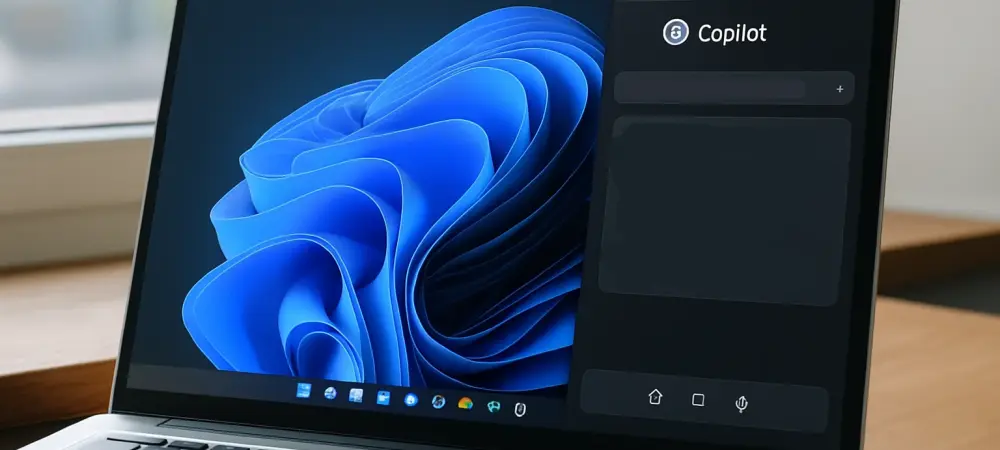
Imagine booting up a Windows 11 device only to find the Start menu, a familiar and essential hub for navigation, now prompting interactions with an AI tool at every turn. This scenario is becoming a reality as Microsoft intensifies its integration of Copilot, an AI assistant, into the core elements of its operating system, raising significant questions about user experience and corporate strategy. The move sparks debates among tech enthusiasts and everyday users alike. This FAQ article aims to address the growing concerns surrounding this development by exploring key aspects of Copilot’s expanding presence in Windows 11. Readers can expect clear answers to pressing questions, insights into Microsoft’s motivations, and a balanced perspective on the implications for usability and choice.
The discussion will delve into specific areas of integration, the reasoning behind Microsoft’s approach, and the potential impact on the user base. By breaking down complex issues into digestible questions and answers, the goal is to provide clarity on a topic that affects millions of Windows users globally. Whether the focus is on navigating new features or understanding the broader strategy, this content serves as a guide to what lies ahead in the evolving landscape of operating systems.
Key Questions or Key Topics
What Is Copilot and Why Is It Being Integrated into Windows 11?
Copilot represents Microsoft’s AI-driven assistant designed to enhance productivity by assisting with tasks like drafting content, answering queries, and automating workflows. Its integration into Windows 11 reflects a strategic effort to embed artificial intelligence directly into the user experience, making it a seamless part of daily interactions with the OS. This push aligns with a broader industry trend where tech giants are leveraging AI to differentiate their platforms and offer advanced functionalities.
The importance of this integration lies in its potential to redefine how users interact with their devices, from simplifying mundane tasks to providing real-time assistance. Microsoft appears to view Copilot as a cornerstone of future innovation, aiming to position Windows 11 as a leader in AI-enhanced computing. However, the aggressive rollout of such features also raises questions about necessity and whether users are ready for such pervasive changes in a familiar environment.
Evidence of this strategy can be seen in the consistent updates to Windows 11, where Copilot’s capabilities are expanded with each release. Insider builds, which are early test versions of the OS, often serve as a testing ground for these features before they reach the general public. This methodical approach underscores a deliberate plan to make AI an integral part of the Windows ecosystem, even if it means navigating user skepticism.
Why Is Copilot Being Added to the Start Menu Specifically?
The Start menu, a central feature of Windows since its inception, serves as the primary gateway for users to access apps, settings, and files. Adding Copilot prompts to this space is a calculated move by Microsoft to increase visibility and encourage adoption of the AI tool. By placing suggestions for tasks like researching topics or creating documents directly in this high-traffic area, the company ensures that users encounter Copilot regularly during their workflow.
This decision is significant because the Start menu has historically been a target for Microsoft’s promotional efforts, often drawing criticism for cluttering a space meant for simplicity and efficiency. The integration of Copilot here is seen as a continuation of that trend, prioritizing corporate goals over maintaining a streamlined user interface. It reflects an intent to normalize AI interactions by embedding them into routine navigation.
While no specific data confirms the full rollout of this feature as of now, observations from test builds shared with early adopters indicate that prompts are already being experimented with. Such experiments suggest a high likelihood of broader implementation in future updates, given Microsoft’s pattern of testing features before scaling them to all users. This approach highlights a focus on driving engagement, even at the risk of user pushback.
Is Microsoft Ignoring User Feedback with This Push for Copilot?
A growing concern among Windows 11 users is whether Microsoft values feedback when implementing features like Copilot in prominent areas such as the Start menu. Historically, the company has faced criticism for prioritizing its agenda over user preferences, often limiting customization options for new additions. While recent years have shown some improvement in responsiveness to community input, skepticism remains about how much influence users will have over Copilot’s presence. The challenge lies in balancing innovation with user choice, as many fear that the AI tool could become an unavoidable fixture without options to disable or minimize its visibility. The hope is for settings that allow personalization, ensuring that those who find Copilot intrusive can opt out. However, past instances of restricted control over similar features suggest that such flexibility might not be guaranteed.
Although concrete evidence of user sentiment specific to this integration is still emerging, general feedback on Windows forums and social media often highlights frustration with forced features. Microsoft’s track record indicates a pattern of proceeding with planned rollouts despite initial resistance, banking on eventual user adaptation. This dynamic fuels the debate over whether the company is truly listening or simply pursuing a predetermined vision.
What Are the Potential Risks of Copilot’s Aggressive Promotion?
Pushing Copilot into core elements of Windows 11, such as the Start menu, carries risks of alienating a significant portion of the user base. For many, the operating system is a tool for efficiency, and constant prompts or suggestions can feel like unnecessary distractions, disrupting workflows. This perception of intrusion could lead to dissatisfaction, especially among users who prefer a minimalist interface without frequent nudges to engage with new tools.
Another concern is the potential for this strategy to be seen as a monetization tactic, particularly with the existence of Copilot Pro, a subscription-based version offering enhanced features. If users interpret the integration as a means to drive paid upgrades, trust in Microsoft’s intentions could erode. The fine line between providing value and appearing overly commercial is a critical challenge in maintaining a positive relationship with the audience.
While no studies directly quantify the impact of this specific integration, broader research on user experience suggests that overloading interfaces with promotional content often results in negative feedback. Microsoft’s persistence with this approach, despite historical backlash against similar moves, indicates a willingness to weather short-term criticism for long-term gains. The outcome of this gamble remains to be seen as updates continue to roll out.
Summary or Recap
This article addresses critical concerns surrounding Microsoft’s integration of Copilot into Windows 11, particularly its placement in the Start menu, by answering key questions about purpose, strategy, and implications. The discussion highlights how this AI tool aims to transform user interactions while acknowledging the risks of overreach and potential frustration among users. Each section provides clarity on why specific areas like the Start menu are targeted and whether user feedback plays a role in shaping these decisions. Key takeaways include the strategic intent behind Copilot’s visibility, the historical context of Microsoft’s promotional tactics, and the delicate balance between innovation and user choice. The insights emphasize that while the integration may offer benefits for productivity, it also poses challenges in terms of interface clutter and perceived intrusion. These points are crucial for understanding the broader implications of AI in everyday computing environments.
For those seeking deeper exploration, resources such as official Windows blogs or community forums can provide ongoing updates and diverse perspectives on Copilot’s evolution. Engaging with these platforms offers a way to stay informed about upcoming changes and contribute to the conversation around user experience in Windows 11. This summary encapsulates the core issues while pointing toward avenues for further learning.
Conclusion or Final Thoughts
Reflecting on the integration of Copilot into Windows 11, it becomes evident that Microsoft’s determination to embed AI into everyday tools sparks both intrigue and concern among users. The journey through these FAQs reveals a complex interplay between advancing technology and preserving user satisfaction, with the Start menu serving as a focal point for this tension. This exploration underscores the need for a balanced approach that respects individual preferences while embracing innovation. Looking ahead, users are encouraged to actively monitor updates to Windows 11 and explore customization options as they become available, ensuring their voices shape future iterations. Engaging with community feedback channels also offers a practical step to influence how pervasive features like Copilot are implemented. By staying proactive, individuals can navigate this evolving landscape with greater control over their digital experience.
Ultimately, the conversation around Copilot’s role in Windows 11 prompts a broader reflection on how technology giants can harmonize corporate ambitions with user needs. Considering personal workflows and preferences in light of these developments becomes a vital exercise, as it empowers users to adapt or advocate for changes that align with their expectations. This mindset paves the way for a more tailored interaction with modern operating systems.