

Engineering teams can now eliminate the need for complex, self-managed infrastructure by running Windows Sandbox and Docker Desktop directly within their cloud desktops. This significant technological leap transforms Amazon WorkSpaces from basic virtual desktop interfaces into high-performance engineering hubs capable of executing layered virtualization workloads. Historically, cloud-based environments struggled with secondary virtualization, often forcing developers to maintain physical hardware for tasks requiring nested hypervisors. By exposing hardware-level processor extensions like Intel VT-x and AMD-V directly to the guest operating system, the cloud desktop now functions as a host in its own right. This shift allows for the seamless execution of virtual machines within the virtual desktop itself, providing near-native performance for computationally intensive tasks. It essentially democratizes access to sophisticated development environments that were once restricted by the inherent limitations of standard virtual machine architectures.
Integration of Linux Ecosystems and Containerization
The introduction of nested virtualization marks a turning point for developers who rely on the Windows Subsystem for Linux (WSL2) for their daily workflows. Unlike its predecessor, which used translation layers to map Linux system calls to the Windows kernel, WSL2 operates on a genuine Linux kernel running within a lightweight Hyper-V virtual machine. This architecture ensures full system call compatibility and significantly boosts file system performance, making it indispensable for modern web and backend development. In the past, running WSL2 in a cloud desktop was technically unfeasible due to the absence of the underlying hypervisor support. Now, engineers can execute Linux-specific binaries and utilize advanced features like GPU acceleration for Linux tasks directly from their Windows-based WorkSpaces. This capability effectively bridges the gap between operating systems, allowing for a unified development experience that eliminates the need for context-switching between different physical machines. Beyond the Linux subsystem, the ability to run containerization platforms like Docker Desktop within a virtual desktop environment provides immense strategic value. Docker on Windows relies heavily on either WSL2 or the Hyper-V hypervisor to manage containers, a requirement that previously gated these tools behind physical workstations. With nested virtualization enabled, engineering teams can now build, test, and deploy containerized applications entirely within the managed cloud infrastructure of Amazon WorkSpaces. This centralization not only simplifies the overall development lifecycle but also ensures that the entire toolchain remains within a secure and controlled environment. By removing the need for local hardware to handle container workloads, organizations can standardize their development environments across global teams, ensuring consistency and reducing the technical debt associated with managing disparate local setups. The result is a more agile development process where complex architectures can be prototyped and validated with ease.
Advancements in Mobile Development and Artificial Intelligence
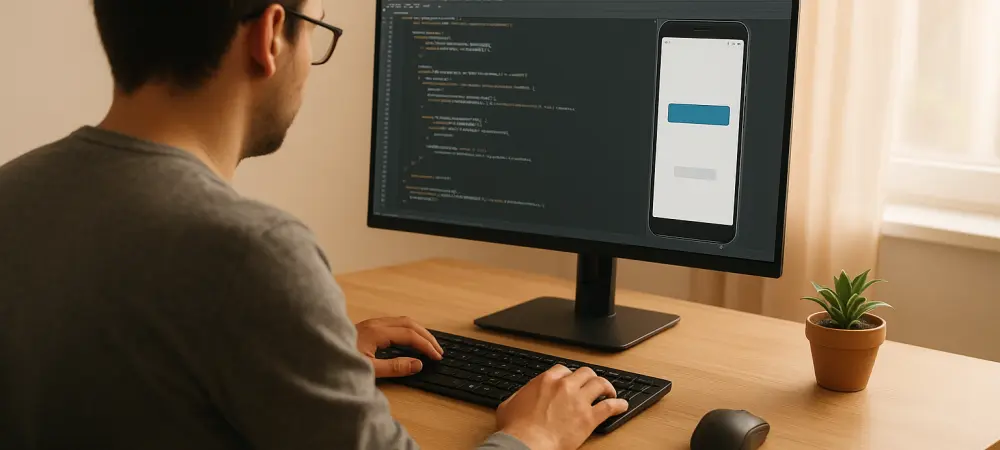
Mobile application developers find particular value in this advancement because it solves the long-standing performance issues associated with Android emulators in virtualized environments. These emulators require hardware acceleration via technologies such as the Hardware Accelerated Execution Manager (HAXM) or KVM to function at speeds acceptable for rapid testing. Without nested virtualization, these emulators would revert to slow software-based emulation, rendering them practically useless for real-time debugging and performance tuning. Now, developers can leverage the full power of the underlying cloud hardware to run mobile emulators with the same fluidity and responsiveness they would expect from a high-end local laptop. This makes cloud-based mobile development a practical reality for the first time, allowing teams to move their entire development stack to the cloud. The ability to simulate various device configurations and operating system versions without local resource constraints provides a significant competitive advantage in the fast-paced mobile market.
The burgeoning field of artificial intelligence also benefits from the isolation and flexibility provided by nested virtualization. Many modern AI agents and autonomous systems use sandboxed execution environments for safety and security, isolating their actions within a nested virtual machine to prevent unauthorized modifications to the primary system. This is crucial when testing experimental algorithms or untrusted code that could potentially compromise the stability of the development environment. Furthermore, systems engineers can utilize QEMU with KVM acceleration on Linux-based WorkSpaces to create robust platforms for testing custom virtual machine images and embedded systems. This level of control allows for the simulation of complex network topologies and hardware configurations that were previously impossible to replicate in a standard VDI setup. By providing the tools necessary for safe and isolated experimentation, nested virtualization empowers AI researchers and systems engineers to push the boundaries of innovation within a scalable cloud framework.
Technical Prerequisites: OS and Protocol Requirements
To successfully implement nested virtualization, administrators must carefully navigate a set of technical prerequisites concerning the guest operating systems. The feature is designed for modern computing environments and supports Windows 11 and Windows Server versions ranging from 2026 to 2028. This ensures that organizations utilizing the latest enterprise software can take full advantage of the enhanced capabilities. For those operating within the Linux ecosystem, the support extends to popular distributions such as Ubuntu 24.04, RHEL 9, and Rocky Linux 9 or newer. It is vital to note that older or more specialized operating systems, such as Windows 10 or Amazon Linux 2, do not support the necessary virtualization layers and are therefore incompatible with this feature. This focus on modern operating systems ensures that the virtualization extensions are utilized efficiently and securely, providing a stable foundation for the complex workloads that nested virtualization is intended to support.
Another critical technical requirement is the use of the NICE Desktop Cloud Visualization (DCV) protocol. Users who are currently operating on the legacy PCoIP protocol will find that nested virtualization is inaccessible until they migrate their WorkSpaces to DCV. This transition is necessary because the DCV protocol is specifically optimized to handle the high-performance graphics and low-latency requirements of nested virtual environments. Additionally, the choice of instance bundle plays a significant role in determining availability. While most standard and high-performance bundles support nested virtualization, the entry-level “Value” bundle is excluded from this feature. This exclusion is a deliberate design choice to ensure that the underlying hardware always possesses sufficient overhead to manage both the primary guest operating system and the secondary virtualization layers. By enforcing these resource minimums, AWS ensures a consistent and high-quality user experience for technical professionals who require these advanced features.
Optimizing Resource Allocation and System Performance
Running a hypervisor inside a virtual machine is inherently resource-intensive, as it requires the system to manage multiple layers of hardware abstraction simultaneously. To maintain a smooth and responsive user experience, it is generally recommended to utilize at least the “Power” bundle, which provides 4 vCPUs and ample memory. On smaller instances with fewer cores, the nested virtual machines often compete with the primary guest operating system for CPU cycles and memory bandwidth, which can lead to noticeable latency or overall performance degradation. Organizations should conduct thorough performance testing with their specific workloads to determine if more robust tiers, such as “PowerPro” or higher, are necessary to meet their productivity goals. Monitoring resource utilization within the WorkSpace is essential for identifying bottlenecks and ensuring that the secondary virtualization layer has the headroom it needs to operate efficiently without impacting the primary desktop’s usability.
The operational behavior of Amazon WorkSpaces undergoes subtle but important changes when nested virtualization is active, particularly in the realm of power management. For users on Windows 11 or Windows Server 2028, the standard “AutoStop” feature—which typically hibernates the instance to save costs—will instead trigger a full reboot upon waking. This happens because the presence of an active hypervisor complicates the hibernation process, making a clean restart the most reliable way to restore the environment. For developers who maintain complex workflows with numerous open applications and windows across sessions, this can lead to a loss of persistence and productivity. To mitigate this, switching the running mode to “AlwaysOn” is the recommended solution. While this may increase the overall cost of the WorkSpace, it ensures that the environment remains active and immediately accessible, preserving the state of all nested virtual machines and development tools without the interruption of a system reboot.
Navigating Security Constraints and Responsibility
While the addition of nested virtualization provides significant utility, it introduces specific security trade-offs that organizations must carefully evaluate. Enabling these virtualization extensions automatically disables certain Windows security features, most notably Windows Credential Guard and Virtualization-Based Security (VBS). This occurs because the hardware-rooted virtualization extensions must be shared between the primary guest operating system and the nested hypervisor, creating a conflict with how VBS isolates sensitive security processes. Security teams must weigh the substantial productivity benefits of tools like Docker and WSL2 against the potential vulnerability caused by the loss of these hardware-rooted protections. In many development scenarios, the trade-off is considered acceptable, especially when combined with other security measures such as endpoint detection and response (EDR) and strict network access controls. However, for highly sensitive environments, this loss of native Windows isolation may require additional compensating controls. Under the AWS Shared Responsibility Model, the introduction of nested virtualization shifted some of the maintenance and security duties toward the customer. While AWS continued to manage and secure the underlying Nitro System and the physical host infrastructure, the customer assumed full responsibility for the security and patching of the nested hypervisor. To navigate this landscape effectively, organizations established clear guidelines for how nested environments were managed and monitored. Technical teams were encouraged to automate the patching of nested Linux kernels and container images to minimize exposure to vulnerabilities. Businesses successfully leveraged nested virtualization to create a unified, high-performance environment that empowered technical team members to innovate. Administrators were advised to conduct regular audits of virtual machine usage to ensure that resources were utilized efficiently. These steps ensured that the transition was seamless and that the new capabilities provided long-term value for the entire engineering organization.