

As external temperatures consistently shatter previous records during these intense summer months, the reliability of a home wireless network often hinges more on physical thermal management than on the actual bandwidth provided by an internet service provider. While most users are quick to blame a flickering connection on service outages or spectral interference, the reality is frequently found in the overheating silicon housed within the router itself. These devices are sophisticated computers that generate a significant amount of internal heat while processing thousands of data packets every second. When the ambient temperature in a room rises, the cooling systems of these devices—often limited to passive heat sinks—reach their breaking point. This leads to a protective state known as thermal throttling, where the hardware intentionally slows down its processing speed to prevent permanent damage to the delicate internal circuitry. Recognizing that heat is the primary enemy of electronic longevity is the first step toward maintaining a stable, high-speed connection when the sun is at its peak.
The physiological stress placed on a router during a heatwave is not merely a matter of convenience; it is a technical challenge that requires a proactive strategy to ensure hardware survival. Most consumer-grade networking equipment is designed to operate within a specific temperature range, typically topping out around 104 degrees Fahrenheit. However, internal components can run much hotter than the air surrounding them, and without adequate ventilation, the localized environment inside the router casing can quickly exceed safe limits. This results in the frustrating experience of dropped video calls, buffering streams, and erratic ping spikes during gaming sessions. By understanding the relationship between ambient heat and hardware performance, homeowners can implement several low-cost adjustments that significantly improve the reliability of their digital infrastructure. The goal is to create an environment where the router can dissipate heat as efficiently as possible, ensuring that the network remains robust even when the outside world is sweltering.
Strategic Placement: Avoiding Solar Radiation and the Greenhouse Effect
A frequent mistake in many households involves placing the Wi-Fi router on a windowsill or near a glass door to achieve what is perceived as better signal elevation and reach. While height is generally beneficial for signal propagation, the proximity to glass creates a localized greenhouse effect that can be devastating for electronic components. Even in a home with active air conditioning, direct sunlight hitting the plastic chassis of a router causes the internal temperature to skyrocket through radiant heat absorption. This concentrated thermal energy is often more than the device’s internal cooling fins can handle, leading to frequent system crashes or spontaneous reboots as the hardware attempts to protect itself from a total meltdown. Furthermore, prolonged exposure to ultraviolet radiation can degrade the plastic housing and interfere with the structural integrity of the internal antennas over time. To mitigate these risks, the router should be relocated to a central, shaded area of the home where it is protected from direct solar gain. A dedicated shelf or a non-glass table away from south-facing windows provides a much more stable thermal environment. By moving the device into the interior of the house, users also take advantage of more consistent ambient temperatures and better airflow provided by the home’s HVAC system. This repositioning does more than just keep the device cool; it often improves the overall coverage of the Wi-Fi network by placing the signal source in a location that is less obstructed by the exterior walls and heavy glass of the home’s perimeter. Prioritizing a cool, dark location ensures that the router’s processor can dedicate its full power to managing data traffic rather than struggling to maintain its own structural and functional integrity under the weight of excessive heat.
Optimizing Airflow: The Importance of Ventilation and Surface Selection
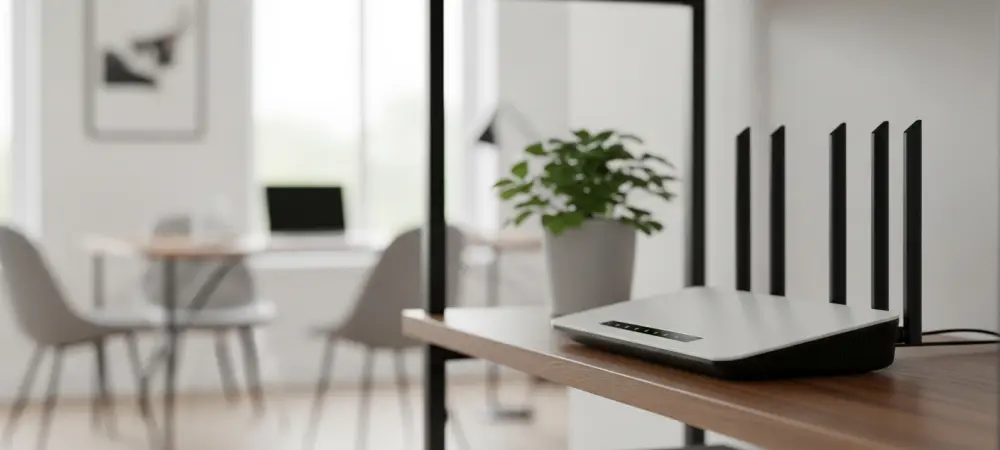
The aesthetic desire to hide bulky networking hardware often leads homeowners to tuck their routers into media cabinets, behind heavy curtains, or inside cramped closets. While this keeps the living space looking organized, it creates a stagnant pocket of air that traps the heat exhausted by the device. Most modern routers rely on passive convection, meaning they feature vents on the bottom and top designed to let cool air rise through the unit naturally. When a router is placed in an enclosed space, the air around it eventually reaches an equilibrium with the device’s exhaust temperature, rendering the cooling vents useless. Without a fresh supply of cooler air, the internal components will continue to heat up until the system triggers a shutdown. To ensure longevity, the device needs several inches of clearance on all sides to facilitate the natural movement of air across its internal heat sinks.
Surface material plays an equally critical role in how a router manages its thermal output during the summer months. Placing a router on a carpeted floor or a fabric-covered shelf is a recipe for hardware failure, as these materials act as insulators that trap heat and block the intake vents located on the underside of the device. Hard, flat surfaces like wood, metal, or stone are far superior because they allow for unobstructed airflow and can sometimes even act as secondary heat sinks to draw energy away from the chassis. Additionally, users must avoid the common practice of stacking electronics, known as the “tech sandwich.” Placing a router directly on top of a warm cable box, gaming console, or even another networking switch forces the router to absorb the heat radiated by those devices. Maintaining a dedicated, clear space for the router is one of the most effective ways to prevent thermal-related performance degradation.
Operational Load: Managing Data Traffic and Rebooting Protocols
Every byte of data that passes through a home network requires the router’s central processing unit to perform complex calculations, a process that inherently generates thermal energy. During the hottest parts of the day, when the hardware is already struggling with high ambient temperatures, heavy network usage can push the device over its thermal limit. Engaging in “digital housekeeping” can alleviate some of this stress by disconnecting devices that are not currently in use, such as smart appliances, idle tablets, or secondary smartphones. Large-scale data tasks, such as downloading massive software updates or performing cloud backups, should ideally be scheduled for the late evening or early morning when the air is cooler. By reducing the computational load during the peak heat of the afternoon, the router is less likely to reach the critical temperatures that trigger performance throttling or hardware instability.
When a network does become unresponsive due to heat, the instinct for many is to perform a rapid power cycle by unplugging the unit and immediately plugging it back in. However, this can be counterproductive during a heatwave because the initial boot sequence of a router is often the most resource-intensive task it performs, causing a sudden spike in internal heat generation. If the device feels uncomfortably hot to the touch, the most effective strategy is to leave it powered off for at least fifteen to twenty minutes. This period of inactivity allows the internal components to shed their stored thermal energy and return to a safe baseline temperature. Once the device has cooled down sufficiently, a clean reboot will be much more successful and sustainable than a series of rapid restarts that only serve to further stress the already overheated silicon and power delivery systems.
Hardware Resilience: Modern Solutions and Long-Term Maintenance
If a router continues to struggle with overheating despite optimal placement and airflow, the issue may lie with the age and efficiency of the hardware itself. Older networking equipment often utilizes larger, less efficient processors that generate significantly more heat than the modern chips found in current Wi-Fi 7 or Wi-Fi 8 certified devices. Furthermore, the thermal paste used to transfer heat from the processor to the internal heat sink can dry out and become brittle after several years of operation, losing its effectiveness. In these cases, the environmental fixes are merely masking a fundamental hardware limitation. Upgrading to a newer model often provides the benefit of more advanced thermal designs, including better-ventilated casings and more efficient power management features that keep the device running cooler even under heavy loads in the summer heat.
The transition to more robust networking strategies proved essential for maintaining high-speed connectivity during the most challenging thermal conditions. Users who prioritized the physical health of their hardware discovered that simple adjustments in positioning and usage patterns yielded immediate improvements in network stability. It was observed that the most successful outcomes involved a combination of physical clearance, the avoidance of direct sunlight, and a more mindful approach to data consumption during peak temperature hours. Ultimately, the durability of the home network relied on a shift in perspective, where the router was treated as a vital piece of infrastructure requiring specific environmental conditions to thrive. These proactive measures ensured that the digital life of the household remained uninterrupted, providing a reliable foundation for work and entertainment regardless of the rising mercury outside.