

In a global marketplace where digital borders have largely vanished, the persistent challenge of linguistic misalignment continues to stall operations and fracture customer relationships within high-stakes enterprise environments. Global enterprises often operate under the illusion of connectivity, yet their most valuable asset—customer data—is frequently trapped behind linguistic walls. A support agent in Warsaw might open a critical case file only to find it written entirely in Spanish, leading to a frantic scramble for external translation tools. This silent friction does more than just slow down operations; it creates a fragmented digital environment where information is present but inaccessible. When a team’s primary workspace cannot speak the language of its global clientele, the resulting “manual bolt-on” workflows become a significant drain on organizational energy. The lack of a native linguistic bridge turns a high-performance CRM into a series of isolated data silos that require constant human intervention to interpret. This fragmentation forces users to act as manual intermediaries between their tools and their data, which prevents the platform from serving as a true source of truth. Without seamless integration, the digital ecosystem remains a collection of disparate parts rather than a unified engine for growth.
The High Cost: Analyzing Manual Translation Workflows
The traditional approach to handling multilingual data in Dynamics 365 involves a constant cycle of copying, switching browser tabs, and pasting into public translation engines. This workflow fragmentation leads to a measurable loss of focus and increases the margin for error as context is stripped away during the transition. Every second spent outside the primary interface represents a decline in productivity that scales poorly as a company expands into new territories. This distraction often results in mental fatigue for agents who must juggle multiple applications just to understand a single customer request.
Furthermore, relying on external web pages introduces serious data security risks, as sensitive customer information leaves the protected enterprise environment. In a fast-paced market, the time latency inherent in these manual steps directly correlates with diminished customer satisfaction and missed opportunities for engagement. The inefficiency is not merely a matter of convenience; it is a structural flaw that compromises the integrity of the entire customer relationship management strategy. By allowing data to exit the secure environment, firms risk non-compliance with strict data protection regulations.
Technical Innovations: Integrated Linguistic Processing in CRM
To address these inefficiencies, modern solutions like Translate4Dynamics are shifting the paradigm from external tools to native CRM functions. These integrated systems leverage the power of Azure Translator Services to provide a “single pane of glass” experience for users. By embedding the translation engine directly into the user interface, organizations eliminate the need for third-party websites and keep their workforce focused on solving customer problems. This shift toward embedded intelligence allows for a more fluid interaction between the agent and the record.
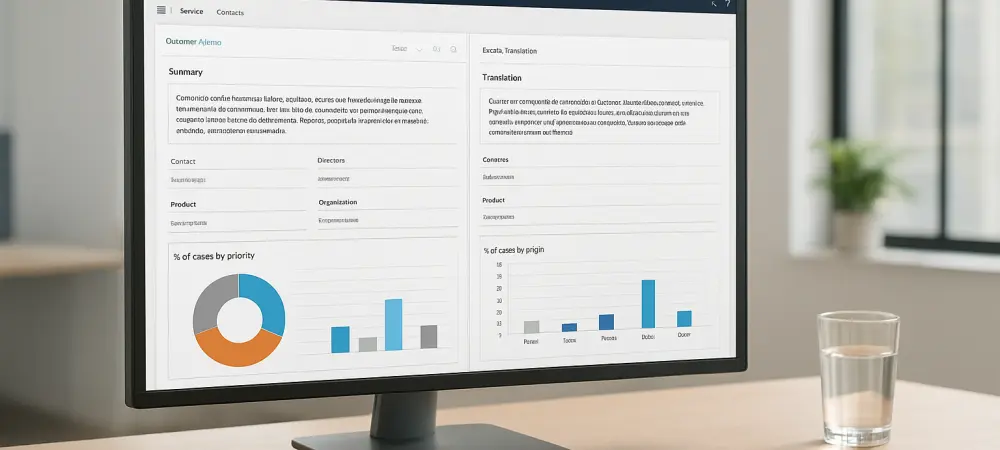
Modern translation extensions offer a dual-mode approach to data processing that prioritizes both speed and control. Real-time translation ensures that as soon as a record is accessed, the content is instantly available in the user’s preferred language, facilitating immediate action. For less critical data, on-demand features allow users to trigger translations only when necessary, providing a customized balance between automated speed and manual oversight. This flexibility ensures that the system remains responsive without overloading the user with unnecessary information. A key innovation in native translation is the use of side-pane displays and rich-text preservation. By presenting the translated text alongside the original record, the system preserves the “source of truth” while maintaining formatting like bolding or colors that convey urgency. This allows agents to verify nuances and ensures that the original database remains untouched and secure, preventing the accidental overwriting of primary customer data. Maintaining the original author’s intent through formatting is vital for accurate service delivery and priority management.
Security and Accuracy: Leveraging the Microsoft Ecosystem
The synergy between Dynamics 365 and Azure Translator Services offers a “Microsoft-on-Microsoft” architecture that prioritizes enterprise-grade security. Because the translation occurs within the Azure framework, sensitive data remains within the organization’s trusted cloud boundaries throughout the process. This creates a secure loop where information is processed, translated, and presented without ever being exposed to the public internet or unknown third-party algorithms. This integration also provides access to neural machine translation capabilities, which offer superior linguistic accuracy across complex dialects and technical vocabularies. By utilizing deep learning models, the system ensures that the nuances of customer feedback are never lost in translation. For a global enterprise, this level of precision is vital for maintaining a consistent brand voice and ensuring that service delivery meets local expectations regardless of the origin of the request.
Strategic Performance: Optimizing Multilingual Data Fields
Implementing a linguistic bridge within Dynamics 365 requires a strategic approach to ensure maximum return on investment and operational agility. Administrators should utilize granular configuration settings to specify which columns or fields are eligible for translation. By focusing resources on high-value data—such as issue descriptions, email bodies, and return policies—rather than static metadata, organizations can optimize system performance and ensure that agents are only processing the most relevant information. By removing language as a barrier to data utilization, organizations can reallocate their human capital more dynamically. A Polish-speaking agent can effectively assist a Spanish-speaking client without the need for a bilingual intermediary. This empowerment led to a more confident workforce and allowed global teams to handle international cases with the same speed and empathy as local ones, transforming the CRM into a truly global intelligence hub. This strategic move turned language from a logistical hurdle into a competitive advantage.
The transition to integrated linguistic tools proved that digital transformation is only successful when it addresses the human element of communication. Businesses that adopted these native workflows saw a significant reduction in case resolution times and a rise in employee retention. Looking ahead, the focus moved toward expanding these capabilities to include real-time voice translation and even more sophisticated dialect detection. Organizations that invested in these solutions successfully unified their global operations, ensuring that every customer felt heard and every agent felt capable, regardless of the language they spoke.