

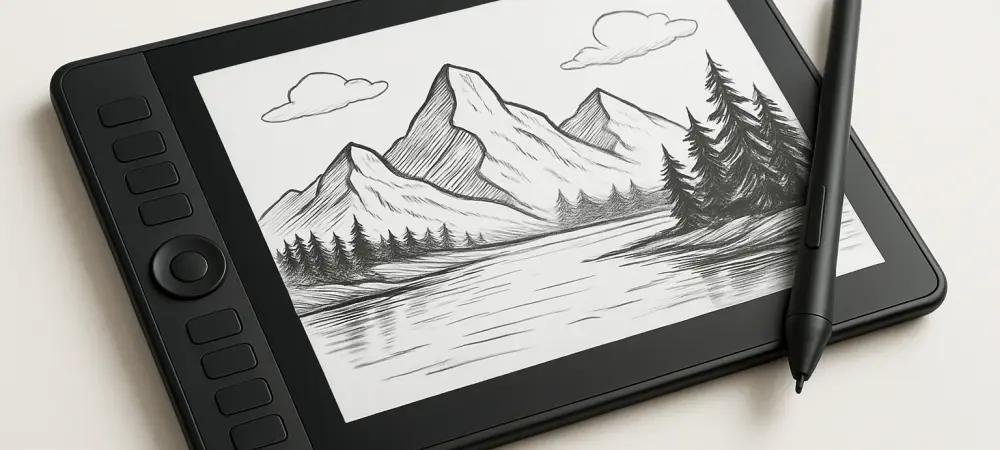
What happens when inspiration strikes in the middle of a bustling coffee shop or during a quiet moment on a family trip, but the tools to capture that spark weigh you down? For digital artists, the struggle to balance high-performance gear with the freedom to create anywhere has long been a challenge, and now a device promises to redefine this dynamic—a drawing tablet designed to keep up with the fast-paced, mobile lifestyles of modern creatives. This is the story of a tool that’s not just about specs, but about breaking barriers to artistic expression.
Why Drawing Tablets Are Essential Today
In an era where creativity knows no bounds, the right drawing tablet can be the difference between a fleeting idea and a masterpiece. Artists are no longer confined to studios; they work from co-working spaces, travel destinations, and even cozy corners at home. The need for a device that supports this fluidity has never been more critical, as traditional setups often tether users to fixed desks with complex wiring. A portable, powerful tablet addresses this gap, enabling spontaneity without compromising on quality.
The demand for such tools is evident in industry trends. Recent studies indicate that over 60% of digital artists prioritize mobility in their hardware choices, a significant shift from just a few years ago when raw power was the sole focus. This growing preference underscores a broader movement toward adaptability, where the ability to create on the go is as vital as the precision of a stylus or the vibrancy of a screen.
Mobility Meets Artistry in a Static Landscape
As remote work continues to reshape professional environments, artists face unique challenges in maintaining productivity across varied settings. Bulky equipment and limited workspace options can stifle the creative process, especially for those who thrive on changing scenery. The push for tools that offer both high performance and ease of transport has become a defining factor in the tech choices of many creatives.
This trend aligns with a noticeable shift in how artists define their ideal setup. No longer satisfied with stationary workstations, many seek devices that fit seamlessly into a backpack or a small carry case. The emphasis on lightweight design and minimal setup requirements reflects a desire to transform any location—be it a park bench or a hotel room—into a potential studio, ensuring that inspiration isn’t lost to logistical constraints.
Inside the Xencelabs Pen Display 16: Specs and Sacrifices
Diving into the specifics, the Xencelabs Pen Display 16 offers a compelling package for its $999 price point. The 16-inch 4K display delivers a pixel density of 275ppi, providing near print-quality sharpness ideal for detailed digital painting and photo editing. Its color accuracy is equally impressive, covering 98% Adobe RGB, 98% P3-D65, and 99% sRGB, ensuring that every hue pops with lifelike vibrancy for professional-grade results.
Usability takes center stage with a stylus boasting 8K pressure levels—virtually indistinguishable from higher-end 16K options in practical use. Customizable features like three programmable buttons on the pen and an optional wireless Quick Keys accessory for shortcuts enhance workflow efficiency. However, the smaller screen size compared to larger models like the Xencelabs Pen Display 24 or Wacom Cintiq Pro 27 may feel restrictive for expansive projects, though its 2.67-pound weight and streamlined cable design offer a trade-off that prioritizes portability.
This balance of features and compromises positions the tablet as a mid-range contender with a unique edge. While it may not cater to artists needing vast canvas space, its lightweight build and simplified setup cater to those who value the freedom to move. This design choice highlights a deliberate focus on real-world application over sheer technical dominance.
Artist Insights: A Tool That Adapts to Life
Feedback from users sheds light on what truly distinguishes this tablet in a crowded market. Josh Russell, Reviews Editor at TechRadar, describes it as “a companion that fits into my life, not the other way around.” His experience underscores the device’s portability, noting how its carrying case and minimal setup allowed sketching sessions from casual home settings to long-distance trips without hassle.
This perspective resonates with a wider sentiment among digital artists who value adaptability. The ability to create without being tied to a specific location has proven transformative for many, especially those who struggle with consistent creative habits. Russell’s account of overcoming procrastination through the tablet’s ease of use illustrates a deeper impact—how a tool can shift not just workflow, but also mindset, making art a more integrated part of daily routine.
The personal connection artists feel with this device often stems from its ergonomic considerations. Features like an adjustable stand and hand-friendly bezels ensure comfort during extended sessions, reducing physical strain. Such elements reinforce the tablet’s role as a practical ally, designed to support the creative process in diverse, often unpredictable environments.
Practical Strategies for Maximizing Creative Potential
For artists eager to incorporate this tablet into their workflow, a few targeted approaches can unlock its full potential. Begin by treating it as a mobile studio—keep the carrying case ready with essentials for impromptu sessions, whether at a local cafe or during travel downtime. This mindset ensures that no moment of inspiration slips away due to lack of preparedness.
Customization is key to efficiency. Tailor the stylus buttons and optional Quick Keys to frequently used functions, such as tool switching or canvas zooming, minimizing reliance on menus. Additionally, for prolonged use, adjust the stand angle to a comfortable position to prevent wrist fatigue, leveraging the tablet’s design for sustained productivity.
If the 16-inch screen feels limiting for intricate projects, consider pairing it with a larger external monitor for detailed work while reserving the tablet for on-the-go sketching. This hybrid setup maximizes both portability and precision, allowing artists to adapt to varying needs. By implementing these strategies, any space can become a creative hub, fully utilizing the tablet’s blend of power and flexibility.
Reflecting on a Game-Changing Companion
Looking back, the journey with the Xencelabs Pen Display 16 revealed a profound shift in how tools can empower creativity. Its blend of technical excellence and unmatched portability proved that artists no longer have to choose between performance and freedom. Each feature, from the vivid 4K display to the lightweight frame, played a role in dismantling barriers that once confined art to specific spaces.
Moving forward, artists are encouraged to explore how such devices can redefine their own creative boundaries. Experiment with new environments for inspiration, leveraging the tablet’s design to sketch in unconventional settings. Consider investing time in customizing workflows to match personal styles, ensuring that technology serves as an extension of vision. As the landscape of digital art evolves, embracing tools that prioritize both innovation and practicality remains a vital step toward sustained artistic growth.