

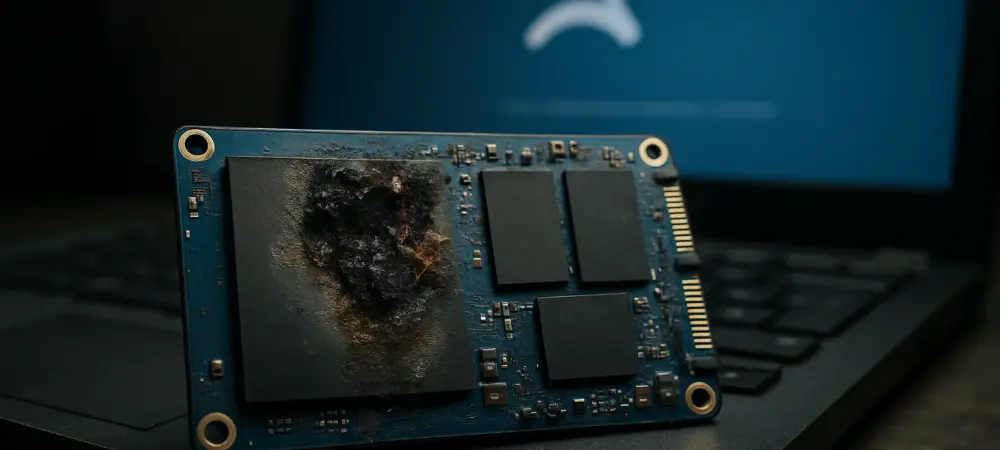
Imagine installing a routine security update on your Windows 11 system, only to find that your high-speed SSD—crucial for work or gaming—suddenly becomes undetectable during a large file transfer, leaving you stranded. This alarming scenario has emerged with the KB5063878 update, raising red flags among users and tech communities. Reports of solid-state drive (SSD) malfunctions, particularly during massive data writes, have sparked debates about system reliability and update safety. This roundup gathers insights, opinions, and tips from various online forums, user reports, and industry discussions to shed light on the issue, offering a comprehensive look at the potential risks and protective measures for Windows 11 users.
Exploring Community Reactions to the Update and Storage Issues
Diving into user feedback across tech forums reveals a growing unease about the KB5063878 update’s impact on storage devices. Many individuals have shared stories of SSDs failing to register with the operating system after sustained write operations, such as updating large games or transferring hefty datasets. A notable case highlighted in discussions involves a user updating Cyberpunk 2077 with over 50GB of data, only to lose access to their drive mid-process, prompting widespread concern.
Contrasting opinions surface on the severity of this glitch. Some users argue that the issue appears limited to specific SSD models, while others fear it could signal a broader flaw in the update’s interaction with storage controllers. Posts on popular platforms suggest that hard disk drives (HDDs) face minimal disruption compared to SSDs, but the lack of definitive data keeps the community on edge, hungry for clarity from official sources.
The stakes are high for gamers, content creators, and professionals who rely on seamless storage performance. Discussions emphasize that even a small percentage of failures could translate into significant data loss for affected individuals. This diversity in user experiences sets the stage for a deeper examination of the problem’s scope, potential causes, and actionable advice drawn from collective insights.
Insights on Specific Triggers and Affected Hardware
Large Data Writes Leading to Drive Malfunctions
A common thread in community reports points to large data writes as the primary trigger for SSD issues post-update. Users describe scenarios where transferring or updating files exceeding 50GB causes their drives to become unrecognizable by Windows 11, often requiring a reboot with no guarantee of recovery. This pattern has been repeatedly noted in cases involving high-capacity game updates or bulk file operations.
Specific SSD models, such as the Corsair Force MP600, SanDisk Extreme PRO M.2 NVMe 3D SSD, and KIOXIA EXCERIA PLUS G4, frequently appear in these accounts, spanning controllers from Samsung, Phison, and others. However, opinions differ on whether this reflects a hardware-specific vulnerability or a more systemic update flaw, with some users speculating that controller design plays a role in susceptibility.
The uncertainty is palpable in online threads, where sparse reporting leaves questions about the issue’s true prevalence. While some dismiss it as a niche problem affecting only certain configurations, others urge caution, suggesting that silent failures might be underreported. This discrepancy fuels a call for more shared experiences to map the full extent of the risk.
Theories on Causes: Driver Errors or Deeper Flaws
Speculation about the root cause centers on a possible storage driver or kernel-level regression introduced by KB5063878. Many in tech communities believe that the update mishandles sequential writes, leading to controller lockups that render SSDs inaccessible. This theory gains traction from user reports of lost partitions persisting even after system restarts, highlighting the potential for lasting damage.
Differing views emerge on the likelihood of a quick resolution. Some contributors to discussions express skepticism about Microsoft’s testing processes, arguing that such regressions point to gaps in pre-release validation. Others counter that manufacturers might share responsibility if firmware incompatibilities exacerbate the issue, creating a complex blame dynamic.
The absence of official statements from either Microsoft or SSD vendors adds to the frustration voiced online. Community members note that without confirmed causes, users are left guessing, often resorting to trial-and-error fixes like rolling back updates or reformatting drives. This limbo underscores the need for transparency to guide affected individuals.
Historical Context: Recurring Update Conflicts
Looking at past patterns, forum discussions often reference a history of Windows updates causing unintended hardware conflicts. KB5063878 is seen by many as the latest in a series of problematic rollouts, with users recalling similar storage and performance hiccups in prior patches. This recurring theme fuels criticism of update reliability among tech-savvy groups like PC gamers.
Opinions split on how systemic these issues are. Some argue that the complexity of modern hardware ecosystems makes occasional clashes inevitable, urging patience for post-release fixes. Others express dwindling trust, pointing out that critical components like storage should be insulated from such risks through more rigorous testing protocols.
A broader perspective shared in these conversations ties the problem to global trends in software deployment. Commentators note that rapid update cycles across tech industries often prioritize speed over stability, leaving end-users as unintended beta testers. This observation prompts calls for better post-launch monitoring to catch issues before they escalate.
Vulnerable Hardware: Which SSDs Face the Greatest Risk?
Delving into hardware specifics, user reports highlight a diverse array of SSDs impacted by the update, from models with SMI and Innogrit controllers to those from major brands like Samsung. The lack of a clear pattern in affected drives puzzles the community, with some suggesting that write-intensive workloads expose underlying weaknesses regardless of manufacturer.
Comparisons to previous update failures surface in discussions, where certain hardware was disproportionately hit due to driver incompatibilities. Industry watchers contributing to forums speculate that SSDs with older firmware or specific controller architectures might be more prone to crashes under the stress of KB5063878’s alleged flaws, though hard evidence remains elusive.
Hope for mitigation lingers in some corners, with users debating whether future firmware updates or Microsoft patches could address the issue. Yet, the current silence from official channels dampens optimism, leaving many to wonder if their particular drive model is at risk. Shared lists of affected hardware grow daily, serving as a makeshift resource for the wary.
Practical Tips and Strategies for Windows 11 Users
Synthesizing advice from various sources, a key recommendation for Windows 11 users is to minimize large, sustained write operations until more is known about KB5063878’s impact. Community members suggest pausing major game updates or bulk transfers, especially for those with SSD models matching reported problem cases, as a precaution against sudden failures. Another widely discussed tip is to maintain rigorous data backups before installing any system update. Tech enthusiasts stress the importance of external drives or cloud storage to protect critical files, given the risk of inaccessible partitions. Monitoring system behavior post-update for signs of lag or drive detection issues also features prominently in shared guidance.
Finally, staying informed through community updates and checking SSD models against emerging reports of issues are advised as proactive steps. Many users advocate for patience, suggesting that rolling back the update might be a viable temporary fix if problems arise. This collective wisdom aims to shield individuals from potential data loss while awaiting official responses.
Reflecting on Community Concerns and Next Steps
Looking back, the roundup of opinions and experiences surrounding the KB5063878 update paints a picture of uncertainty and caution among Windows 11 users. The community grappled with SSD failures tied to large data writes, debated possible driver or kernel flaws, and shared frustration over the lack of official acknowledgment. Diverse perspectives on affected hardware and historical update issues enriched the conversation, highlighting a shared desire for reliability.
Moving forward, users are encouraged to adopt protective habits like backing up data and limiting high-intensity storage tasks. Keeping an eye on evolving forum discussions and anticipating potential patches from Microsoft or SSD makers emerged as practical next steps. This collective vigilance aims to bridge the gap until clearer solutions or explanations surface, ensuring that system stability remains within reach for all impacted.