

With a career spanning the evolution of modern operating systems, Dominic Jainy has a unique perspective on the intricate dance between feature innovation and system stability. Today, we sit down with him to dissect the recent Windows 11 update, KB5072033. Our conversation explores more than just a simple bug fix; we delve into the anatomy of a software patch, from the initial user outcry over a jarring visual glitch to the subtle but significant security enhancements that often accompany these updates. Dominic sheds light on Microsoft’s internal processes, the strategic thinking behind phased rollouts, and how a single update can impact the daily workflows of both casual users and high-level system administrators.
The recent KB5070311 update introduced a rather jarring white flash in File Explorer’s dark mode. From your experience, what does that initial wave of user feedback look like, and could you walk us through how an engineering team typically isolates and deploys a visual fix like the one in KB5072033?
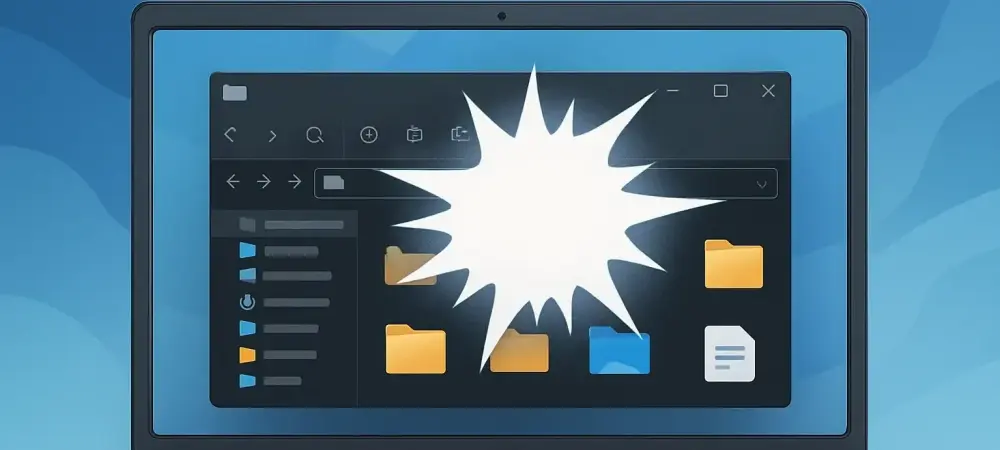
Oh, that kind of feedback is immediate and visceral. You have a user base that specifically chooses dark mode for comfort, accessibility, or just aesthetics, and suddenly they’re getting a bright white flash every time they navigate. It completely shatters the user experience. The feedback isn’t just “this is a bug;” it’s emotional. We’d see a flood of reports on forums, through the Feedback Hub, and on social media, all describing this disruptive flash. Internally, the process begins with reproduction. Engineers will pinpoint the exact actions that trigger it—navigating to Home, creating a new tab, toggling the Details pane. Once they can reliably reproduce it, they perform a code review, comparing the changes in KB5070311 to the previous stable build. They’re looking for the specific rendering instruction that’s misfiring. After isolating the problematic code, a patch is developed, which then undergoes rigorous internal testing to ensure it not only fixes the flash but doesn’t break something else, before finally being rolled into a cumulative update like KB5072033.
Microsoft was quick to add this File Explorer bug to its public “Known Issues” list. What goes on behind the scenes to make that call, and what’s the typical journey from that public acknowledgment to shipping a targeted fix to users?
Making that public admission is a calculated decision. It starts when telemetry and support channels light up, indicating a widespread problem linked to a specific update. The engineering team has to quickly validate that it’s a genuine, reproducible bug and not isolated incidents. Once confirmed, the product management and communications teams weigh in. The decision to post it on the “Known Issues” page is about transparency and managing user expectations. It effectively tells the community, “We hear you, we’ve confirmed the problem, and we’re on it.” This also drastically reduces the volume of redundant support tickets. From that point, the bug is triaged and prioritized. A visual issue like this, while not a system-crashing flaw, is a high-priority “paper cut” that severely impacts user perception. The engineering team then works on the fix, which goes through internal validation, then likely a flight to the Windows Insider Program for broader testing, before finally being packaged into the next stable cumulative update for the general public.
Moving beyond the visual glitch, KB5072033 also hardened PowerShell by adding a security warning to the Invoke-WebRequest command. Can you break down the specific danger this addresses and how this new prompt might alter the daily routine for IT professionals?
That PowerShell update is arguably more significant than the File Explorer fix. Invoke-WebRequest is a commandlet sysadmins and developers use constantly to download files or data from the web within a script. The risk, identified as CVE-2025-54100, is that a script could use this command to silently fetch and execute a malicious payload from a remote server. It’s a classic attack vector. This new confirmation prompt fundamentally changes the dynamic. It forces an interactive choice—continue or cancel—which effectively breaks unattended scripts that might be pulling from an untrusted source. For an administrator, this introduces a crucial security checkpoint. Their automated scripts might need to be rewritten to handle this prompt or, better yet, it forces them to re-evaluate the sources they are pulling content from. It’s a small change in workflow that introduces a massive security benefit by preventing drive-by script execution.
The article mentions the impact of the initial buggy update was limited because it was a “previous version.” What does that mean in the context of Windows updates, and how does this layered rollout strategy serve as a safety net?
When they say “previous version,” they’re referring to it being an optional preview update, not a mandatory “Patch Tuesday” security release. Microsoft typically releases these non-security previews in the latter half of the month for IT administrators and enthusiasts who want to test upcoming changes. This phased approach is a critical part of their quality control and risk mitigation strategy. By releasing it to a smaller, more technically savvy audience first, they create a massive, real-world testing pool. This group is more likely to identify and report issues like the File Explorer flash. It essentially acts as a canary in the coal mine, allowing Microsoft to catch and fix such problems before they are bundled into the mandatory security update that goes out to hundreds of millions of machines the following month. This containment ensures a disruptive, though non-critical, bug doesn’t cause a global headache.
What is your forecast for the future of Windows updates, particularly in balancing the drive for new AI-powered features with the fundamental need for rock-solid stability?