

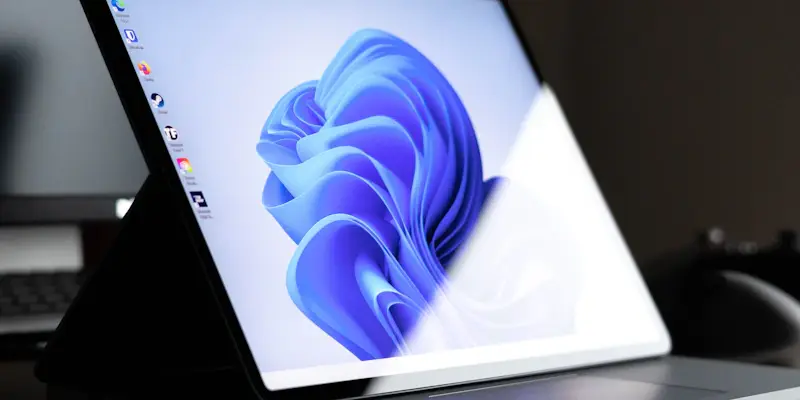
Microsoft is taking significant strides to educate users about how limited RAM and weak GPUs affect computer performance with a new feature in Windows 11. This feature has been observed in the latest Dev Channel build and includes a comprehensive FAQ section within the system settings. This FAQ addresses common concerns regarding GPU memory, system RAM, and the versions of the operating system, providing valuable guidance for users.
Detailed Insights Through the Settings App
Evaluating Hardware Specifications
Embedded under the “About” menu in the Settings app, the FAQ section aims to enlighten users on the impact of their hardware specifications on overall device performance. It emphasizes the importance of GPU memory and system RAM in determining how well a PC can handle various tasks. Specifically, it advises users with GPUs possessing less than 4GB of memory to consider upgrading their hardware. The section also suggests that computers equipped with 4-8GB of RAM are better suited for basic operations such as web browsing and document editing, rather than more demanding applications.
The objective of this FAQ section is not only to inform users about their current hardware capabilities but also to aid them in making educated decisions regarding potential upgrades. By providing this guidance, Microsoft is essentially enabling users to optimize the performance of their Windows 11 machines, thereby enhancing their overall computing experience.
Accessibility and Adaptability
Presently, accessing this new feature requires specific command line inputs, as it remains hidden in the system settings. Notably, Microsoft has not yet officially confirmed this development, leading to conjecture about whether the information provided will adjust dynamically to different systems or deliver static advice based on the hardware detected during initial setup.
One of the significant concerns observed is how this feature will address systems with higher RAM capacities, such as those equipped with 32GB. There is speculation about the relevancy and adequacy of performance warnings provided to users of such systems. Although these uncertainties exist, the feature’s introduction reflects Microsoft’s attempt to address the criticisms regarding the strict minimum requirements of Windows 11. Such requirements have been a point of contention as they have left numerous PCs operating on the previous OS version, Windows 10, in need of hardware upgrades.
Customizable User Experience
Gamepad-Friendly Integration
Apart from the educational aspect, Microsoft is also focusing on improving user convenience and customization by introducing a gamepad-friendly keyboard feature to Windows 11. This addition signifies an effort to cater to the gaming community and offer a more versatile user experience. The gamepad-friendly keyboard is expected to become widely available within this year, aligning with the features currently in the Dev Channel that usually precede the 24H2 update. However, it is worth noting that some features from the Dev Channel may be discontinued before their eventual public release.
Commitment to User Education
The overarching trend here is Microsoft’s commitment to fostering a better understanding among users about their system’s performance capabilities. By providing these insights, the tech giant helps users appreciate their hardware’s potential while ensuring an optimal operating environment. This is achieved by offering dynamic information that adapts to different system configurations, addressing various performance-related inquiries and promoting a more transparent understanding of hardware limitations.
Proactive Steps towards User Empowerment
Microsoft is making notable advancements in educating users about the impact of limited RAM and weak GPUs on computer performance through a new feature in Windows 11. This initiative has been identified in the most recent Dev Channel build, where a detailed FAQ section is now integrated within the system settings. The FAQ aims to address widespread questions regarding GPU memory, system RAM, and various versions of the operating system, delivering essential insights for users.
This educational tool is especially beneficial for everyday users who may not be well-versed in the technical aspects of their computers. By providing clear and accessible information, Microsoft ensures that users better understand how hardware limitations can influence their overall computing experience. As technology evolves, it’s crucial to have an operating system that offers such guidance to help users maximize their device’s potential. With this new feature, Microsoft reinforces its commitment to enhancing the user experience by bridging the knowledge gap related to computer performance issues caused by hardware constraints.