

Breaking the Cycle of Disruptive Windows Update Notifications
The persistent struggle between operating system maintenance and user productivity has reached a pivotal turning point as Microsoft redefines the digital boundaries of personal computing. For years, the relationship between Windows users and the “Check for Updates” button was defined by frustration and unexpected restarts. The shift toward Windows 11 marks a significant pivot in philosophy, moving away from forced compliance toward a model that values user time and workflow.
By re-engineering how the operating system handles background processes, developers aim to eliminate the friction that has historically plagued the update experience. Many tech reviewers now observe that these systemic changes prioritize the person behind the keyboard rather than the machine. This evolution examines whether these technical overhauls truly empower the user or simply mask the same underlying mandatory requirements.
A Closer Look at the Features Empowering User Autonomy
Modern technical analysis reveals that Microsoft has fundamentally altered the update cadence to favor transparency over automation. Instead of silent background downloads that hijack system resources, the OS now manages background tasks with greater efficiency. This allows for a more predictable performance profile during peak working hours.
Critics and enthusiasts alike note that the interface has become significantly more communicative regarding the state of the machine. By streamlining the dashboard, the operating system reduces the cognitive load required to manage security tasks. These modifications create a landscape where the user dictates the terms of maintenance rather than reacting to sudden prompts.
Bypassing Mandatory Setup Hurdles for Immediate Desktop Access
One notable change occurs before a user even reaches their desktop. The Out-of-Box Experience (OOBE) was modified to allow for greater flexibility during the initial PC setup. Instead of being held hostage by mandatory security updates during the first boot, users can now bypass these installations to get to work immediately.
This shift acknowledges that the moment a new device is unboxed is often the worst time for a lengthy download process. Industry leaders suggest this provides a smoother transition for professionals who need immediate access to their tools. By delaying the initial patch cycle, the system respects the urgency of the user’s first interaction.
Master Your Schedule with Unrestricted Update Deferment
The “Pause updates” feature introduces a robust calendar interface that replaces the rigid, limited options found in previous versions. Users can select a specific date to resume updates for up to 35 days, providing a predictable window for maintenance. The real innovation, however, lies in the newfound ability to extend this pause without a mandatory reset limit.
By allowing users to prolong the pause window in five-week increments, the system effectively ends the culture of the forced patch. This provides a crucial safety net for creators who cannot risk a system change during a critical project. Productivity experts highlight this as a major victory for those requiring long-term system stability.
Restoring Predictability to the Power Menu and System Restarts
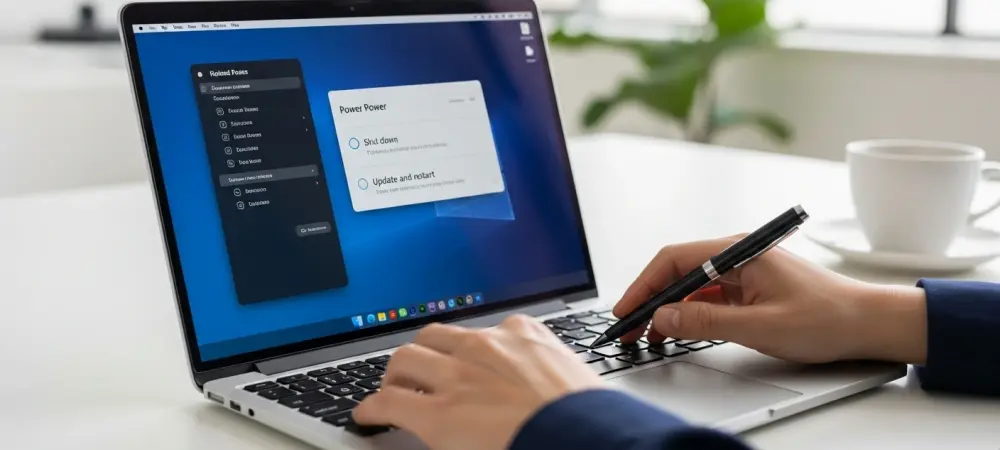
To prevent the common nightmare of a computer updating during a simple shutdown, the system decoupled power commands from update actions. The Power menu now provides four distinct choices: Shut down, Update and shut down, Restart, and Update and restart. This separation ensures the system respects the immediate intent of the operator. Even when a patch is pending, the standalone options eliminate the “update trap” that historically led to lost work. Many users find this granular control essential for managing hardware during travel or time-sensitive meetings. The clear distinction between these actions restores a sense of agency over the hardware’s operational state.
Gaining Clarity Through Descriptive Hardware Driver Categorization
Transparency is a major pillar of this overhaul, specifically regarding the installation of hardware drivers. In the past, vague driver names often left users guessing about what they were actually installing on their machines. Windows 11 now appends “device classes” to these updates, clearly labeling whether a patch applies to audio, battery, or display hardware.
This granular information, combined with background optimization, synchronizes driver installation with monthly quality patches. Such coordination reduces the frequency of necessary reboots while allowing for informed decisions. Hardware specialists appreciate this clarity, as it permits users to identify exactly which component is being modified.
Strategic Best Practices for Managing Your Newfound Update Control
With great power comes the responsibility of maintaining system health through intentional scheduling. While the ability to defer updates indefinitely is a major win for autonomy, users must still establish a personal maintenance routine. Relying on the 35-day calendar view to align updates with periods of low activity ensures the machine remains secure without being intrusive.
Industry observers suggest setting a monthly window to review pending drivers and security improvements manually. By proactively managing these settings, a high-performance system is maintained without the shock of an unexpected restart. This hands-on approach transforms the update process from a nuisance into a manageable part of a professional workflow.
Moving Toward a Balanced Relationship Between Security and Productivity
The overhaul of the update system represented a fundamental shift from a culture of forced automation to one of informed consent. By streamlining background processes and providing transparent choices, Microsoft addressed the long-standing tension between security and productivity. Users found that the new interface allowed for a more harmonious coexistence with the operating system. Strategic insights indicated that the separation of power commands and the introduction of driver classes significantly reduced operational downtime. Future considerations were directed toward further refining user agency as digital environments became more complex. Ultimately, the system successfully transitioned into a tool that served the user’s schedule rather than the other way around.