

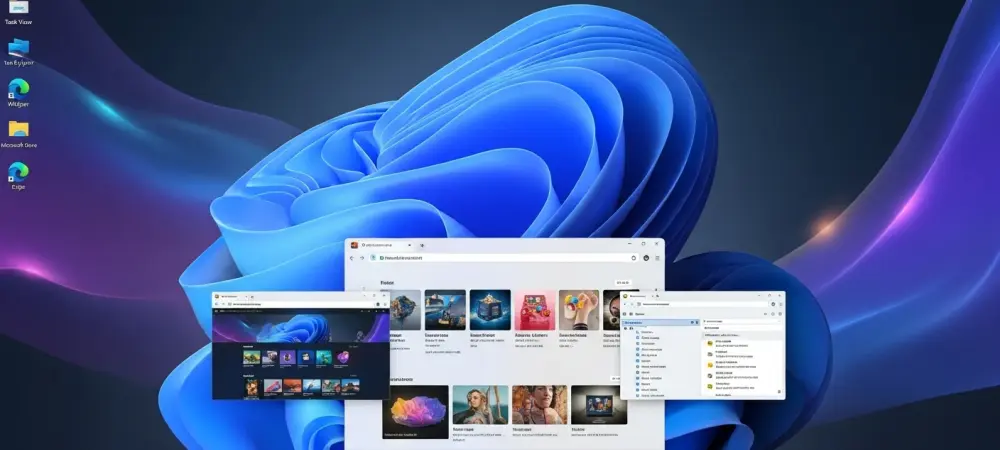
The traditional desktop paradigm is currently facing a silent revolution as users realize that the standard Start menu no longer serves as a bridge to productivity but rather as a billboard for integrated services. This shift in sentiment is not merely a matter of aesthetic preference but a direct response to the increasing friction between human intent and machine execution in modern operating systems. While the current version of Windows 11 attempts to offer a clean and centered visual experience, the underlying mechanics often prioritize cloud-based recommendations and advertisement-adjacent content over the local data users actually need. Consequently, a growing segment of professionals has begun seeking out third-party launchers that return control to the keyboard and remove the unnecessary bloat that plagues the default interface. Tools like Flow Launcher and Raycast have moved from niche utilities to essential components of a modern workflow, providing a level of speed and extensibility that the native Microsoft environment has yet to replicate. These alternatives represent a fundamental departure from the mouse-driven past, favoring a command-line inspired approach that allows for instantaneous navigation across complex file systems and diverse application suites. As these tools continue to evolve in 2026, they are redefining what it means to interact with a personal computer effectively, moving away from visual clutter and toward high-precision digital instruments that respect the time and focus of the operator.
Identifying the Deficiencies of Stock Windows
The Conflict: Web-Centric Integration
One of the most pervasive frustrations with the native Windows 11 Start menu is the forced integration of web-based services like Bing and Microsoft Edge into what should be a local search experience. When a professional attempts to find a specific spreadsheet or a locally installed utility, the system frequently pauses to query the cloud, pulling in news articles, trending searches, and commercial web results that have no relevance to the task at hand. This architectural choice introduces a noticeable input lag, as the processor must manage multiple network calls before displaying the desired local file path. For high-speed users who operate at the pace of thought, even a millisecond of delay caused by a background Bing search can disrupt the state of flow and lead to cumulative frustration over a standard workday. The prioritization of commercial web content over local data integrity suggests a move toward a search-as-a-service model that fundamentally clashes with the requirements of a high-performance workstation environment.
Furthermore, the intrusion of suggested content and “recommended” applications often obscures the files that a user has actually been working on, creating a cluttered visual field that demands extra cognitive effort to parse. Instead of providing a direct and transparent index of the hard drive, the native menu acts as a curated feed that the user cannot fully disable without deep system modifications. This lack of transparency regarding the indexing process means that certain files might never appear in the search results, even if they are located exactly where the user expects them to be. In 2026, the reliance on a web-dependent search bar in a local operating system feels increasingly like an outdated strategy that serves the service provider more than the end-user. By forcing a specific browser and search engine on the desktop, Microsoft has created a rigid ecosystem that limits the ability of users to choose the most efficient path for their specific hardware and software configurations.
Architectural Rigidity: Customization Barriers
The standard Windows 11 Start menu functions as a closed system with almost no room for meaningful user-defined automation or third-party extensibility. Unlike modern software environments that embrace modularity, the native menu is a “black box” that offers only a handful of toggle switches for basic visual changes, such as moving the taskbar or showing recently added apps. This rigidity prevents power users from integrating custom scripts, system-level toggles, or specialized plugins that could streamline complex daily operations. For instance, there is no native way to quickly perform currency conversions, translate text snippets, or execute shell commands directly from the search bar without the system trying to open a web browser. This limitation forces users to navigate through multiple mouse clicks and separate application windows for tasks that could be handled by a single, intelligent input field that understands the context of the query.
Beyond the lack of plugins, the native interface fails to provide a unified command center for managing the broader system environment. While third-party launchers allow for the creation of custom shortcuts that can trigger complex macros or control external hardware, the Windows Start menu remains tethered to a traditional grid of icons and a basic list of files. This design philosophy assumes a casual user base that relies on visual recognition rather than a professional base that utilizes muscle memory and keyboard shortcuts. For developers, designers, and data analysts, the inability to customize the launcher to fit their specific technical requirements is a significant bottleneck. The demand for a highly personalized software experience has outpaced the slow development cycle of the stock Windows interface, leading to a situation where the most productive users are those who have completely abandoned the default Start menu in favor of more agile, extensible alternatives.
Profiles in Productivity and Performance
Open-Source Power: The Flow Launcher Ecosystem
Flow Launcher has emerged as a premier choice for those who demand raw speed and total transparency in their desktop interactions. As an open-source project, it benefits from a highly active community of developers who continuously refine its core search algorithms and expand its plugin library. Its primary technical advantage lies in its seamless integration with the “Everything” search engine, a utility known for indexing millions of local files in a fraction of a second with almost zero impact on system resources. By bypassing the often sluggish and unreliable Windows Search indexer, Flow Launcher provides a search experience that is objectively more accurate and responsive than anything built into the operating system. When a user begins typing, the results appear instantaneously, categorized and prioritized based on user-defined rules rather than a proprietary algorithm that favors cloud services or sponsored applications.
The extensibility of Flow Launcher is another key factor in its superiority over the stock Windows experience, as it allows users to build a tailored command center that reflects their specific needs. With hundreds of community-contributed plugins available, the launcher can do everything from managing Docker containers to controlling smart home devices and searching specific developer documentation. Because the plugin architecture is open and well-documented, users with basic coding knowledge can create their own commands to automate repetitive tasks that would otherwise require navigating through deep menu layers in the Windows settings. This level of granular control transforms the computer from a static environment into a dynamic tool that adapts to the user’s habits. In the current landscape of 2026, the speed and reliability of Flow Launcher make it an indispensable asset for anyone who views the desktop as a place of high-precision work rather than passive consumption.
Professional Automation: Raycast and Integrated Suites
While Flow Launcher excels at search and transparency, Raycast brings a level of professional polish and a comprehensive suite of productivity tools that was previously unheard of on the Windows platform. Originally gaining fame as a macOS staple, its expansion to Windows has provided users with a sophisticated interface that consolidates multiple workflows into a single “Alt+Space” shortcut. Raycast is more than just a launcher; it is a platform for high-level automation that includes built-in features like a clipboard manager, text expanders, and native integration with sophisticated AI models. These tools allow professionals to manage their entire digital life without ever lifting their hands from the keyboard, drastically reducing the cognitive load associated with switching between different applications and browser tabs. The interface is designed with a focus on typography and minimalist design, ensuring that the user is never distracted by unnecessary visual noise.
The power of Raycast lies in its ability to act as a unified interface for the various web services and local applications that modern professionals use throughout the day. Instead of opening a browser to check a calendar or a task manager, users can simply query Raycast to see their schedule or update their to-do list in a small, non-intrusive window. For developers and designers, the integration of text expansion and code snippet management directly into the launcher means that common blocks of code or repetitive email responses can be inserted into any application with just a few keystrokes. This consolidation of tools eliminates the need to install and manage a dozen different small utilities, as Raycast handles them all through its extensible API. By focusing on the intersection of automation and user experience, Raycast has set a new standard for what a desktop launcher can achieve, proving that the native Windows Start menu is trailing far behind the needs of the modern workforce.
Implementing Effective Workflow Solutions
The Native Bridge: PowerToys Command Palette
For professionals who are hesitant to install entirely third-party ecosystems, the PowerToys Run command palette offers a compelling middle ground that significantly improves upon the stock experience while maintaining a native feel. As part of the official PowerToys suite, this tool is designed to provide a lightweight, keyboard-centric search bar that prioritizes system commands and local file discovery. PowerToys Run respects user privacy by default, ignoring Bing web results and focusing entirely on the user’s local environment. It serves as a focused, high-performance alternative that addresses the primary complaints of lag and irrelevant search results without requiring the deep configuration often associated with more complex launchers. It provides quick access to system-level toggles, process management, and a powerful calculator, all within a clean and unobtrusive interface that appears instantly when summoned.
The implementation of PowerToys Run represents a strategic upgrade for those who require stability and reliability above all else. Because it is developed by a dedicated team at Microsoft, it maintains a high level of compatibility with Windows system updates and security protocols, making it a safe choice for corporate environments where third-party software may be restricted. Its ability to search across open windows and specific system settings makes it far more useful than the standard search bar for managing a busy desktop with dozens of active applications. By utilizing the PowerToys suite, users can bridge the gap between the limited functionality of the default OS and the extreme customization of open-source alternatives. This middle-ground approach has proven to be an effective entry point for many who were once satisfied with the stock menu but eventually realized how much productivity they were losing to inefficient navigation and distracting cloud integration.
Strategic Migration: Future Directions in Desktop Management
The transition from a mouse-dependent Start menu to a keyboard-centric third-party launcher was a pivotal shift for the modern digital workspace. Professionals who adopted these tools recognized early on that the standard operating system interface was moving toward a consumption-first model, which necessitated the use of specialized software to maintain high levels of creative and technical output. By implementing a dual-usage strategy where the traditional menu remained available for occasional administrative tasks while the launcher handled all frequent interactions, users were able to reclaim significant amounts of time previously lost to interface friction. The success of this migration demonstrated that the desktop environment is most effective when it serves as a transparent layer between the user’s intent and the computer’s capabilities.
Therefore, it became clear that the most effective way to manage a contemporary Windows system was to treat the native Start menu as a legacy component rather than a primary interface. Future considerations for desktop optimization should involve a thorough audit of one’s daily repetitive tasks and the identification of which launcher best addresses those specific bottlenecks. Whether an organization chooses the open-source transparency of Flow Launcher, the polished automation of Raycast, or the system-native stability of PowerToys, the objective remains the same: the elimination of unnecessary steps between thought and execution. Moving forward, it is essential for users to embrace these extensible platforms that offer a pathway toward a more personalized and efficient computing experience. The lessons learned from the limitations of stock software have highlighted the importance of modularity and user agency, ensuring that the tools used for work do not become obstacles to the work itself.