

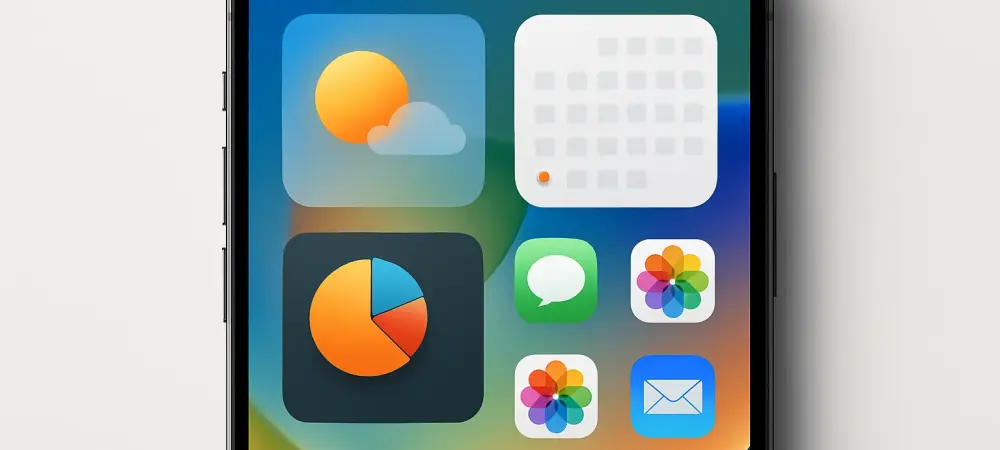
Imagine scrolling through an iPhone that feels entirely reinvented, with a glossy new look and features that promise to transform daily interactions, a reality for many who have tested iOS 26 since its unveiling earlier this year. As this major update rolls out through beta phases, opinions are pouring in from tech enthusiasts, beta testers, and industry observers alike. This roundup dives into the collective feedback on iOS 26, gathering insights on what’s working, what’s not, and how this update is shaping the mobile experience for millions. The purpose here is to distill diverse perspectives into a clear picture of three standout successes and one notable shortfall, helping users decide how to approach this bold software overhaul.
Unveiling the Buzz Around iOS 26
The anticipation surrounding iOS 26 has been palpable since its debut at a major developer conference. Described as a significant leap in design and functionality, this update aims to redefine how users engage with their devices. Many early testers have shared their experiences across forums and social platforms, while tech analysts have weighed in on its broader implications. This section explores the overarching excitement and sets the stage for a deeper look at specific features that have sparked both praise and critique.
Feedback from various corners highlights a shared sense of curiosity about whether iOS 26 can live up to its ambitious promises. Beta testers, often the first to experiment with new software, have noted a mix of awe and adjustment as they navigate the revamped interface. Meanwhile, industry watchers are keen to see how this update positions Apple against competitors in an ever-evolving market. The consensus so far suggests a transformative potential, though not without hurdles that need addressing.
The Hits and Misses: Collective Insights on iOS 26 Features
Liquid Glass Interface: A Visual Revolution or Risky Gamble?
One of the most talked-about aspects of iOS 26 is the Liquid Glass interface, a translucent, glossy design that overhauls the iPhone’s aesthetic. Many beta testers have expressed admiration for its modern, sleek appearance, with some describing it as a refreshing departure from older, flatter designs. However, initial reactions weren’t universally positive, as a segment of users found the flashy style distracting and hard to read at first glance.
Industry observers have noted Apple’s responsiveness to early criticism, with updates during the beta phase improving legibility while retaining the bold look. This balance of style and usability has turned skeptics into fans for some, though others still question if such a dramatic shift was necessary. A common thread in discussions is whether bold visual changes inherently require an adjustment period before gaining widespread acceptance.
Contrasting views emerge when comparing casual users to tech-savvy individuals. While the latter often embrace the futuristic vibe, the former sometimes feel overwhelmed by the departure from familiar layouts. This split suggests that Apple’s gamble on Liquid Glass might resonate more with certain demographics, prompting curiosity about long-term reception across a broader user base.
Lock Screen Customization: A Personalization Triumph?
The revamped lock screen in iOS 26 has garnered significant praise for its depth of customization, featuring dynamic effects like frosted glass clocks and 3D wallpapers. Beta testers frequently highlight the joy of tailoring their screens with full-screen music integration and adjustable widget layouts, seeing it as a step toward making devices feel uniquely personal. Social media posts from users often showcase creative setups, reflecting strong enthusiasm for these options.
Tech analysts point out that this focus on personalization aligns with a growing trend across mobile platforms, where users crave control over their device’s look and feel. Yet, some voices caution that the sheer number of choices might intimidate less tech-inclined individuals who prefer simplicity. This divergence in opinion raises questions about whether such intricate features cater to a niche or can appeal universally with time.
A recurring observation is the balance between delight and usability. While many revel in the ability to tweak every detail, a smaller group finds the process cumbersome, suggesting a need for streamlined defaults alongside advanced options. This feedback loop indicates that while the lock screen is a hit for most, its success may hinge on how accessible Apple makes these tools in the final release.
Photos App Update: A User-Driven Success Story?
Revisions to the Photos app in iOS 26 have been met with widespread approval, particularly for restoring familiar tab navigation and introducing collapsible Collections. Many users who tested the beta have shared relief over these changes, noting that past layouts felt cluttered or unintuitive. The added shimmer of the Liquid Glass effect also draws compliments for enhancing the app’s visual appeal without sacrificing function.
Insights from tech commentators emphasize Apple’s responsiveness to community feedback as a key factor in this update’s positive reception. This move reflects a broader shift in the industry toward prioritizing user input, a trend seen as vital for maintaining trust and engagement. The consensus here leans heavily toward satisfaction, with many viewing these iterative improvements as proof that small, thoughtful changes can have a big impact.
Still, not all opinions are unanimous, as some users argue that the app’s updates, while welcome, don’t push boundaries enough compared to other features in iOS 26. This perspective suggests a desire for more groundbreaking tools rather than refinements, though it remains a minority view. The general takeaway is that the Photos app stands as a quiet victory, winning over users through practicality over flashiness.
Messages App Overload: A Step Too Far?
On the flip side, updates to the Messages app have drawn significant criticism for introducing clutter and complexity. Beta testers frequently mention frustration with AI-generated backgrounds that obscure text and intrusive prompts for features like polls, which disrupt the flow of conversation. Many express a longing for the streamlined simplicity of earlier messaging experiences, feeling that novelty has trumped functionality.
Industry perspectives echo these concerns, with some analysts suggesting that communication tools thrive on clarity rather than added bells and whistles. This critique points to a potential misstep in over-engineering a core app, contrasting sharply with the praise for other iOS 26 features. The shared sentiment is that while innovation is valuable, it risks alienating users when it interferes with essential tasks.
Differing opinions do exist, as a smaller group of testers appreciates the creative potential of custom backgrounds and interactive elements. However, even among supporters, there’s an acknowledgment that readability issues need addressing. This split highlights a challenge for Apple in refining the app to satisfy both those seeking simplicity and those drawn to new features, with many curious about future adjustments.
Wrapping Up the iOS 26 Conversation
Reflecting on a month of feedback, the roundup of opinions on iOS 26 paints a vivid picture of innovation tempered by occasional overreach. The Liquid Glass interface emerged as a bold, divisive redesign that ultimately won over many with its fresh appeal. Lock screen customizations delighted users craving personal touches, while the Photos app’s thoughtful updates underscored the power of listening to the community. Yet, the Messages app stumbled, leaving a segment of users frustrated by unnecessary complexity. Looking back, these insights offer a roadmap for navigating this update. For those eager to dive in, experimenting with lock screen settings could unlock a tailored experience, while toggling off distracting features in Messages might restore clarity. As discussions continue, staying engaged with user forums and tech blogs promises to reveal how Apple might refine these elements in upcoming patches, ensuring that the journey with iOS 26 remains a dynamic one worth following.