

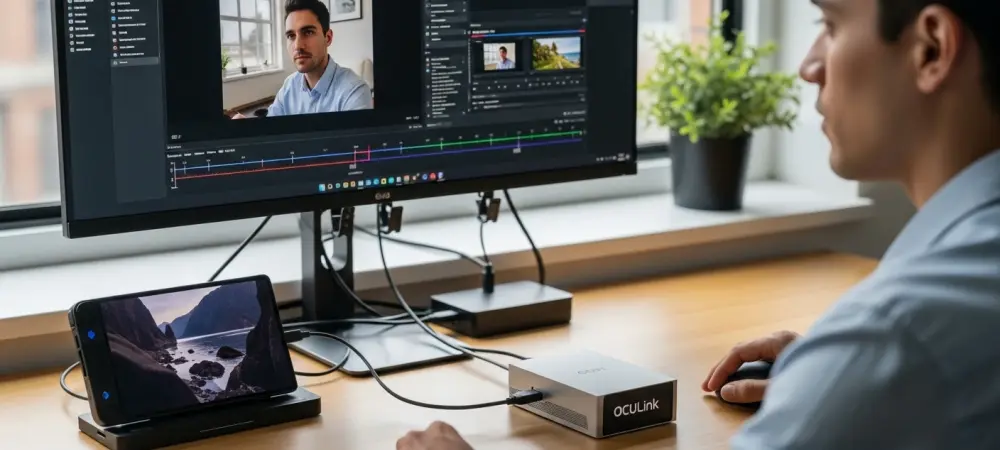
Power users keep hitting the same wall: laptops and handhelds feel nimble until graphics-heavy work slams into bandwidth limits, draining frames, stretching render times, and turning once-portable kits into deskbound compromises. MOREFINE’s G2 eGPU dock aims to rewrite that outcome by pairing a desktop-class NVIDIA GeForce RTX 5060 Ti 16 GB with Thunderbolt 5 and OCuLink, promising far less penalty than older external GPU links.
What This Review Will Help You Decide
This review examines whether the G2 delivers enough desktop-class speed to justify its $1,099 price for laptop and handheld owners. The goal is to show where the performance lands, what it demands from a host system, and how it affects day-to-day workflows.
It also clarifies who benefits most from a TB5/OCuLink dock and where a desktop or internal upgrade still wins. The central trade-off is simple: mobility and plug-and-play ease versus the absolute throughput of native PCIe.
Product Overview and Design Highlights
At its core, the G2 is a compact enclosure that arrives ready to run with an RTX 5060 Ti 16 GB (GDDR7, 4608 CUDA cores). It targets modern laptops and handhelds, leaning on TB5 and OCuLink to feed the GPU without the handcuffs of earlier generations.
The chassis is notably small for an eGPU at about 140 x 100 x 54 mm and uses active cooling with Silent, Auto, and Performance modes. An external power brick shoulders the load, while the thermal design aims to sustain boost clocks without a roar. Display output favors external monitors for best results, though internal-display routing remains possible with a performance cost. Setup is straightforward: install NVIDIA drivers, connect via TB5 or OCuLink, and let plug-and-play handle device handoff.
Real-World Performance and Testing Criteria
Thunderbolt 5 reaches up to 80 Gbps, with roughly 63 Gbps of effective throughput, and OCuLink lands in a similar envelope—think PCIe 4.0 x4. That bandwidth jump shrinks the gap from Thunderbolt 4 and suits a midrange GPU like the 5060 Ti. At 1080p and 1440p, the dock pushes smooth gaming when paired with capable CPUs; thin-and-light chips or handheld SoCs can bottleneck heavier titles. Creator workloads—video encoding, AI inference, 3D rendering—see clear gains over prior-gen eGPUs, tightening timelines without major tinkering.
Using an external display typically improves frame rates and frametimes by bypassing the return path to the laptop panel. In Auto mode, clocks hold well with moderate noise; Performance mode trades acoustics for consistency under sustained loads.
Latency stays responsive when cables are short and high quality, and driver behavior under TB5 and OCuLink feels mature. Compared with TB4 eGPUs, uplift is notable; compared with desktop PCIe x8/x16, a measurable margin remains.
Strengths and Trade-Offs
The G2’s dual TB5/OCuLink strategy unlocks broader device support and steadier bandwidth, which pairs sensibly with a preinstalled 5060 Ti. The compact body and selectable fan curves keep it travel-ready while avoiding the complexity of modular enclosures. However, interface ceilings still cap peak performance versus a native desktop slot, and the $1,099 price invites comparison with building or upgrading a tower. Acoustics can be audible in quiet rooms, the power brick adds bulk, and top results often expect an external monitor.
Verdict and Recommendation
The G2 proved to be a well-balanced early TB5 eGPU that narrowed the historic penalty of external graphics, especially in the midrange sweet spot. It earned a recommendation for users who needed desktop-class acceleration on mobile platforms and could lean on TB5 or OCuLink while accepting a step below native PCIe.
For best outcomes, the plan favored OCuLink when available, prioritized external displays, and matched the dock with competent CPUs. Those choices maintained high utilization of the 5060 Ti without chasing unrealistic desktop parity.
Who Should Buy It and How to Choose
The best fit includes creators and gamers on modern laptops or handhelds who want simple, portable speed without managing a full desktop. If a desktop GPU slot is available, ultra-high-end performance is required, or TB5/OCuLink is missing, a traditional tower still makes more sense.
Buying smart means opting for OCuLink on devices that support it, using certified short cables, and planning an external-monitor setup for smoother frametimes. With preorder pricing at $1,099 and an estimated ship date of May 20, 2026 across the US, EU, UK, and AU, it sits alongside emerging TB5 rivals and polished DIY routes, signaling a market where mobile graphics stop being an afterthought.