

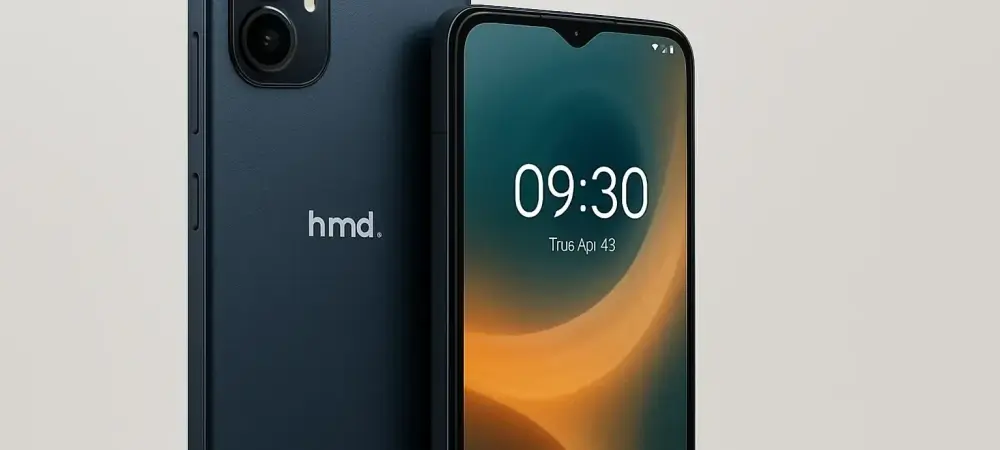
In the dynamic world of smartphone technology, users continually seek devices that offer robust performance without breaking the bank. As HMD Global, a renowned name in mobile innovations, launches its new mid-range offering, the Pulse 2 Pro, the quest for affordable yet high-performing gadgets intensifies. This review dives into the details of the Pulse 2 Pro, assessing its features, performance, and overall value in a market bustling with alternatives.
Key Features and Design
The HMD Pulse 2 Pro distinguishes itself with several upgrades, making it a compelling choice for users prioritizing display quality and camera functionality. It features a 6.7-inch IPS display accompanied by a 120 Hz refresh rate, designed to offer a more fluid visual experience. The display resolution remains at HD+, providing decent clarity that caters to everyday usage without the sharpness of higher resolutions. A notable enhancement is the camera setup, incorporating a substantial 50-MP main and selfie camera. This inclusion aligns with the ascending expectations in mobile photography, promising better capture capabilities for mainstream users. Complemented by 2-MP macro and depth sensors, this configuration aims to deliver a versatile photo-taking experience, allowing for greater creativity in photographic endeavors.
Performance Evaluation
Underpinning its performance is the Unisoc T7250 chipset, an improvement over its predecessors that offers slightly increased clock speeds for efficient processing. This augments the device’s ability to handle day-to-day tasks with ease while ensuring adequate responsiveness in higher-demand scenarios. Paired with up to 8 GB of RAM, the Pulse 2 Pro demonstrates impressive multitasking prowess, catering to a diverse range of applications. Battery life emerges as a critical component, and the Pro variant supports a 20-watt fast charging feature, ensuring that users spend less time tethered to an outlet. Its ample 256 GB of flash storage provides expansive space for apps, media, and files, enhancing the user experience by reducing the need for external storage solutions.
Pros and Cons
The Pulse 2 Pro excels in areas that matter most for users on the lookout for mid-tier smartphones. Its display with a high refresh rate promises smoother interactions and amplifies the charm of the device. High-resolution cameras offer enriched photographic potential, building on existing mobile-friendly features that users value.
However, the device’s resolution may not satisfy those accustomed to Full HD or higher, presenting a challenge in competing with rival offerings that boast enhanced display sharpness. Additionally, despite boasting fast charging capabilities, battery endurance remains an aspect that more power-intensive users might find lacking.
Conclusion and Recommendation
Amidst its various strengths, the HMD Pulse 2 Pro proves to be a viable option for those enthusiastic about improving their smartphone photography and appreciating fluid display performance. While certain limitations in resolution persist, the features package it offers aligns well with user expectations within the mid-range category, suggesting it as a substantial contender for consumers seeking an equilibrium between functionality and cost. Going forward, choosing a mid-range smartphone demands careful unpacking of individual priorities, with the Pulse 2 Pro standing as a strong exemplar in balancing key features with affordability. It may serve efficiently for users not seeking the high-end specifications of flagship models but desiring above-average performance for everyday tasks.
Final Thoughts and Buyer Guidance
Selecting a new smartphone often involves meticulous consideration of personal needs aligned with budget constraints. The HMD Pulse 2 Pro showcases much-desired qualities for buyers prioritizing camera effectiveness and sleek display interactions in a reasonably priced device. For individuals primarily focused on display prowess and superior photo capabilities without venturing into premium device territory, the Pulse 2 Pro represents a solid investment with thoughtful enhancements over its predecessors. Buyers should weigh these aspects against their specific usage patterns and readiness to accept display resolution compromises in exchange for more refined features in other domains.