

Introduction Bridging the Gap Between Your Inbox and CRM
The vast majority of critical sales conversations and customer interactions unfold within the confines of an email inbox, often leaving a company’s Customer Relationship Management system with an incomplete and misleading picture of the actual customer relationship. This common disconnect creates significant business challenges; crucial details become siloed in individual accounts, context is lost when a team member is unavailable, and the CRM fails to serve as a comprehensive single source of truth. This review seeks to determine if the Dynamics 365 Outlook Add-in is a truly effective solution for this persistent problem.
The primary objective of this analysis is to evaluate whether the add-in successfully centralizes communication, transforming disparate email threads into a shared, accessible corporate asset. At its core, the investigation assesses if the tool genuinely bridges the gap between the primary communication platform and the central system of record. The goal is to understand if it streamlines workflows or simply introduces another layer of complexity for end-users to manage in their already busy schedules.
Core Features and Functionality
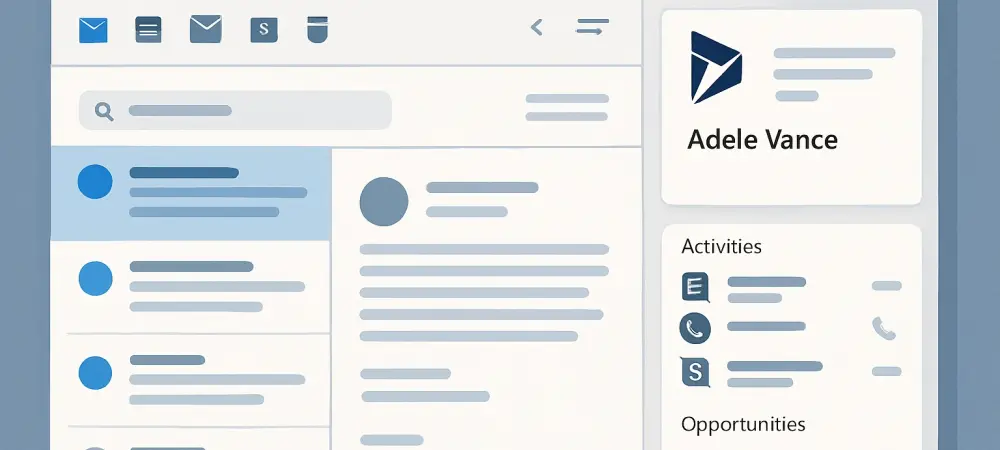
The Dynamics 365 Outlook Add-in integrates directly into the user’s workspace, appearing as an icon within the Outlook ribbon. When selected, it opens a contextual panel alongside the active email, eliminating the need to toggle between applications to log communications. This embedded functionality is designed to make CRM-related tasks a natural extension of the user’s existing email workflow, rather than a separate, cumbersome process.
Its key function is to intelligently connect Outlook communications with Dynamics 365 records. The add-in automatically scans the recipients of an email and flags whether they are known or unknown contacts within the CRM. From there, users can perform a quick search to link, or “track,” the email against a specific record, such as a contact, account, lead, or opportunity. This action archives the full conversation to the relevant record’s timeline in Dynamics 365, ensuring the interaction is captured permanently.
Real-World Performance and Usability
From a user experience perspective, the add-in performs admirably, starting with its initial setup. The one-time authentication process required to connect Outlook with the user’s Dynamics 365 environment is both simple and secure, requiring just a few clicks to establish a persistent link. Once configured, the integration remains active without needing repeated logins, which is a critical factor for encouraging consistent, long-term use.
In day-to-day operations, the add-in demonstrates impressive speed and efficiency. The process of searching for and linking an email to a specific record is remarkably quick, often taking just a few seconds to complete. Users can start typing a name or keyword, and the system rapidly returns matching records to choose from. This agility is essential for adoption, as a slow or clunky interface would likely deter users from tracking communications consistently.
The clarity of the tracked information within Dynamics 365 is another significant strength. When an email is tracked, its entire content—including the subject line, full body, original timestamps, and any attachments—is captured and displayed on the associated record’s timeline. This creates a complete and unambiguous historical log of the interaction, appearing exactly as it would if the email had been sent directly from the CRM, providing valuable context for anyone who later reviews the record.
Key Advantages and Potential Drawbacks
The most compelling advantage offered by the add-in is the creation of a complete and centralized communication history. This directly addresses the risk of losing critical deal context when a team member goes on vacation, transitions to a new role, or leaves the company. By ensuring that all important conversations are logged in the CRM, organizations can maintain business continuity and seamless customer management. Furthermore, this shared visibility significantly improves collaboration, as all authorized team members can access the same information.
However, the tool is not without its potential drawbacks. Its overall effectiveness is fundamentally dependent on user discipline. If sales or service professionals neglect to consistently track important emails, the data in Dynamics 365 remains incomplete, and the core problem persists. In addition, there is a minor administrative step required for deployment; an administrator must enable and distribute the add-in to user accounts, which could pose a logistical challenge in larger, more complex organizations.
Summary of Findings and Final Assessment
In summary, this review finds that the Dynamics 365 Outlook Add-in is a powerful and highly effective tool for integrating email communication into the CRM ecosystem. It successfully transforms Dynamics 365 from a static repository of contact information into a dynamic and living system of record that accurately reflects ongoing customer interactions. The seamless integration and user-friendly interface encourage adoption and make data capture a low-friction activity. The primary benefit of implementing this tool is the creation of what can be described as “institutional memory.” By capturing and centralizing conversations that would otherwise remain isolated in individual inboxes, the add-in ensures that all team members—from account managers to leadership—are operating with a complete and unified view of the customer relationship. This shared knowledge is invaluable for making informed decisions, onboarding new employees, and maintaining long-term strategic advantage.
Recommendations and Who It’s For
The add-in is unequivocally recommended for any sales, marketing, or customer service team that relies on both Microsoft Outlook for daily communication and Dynamics 365 as its central CRM platform. For these organizations, the tool is not just a convenience but an essential component for achieving operational excellence and maintaining a 360-degree view of the customer journey. Its ability to unify these two business-critical applications addresses a fundamental workflow challenge.
Before a full-scale rollout, it was advisable for teams to collectively decide on a consistent tracking strategy—choosing between a comprehensive “track everything” approach or a more selective method focused on key interactions. This review concluded that the minimal effort of a few extra clicks per email delivered a significant return on investment through superior data integrity, streamlined collaboration, and a notable increase in overall operational efficiency.