

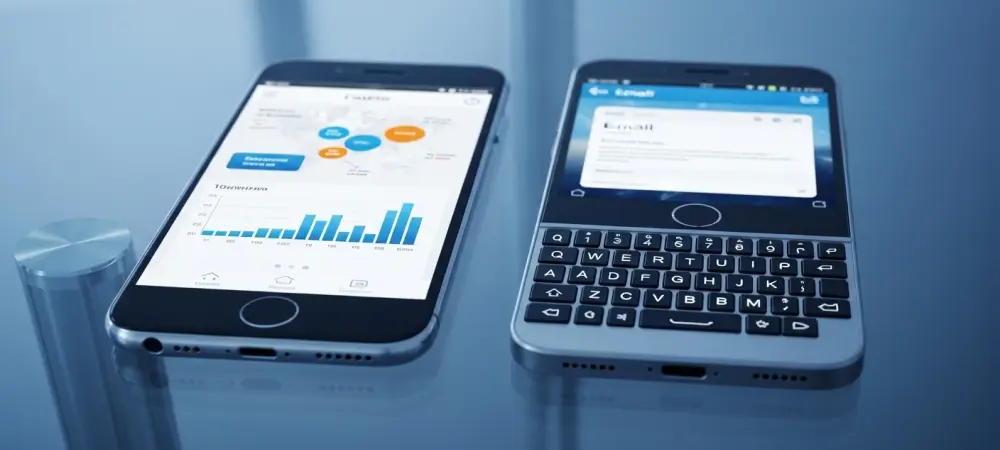
The persistent hum of a physical keyboard’s clicks remains a sought-after experience for many, even as the world of mobile communication has overwhelmingly embraced the silent, versatile expanse of glass touchscreens. This fundamental division in user input philosophy defines the modern smartphone landscape, pitting the tangible satisfaction of a physical keypress against the dynamic adaptability of a virtual interface. The choice between these two paradigms is more than just a matter of preference; it is a decision that shapes the entire user experience, from typing efficiency to media consumption.
The Evolution of Mobile Input: From Keys to Glass
The mobile industry is dominated by two primary keyboard paradigms: the classic physical QWERTY layout and the ubiquitous virtual touchscreen keyboard. While platforms like Android and iOS have standardized the touchscreen experience, a dedicated niche of users continues to champion the tactile feedback of physical keys. This has kept devices from brands like BlackBerry in the conversation for years and has paved the way for modern alternatives.
Catering to this demand, the Unihertz Titan 2 Elite emerges as a contemporary Android-based option for enthusiasts and former BlackBerry users. Its purpose is not to compete with mainstream flagships on every front but to offer a superior, tactile typing experience. This positions it as a specialized tool for those who prioritize text composition, contrasting sharply with the adaptable, all-purpose nature of touchscreen keyboards found on nearly every other smartphone today.
Core Comparison: Typing, Design, and Functionality
Typing Speed, Accuracy, and Tactile Feedback
The fundamental difference between the two keyboard types lies in the typing experience itself. Physical keyboards, exemplified by the one on the Unihertz Titan 2 Elite, offer distinct, pressable keys that provide unambiguous, tangible feedback with each stroke. This physical confirmation is often preferred for composing longer texts, as it can significantly reduce errors and build muscle memory, allowing for more confident and accurate typing without constant visual confirmation.
In contrast, touchscreen keyboards on Android and iOS devices lack this physical dimension and must compensate in other ways. They rely on a combination of haptic feedback—subtle vibrations that simulate a keypress—and sophisticated predictive text algorithms to enhance speed and accuracy. While this system prioritizes convenience and rapid input for short messages, some users find that the absence of physical guides can lead to a lack of precision, especially when typing lengthy documents or emails.
Device Form Factor and Screen Real Estate
A device’s design is heavily influenced by its choice of keyboard. The Unihertz Titan 2 Elite illustrates the inherent trade-off of a physical keyboard by dedicating a significant portion of its chassis to a four-row QWERTY layout. This decision inevitably results in a relatively smaller screen, prioritizing input efficiency over expansive display area. However, Unihertz has attempted to modernize this form factor by replacing the traditionally thick top bezel with a contemporary punch-hole camera, bridging the design gap with its touchscreen counterparts. Standard touchscreen smartphones, on the other hand, maximize the display area for an immersive experience tailored to media consumption, gaming, and general app usage. The keyboard appears only when needed, occupying a portion of the screen before disappearing to return the full display to the user. This approach offers unparalleled versatility, making the screen the centerpiece of the device, whereas physical keyboard phones treat the keyboard as a permanent, co-equal feature.
Keyboard Layout and Navigational Integration
Layout and navigation also diverge significantly between the two philosophies. The Unihertz Titan 2 Elite features a fixed hardware layout where adaptability is limited. On this device, numbers and symbols are accessed via a function key rather than a dedicated row, and the standard Android navigation keys are physically integrated into the keyboard itself, flanking the spacebar. This design creates a consistent, unchanging interface for users to master. Touchscreen keyboards offer far greater flexibility. Their dynamic nature allows them to seamlessly switch between letters, numbers, and symbols with a single tap. They can also be customized with different themes, sizes, and even alternative layouts. Furthermore, navigation is typically handled by on-screen gestures or a separate virtual bar, keeping the keyboard’s function purely dedicated to text input and allowing for a more fluid and context-aware user interface.
Challenges and Practical Considerations
Each keyboard type presents its own set of inherent limitations. For physical keyboard phones like the Unihertz Titan 2 Elite, the primary challenge is the reduced screen size, which can hinder activities like watching videos, playing graphically intensive games, or navigating complex applications. Moreover, the fixed hardware is not easily adaptable to different languages or specialized layouts, unlike software keyboards that can be changed instantly.
Conversely, touchscreen keyboards come with their own practical considerations. The lack of tactile guides often leads to a higher potential for typos, commonly known as “fat-finger syndrome,” especially for users with larger hands. Typing accurately without looking at the screen is a significant challenge for most. Additionally, the on-screen keyboard temporarily obscures a large portion of the display’s content, which can be disruptive when filling out forms or referencing information while typing.
Conclusion: Making the Right Choice for Your Workflow
In the end, the debate between physical and touchscreen keyboards hinged on a core trade-off: the tactile precision of a dedicated keyboard versus the visual versatility of an expansive screen. The enduring appeal of devices from BlackBerry and the modern engineering of the Unihertz Titan 2 Elite demonstrated a clear demand for efficient, high-volume text entry. These phones excelled in offering a tangible connection to the words being typed, fostering accuracy and confidence.
Ultimately, the right choice was dictated by an individual’s workflow. A device like the Unihertz Titan 2 Elite proved best suited for professionals, writers, and communicators who prioritized the craft of typing above all else. For the majority of users, however, whose daily activities revolved around social media, video streaming, and gaming, the standard touchscreen smartphone remained the superior option. Its large, immersive display offered a more valuable and versatile tool for a media-centric world.