

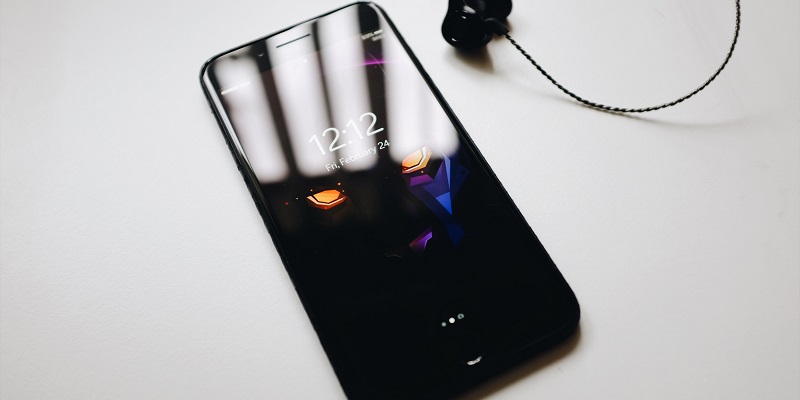
The iPhone XS and iPhone XR are two flagship devices from Apple that offer impressive features and capabilities. In this article, we will dive deep into the specifications and performance of both devices to help you make an informed decision.
Display
The display is one of the key differentiators between the iPhone XS and iPhone XR. The iPhone XS features a 5.8-inch OLED display with a resolution of 2436 x 1125 pixels, offering vibrant colors and deep blacks. On the other hand, the iPhone XR boasts a larger 6.1-inch LCD display with a resolution of 1792 x 828 pixels, providing excellent brightness levels and wide viewing angles.
Performance
Both the iPhone XS and iPhone XR are powered by Apple’s A12 Bionic chip, ensuring exceptional speed and graphics capabilities. The A12 chip is designed to handle demanding tasks effortlessly, whether it’s gaming, multitasking, or running intensive apps. Users can expect smooth and lag-free performance on both devices.
Memory and Storage
The iPhone XS offers two options for memory and storage: 4GB of RAM and storage capacities of 64GB, 256GB, or 512GB. This offers ample space for storing large files and apps. On the other hand, the iPhone XR comes with 3GB of RAM and storage options of 64GB, 128GB, or 256GB. While the iPhone XR might have slightly less RAM, it still provides enough power for most tasks.
Benchmark scores
When it comes to benchmark scores, the iPhone XS tends to outperform the iPhone XR due to its superior specifications. The iPhone XS consistently delivers higher scores in tests, showcasing its powerful hardware and capabilities. However, in real-world usage, both devices offer a snappy and responsive experience.
Overall performance
Regardless of benchmark scores, both the iPhone XS and iPhone XR deliver outstanding performance. Whether it’s launching apps, browsing the web, or switching between tasks, users can expect a seamless experience on both devices. The A12 Bionic chip ensures smooth performance, with no noticeable lag or slowdowns.
Camera
The camera is another area where the iPhone XS and iPhone XR differ. The iPhone XS features a dual 12-megapixel rear camera system with wide and telephoto lenses. This allows for optical zoom and improved depth-of-field effects. In contrast, the iPhone XR comes with a single 12-megapixel rear camera, offering excellent image quality but without the added versatility.
Front camera
Both devices feature a 7-megapixel TrueDepth front camera, enabling advanced features like Portrait mode and Portrait Lighting. With these features, users can capture stunning selfies with a blurred background or experiment with different lighting effects for a professional look.
Camera quality
Regardless of the camera setup, both the iPhone XS and iPhone XR deliver outstanding results in terms of image quality. Pictures taken with these devices exhibit accurate colors, sharp details, and excellent dynamic range. Whether capturing landscapes, portraits, or low-light scenes, users can trust the camera performance of either device.
Battery
The iPhone XS comes with a built-in battery capacity of 2658mAh, which provides all-day battery life with moderate usage. On the other hand, the iPhone XR boasts a slightly larger battery, with a capacity of 2942mAh. This allows for extended usage without worrying about running out of power during the day.
Charging options
Both the iPhone XS and iPhone XR offer convenient charging options. Users can make use of fast charging capabilities to quickly charge their devices, allowing for a significant battery boost in a short period. Additionally, wireless charging is supported on both devices, enabling a hassle-free charging experience with compatible charging pads.
In summary, the iPhone XS and iPhone XR are both powerful and feature-rich devices. The iPhone XS shines with its OLED display, dual-camera setup, and higher benchmark scores, making it the preferred choice for users who prioritize premium features. On the other hand, the iPhone XR offers a larger display, a more affordable price point, and excellent overall performance. Regardless of which device you choose, both offer a top-notch user experience and solid performance, providing exceptional value for your investment.