

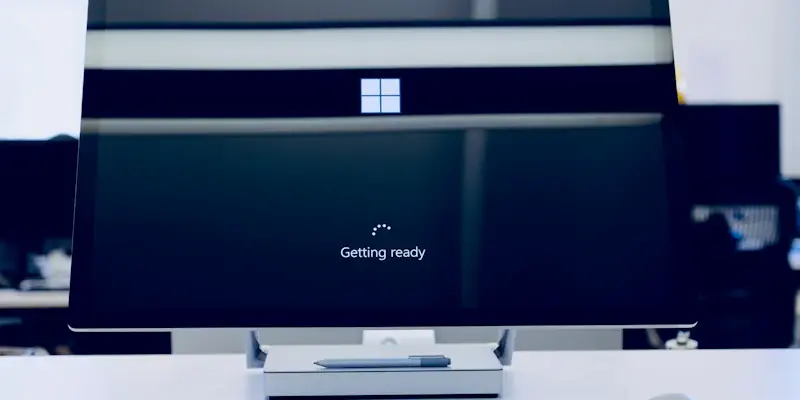
Microsoft has formally announced that it will be winding down support for its Windows 10 operating system. With an end-of-support date set for October 14, users must prepare for significant changes. Microsoft underscores the necessity to upgrade to Windows 11 or contemplate new hardware purchases.
Windows 10 End-of-Support Details
Deadline Notification
To ensure users are well-informed, Microsoft has begun sending email notifications. These messages detail that Windows 10 will no longer receive software updates, technical assistance, or security patches post-October. The clear communication strategy is aimed at providing users with ample time to prepare for the forthcoming transition. As part of this notification campaign, Microsoft is prioritizing transparency to mitigate potential disruptions.
The end-of-support message serves as a crucial reminder for users who may have overlooked previous indications about the lifecycle of Windows 10. Being proactive in alerting users about the end-of-support date ensures that no one is taken by surprise when October comes around. It’s a tactful move by Microsoft, designed to give users as much time as possible to make the necessary adjustments. Additionally, early notifications are intended to reduce the risk of unexpected vulnerabilities that could arise from continuing to use an unsupported OS.
Implications for Users
The lack of support means that continuing to use Windows 10 will pose substantial security risks. This significant update from Microsoft demands immediate attention from all users to mitigate potential vulnerabilities. Applications running on an unsupported OS are at higher risk of being targeted by cyber threats, making it imperative for users to consider the available options carefully.
Without regular security patches and updates, devices running Windows 10 could quickly become unreliable and prone to existing and new types of cyberattacks. As operating systems often serve as the first line of defense against cybersecurity threats, users must weigh the risks associated with staying on an outdated platform versus the benefits of upgrading to a newer, supported system. Ensuring that systems are not left vulnerable helps maintain a secure and functional working environment.
Upgrading to Windows 11
Upgrade Encouragement
Microsoft advocates for transitioning to Windows 11, touting its enhanced security features. The transition is presented as crucial to maintaining a secure and efficient operating system environment. Windows 11 is marketed as the “most secure Windows ever built,” a tagline that emphasizes the importance placed on offering robust security measures to its users.
The company highlights various benefits users will enjoy by upgrading to Windows 11, including advanced security features, better performance, and new functionalities tailored to modern computing needs. The transition to Windows 11 could mean smoother operations, fewer technical hitches, and an overall enhanced user experience. For businesses and individual users alike, these improvements can make a substantial difference in daily productivity and cybersecurity defense.
Hardware Compatibility
One of the key hurdles for users is that many current devices running Windows 10 might not meet the stringent hardware requirements for Windows 11. This fact leaves users with decisions about whether to optimize their existing systems or move towards new devices. Given the higher hardware standards set by Windows 11, the dilemma of upgrading or investing in new hardware poses a significant consideration for many users.
The need for upgraded processors, additional memory, and faster performance capabilities means older devices might struggle to run Windows 11 efficiently, if at all. Users facing hardware incompatibility will need to assess the feasibility of upgrading their current systems thoroughly or consider purchasing new devices that can support the latest OS. This assessment process will inevitably involve scrutinizing hardware specifications and possibly incurring additional costs to ensure compatibility and optimal performance.
Considerations for New Hardware
Purchasing New PCs
For users whose systems don’t meet Windows 11’s requirements, purchasing new hardware becomes a practical alternative. Microsoft suggests evaluating new PCs to ensure compatibility and longevity. Investing in new hardware could offer users long-term benefits, including access to improved features and longer-term support cycles that come with current-generation devices.
When purchasing new PCs, users should consider the total cost of ownership, including initial purchase price, potential trade-in values, and the anticipated lifespan of the new system. By carefully evaluating all these factors, users can make more informed decisions about upgrading their technology infrastructure. Additionally, buying newer devices ensures that users continue to benefit from the latest advancements in technology and security, thereby maintaining a secure and efficient computing environment.
Environmental Responsibility
Microsoft also promotes the idea of recycling or trading in old devices. This initiative is not only environmentally responsible but also helps users offset some costs associated with upgrading their technology setup. Encouraging users to recycle or trade in their old PCs helps reduce e-waste and promotes a more sustainable approach to technology upgrades.
By participating in such environmental programs, users can contribute to global efforts to minimize the negative impact of electronic waste. Moreover, these programs can provide financial incentives that make the process of upgrading less burdensome. Microsoft’s emphasis on responsible e-waste management and sustainability reflects broader corporate responsibility goals and aligns with global environmental initiatives.
Security Concerns and Financial Implications
Security Risks
From a security standpoint, continuing with an unsupported OS increases susceptibility to cyber threats. Users must recognize this risk when considering whether to maintain Windows 10 post-end-of-support. The absence of regular updates and patches makes an outdated OS an easy target for hackers and malware, significantly heightening the overall security risk.
Operating without the latest security updates leaves systems exposed to new vulnerabilities, which can be exploited by cybercriminals. Therefore, users face the challenge of ensuring their systems remain protected in the post-support period. To mitigate these risks, users need to prioritize an immediate upgrade to a supported OS, thereby bolstering their security posture and reducing the chances of unauthorized access or data breaches.
Financial Impact
Transitioning to a new OS or hardware can be financially taxing for some users. Cost considerations are inevitable, as they weigh the benefits of modernized technology against their budget constraints. For individual users and businesses alike, planning and budgeting for such transitions become pertinent tasks that require careful consideration.
On one hand, an upgrade can mean a significant financial investment, but it also provides long-term value in terms of enhanced security, performance, and support. On the other hand, choosing not to upgrade may result in hidden costs, such as dealing with vulnerabilities, potential data loss, and inefficiencies caused by outdated technology. Users must balance these financial implications, planning for an investment in technology that aligns with their longer-term needs and security requirements.
Microsoft’s Strategic Moves
Promoting OneDrive and Other Services
Within the notifications, Microsoft subtly promotes its OneDrive services, suggesting an ecosystem strategy. The goal is to integrate additional services alongside OS upgrades, creating a seamless and interconnected experience across Microsoft’s suite of products. This approach not only aims to enhance user convenience but also to solidify Microsoft’s presence in both the software and cloud service markets.
By promoting OneDrive, Microsoft encourages users to take advantage of cloud storage solutions that complement the new OS environment. An integrated ecosystem offers users a more unified and efficient digital experience, bolstering productivity and ease of access to files and resources. This strategy aligns with Microsoft’s broader vision of enhancing user experience through interconnected platforms and services.
Forward-Looking Strategy
Microsoft has officially revealed that it will eventually cease supporting its Windows 10 operating system. The designated end-of-support date is October 14, signifying that users should proactively prepare for major changes. As this deadline approaches, Microsoft emphasizes the importance of upgrading to Windows 11 in order to continue receiving technical support, security updates, and the latest features. Users are encouraged to evaluate their current hardware and decide if it is capable of running Windows 11 or if new hardware purchases are necessary to ensure a smooth transition. This announcement largely impacts businesses and individual users who rely on Windows 10 for their daily operations, urging them to plan ahead to avoid disruptions. With the end-of-support date clearly set, failing to upgrade may result in potential vulnerabilities and compatibility issues. By taking action now, users can stay protected and benefit from the advancements and enhancements provided by Windows 11.