

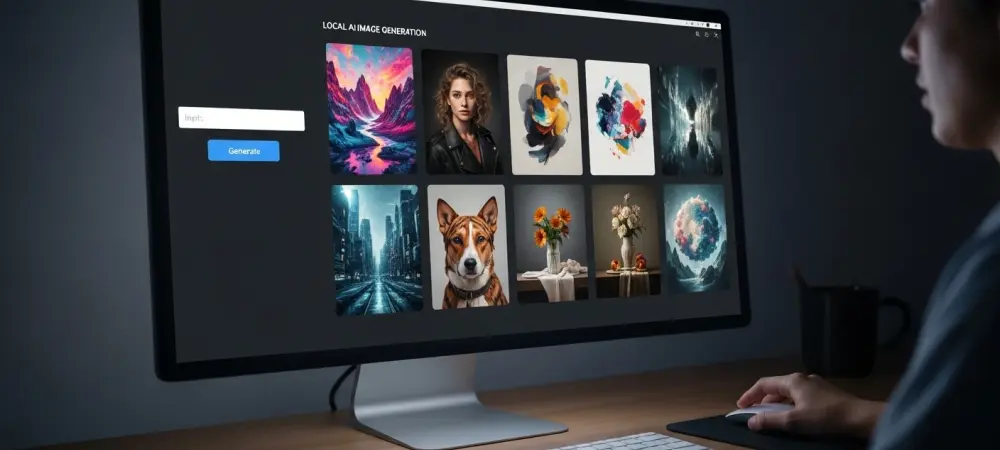
The power to conjure photorealistic images and intricate digital art from mere text prompts has decisively migrated from distant cloud servers to the personal computer on your desk. Local AI image generation represents a significant advancement in the creative technology sector. This review will explore the evolution of this technology, its key features, performance requirements, and the impact it has had on various applications. The purpose of this review is to provide a thorough understanding of running generative AI on personal hardware, its current capabilities, and its potential for future development.
The Dawn of Desktop AI a Paradigm Shift
The concept of generative AI once belonged exclusively to large tech companies with vast server farms, accessible only through web interfaces and subscription fees. This model is rapidly being displaced by a new paradigm: local, on-device processing. This shift empowers individual creators with unprecedented control over their tools and data, freeing them from the constraints of platform restrictions, content filters, and recurring costs. At the heart of this revolution is the availability of powerful consumer hardware, particularly NVIDIA RTX-powered PCs, which can handle the demanding computational load required for image synthesis.
This transition toward local generation is more than just a technical achievement; it signifies a fundamental change in creative workflows. Running models on a personal machine ensures complete privacy, as prompts and generated images never leave the user’s device. Furthermore, it unlocks limitless experimentation without API call limits or per-image charges. This freedom fosters a more iterative and uninhibited creative process, allowing artists and designers to refine their ideas without friction, pushing the boundaries of what is possible with digital art.
Assembling Your Personal AI Powerhouse
The Hardware Foundation GPU and System Specs
The graphics processing unit (GPU) is the undisputed cornerstone of a local AI workstation. NVIDIA’s RTX series of GPUs are particularly well-suited for this task due to their dedicated hardware for AI computations. The amount of Video RAM (VRAM) is a critical factor, as it directly determines the resolution and complexity of images that can be generated without errors. A minimum of 8 GB of VRAM is recommended for standard-definition work, but 12 GB or more is increasingly necessary for high-resolution outputs, training custom models, or venturing into video generation.
While the GPU does the heavy lifting, a balanced system is essential for a fluid workflow. A capable modern CPU ensures that the operating system and user interface remain responsive while the GPU is under load. Similarly, at least 16 GB of system RAM is advised to manage the AI models, software applications, and any other concurrent tasks. Together, these components form a robust foundation capable of transforming a standard desktop PC into a personal creative studio.
The Software Engine Drivers CUDA and Frameworks
Hardware alone is not enough; a sophisticated software stack is required to unlock its potential. The process begins with installing the latest NVIDIA drivers, which provide the essential link between the operating system and the GPU’s capabilities. These updates often include performance optimizations and bug fixes specifically tailored for AI workloads, making them a non-negotiable first step.
The next layer is NVIDIA’s CUDA platform, a parallel computing architecture that allows AI frameworks to directly access the GPU’s processing power. CUDA acts as a translator, enabling complex mathematical operations to be executed on the GPU instead of the much slower CPU. Building on this foundation are AI frameworks like PyTorch, which provide the high-level tools and libraries that model developers use to create and run neural networks. A properly configured software engine ensures that every component works in harmony for maximum efficiency.
The Creative Core Models and Interfaces
With the hardware and software infrastructure in place, the final components are the AI models and the interfaces used to interact with them. Open-source models like Stable Diffusion have become the standard for local image generation, offering a powerful and versatile engine for converting text prompts into visual art. These models are continuously refined by a global community, resulting in a diverse ecosystem of base models and specialized variants trained for specific styles, from photorealism to anime.
To make this technology accessible to those without a background in coding, user-friendly interfaces have emerged. Tools like ComfyUI provide a visual, node-based workflow where users can construct their generation pipelines by connecting different functional blocks. This approach demystifies complex processes like inpainting, upscaling, and model mixing, allowing artists and hobbyists to experiment with advanced techniques through an intuitive drag-and-drop system.
Evolving Trends in On-Device Generation
The field of local AI is in a state of constant, rapid evolution. Performance optimization remains a key focus, with techniques like mixed-precision processing becoming standard practice. By using lower-precision numbers for calculations, these methods significantly reduce VRAM consumption and accelerate generation times without a noticeable loss in quality. This makes high-resolution image creation more accessible on mid-range hardware.
Simultaneously, the model landscape is diversifying at an incredible pace. Beyond general-purpose models, a thriving community is producing specialized models fine-tuned for niche applications, such as architectural visualization, character concept art, and even realistic fabric textures. This grassroots development, fostered by open-source principles, ensures that the tools are not only becoming more powerful but also more tailored to the specific needs of different creative industries.
Real-World Applications and Creative Use Cases
The practical applications of local AI image generation span a wide array of fields. Concept artists and game developers use these tools to rapidly prototype ideas, generating dozens of visual variations for characters, environments, and props in a fraction of the time it would take manually. Graphic designers leverage local AI to create unique assets for marketing campaigns, websites, and branding projects, ensuring their work is both original and visually compelling.
Beyond professional use, hobbyists and enthusiasts are discovering novel applications that benefit directly from the privacy and lack of restrictions of local processing. This includes restoring and colorizing old family photographs, creating personalized artwork, or simply exploring imaginative concepts without the oversight of a third-party service. These use cases highlight the technology’s power not just as a professional tool but as a medium for personal expression and digital preservation.
Navigating the Challenges and Hurdles
Despite its transformative potential, the path to adopting local AI is not without its obstacles. The most significant barrier to entry is the initial hardware cost. High-performance GPUs with ample VRAM remain a considerable investment, placing the technology out of reach for some. This upfront expense can be a deterrent, especially when compared to the seemingly low entry cost of some cloud-based subscription services.
Moreover, there is a notable learning curve associated with setting up and optimizing a local AI workflow. While interfaces like ComfyUI have simplified the process, users must still navigate driver installations, model management, and the intricacies of prompt engineering to achieve desired results. The fast-paced nature of the field also means that new models, techniques, and software updates are released frequently, requiring users to continuously learn and adapt to stay current.
The Future Trajectory What’s Next for Local AI
The trajectory for on-device AI points toward greater integration, efficiency, and real-time capabilities. Future developments are expected to expand beyond static images into real-time video generation, allowing creators to produce animated content directly within their existing workflows. Furthermore, seamless integration into established 3D modeling and digital content creation software could revolutionize how assets are designed and textured.
Ongoing research into model efficiency promises to lower the hardware requirements, making powerful generative tools accessible on a wider range of devices, potentially including laptops and even mobile hardware. This continued democratization of creative technology will likely have a profound and lasting impact, leveling the playing field and empowering a new generation of digital artists and storytellers to bring their visions to life with unprecedented ease and control.
Conclusion Empowering the Modern Creator
The rise of local AI image generation marked a definitive turning point for digital creativity. It successfully shifted the balance of power from centralized platforms to the individual, placing state-of-the-art tools directly into the hands of artists, designers, and innovators. The journey required navigating initial hardware costs and a technical learning curve, but the rewards were substantial. By offering unparalleled privacy, creative freedom, and long-term cost-effectiveness, on-device AI established itself as more than just a novelty. It became a viable and powerful alternative to cloud-based services. The technology ultimately provided a robust foundation for a more democratic and accessible creative landscape, where the only limit was the creator’s own imagination.