
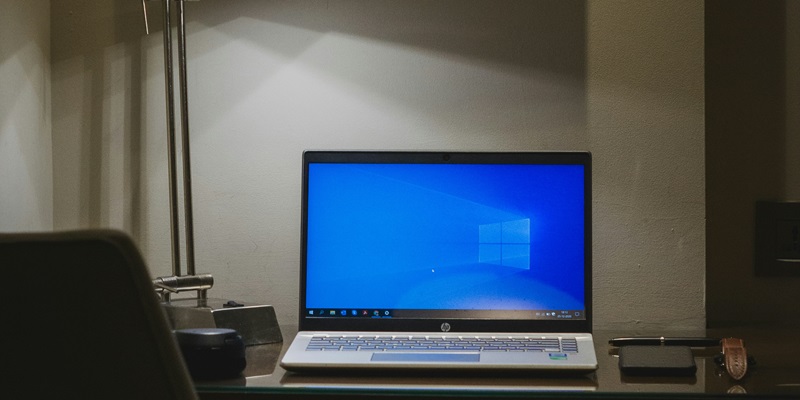
Is Your Windows 10 21H2 at Risk with Support Ending in 2024?

As the end-of-support date for Windows 10 version 21H2 looms on June 14, 2024, users face a crucial choice. This version’s sunset means the halt of crucial security updates, leaving systems susceptible to cyber threats. Running Home, Pro, Pro for Workstations, or Pro Education editions beyond this date invites significant risks, as these systems become prime targets for hackers. Maintaining an unsupported OS could lead to data breaches and service disruptions, a severe concern for Enterprise and Education editions users, where security is paramount. To maintain a fortified digital space, users must consider upgrading their operating system or risk the dangers of an unprotected infrastructure. The safety of their digital assets depends on this pivotal decision to update or to perilously persevere with an outdated platform.

Time to Upgrade

To mitigate potential risks, users need to shift to a more modern operating system. Microsoft recommends upgrading to Windows 11 for its enhanced security and support. However, for those who require more preparation time, Windows 10 22H2 offers a temporary solution with ongoing security updates. It’s a critical step that users must take to secure their systems against threats such as data breaches and business disruptions. The move to a current operating system shouldn’t be delayed. With cybersecurity threats on the rise, user data integrity is increasingly vulnerable. Microsoft urges customers to adopt the latest software to ensure continued service and security. Making this transition is not only about keeping software up-to-date but also about maintaining peace of mind in the digital landscape.

Explore more

Vision Hardware Ends Spreadsheet Chaos With Unified ERP

Transitioning from fragmented software to a unified digital ecosystem requires more than just new tools; it demands a fundamental shift in how a distribution leader handles thousands of global components. Vision Hardware serves as a primary example of how a leader in the window and door industry handles modern scaling pressures. As global demand increased, the organization reached a critical

Streamline Finance with Dynamics 365 Advanced Bank Reconciliation

The relentless pressure of the fiscal calendar often turns the final days of the month into a chaotic race against time for finance professionals who are drowning in endless spreadsheets. As organizations grow more complex, the volume of digital transactions accelerates, making the traditional approach to bank reconciliation feel increasingly unsustainable. The modern accounting department requires a shift toward intelligent

Mastering Engineering Change Control in Business Central

The disconnect between a brilliant design and the physical reality of the shop floor often stems from a failure to synchronize engineering intelligence with production execution. Engineering Change Control (ECC) functions as the essential bridge connecting Product Lifecycle Management (PLM) systems to the operational environment of Microsoft Dynamics 365 Business Central. Without a defined process at this critical handoff point,

Manage Business Central Warehouse Devices With SureMDM

The complexity of managing a diverse fleet of mobile barcode scanners often dictates the overall speed and accuracy of a modern distribution center. Warehouse efficiency relies on the seamless integration of hardware and software. This guide explores how SureMDM acts as a central nervous system for mobile barcode scanners and Android-based computers running Warehouse Insight or WMS Express. By centralizing

Managing Operational Complexity in Business Central eCommerce

As a pioneer in the ERP-native commerce space with over twenty-five years of experience, Michael Kulik has witnessed the evolution of Microsoft Dynamics 365 Business Central from its early NAV days into a powerhouse for global trade. His perspective focuses on a critical yet often overlooked reality: as businesses grow, the very tools they add to drive expansion can inadvertently