
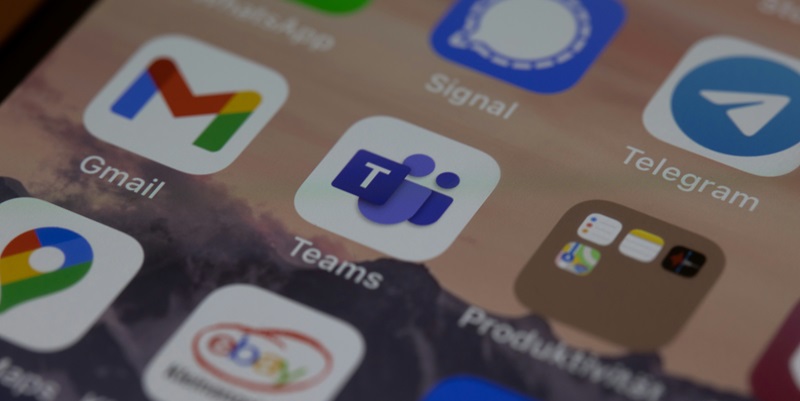
Microsoft Teams Enables Multi-Account Management in New Update

In the digital age, where collaborative tools are critical, Microsoft Teams has greatly enhanced the user experience with the introduction of a game-changing feature. The cumbersome process of using multiple accounts has been streamlined, allowing users to effortlessly switch between their work, school, and personal profiles under one roof. This update responds to users’ evolving needs for simplicity and efficiency in managing different accounts on Teams without the need to log in and out or use separate devices. This new milestone in account management represents a significant leap for Teams, catering to the multitasking and diverse account-holding demands of its user base. This advancement by Microsoft is a nod to the importance of adaptable digital environments in today’s interconnected world, facilitating a more seamless transition across different collaborative spaces.

Major Update for Account Management

This breakthrough update is a direct response to the feedback and needs of the diverse Teams community, who have voiced the inconvenience of having to sign out and sign back in to switch accounts. With the updated Teams, users will be able to flip effortlessly between different accounts and tenants – eliminating previous hassles. Initially available as a preview through Windows 11 Insider Preview Build 26080, this updated version of Teams will soon allow users to stay connected with all their networks concurrently, without missing a beat.

Enhanced User Experience and Efficiency

Microsoft’s Teams app has been updated to enhance the user experience, consolidating all features into one interface. The new multi-window function lets users toggle between personal and work accounts with separate icons on the taskbar, which is a boon for multitaskers. Improved notifications now clearly show which account they pertain to, aiding in efficiency and focus. Joining meetings is also simplified, allowing the choice of an account before signing in, reflecting the needs of today’s dynamic workforce.

This revamp demonstrates Microsoft’s commitment to creating software that’s not only robust but also aligned with the practical realities of blended work and personal demands. Teams’ evolution is indicative of a larger trend toward more integrated and user-friendly software solutions. Microsoft’s endeavors to streamline the digital experience for its diverse users reinforce Teams’ position at the forefront of thoughtful software design.

Explore more

Microsoft Dynamics 365 Finance Transforms Retail Operations

In today’s hyper-competitive retail landscape, success hinges on more than just offering standout products or unbeatable prices—it requires flawless operational efficiency and razor-sharp financial oversight to keep pace with ever-shifting consumer demands. Retailers face mounting pressures, from managing multi-channel sales to navigating complex supply chains, all while ensuring profitability remains intact. Enter Microsoft Dynamics 365 Finance (D365 Finance), a cloud-based

How Does Microsoft Dynamics 365 AI Transform Business Systems?

In an era where businesses are grappling with unprecedented volumes of data and the urgent need for real-time decision-making, the integration of Artificial Intelligence (AI) into enterprise systems has become a game-changer. Consider a multinational corporation struggling to predict inventory shortages before they disrupt operations, or a customer service team overwhelmed by repetitive inquiries that slow down their workflow. These

Will AI Replace HR? Exploring Threats and Opportunities

Setting the Stage for AI’s Role in Human Resources The rapid integration of artificial intelligence (AI) into business operations has sparked a critical debate within the human resources (HR) sector: Is AI poised to overhaul the traditional HR landscape, or will it serve as a powerful ally in enhancing workforce management? With over 1 million job cuts reported in a

Trend Analysis: AI in Human Capital Management

Introduction to AI in Human Capital Management A staggering 70% of HR leaders report that artificial intelligence has already transformed their approach to workforce management, according to recent industry surveys, marking a pivotal shift in Human Capital Management (HCM). This rapid integration of AI moves HR from a traditionally administrative function to a strategic cornerstone in today’s fast-paced business environment.

How Can Smart Factories Secure Billions of IoT Devices?

In the rapidly evolving landscape of Industry 4.0, smart factories stand as a testament to the power of interconnected systems, where machines, data, and human expertise converge to redefine manufacturing efficiency. However, with this remarkable integration comes a staggering statistic: the number of IoT devices, a cornerstone of these factories, is projected to grow from 19.8 billion in 2025 to