

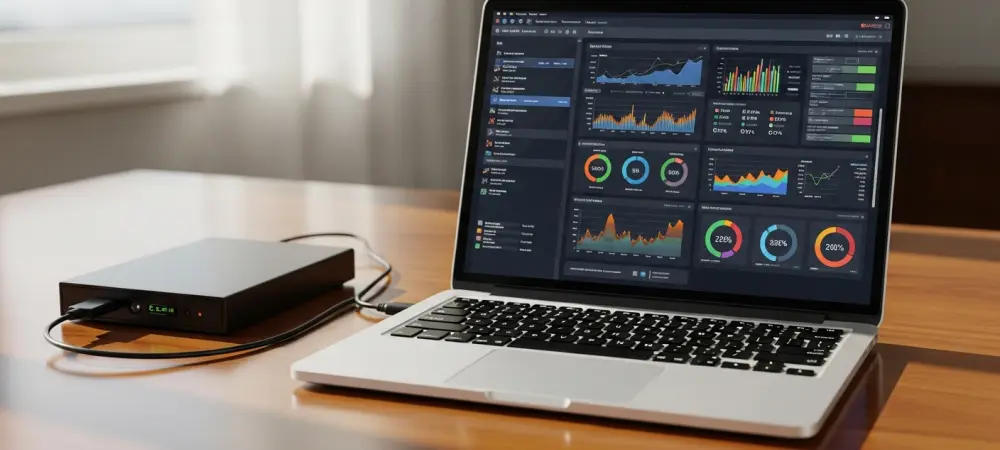
Maintaining peak performance in modern computing systems requires a vigilant approach to hardware monitoring, especially as storage technology continues to evolve in 2026. A noticeable decline in system speed, characterized by stuttering applications or long boot times, frequently prompts users to investigate their software environment first. However, physical hardware failure remains a prevalent cause of performance degradation, even in systems that appear relatively new. Hard disk drives and solid-state drives both utilize internal monitoring systems known as S.M.A.R.T. (Self-Monitoring, Analysis, and Reporting Technology), which provides a window into the health of the device. Identifying whether a drive is merely bogged down by unnecessary files or is physically failing is essential for preventing catastrophic data loss. This process requires specialized diagnostic software that can interpret the complex telemetry generated by the drive’s firmware. By systematically evaluating these metrics, professionals can distinguish between a software-based slowdown and a terminal hardware defect. This distinction ensures that maintenance efforts are directed where they are most effective, ultimately preserving the integrity of the operating environment and the security of the data stored within it. Navigating these technical assessments requires a blend of caution and precision to avoid exacerbating an existing problem.
1. Secure Your Data Immediately
When a storage device begins to exhibit signs of instability, such as intermittent connection drops or audible clicking sounds, the internal mechanics are often operating at their physical limit. Before initiating any diagnostic procedure, the most urgent priority is to ensure that all critical data is securely mirrored onto a secondary, healthy storage medium. The very act of running a comprehensive health scan involves intensive read and write operations that can accelerate the demise of a drive that is already on the verge of total failure. A drive that is struggling to read specific sectors may experience a catastrophic mechanical breakdown when forced to perform a full-surface analysis during a diagnostic test. Therefore, attempting to diagnose a disk without first securing its contents is an unnecessary risk that can lead to permanent data loss. Professionals typically use high-speed external devices or secure cloud repositories to create a verifiable duplicate of all essential directories. This safety net provides the technician or user with the confidence to proceed with more invasive testing methods, knowing that the most important files are protected regardless of the outcome. Prioritizing backup over diagnosis is the hallmark of a disciplined approach to hardware maintenance and digital preservation.
Beyond just moving individual files, a comprehensive backup strategy should also account for system configurations and specialized software settings that are often difficult to reconstruct from scratch. Utilizing disk cloning software or creating a full system image allows for a much faster recovery if the primary drive must be replaced immediately after the health check results are revealed. In 2026, the speed of external Thunderbolt 4 and USB 4.0 interfaces has made it possible to transfer terabytes of data in a fraction of the time it once took, minimizing the window of vulnerability. It is also important to verify the integrity of the backup once it is completed, as a failing drive might occasionally produce corrupted files during the transfer process without notifying the user. Checking the checksums or simply opening several key files from the backup ensures that the transition to new hardware will be seamless and error-free. Once the data is confirmed to be safe and redundant, the focus can shift entirely to the technical investigation of the hardware’s physical state. This methodical preparation ensures that even a worst-case scenario becomes a manageable hardware upgrade rather than a devastating loss of personal or professional intellectual property. Secure data redundancy remains the ultimate insurance policy against the inherent unpredictability of electronic storage components.
2. Set up the Diagnostic Software
Selecting the right tool for hardware diagnostics is essential for obtaining accurate and actionable information about a drive’s physical condition. GSmartControl stands out as a premier open-source utility that provides a comprehensive graphical user interface for the smartmontools suite, which is the industry standard for disk health monitoring. This software allows users to access the deep firmware logs of their storage devices, revealing technical data that is normally hidden from the operating system’s standard interface. By interpreting these logs, the software can highlight specific errors that indicate mechanical wear, such as motor failures or head positioning issues. The utility is compatible with a wide range of hardware, including traditional hard disk drives and modern solid-state drives, making it a versatile addition to any technical toolkit. Furthermore, the transparency of the data presented ensures that users are not relying on a simple “good” or “bad” status, but are instead seeing the raw metrics that inform those conclusions. This level of detail is necessary for diagnosing subtle performance issues that might not yet have triggered a system-wide failure warning. Utilizing such specialized software bridges the gap between guessing about hardware health and having empirical evidence to guide decision-making.
One of the primary advantages of GSmartControl is the flexibility it offers during the installation and setup process, catering to different user preferences and system constraints. Users can choose between a standard installer that integrates the application into the operating system or a portable version that can be run directly from a USB flash drive without any installation. The portable version is particularly useful for technicians who need to diagnose multiple machines without leaving a permanent footprint on each system’s registry or file structure. Once the software is launched, it automatically scans all connected storage controllers to identify available drives, presenting them in a clear visual list. The user simply needs to locate the specific drive they wish to examine and double-click it to open a detailed window containing various diagnostic tabs and technical attributes. This straightforward entry point ensures that even those who are not deeply familiar with command-line interfaces can still benefit from the powerful smartmontools engine. The initial setup is designed to be efficient, allowing for a quick transition from installation to the actual diagnostic phase. By providing both a persistent and a portable option, the software ensures that health monitoring can be conducted in almost any environment, from a home office to a corporate data center.
3. Perform a Quick Health Check
Navigating the interface of GSmartControl reveals several tabs that categorize the drive’s internal data, but the “Self-Tests” tab is where the most critical diagnostic work begins. This section allows the user to command the drive to perform its own internal diagnostic routines, which are hard-coded into the firmware by the manufacturer. By selecting the short self-test from the available options, the user initiates a focused check of the drive’s most essential systems, including the electrical components and a limited portion of the disk surface. This test is specifically designed to identify the most obvious and immediate threats to data integrity without requiring an exhaustive amount of time. It acts as a primary screening tool that can quickly confirm major hardware malfunctions that are likely causing the observed slowdowns. After selecting the test, clicking the “Execute” button starts the process, and the software provides a real-time status update on the progress. This initial step is highly effective at catching mechanical issues that are already advanced enough to impact daily operations. It provides a baseline assessment that helps determine whether more intensive and time-consuming tests will be necessary in the following stages of the evaluation.
While the short self-test is running, the drive remains operational, which theoretically allows the user to continue performing basic tasks on the computer. However, it is highly recommended to avoid any heavy workloads, such as video rendering or large file transfers, as these can interfere with the accuracy of the diagnostic results or unnecessarily strain the hardware. The test typically concludes within a few minutes, making it an ideal first step for a quick troubleshooting session. During this period, the software monitors the drive’s response times and looks for any signs of internal communication errors that might suggest a failing controller or a deteriorating read/write head. If the short test passes without any issues, it indicates that the fundamental electrical and mechanical systems are still functioning within their designed parameters. However, a passing grade on the short test does not guarantee a perfect drive, as it only samples a small portion of the total storage area. If the system’s performance issues persist despite a positive result from this quick check, it suggests that the problem may be more localized or subtle, requiring a more comprehensive investigation of the entire disk surface. This quick health check serves as a vital first filter in the broader diagnostic workflow.
4. Run a Comprehensive Scan
If the initial quick scan fails to pinpoint the source of the performance degradation, the next logical step involves running the extended self-test, which offers a much deeper level of scrutiny. Unlike the short version, the extended self-test is an exhaustive process that examines every single sector across the entire surface of the storage medium to identify weak or failing areas. This comprehensive scan is essential for uncovering “silent” errors that may not trigger a system crash until the specific, damaged sector is accessed during a critical operation. Because this test leaves no stone unturned, it can identify physical imperfections or magnetic decay that the shorter, sampling-based tests would naturally miss. The thoroughness of the extended scan makes it the gold standard for verifying the long-term reliability of a storage device. It is particularly effective at finding bad blocks that are just beginning to develop, allowing the user to address the issue before it spreads or results in data corruption. This level of detail provides the most accurate picture possible of the drive’s physical state and is a necessary step for any professional evaluation of hardware health in 2026. The information gathered during this phase is instrumental in making an informed decision about whether to keep the drive in service or to retire it immediately.
Executing the extended self-test requires a significant time commitment, as the duration is directly proportional to the total capacity and speed of the drive being examined. For modern multi-terabyte hard drives, this process can take several hours or even an entire day to complete, during which the drive is under constant, heavy activity. Due to the intensity of this operation and the time required, it is generally best to schedule the test for a period when the computer will not be needed for other tasks, such as overnight or during a weekend. The software will continue to run in the background, but the performance of the system may be noticeably impacted as the drive prioritizes the diagnostic routine over user requests. Monitoring the temperature of the drive during this extended period is also advisable, as sustained activity can cause older or poorly ventilated drives to heat up significantly. If the temperature exceeds safe operating limits, the test may need to be paused to prevent further damage. Once the scan is finally finished, the drive records the results in its internal log, providing a permanent record of the test outcome. This thorough examination ensures that even the most elusive hardware defects are brought to light, giving the user the final word on the physical integrity of their storage device. The patience required for this test is a small price to pay for the peace of mind that comes with a comprehensive health verification.
5. Inspect the Final Report
Once the diagnostic testing phases are concluded, the most critical step is to carefully interpret the results found within the self-test log and the specific S.M.A.R.T. attributes. Users should look specifically for any mention of “Read Failure” or other failed status indicators that appeared during the short or extended scans. Particular attention must be paid to the raw values of specific attributes, most notably the Reallocated Sector Count and the Pending Sector Count. A reallocated sector occurs when the drive identifies a bad block and moves the data to a spare, healthy area; while this is a built-in safety feature, a count higher than zero usually indicates that the physical surface of the disk is beginning to fail. Similarly, a high pending sector count suggests that there are areas of the disk that the drive can no longer read reliably, which often leads to system freezes or file corruption. If these numbers are consistently increasing over a short period, it is a definitive sign that the drive’s mechanical or magnetic integrity is compromised. These metrics provide empirical evidence that the slowdowns being experienced are not just software-related but are the result of the hardware struggling to overcome physical defects. Understanding these values allows a technician to predict a total failure before it happens, facilitating a proactive replacement strategy.
After the diagnostic report was fully reviewed, the final stage of the process involved taking decisive action based on the health metrics that were uncovered. If the drive showed multiple failed sectors or critical attribute warnings, the most effective solution was the immediate migration of the remaining data to a modern NVMe solid-state drive. These newer devices offered significantly higher durability and speed, which eliminated the bottlenecks associated with traditional mechanical disks. Furthermore, users who established a recurring schedule for health checks were able to identify potential failures long before they impacted productivity or data safety. Professionals also found it beneficial to implement automated monitoring tools that provided real-time alerts for any changes in S.M.A.R.T. status, ensuring constant vigilance over hardware integrity. The insights gained from the diagnostic software provided a clear roadmap for system upgrades and informed the overall approach to hardware maintenance in high-stakes environments. Ultimately, the systematic evaluation of storage health proved to be a fundamental practice for anyone managing critical digital infrastructure. By following these steps, the mystery of system slowdowns was resolved, and the reliability of the computing environment was restored through informed hardware management. These proactive measures ensured that digital assets remained secure against the inevitable wear and tear of long-term hardware usage.