

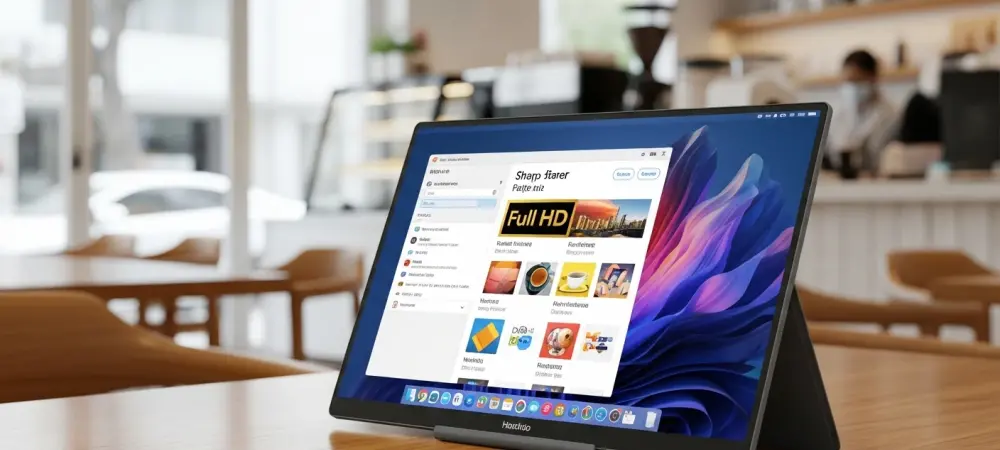
Finding a workspace that is actually mobile used to mean compromising on screen real estate or lugging around a tangled mess of cables that defeated the purpose of a slim laptop. While many manufacturers claimed to offer portable solutions, most of those devices remained tethered to a power outlet or a physical data port, limiting the user to the immediate vicinity of a wall socket or a short cord. The emergence of the Uperfect UFree V signals a departure from these traditional constraints, offering a vision of productivity that is genuinely untethered.
The objective of this exploration is to determine whether this specific hardware stands as the premier choice in the current market by examining its technical capabilities, design philosophy, and practical limitations. Readers can expect a detailed breakdown of how the integration of an internal battery and wireless protocols transforms the user experience. By analyzing the intersection of hardware performance and portability, this article clarifies whether the device serves the needs of the modern professional or if the trade-offs required for wireless freedom are too significant to ignore.
Key Questions and Insights for the Modern Professional
What Makes the UFree V a Distinct Entry in the Portable Monitor Market?
Most portable monitors on the market function as passive peripherals, drawing power and signal directly from the host device via a USB-C or HDMI cable. This often leads to a rapid drain of the laptop battery or a cluttered workspace that hampers mobility. The UFree V addresses this fundamental inconvenience by incorporating its own 8000 mAh internal power source. This design choice allows the monitor to operate independently, ensuring that it does not siphon energy from the primary computer or require a nearby wall outlet to function.
The innovation extends beyond power management into the realm of data transmission through integrated wireless mirroring technology. By acting as its own wireless hub, the monitor creates a seamless bridge between itself and a variety of operating systems including Android, Windows, macOS, and iOS. This capability effectively removes the physical link between the screen and the source, allowing for a cleaner setup in diverse environments such as airport lounges, coffee shops, or collaborative meeting spaces.
How Does the Physical Design Enhance Long-Term Usability?
Portability is often equated with fragility, yet the construction of this device suggests a focus on durability and ergonomic flexibility. At only 5.5 mm thick and weighing approximately 800 grams, it maintains a profile that fits easily into a standard backpack or briefcase. Unlike many competitors that rely on flimsy magnetic covers that double as unreliable stands, this model features a robust, integrated kickstand. This hardware inclusion provides a stable foundation and allows for a wide range of adjustable viewing angles, which is critical for maintaining posture during extended work sessions.
The choice of a 15.6-inch IPS panel with a matte finish further supports its utility in varying lighting conditions. While glossy screens often look striking in controlled environments, they frequently suffer from debilitating reflections in bright or outdoor settings. The matte coating on this display diffuses ambient light, making it a reliable tool for professionals who find themselves working near windows or under harsh overhead office lights. Moreover, the inclusion of VESA compatibility is a rare but welcome feature for a device this thin, offering the option to mount it more permanently when the user returns to a fixed desk.
Is the Visual Performance Sufficient for Professional Productivity?
Evaluating a monitor for professional use requires looking past marketing buzzwords to the actual specifications that impact daily tasks. This display offers a standard Full HD resolution of 1920 by 1080, which is widely considered the sweet spot for a 15.6-inch screen. This resolution ensures that text remains sharp and UI elements are properly scaled without the compatibility issues that sometimes plague 4K displays of this size. With a contrast ratio of 1500:1 and a brightness range reaching up to 350 nits, the screen provides a clear and vibrant image suitable for document editing, spreadsheets, and web development. Color accuracy is another area where the hardware remains competitive, boasting 100 percent sRGB coverage and an 8-bit color depth. This level of performance ensures that colors are represented faithfully for standard digital content creation and office tasks. While it may not satisfy the extreme requirements of high-end cinematic color grading, it provides a high-quality visual experience that far exceeds the average budget portable screen. The 178-degree viewing angles inherent to IPS technology mean that the image remains consistent even if the user is not looking at the screen from a perfectly centered position.
What are the Practical Limitations of Wireless Latency?
Every technological advancement involves a degree of compromise, and for wireless displays, that compromise is typically found in response times. This monitor features a response time of 30 ms, which is significantly higher than the 1 ms to 5 ms speeds found in high-performance desktop gaming monitors. In a wireless configuration, this latency is inherent to the transmission of data over WiFi. For those engaged in competitive gaming or intricate video synchronization tasks, this delay will be noticeable and potentially disruptive.
However, for the vast majority of office-related activities, such as typing, managing emails, or navigating complex software interfaces, a 30 ms delay is virtually imperceptible. It is important to view this device as a productivity tool rather than a gaming peripheral. Users who prioritize the “tether-free” experience will find the trade-off acceptable, whereas those needing instantaneous feedback for fast-paced media should consider utilizing the physical USB-C or Mini HDMI ports that the device still provides as a fallback option.
How Does the Vertical Orientation Feature Change the Workflow?
A unique aspect of the software integration within this monitor is its ability to handle vertical orientation seamlessly during wireless mirroring. When a smartphone is connected to the display, the monitor can be rotated into a portrait mode, and the aspect ratio adjusts automatically to fill the 15.6-inch vertical space. This is a game-changer for specific professional niches, such as social media managers who need to see mobile layouts at a larger scale or software developers who prefer reading long blocks of code without constant scrolling.
This versatility effectively turns a mobile device into a functional workstation. When paired with the included foldable Bluetooth keyboard and trackpad, a user can manage an entire workday from a smartphone or tablet. This setup bypasses the need for a traditional laptop entirely in many scenarios, emphasizing the transition toward a more modular and flexible computing environment. The ability to switch between landscape and portrait modes on the fly adds a layer of customization that standard wired monitors rarely offer without manual settings adjustments.
What Role Does Connectivity Play in a Wireless-First Device?
Despite its emphasis on wireless freedom, the monitor does not abandon the reliability of physical connections. The inclusion of two USB Type-C ports and a Mini HDMI port ensures that the device remains compatible with older hardware or situations where wireless interference might be an issue. These ports also serve as the primary means of charging the internal battery. This dual-approach connectivity means the monitor is never rendered useless if a specific wireless protocol fails or if the user needs to connect a device that lacks WiFi capabilities.
Multimedia features are also present, though they represent a secondary focus of the design. The dual 1W speakers are functional for basic audio cues and system notifications but lack the depth required for an immersive cinematic or musical experience. Recognizing this, the designers included a 3.5mm audio jack, which allows users to connect high-quality headphones or external speakers. This reflects a pragmatic understanding that while the screen is the primary attraction, audio flexibility remains a necessity for modern media consumption and video conferencing.
Summary of Key Insights
The examination of the UFree V reveals a device that successfully prioritizes the needs of the mobile professional. The core value proposition lies in its ability to operate as a completely independent unit, thanks to the 8000 mAh battery and robust wireless mirroring capabilities. This independence removes the primary friction point of portable monitors: the reliance on cables that clutter desks and drain laptop power. The 15.6-inch IPS display provides a high-quality visual experience with sufficient brightness and color accuracy for a wide range of professional applications.
While the 30 ms response time and 60 Hz refresh rate make it less than ideal for high-stakes gaming, these specifications are more than adequate for the “road warrior” demographic. The inclusion of a sturdy kickstand, VESA mounting options, and a comprehensive accessory bundle, including a portable keyboard, positions the hardware as a complete mobile office solution. Ultimately, the device redefines portability by focusing on a tether-free workflow that supports both traditional laptops and modern smartphone-based productivity.
Final Thoughts on the Future of Portable Productivity
The shift toward wireless peripheral technology represented by this monitor highlights a broader trend in the computing industry where flexibility and ease of setup are becoming as important as raw performance. As professionals continue to move away from fixed office environments, tools that adapt to diverse locations without requiring a complex infrastructure will likely become the standard. This hardware demonstrates that the technology for a truly mobile, multi-screen workspace is no longer a niche concept but a practical reality.
Potential users should consider how a cable-free secondary screen might alter their personal workflow and whether the convenience of wireless operation outweighs the slight latency inherent in the technology. As mobile devices become more powerful, the ability to expand their interface onto a high-quality 15.6-inch display could fundamentally change how one approaches travel and remote work. The decision to invest in such a device should be guided by a clear understanding of one’s specific needs for mobility versus the requirements for specialized, high-speed performance. In the landscape of 2026, the UFree V stood as a significant milestone in the evolution of the portable workstation, proving that the best tools were those that disappeared into the background of a productive day.