

Dominic Jainy brings a wealth of experience to the table, particularly in how hardware architectures evolve to meet the grueling demands of modern artificial intelligence. As an IT professional with deep roots in machine learning and enterprise infrastructure, he has witnessed the transition from centralized cloud computing to the high-performance edge solutions that are now defining the industry. Today, we sit down with him to discuss the intersection of server-class compute and high-capacity graphical memory, specifically focusing on the recent shift toward localized Edge AI solutions. We explore how hardware like the Zen 2 EPYC and NVIDIA Blackwell series are redefining on-premises workflows, from private document search to massive multi-threaded model inference.
Pairing a 16-core Zen 2 EPYC processor with a 96GB Blackwell GPU creates a unique performance profile. How does this hardware combination specifically address bottlenecks during LLM inference, and what edge AI workloads are most likely to benefit from this balance of server-class compute and massive VRAM?
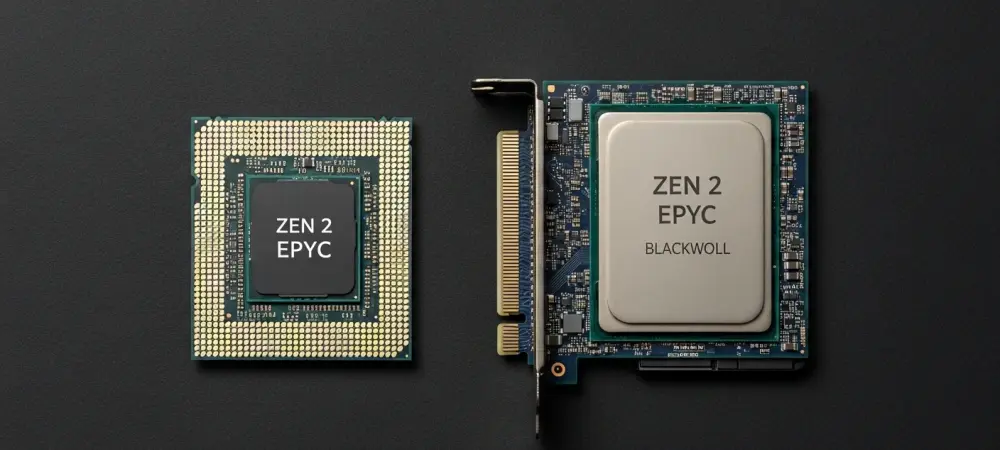
The AMD EPYC 7302P provides a solid foundation with its 16 cores and 32 threads, which is essential for managing the complex orchestration and parallel tasks that surround AI inference. By pairing this server-class chip with the 96GB RTX PRO 6000 Blackwell GPU, we effectively eliminate the most common bottleneck in edge computing: the lack of video memory. This allows organizations to run massive 70B+ parameter models entirely on the GPU without having to offload data to slower system RAM, which would otherwise tank performance. Workloads like generative AI, complex image generation, and heavy parallel processing at the edge stand to benefit the most because they require that specific blend of high-speed compute and behemoth VRAM. It’s about ensuring that the data has a massive “workspace” to live in while the EPYC processor handles the underlying virtualization and data management without breaking a sweat.
Keeping sensitive data entirely on-premises is a major shift away from cloud dependency. How do high-capacity GPU systems facilitate the deployment of private document search engines, and what are the practical steps for an organization to migrate their RAG workflows to a fully local, all-flash storage architecture?
Moving away from the cloud is a strategic necessity for privacy-conscious sectors, and having a 96GB VRAM buffer makes local Retrieval-Augmented Generation (RAG) actually viable at scale. To migrate, an organization should first utilize the twelve U.2 NVMe/SATA SSD slots to build a high-speed data lake for their proprietary documents, ensuring that the retrieval part of the process isn’t slowed down by mechanical latency. Once the storage is set up, the next step is deploying the LLM within a local container, allowing the system to query internal knowledge bases with zero network latency. This all-flash architecture ensures that even when the model is searching through millions of files, the I/O throughput stays high enough to keep the user experience fluid. The beauty of this setup is that sensitive corporate intelligence never leaves the physical firewall, yet the response times can rival or even exceed cloud-based alternatives.
High-frequency AI model execution requires significant I/O throughput via U.2 NVMe SSDs and high-speed networking like 25GbE. What specific storage configurations optimize data streaming for deep learning, and how do the performance metrics change when upgrading to 100GbE for large-scale AI data clusters?
For deep learning, you really want to leverage the all-flash architecture of twelve U.2 NVMe slots to maximize the IOPs available for model weights and datasets. When you are running models like Qwen3-8B that can push up to 172 tokens per second, the storage needs to feed data to the GPU at a blistering pace to avoid starvation. While the dual 25GbE ports provide a fantastic baseline for most office environments, upgrading to 100GbE via the PCIe expansion slots is a total game-changer for large-scale clusters. At 100GbE, the bottleneck shifts away from the network entirely, allowing multiple NAS units to synchronize or share massive datasets in real-time without the lag that usually plagues distributed AI workloads. This creates a seamless fabric where data flows into the compute engine as fast as the Blackwell architecture can process it.
Different generative models have varying memory requirements, with some needing 32GB and others requiring 96GB of GPU memory. When scaling from an 8B parameter model to a 70B+ model, what performance trade-offs occur in tokens per second, and how does concurrent multi-thread inference impact these results?
The performance drop when scaling up is significant but manageable if you understand the numbers. For instance, a smaller model like the DeepSeek-R1 8B can run at a lightning-fast 140 tokens per second while using only about 7GB of VRAM, making it feel instantaneous for a single user. However, when you step up to a 70B model for more complex reasoning, you see the speed dip to around 24 tokens per second while VRAM usage jumps to 41GB. The real magic happens when you look at multi-threaded concurrent inference; for a 20B model, jumping from a single thread to five threads can boost your total output from 218 tokens per second to a staggering 1045. This means that while individual response times might be slightly slower for larger models, the system can actually handle dozens of users simultaneously without the performance falling off a cliff.
Managing GPU resources usually involves complex command-line tasks, but containerized environments like Docker and LXD offer a different approach. How should a team go about allocating GPU resources to multiple AI applications simultaneously, and what are the advantages of using a built-in AI app center for deployment?
The traditional way of managing GPUs is often a headache for IT teams, but using Docker and LXD within a graphical interface turns it into a simple point-and-click operation. A team should look at partitioning that 96GB of Blackwell VRAM by assigning specific portions to different containers; for example, you could give 20GB to a persistent chat assistant and 60GB to a heavy-duty image generation tool. The built-in AI app center is a massive advantage because it allows you to launch these tools via a pre-configured environment, removing the need to manually install drivers or manage CUDA versions. This modularity means you can experiment with new models or update your workflow without the risk of breaking the entire system’s configuration. It democratizes high-end AI hardware, making it accessible to teams that don’t have a dedicated DevOps engineer on standby.
What is your forecast for Edge AI NAS?
I anticipate that Edge AI NAS will quickly become the central nervous system for enterprise intelligence, moving from a niche storage solution to a mandatory compute hub. As we see models utilize advanced formats like MXFP4, which allows a 120B model like GPT-OSS to hit 90 tokens per second on this hardware, the argument for expensive cloud subscriptions starts to crumble. We are moving toward a “sovereign AI” future where every business runs a localized, all-flash brain that is as fast as it is secure. In the next few years, I expect to see even more specialized hardware integration, with NPU-enhanced storage controllers and even higher VRAM densities becoming the standard for office-ready AI servers. The era of sending every single prompt to a third-party data center is ending, and the era of the high-performance local AI cluster is just beginning.