

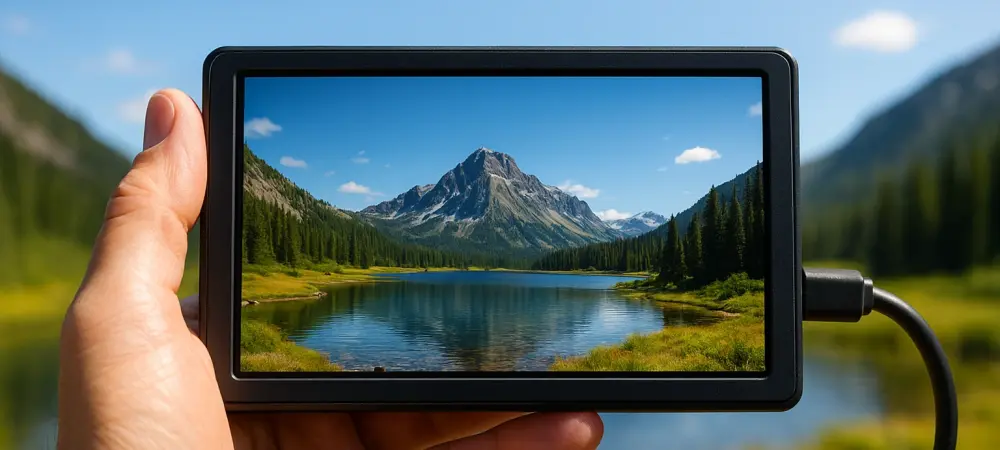
The integration of three M.2 2280 slots allows this handheld device to house up to twenty-four terabytes of high-speed storage for massive media projects. This unprecedented level of density signifies a fundamental shift in how professionals handle the data-heavy demands of modern high-resolution photography and cinema-grade video production. In an era where mirrorless cameras frequently output eighty-megapixel stills and 8K raw video, the traditional bottleneck has always been the transition from the camera sensor to a secure, organized storage environment. The PixelMob Pro addresses this friction by functioning as more than just a peripheral; it is a dedicated, intelligent bridge between the chaotic environment of a live shoot and the structured world of post-production. By moving beyond the limitations of simple external drives and the bulk of traditional laptops, UniDrive has engineered a specialized hub that prioritizes rapid data ingestion, immediate visualization, and AI-assisted organization. This approach ensures that creative professionals can maintain their momentum in the field, knowing that their assets are not only backed up but are also being actively categorized by a high-performance system-on-a-chip architecture. The device represents a convergence of hardware categories, blending the high-speed connectivity of a studio server with the intuitive interface of a modern mobile operating system to create a new standard for portable creative workstations.
A Versatile Hybrid: The Evolution of Field Hardware
The physical architecture of the PixelMob Pro challenges the traditional boundaries between a field monitor, a tablet, and a dedicated storage array. Measuring 104 by 195 by 25 millimeters and weighing roughly 550 grams, the device is designed to sit comfortably in a photographer’s hand or mount directly onto a camera rig. The centerpiece of this design is a 7-inch OLED touchscreen that delivers a peak brightness of 1,100 nits. This specific hardware choice is critical for professionals who spend the majority of their time working in harsh, direct sunlight where standard laptop screens and smartphone displays often fail to provide enough visibility for accurate exposure checks. The OLED technology provides the deep blacks and high contrast ratios necessary for critical color evaluation, allowing creators to make informed decisions about their footage long before they return to a calibrated studio monitor. This immediate visual feedback loop is further enhanced by the 12GB of LPDDR5 RAM, which ensures that the interface remains responsive even when the device is handling massive file transfers or rendering high-resolution thumbnails in the background.
While the internal specifications suggest a high-end professional tool, the exterior shell of the device presents a pragmatic approach to field durability. The chassis is constructed from a high-impact plastic that, while described as having a somewhat utilitarian feel, provides a lightweight solution for those already burdened by heavy camera kits. The design philosophy favors functionality over aesthetic luxury, prioritizing thermal management and impact resistance. A single crosshead screw secures the rear panel, providing quick access to the internal storage slots for hardware upgrades or maintenance. This user-accessible design is a departure from the “sealed-box” approach taken by many modern tech manufacturers, reflecting a commitment to the long-term utility and repairability of the workstation. Although some users might find the tactile sensation of the power button or the plastic casing to be less premium than a flagship smartphone, the device is engineered to survive the rigors of travel and heavy field use without the fragility associated with glass-backed consumer electronics.
Unrivaled Storage Capacity: Building a Pocket-Sized Server
The most defining technical achievement of this workstation is undoubtedly its storage subsystem, which utilizes three full-sized M.2 2280 slots. This engineering choice allows the device to support up to 24TB of internal NVMe storage, a capacity that was previously relegated to bulky desktop RAID arrays or rack-mounted server infrastructure. For wildlife photographers on extended expeditions or documentary filmmakers working in remote locations, this capacity eliminates the need to carry a dozen different external SSDs or a laptop to offload footage every few hours. The ability to keep an entire multi-day project on a single, high-speed device that fits into a jacket pocket changes the logistics of field production entirely. By utilizing standard NVMe modules, the system also offers a level of future-proofing and cost-effectiveness that is rare in specialized creative hardware, as users can upgrade their storage as NAND flash prices continue to drop and capacities increase throughout 2026 and beyond.
To feed this massive storage engine, the device is equipped with a comprehensive suite of high-speed card readers and data ports. It features dedicated slots for CFexpress Type B, which supports transfer speeds reaching 800 megabytes per second, as well as SD UHS-II and microSD slots for standard mirrorless and action camera media. This versatility ensures that creators can ingest data from multiple sources simultaneously without requiring a messy collection of dongles or external readers. Furthermore, the inclusion of a Type B to Type A adapter extends compatibility to Sony users, ensuring that no professional is excluded based on their choice of camera ecosystem. Beyond the card slots, the device includes dual HDMI ports, USB-A and USB-C connections, and even a dedicated LAN port for high-speed wired networking. This array of physical I/O allows the PixelMob Pro to act as the central nervous system of a production, managing everything from camera monitoring and tethered shooting to high-speed file sharing once the crew returns to their base of operations.
AI Integration: Rethinking Asset Management Through Intelligence
The software ecosystem of the PixelMob Pro is built upon a customized version of the Android operating system, optimized specifically for high-stakes creative workflows. The “Lightbox” application serves as the primary gateway for all media ingestion, acting as a sophisticated asset manager that utilizes local artificial intelligence to process incoming files. Unlike standard file explorers, Lightbox automatically scans images for specific subjects, recognizing faces, animals, and even identifying “empty” frames where a trigger might have been accidental. This AI-driven tagging is not merely a gimmick; it provides a genuine reduction in the manual labor required to sort through thousands of burst-mode photos or hours of B-roll. By the time a photographer has finished their lunch break, the workstation has already categorized their morning shoot, allowing them to jump straight into the selection and editing process. This shift toward intelligent management acknowledges that in modern digital production, the sheer volume of data is often the greatest enemy of efficiency.
However, the implementation of this advanced intelligence requires a specific workflow that users must adopt to see the full benefits of the system. The device mandates the creation of a “Lightbox” project before any files are imported, a protocol that ensures the AI database can track and organize assets correctly. While this creates a minor learning curve for those used to the “drag-and-drop” simplicity of traditional hard drives, the performance rewards are substantial. The rendering engine within the software is capable of generating high-resolution previews and scrolling through galleries with a fluidness that often surpasses dedicated desktop applications like Adobe Bridge. The AI also extends into quality control, offering the ability to group burst sequences together or flag images that are significantly overexposed or out of focus. This level of on-site analysis provides a safety net for professionals, allowing them to verify that they have captured the necessary shots before they leave a location, rather than discovering a mistake days later in the editing suite.
The Sequence App: Enhancing Camera Capabilities Through Software
One of the most innovative aspects of the PixelMob Pro is how it leverages its processing power to extend the functionality of the cameras connected to it. The “Sequence” application transforms the device into an advanced external controller, offering specialized shooting modes that many cameras lack natively. For example, the device can manage complex star trail photography, HDR bracketing, and focus stacking with precision. It achieves this by taking control of the camera’s shutter and settings via a tethered connection, then processing the resulting images internally. By handling the heavy computational lifting on the workstation rather than in-camera, the system preserves the camera’s battery and avoids the thermal throttling that can occur when a sensor is tasked with both capturing and processing complex multi-shot sequences.
A particularly impressive feature within this suite is the ability to simulate long-exposure effects through digital stacking, effectively replacing the need for physical Neutral Density (ND) filters in certain scenarios. By capturing a rapid series of standard exposures and blending them using sophisticated algorithms, the PixelMob Pro can create the smooth motion of water or clouds that typically requires a dark piece of glass in front of the lens. This not only reduces the amount of physical gear a photographer needs to carry but also provides a level of flexibility that physical filters cannot match. Users can adjust the “strength” of the simulated ND effect after the images have been captured, choosing the perfect balance of motion blur and detail. This integration of software intelligence and camera hardware highlights the device’s role as a proactive tool in the creative process, rather than a passive recipient of data, enabling photographers to achieve complex visual effects with a level of ease and precision that was previously impossible in a portable format.
Professional Video Monitoring: Accuracy and Control on Set
For videographers, the PixelMob Pro serves as a professional-grade field monitor that rivals dedicated solutions from industry leaders. Through the “Deck” and “Framebox” applications, the device utilizes its HDMI input to provide a high-resolution, low-latency feed of the camera’s output. This setup allows for the application of real-time Look-Up Tables (LUTs), enabling the crew to see what the final color-graded footage will look like while they are still on set. This is vital for ensuring that lighting and exposure are optimized for the intended aesthetic, particularly when shooting in “log” profiles that appear flat and desaturated on standard camera screens. The 1,100-nit OLED display ensures that these monitoring tools are effective even in bright environments, providing the color accuracy and dynamic range required to judge shadow detail and highlight roll-off with confidence.
Beyond simple monitoring, the device provides the capability to record video feeds directly to its internal NVMe storage at bitrates up to 50Mbps. This serves as an excellent high-quality backup or a lightweight proxy for immediate social media sharing or remote review. The inclusion of a 3.5mm headphone jack further enhances this role, allowing for precise audio monitoring during recording, a feature that is often missing or poorly implemented on modern mirrorless cameras. By combining these video-centric tools with its massive storage capacity, the PixelMob Pro becomes an all-in-one recording and review station. A videographer can shoot all day, review the footage with a director on a high-quality screen, and have everything backed up and organized by the time they wrap production. This consolidation of tools reduces the “gear footprint” on set, making it an ideal solution for small crews or solo operators who need to maintain a high standard of production without an excessive amount of equipment.
Sustaining Power: Dual Battery Systems for Long Production Days
Managing the power requirements of a high-performance OLED display, a multi-slot NVMe array, and an AI processor requires a robust energy solution. The PixelMob Pro addresses this through a dual-battery architecture designed to maximize uptime in the field. Internally, the unit is equipped with an 11,600mAh battery that provides roughly two to three hours of operation under heavy loads, such as continuous 4K video monitoring or massive data transfers. For lighter tasks like file organization or basic photo editing, the internal capacity can stretch to six hours. This provides a solid baseline for short sessions, but the true brilliance of the design lies in the integrated Sony NP-F battery mount on the rear of the device. This industry-standard mount allows users to snap on high-capacity batteries that are already a staple in the kits of most videographers and photographers, effectively extending the device’s life to a full working day.
The implementation of the NP-F mount serves a secondary, practical purpose by acting as a built-in stand when the device is placed on a flat surface. This ergonomic benefit is particularly useful during long editing sessions or when using the device as a tethered monitor on a table. While the physical fitment of the battery cradle has been noted for having a slightly loose tolerance, the inclusion of a locking mechanism ensures that the power source remains connected during active movement. This power flexibility is a key differentiator for the PixelMob Pro; it acknowledges that professional workflows do not happen in close proximity to wall outlets. By allowing users to hot-swap external batteries, UniDrive has ensured that the workstation can keep pace with the longest shooting schedules. This focus on “real-world” power needs reflects a deep understanding of the challenges faced by mobile creators who need reliable, sustainable performance in unpredictable environments.
Performance Realities: Navigating the Learning Curve
While the technical specifications of the PixelMob Pro are impressive, the transition to using it as a primary workstation involves navigating certain operational nuances. The device is not a “plug-and-play” consumer gadget but a sophisticated professional tool that rewards a structured approach to data management. One of the primary considerations for new users is the initial setup phase, which often involves significant firmware updates to ensure the AI models and hardware drivers are fully optimized for the latest camera formats. This process can be time-consuming, but it is necessary for maintaining the high levels of compatibility and performance that the device promises. Additionally, some users have reported inconsistencies with specific high-capacity CFexpress cards, highlighting the ongoing need for software refinements. These “growing pains” are common in pioneering hardware, and the frequent update schedule from UniDrive suggests a commitment to resolving technical glitches as they are identified by the user community.
The success of the workstation also depends on the user’s willingness to embrace the “Lightbox” organizational philosophy. For those accustomed to simply moving files from a card to a folder, the requirement to index everything through a central app can feel like an extra step. However, once the AI has indexed the media, the speed with which a creator can find a specific shot—filtering by “bird,” “blue sky,” or a specific face—is a revelation. The efficiency gained during the sorting and culling phase more than compensates for the initial time spent on ingestion. This balance between structure and speed is the core value proposition of the PixelMob Pro. It is a device built for the professional who values their time and understands that the real work of digital creation often happens in the hours spent managing data rather than the seconds spent pressing the shutter. By providing a high-performance environment for these tasks, the workstation allows creators to regain control over their workflow.
Strategic Implementation: Actionable Steps for Creative Professionals
The transition to a mobile AI workstation like the PixelMob Pro was a decision that many high-volume creators find transformative for their field operations. To maximize the utility of such a device, professionals moved toward standardizing their storage media, opting for high-performance NVMe drives that could handle the sustained write speeds required by the workstation’s triple-slot architecture. It was discovered that the most effective strategy involved using one slot as a primary ingestion drive, the second as a redundant backup, and the third for high-speed scratch space for editing and AI processing. This three-tier approach ensured that data integrity was maintained while providing the speed necessary for real-time video playback and complex image stacking. Creators who adopted this methodology reported a significant reduction in the time required to turn around projects, often delivering initial edits to clients before the production day had officially ended.
For those looking to integrate this technology into their current kit, the next logical step was to evaluate the compatibility of existing NP-F battery systems and HDMI monitoring workflows. Professionals found that investing in a high-quality, shielded HDMI cable was essential for maintaining a stable signal during 4K monitoring, especially in environments with high electromagnetic interference. Furthermore, the ability to side-load optimized versions of third-party apps like Adobe Lightroom and Sony’s “Monitor & Control” allowed users to create a customized software suite tailored to their specific needs. By treating the PixelMob Pro as a centralized hub rather than just a storage device, creators successfully eliminated the need for a laptop on many assignments, resulting in a lighter, more agile production footprint. The future of field work was clearly leaning toward these integrated, intelligent solutions that prioritized data density and AI efficiency over traditional computing forms.