

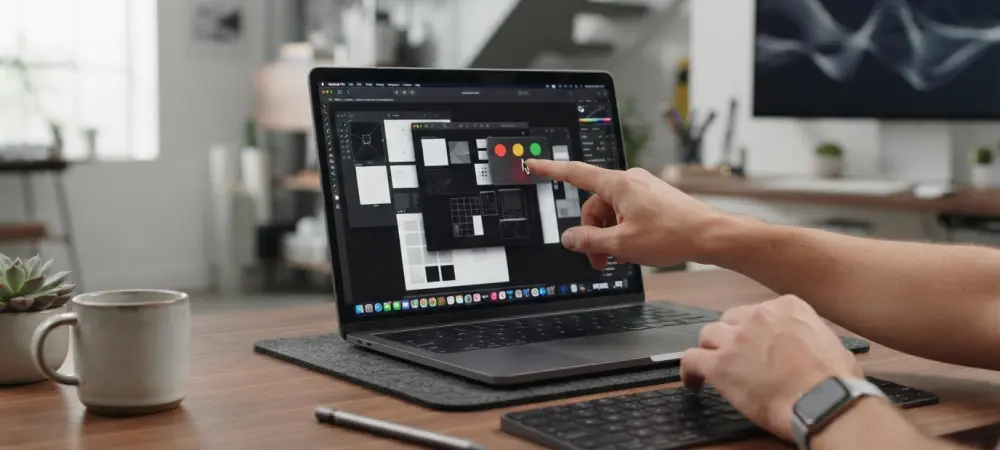
A primary bottleneck for touch-enabled laptops remains the software’s inability to dynamically adapt its user interface based on the detected input method. For over a decade, Apple famously resisted adding touch capabilities to the Mac line, citing ergonomic concerns and pushing the iPad as the primary touch-first alternative. However, as the industry enters late 2026, the arrival of an OLED touchscreen MacBook Pro seems inevitable. This hardware shift forces a critical evaluation of macOS, an operating system built on the philosophy of indirect manipulation through mice and trackpads. While mobile devices have mastered the art of tactile feedback, the desktop experience remains tethered to a legacy of pixel-perfect precision. Integrating a high-resolution touch panel into a professional machine requires more than just hardware installation; it demands a fundamental reconfiguration of how menus and tools behave when approached by a human finger rather than a cursor.
The Challenge: Precision and User Interface Interaction
Navigating the Conflict Between Cursor and Touch
A recurring theme in the evolution of modern computing is the struggle between the blunt instrument of the human finger and the surgical precision of a traditional mouse cursor. Currently, macOS treats a finger press as a standard mouse click, which creates a frustrating user experience when interacting with complex productivity software. Basic interactions like scrolling through web articles or pinching to zoom in a gallery feel immediately intuitive and satisfying, yet the experience degrades quickly when fine-motor control is required. Because the operating system lacks a dedicated touch intelligence layer, it struggles to differentiate between an intentional tap and an accidental brush against the screen. This conflict is not merely cosmetic; it strikes at the heart of user efficiency. Without a system that understands the specific physics of a fingertip, professional tasks like timeline editing become exercises in frustration rather than true hardware innovation.
Rethinking the Visual Language of Control
The most visible example of the current software disconnect is found in legacy interface elements, specifically the iconic traffic light buttons located in the upper-left corner of every window. On a standard high-density display, these buttons are designed for the microscopic tip of a cursor, making them incredibly difficult to hit accurately with a fingertip. This often leads to a game of digital darts, where users repeatedly miss their target, causing workflow interruptions and rising annoyance. To resolve this, Apple must reconsider the hitbox size for every interactive element within the system. Simply enlarging buttons is an insufficient solution, as it sacrifices screen real estate and disrupts the aesthetic balance for which the brand is known. Instead, the interface must become context-aware, potentially expanding targets only when the proximity of a hand is detected. This transition requires a departure from static UI design in favor of a fluid, responsive model.
Essential Software Evolutions: The Hybrid Future
Adapting the User Interface and Gestures
To make a touchscreen MacBook Pro a viable tool for creators, the operating system needs to recognize when a user transitions from a trackpad to the display. When touch input is detected, the software should dynamically scale its elements to accommodate a fingertip or adopt iPad-style swipe mechanics for window management. This shift moves the platform away from its reliance on tiny, static targets toward a more adaptive environment that responds to the user’s specific input method in real-time. Furthermore, the display must inherit the full library of multitouch gestures currently reserved for the Magic Trackpad. Actions like four-finger swipes to switch desktops or five-finger pinches for the Launchpad must translate effectively to the screen itself to maintain continuity. If the hardware supports the Apple Pencil, the software must also differentiate between skin contact and stylus input to prevent palm-rejection errors that have plagued other hybrid devices for many years.
Bridging Input Methods with Unified Logic
Establishing a cohesive interaction model requires more than just mimicking mobile phone behaviors on a larger screen. The challenge lies in creating a unified logic where the mouse and touch coexist without competing for the user’s attention. Current tests with third-party touch layers on modern M-series MacBooks suggest an identity crisis where the OS is actively fighting the user’s physical input. To overcome this, Apple must integrate the fluid animation curves found in iPadOS into the core of the Mac experience. This would allow for a more physical sensation when dragging files or snapping windows into place. Moreover, the integration of advanced peripheral support is essential for the creative professional demographic. Providing a seamless way to switch between a high-precision stylus and a standard keyboard-driven workflow ensures that the touchscreen remains a professional-grade tool rather than a secondary novelty. This integration is vital to justify the hardware innovation.
Redefining Productivity: System Integration and Multitasking
Advancing Window Management and System Integration
Window management in the current iteration of macOS remains a significant bottleneck for touch-based productivity. Navigating multiple overlapping windows with a finger is often clunky, as the system does not prioritize the active window with enough visual or physical feedback. Drawing inspiration from mobile interfaces could offer a path forward, allowing users to drag apps into a grid or stack multiple windows into cohesive, split-screen sessions with ease. This physical approach to multitasking would move beyond the limitations of current window-snapping tools, offering a more tactile and organized way to handle complex workloads. By treating application windows as physical objects that can be grouped and tossed across the desktop, the operating system can finally embrace the advantages of a touch-enabled panel. This evolution is necessary to transform the MacBook Pro into a true hybrid machine that excels in both desktop and tablet-like usage scenarios without sacrificing the power of a computer.
Future Considerations: Actionable Paths Forward
Developers and software engineers faced a critical juncture where the hardware of 2026 finally outpaced the interaction models established decades ago. The successful integration of touch into macOS required a departure from the one-size-fits-all approach to user interfaces. Moving forward, the most effective strategy involved implementing a context-aware software layer that prioritized fluid, gesture-based navigation over traditional pointer clicks. Professionals were encouraged to adopt adaptive workflows that utilized both the precision of the trackpad and the directness of the screen. Organizations that invested in touch-optimized design for their proprietary software saw immediate improvements in employee efficiency and creative output. Ultimately, the transition to a touch-first Mac was not achieved through hardware alone, but through a dedicated refinement of the software ecosystem. By focusing on dynamic UI scaling, the platform successfully bridged the gap between different paradigms, setting a new standard.