

The historical reliance on physical tethering to a computer for critical system repairs has finally been dismantled with the rollout of the latest mobile operating system update. For years, a malfunctioning device meant searching for a proprietary cable and a compatible workstation, but the arrival of the wireless system recovery tool in iOS 27 fundamentally changes this dynamic for the global user base. This innovation is particularly significant for individuals participating in beta testing programs who frequently encounter instability, freezing, or application crashes that previously required a desktop intervention. By enabling a secondary device to act as a restoration hub, the process preserves personal data while refreshing the underlying architecture of the software. This transition reflects a broader industry trend toward complete wireless independence, ensuring that technical hurdles no longer necessitate a physical repair environment. The implementation of this feature signals a move toward more resilient hardware that can heal itself through localized connections.
1. Defining the Advantages: Why Wireless Restoration Matters
The primary allure of this new recovery framework lies in its unprecedented convenience, effectively removing the need for a Mac or PC when a system failure occurs. Users no longer have to worry about whether they have the correct USB-C or Lightning cable on hand or if their computer’s operating system is updated enough to recognize a bricked smartphone. Beyond mere accessibility, the architecture of this recovery method prioritizes data integrity above all else, ensuring that settings, photos, and personal files remain entirely untouched throughout the restoration process. This is a massive improvement over traditional factory resets that often wipe the slate clean, forcing hours of backup restoration. For developers and power users, the efficiency gained here is substantial, as software glitches can be mitigated in minutes rather than being a day-long ordeal. The streamlined nature of this tool allows the mobile ecosystem to remain self-contained, reinforcing the idea of standalone computing.
Before initiating a wireless restoration, several specific prerequisites must be met to ensure the procedure completes without interruption or failure. Most importantly, a secondary helper device, such as another iPhone or iPad running at least iOS 26 or the current iOS 27, must be available to facilitate the handshake and data transfer. Both the malfunctioning unit and the helper device need to have their Wi-Fi and Bluetooth radios active to establish a stable and secure local connection. Since the system refresh involves heavy data processing, it is vital to keep the device being repaired connected to a dedicated power source. This precaution prevents a sudden shutdown during the critical writing phase of the firmware, which could lead to permanent hardware damage. Furthermore, ensuring that both devices are within close proximity allows for the maximum bandwidth needed for the operating system payload. Proper preparation is the foundation of a successful recovery, turning a technical failure into a manageable task.
2. Preparing the Environment: Essential Requirements and Access
Accessing the specialized recovery environment requires a specific sequence of hardware interactions that bypass the standard boot cycle of the device. To trigger this mode, one must quickly press and release the volume up key, followed immediately by the volume down key, and then press and hold the side power button until the dedicated recovery display appears on the screen. It is crucial to ensure that the phone is not physically connected to any cables or external accessories during this sequence, as physical connections can sometimes interfere with wireless protocol initiation. Once the screen illuminates with the recovery symbols, the device enters a low-level state where it is ready to communicate with the helper unit. This tactile method of entry provides a failsafe for users even when the touchscreen or the primary graphical interface is completely unresponsive. It creates a bridge between the physical hardware and the software recovery layer, allowing for diagnostic commands to be sent without a full boot.
Once the recovery screen is active, users are presented with several powerful utilities designed to diagnose and repair various levels of software corruption. The Reboot option serves as the first line of defense, allowing for a clean restart that can often clear out minor performance bugs or memory leaks that cause the system to hang. If the issue is more profound, the Language Selection tool allows the technician to modify the display language to ensure instructions are fully understood. For more complex problems, the Troubleshooting Mode runs internal diagnostics to identify specific software faults that might be contributing to the instability. The System Refresh option is the centerpiece of this toolset, enabling the device to reinstall or update to the newest version of the beta software. This multi-tiered approach ensures that the user has a variety of options ranging from a simple restart to a complete operating system overhaul. These integrated tools provide a dashboard for mobile health that was previously restricted to desktop software.
3. Executing the Repair: Step-by-Step Wireless Recovery
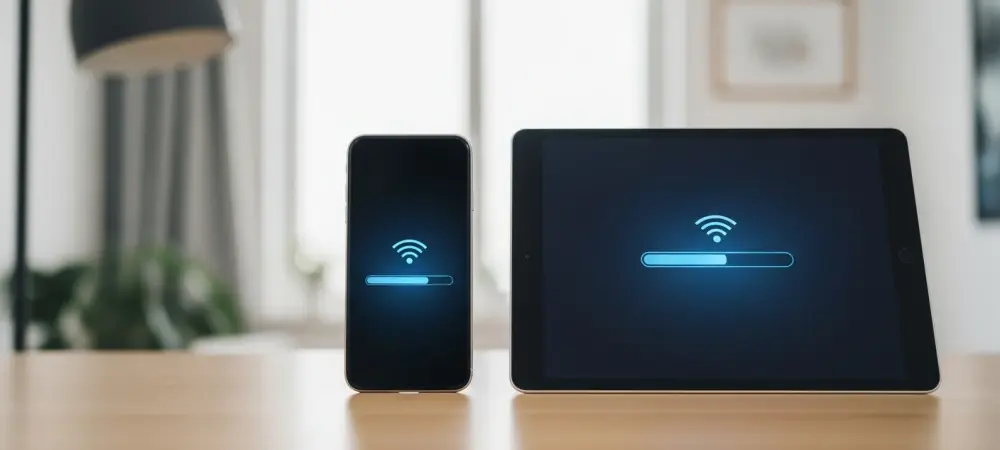
The actual execution of the wireless fix begins with launching the restoration utility on the helper device, which then scans the immediate area for a unit in recovery mode. Once the primary device is identified, a specific security code appears on its display, which must be entered into the helper unit to pair the two gadgets securely. This cryptographic handshake ensures that the firmware is only delivered to the intended recipient, preventing any unauthorized access or accidental data transfer to nearby devices. After the pairing is confirmed, the user selects the System Recovery option on the helper device and follows the subsequent on-screen prompts to begin the operating system refresh. The helper device effectively serves as a local server, beaming the necessary system files to the target iPhone over the high-speed local connection. Throughout this phase, progress bars on both screens keep the user informed of the data transfer status. This collaborative effort demonstrates a sophisticated use of local networking to solve deployment challenges.
Following the successful completion of the restoration, the device automatically restarted and initialized the latest version of the iOS 27 beta. All user information and custom configurations remained intact, allowing for an immediate return to productivity without the need for a lengthy setup process. This feature represented a significant advancement in mobile maintenance by eliminating the necessity of a physical workstation and prioritizing the preservation of user data. By shifting the burden of system repair from computers to a peer-to-peer mobile model, the manufacturer established a higher standard for troubleshooting in a wireless-first world. In the future, maintaining a secondary device will be the standard solution for utilizing these localized repair capabilities. Regular cloud backups remained a prudent strategy even as these on-device recovery tools became more robust. The successful implementation of these wireless protocols offered a solution for hardware downtime through intelligent software and local connectivity.