

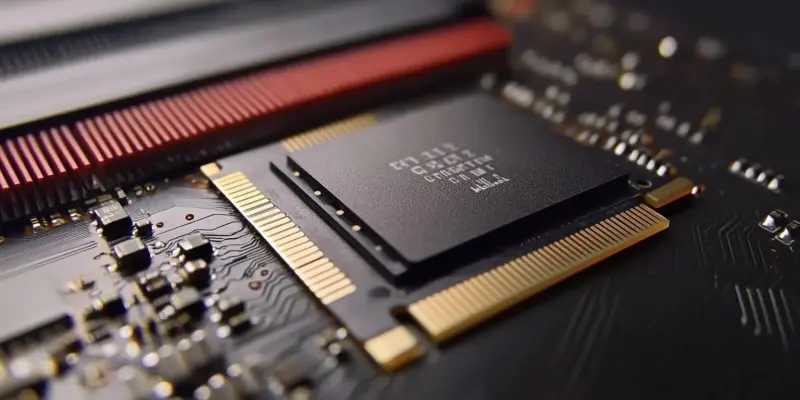
Upgrading your SSD can significantly improve your computer’s storage capacity and overall performance. With more affordable SSD options available, it’s important to understand the best methods for a successful upgrade. This article delves into two primary approaches: a clean install and using disk cloning software, highlighting their pros and cons to help you decide which method suits you best.
Introduction to SSD Upgrades
Over the years, SSDs have become more accessible to consumers, transforming from a luxurious upgrade to an affordable necessity. With the cost of higher capacity drives dropping, many users are now considering upgrades from their older, smaller SSDs to newer, larger ones. This trend is driven by the growing need for more storage space without sacrificing speed.
Deciding on the method of upgrading your SSD is crucial. Two primary approaches include performing a clean installation of your OS or using cloning software to transfer your existing system to the new drive. Both methods have distinct advantages and potential pitfalls, and understanding them can help users make informed decisions about which method to employ.
Clean Install Method
One straightforward approach is to perform a clean installation of your operating system on the new SSD. This involves removing the old SSD, installing the new one, and starting fresh with a new OS installation. This method can enhance performance by providing a clutter-free environment and a fresh start, devoid of old files and unnecessary software.
However, this approach may not be practical for everyone, especially those who rely heavily on data and programs stored on their old drive. Accessing old files would require an external USB enclosure for the previous SSD, adding extra costs. Additionally, reinstalling all applications and restoring settings can be time-consuming and potentially cumbersome for users with numerous programs and customizations.
Keeping the Old Drive Connected
An alternative to the clean install method is installing the new SSD and keeping the old drive connected to your system. With this hybrid approach, you can have a fresh OS on your new SSD while still retaining access to your files on the old drive. This is particularly practical for desktops or laptops with an available drive bay, allowing seamless access to both drives.
One downside to this method is that applications installed on the old SSD may not function properly due to dependencies on the Windows registry. However, personal files, downloads, and documents remain easily accessible. This approach provides a middle ground by offering a clean setup with convenient access to old data, making it a suitable option for those needing both a new OS environment and their previous data.
Disk Cloning: A Seamless Transition
For those seeking a seamless transfer of their entire system, disk cloning software is the go-to solution. Disk cloning creates an exact replica of your current SSD, including all installed programs and OS configurations, ensuring a hassle-free transition to the new drive. This method maintains system continuity, minimizing downtime and ensuring the new SSD operates identically to the old one.
Cloning software like Acronis True Image or manufacturer-provided tools, such as Samsung’s software, can significantly simplify the process. It’s crucial to verify compatibility with your OS, particularly with newer systems like Windows 11. Disk cloning stands out for its ability to offer a straightforward and efficient way to upgrade to a larger SSD without disrupting your current setup.
Executing the Cloning Process
To clone your SSD, you need proper software and both drives connected to the system, either internally or via an external USB dock. Third-party software or manufacturer-provided tools guide you through designating the source and destination drives and initiating the cloning process. While cloning via a USB dock may be slower, it remains a viable option, particularly if internal connections are not feasible.
Upon completion, your new SSD will be bootable, containing an exact copy of your previously configured system. This process ensures that all data, applications, and settings are preserved, providing continuity in performance and usability. Cloning is often less time-consuming than a clean install, making it a preferred choice for users wanting to avoid reinstalling programs or reconfiguring settings.
Post-Cloning Considerations
Enhancing your computer’s performance and storage can be efficiently achieved by upgrading to a solid-state drive (SSD). With the growing affordability of SSDs, it’s crucial to understand the optimal methods for a successful upgrade. The article discusses two main strategies: performing a clean install and utilizing disk cloning software. A clean install involves installing a fresh operating system on the new SSD, ensuring a clutter-free system but requiring reinstallation of all apps and settings. On the other hand, disk cloning software replicates your current drive’s data, including the OS, applications, and settings, onto the new SSD, saving time but potentially carrying over unwanted files and issues. This comprehensive comparison of approaches and their respective advantages and drawbacks will assist you in determining which method aligns best with your needs and technical skills. Whether you prioritize a pristine start or a swift transition, knowing these options helps streamline your SSD upgrade process.