

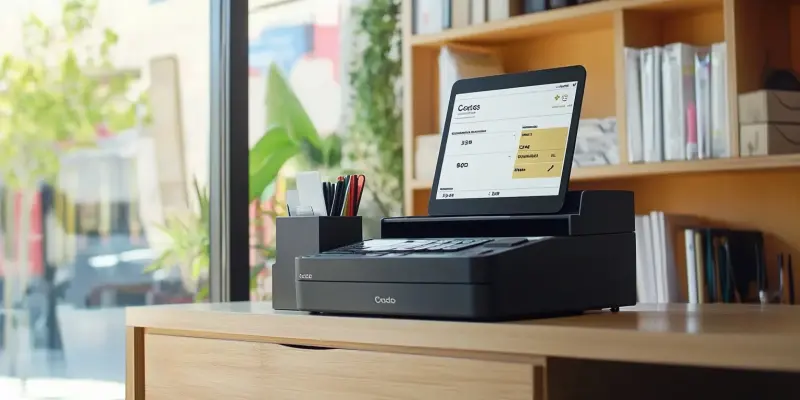
Efficient point-of-sale (POS) operations play a crucial role in the success of trade desk professionals, parts counters, and small retail outlets. The Counter Sales app from Insight Works is seamlessly integrated with Microsoft Dynamics 365 Business Central, offering a comprehensive point-of-sale solution designed for parts counters, trade desks, and smaller outlet stores. This guide explores Counter Sales’ key features and how this app transforms daily sales operations into a streamlined, user-friendly process, ensuring operational efficiency and improved customer satisfaction.
Counter Sales simplifies the order entry process with a user-friendly interface, enabling teams to complete transactions rapidly, thereby reducing errors and eliminating unnecessary steps. Whether handling walk-ins or phone orders, the streamlined design enhances overall efficiency. Advanced item lookup tools and barcode scanning facilitate efficient product searches using part numbers, descriptions, or attributes while eliminating manual errors and accelerating the checkout process. With support for diverse payment scenarios, including split payments, deposits, and layaway plans, the system offers teams easy deposit management, providing customers with flexibility and maintaining accurate financial tracking.
Key Features of Counter Sales
The end-of-day operations become effortless with built-in reconciliation features that streamline cash drawer balancing, transaction reporting, and closing processes. Automating these tasks reduces administrative burdens and improves accuracy. Tracking lost sales provides insights into missed opportunities, while override codes allow authorized personnel to adjust pricing when necessary, maintaining accountability and providing flexibility for customer negotiations. Furthermore, tracking customer purchase histories aids in offering tailored service and ensuring accountability for serialized inventory, improving inventory management and enhancing customer experiences.
Counter Sales integrates seamlessly with essential POS hardware, such as receipt printers, cash drawers, and card terminals, enhancing system functionality and offering a professional transaction process. The app’s versatility across various environments makes it an ideal solution for managing operations at trade desks, parts counters, or even mobile setups. Utilizing tablets to assist customers on the floor or fixed setups for high-volume counters demonstrates this flexibility. Additionally, offering gift cards directly within Counter Sales not only encourages repeat business but also provides customers with payment flexibility and increases sales opportunities, enhancing both customer satisfaction and business revenue.
Steps to Maximize Counter Sales for Your Operations
To fully leverage Counter Sales, configure the app within Dynamics 365 Business Central by defining roles, permissions, and hardware connections. Proper configuration ensures a smooth transition for your team. Streamlining transactions involves utilizing advanced search tools and barcode scanning to simplify inventory management and improve checkout efficiency. The flexibility of payment options allows teams to manage deposits, split payments, and special orders with ease, further enhancing the overall customer experience.
By analyzing data from lost sales and pricing adjustments, businesses can gain valuable insights to refine inventory planning and pricing strategies. These actionable insights directly enhance customer satisfaction and operational performance. Automating daily closing processes by leveraging built-in reconciliation features simplifies cash drawer balancing and daily reporting. This ensures that end-of-day operations run smoothly, saving valuable time for your team and reducing administrative burdens. Deploying Counter Sales in various environments, from fixed trade desks to mobile setups on tablets, supports a range of use cases and ensures a seamless fit for your business operations.
Why Counter Sales Is the Ideal POS Solution for Business Central
Effective point-of-sale (POS) operations are essential for trade desk professionals, parts counters, and small retail shops. The Counter Sales app by Insight Works integrates seamlessly with Microsoft Dynamics 365 Business Central to provide an all-in-one POS solution tailored to parts counters, trade desks, and smaller retail outlets. This guide examines the key features of Counter Sales and how it transforms daily sales tasks into a streamlined, user-friendly experience, thus enhancing operational efficiency and boosting customer satisfaction.
Counter Sales simplifies order entry with its intuitive interface, allowing teams to process transactions quickly, minimize errors, and eliminate unnecessary procedures. Whether addressing walk-ins or phone orders, the streamlined design enhances overall productivity. Advanced item lookup tools and barcode scanning enable efficient product searches using part numbers, descriptions, or attributes, reducing manual mistakes and speeding up the checkout process. The system supports various payment scenarios, including split payments, deposits, and layaway plans, offering teams an easy way to manage deposits while providing customers with flexibility and ensuring accurate financial tracking.