

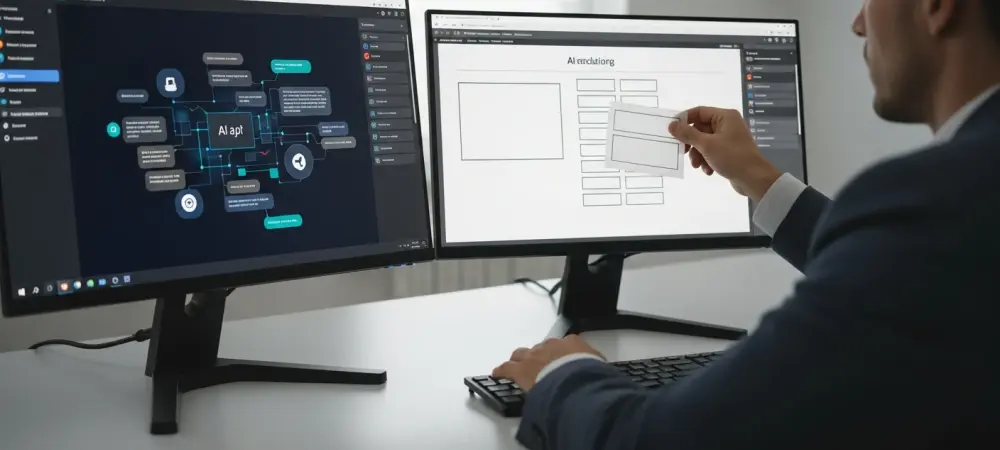
The final deliverable from hours of sophisticated, AI-driven research often arrives as a disappointingly generic slide deck, forcing professionals back to the manual, pixel-pushing drudgery they sought to escape. This is the paradoxical state of productivity in 2026: artificial intelligence can synthesize complex data from a dozen sources, draft nuanced strategic outlines, and even code, yet it consistently fails at the crucial last step of communicating those insights visually. The result is a significant bottleneck where the immense power of large language models grinds to a halt against the seemingly simple task of creating a professional presentation, leaving users with a collection of slides that are functionally useless for any high-stakes business environment. This chasm between analytical capability and presentation quality represents the most significant unsolved challenge in modern knowledge work.
The core of the issue lies in the fundamental design of general-purpose AI agents. Tools like ChatGPT, Claude, and Gemini are optimized for conversational search, data retrieval, and text generation. Their architectural purpose is to understand and manipulate language, not to master the principles of graphic design, information hierarchy, and brand identity. Asking these systems to build a compelling presentation is akin to asking a brilliant research librarian to design a skyscraper; while the librarian can provide all the necessary information, they lack the specialized skills of an architect to construct a sound and aesthetically pleasing structure. This mismatch of capabilities is why the output is so often a set of disconnected, visually uninspired slides that undermine the very intelligence they are meant to convey, forcing a hard reset on the user’s workflow.
Your AI Can Research, but It Cannot Build a Decent Slide Deck
The promise of artificial intelligence in the workplace has always been the automation of tedious, time-consuming tasks to free up human intellect for higher-level strategic thinking. AI agents have largely delivered on this promise for the initial phases of a project. They can connect to disparate data sources like Google Drive, SharePoint, and CRMs, pulling relevant context from meeting transcripts, financial dashboards, and market analyses. Within minutes, they can synthesize this information into a coherent narrative, draft an executive summary, or outline a complex argument. This front-end efficiency has revolutionized how professionals approach research and strategy development.
However, this streamlined process encounters a jarring halt when the user asks the AI to translate its findings into a presentation format. The expectation is a continuation of the same intelligent, context-aware performance. The reality is a stark disappointment. The generated slides are almost universally simplistic, featuring generic templates, default fonts, and a complete disregard for corporate branding. The sophisticated narrative meticulously crafted in the chat interface is reduced to a series of bland bullet points, often awkwardly arranged on the page. The AI’s failure to grasp visual communication principles means the generated deck is more of a liability than an asset, unsuitable for sharing with clients, investors, or internal leadership without extensive manual rework.
This deficiency is not a minor flaw; it represents a fundamental break in the workflow. The time saved during the research phase is immediately lost in the painstaking process of manually rebuilding the presentation from the ground up in a traditional tool like PowerPoint or Google Slides. Professionals find themselves exporting raw text from the AI and then spending hours formatting slides, searching for appropriate layouts, and applying brand guidelines by hand. The very efficiency the AI was supposed to provide evaporates at this critical final stage, turning what should be a seamless process into a frustratingly disjointed one.
The Last Mile Problem Where AI Research Hits a Presentation Wall
This critical breakdown is known as the “last mile problem” of AI-driven productivity. The term, borrowed from logistics and telecommunications, refers to the final step in delivering a service to the end user, which is often the most complex and expensive part of the process. In the context of knowledge work, the AI effortlessly handles the “long haul” of data aggregation and synthesis. Still, it falters at the “last mile” of packaging that information into a polished, professional, and consumable format. The intelligence is there, but the delivery mechanism is broken.
The consequences of this last mile failure are significant. First, it completely severs the contextual link established within the AI agent. All the background information, connected data sources, and conversational refinements that informed the AI’s research are lost the moment the user switches to a separate presentation application. The presentation tool has no access to the meeting notes from Granola, the revenue data from Stripe, or the product analytics from PostHog that the AI used. This disconnect forces the user to start from a blank slate, manually recreating the logic and data visualizations that the AI had already understood, effectively duplicating effort and introducing the potential for errors.
Moreover, this broken workflow stifles the iterative nature of creative and strategic work. Presentations are rarely created in a single, linear pass; they evolve through feedback, refinement, and the addition of new information. When the AI generates a static file like a .pptx, the conversation ends. The user cannot return to the chat and ask the AI to “make the timeline on slide five more detailed” or “add a slide comparing our solution to the competition based on the research.” The AI’s role is finished, and the user is left alone with a primitive draft, cut off from the powerful assistant that helped them get there. This inability to iterate within the same intelligent environment is the single greatest obstacle to true AI-powered presentation design.
Unpacking the Core Failures of General AI in Presentation Design
The inability of general-purpose AI to produce professional presentations stems from three fundamental and interconnected failures. The first and most visually jarring is the complete absence of a consistent brand identity. Brand consistency is a non-negotiable requirement in any professional communication. It involves the meticulous application of specific color palettes, typography, logo usage, and visual motifs that represent a company’s identity. AI agents, lacking access to or understanding of brand style guides, generate slides that are stylistically anonymous. The result is a deck that looks generic at best and off-brand at worst, instantly signaling a lack of professionalism and care to any discerning audience. Manually correcting these branding inconsistencies across an entire presentation is a tedious, detail-oriented task that can consume hours, completely negating any time saved by the initial AI generation. The second core failure is the AI’s profound reliance on basic, uninspired layouts. The visual vocabulary of a typical AI agent is limited to a handful of rudimentary structures: a title slide, a bulleted list, and perhaps a bulleted list next to a stock image. This restrictive repertoire is wholly inadequate for communicating complex business concepts. Professional presentations leverage a wide array of sophisticated design patterns to convey information effectively, such as timelines to illustrate process flows, comparison diagrams to highlight differences, feature matrices to organize complex data, and funnel visualizations to map customer journeys. General-purpose AI models do not possess the training on these visual communication patterns. Consequently, they resort to cramming dense information into walls of text or creating sparse, uninformative slides, neither of which effectively communicates the underlying message or engages the audience. The third and most critical failure is what can be described as the dead end of iteration and refinement. A presentation is a living document during its creation, constantly evolving as the narrative is refined. However, the outputs from general AI agents create a dead end for this crucial process. The AI either generates a one-shot .pptx file, at which point its involvement is over, or it produces a series of non-editable images or code blocks. In the first case, the user is forced into a fully manual editing environment, unable to leverage the AI for further changes. In the second, the only way to make a change is to re-prompt the AI, which often regenerates the entire deck from scratch, losing any previous refinements. There is no middle ground for collaborative iteration, no way to make a small manual tweak and then ask the AI for a larger structural change. This all-or-nothing approach to editing is fundamentally incompatible with how high-quality presentations are actually developed.
A Look Inside Today’s Disjointed Presentation Workflow
To fully appreciate the inefficiency of the current process, consider the step-by-step reality for a marketing manager tasked with creating a quarterly performance review. The journey begins productively inside a powerful AI agent like Claude. The manager connects it to their company’s Google Analytics, HubSpot CRM, and internal project management tools. They prompt the AI to analyze marketing campaign performance, synthesize key wins and losses, and outline a strategic plan for the next quarter. The AI performs brilliantly, delivering a comprehensive, data-backed narrative within minutes. The context is built, the story is refined, and the core content is ready.
The process then fractures. The manager, pleased with the narrative, asks the AI to “create a presentation from this.” The AI produces a .pptx file that is immediately unusable. The slides use a generic blue template, the data is presented in simple, unreadable tables, and the strategic roadmap is reduced to a long list of bullet points. The company’s logo is absent, the fonts are wrong, and the overall impression is that of a hastily assembled high school project. The manager sighs, saves the raw text from the AI chat, and closes the downloaded file. All the rich context and analytical momentum are now gone.
The final, and most time-consuming, phase begins. The manager opens PowerPoint and starts with the company’s official blank template. They manually copy and paste the text from the AI, then spend the next several hours painstakingly recreating the presentation. They search for icons, build charts from scratch using the data, hunt for a suitable timeline template online to visualize the roadmap, and meticulously adjust the alignment and spacing of every single element on every slide. A task that felt 90% complete inside the AI has regressed to 0%, with the manager now engaged in manual design work that consumes the rest of their day. The AI, once a powerful partner in analysis, has become a mere content provider for a completely separate, non-intelligent workflow.
Bridging the Gap Toward Seamless AI Powered Presentations
The solution to this frustrating disconnect does not lie in improving the general-purpose AI models themselves, but in connecting them to specialized tools built for the task. This has led to the emergence of a new class of application: the specialized AI presentation maker. Unlike chatbots, these platforms are trained specifically on the principles of presentation design, information hierarchy, and brand consistency. They are engineered to translate raw content into visually compelling and structurally sound slides. These tools can automatically apply brand themes, intelligently select from a library of complex layouts like timelines and funnels based on the content, and feature responsive canvases where layouts adapt automatically to content changes. They solve the core design failures of general AI, but until recently, they existed as separate applications, still requiring the user to break their workflow and manually transfer context. The missing link that finally connects the research power of a general AI with the design prowess of a specialized tool is the Model Context Protocol (MCP). MCP is a standardized framework that allows different AI models and services to communicate and share context seamlessly. It acts as a universal translator, enabling a primary AI agent like Claude or Cursor to delegate specific tasks to external, specialized tools without the user ever having to leave the chat interface. Through MCP, the AI agent can handle the research and narrative development and then pass that rich context directly to a connected presentation maker to handle the final visual creation. This creates a single, uninterrupted workflow where the user benefits from the best of both worlds: world-class research and world-class design, working in perfect harmony.
A practical and powerful implementation of this integrated approach is Alai, an AI presentation maker designed for professional quality and iterative refinement. Through its dedicated MCP server, Alai plugs directly into any compatible AI agent, allowing users to generate high-quality, on-brand presentations from within their existing chat workflow. When a user prompts their AI to create a deck using Alai, the context is passed seamlessly. Instead of a single, generic output, Alai generates multiple distinct, professional layout options for every single slide, giving the user creative control. It understands how to visually structure different types of information, automatically generating complex diagrams and matrices that are appropriate for the content. Crucially, it allows for a hybrid editing model: users can give high-level commands through the AI chat, use Alai’s own built-in AI agent for refinement, or make direct manual edits to the canvas, providing a level of flexibility that matches the real-world process of presentation creation.
Putting this all together, one can see how this transforms real-world scenarios. Consider a consultant who has just finished a client discovery call. They can stay within their AI agent, pull the meeting transcript from their notes app via MCP, and ask the AI to summarize the client’s pain points and draft a solution. Then, with a single command—”Create a proposal for this client using Alai with our corporate brand theme”—they can generate a fully polished, personalized sales deck in minutes. Similarly, a startup founder can connect their AI to live financial and product data, ask it to synthesize the latest metrics, and use Alai to generate an investor update deck that is both data-rich and professionally designed. This integration of general AI, specialized tools, and shared context through MCP finally solves the last mile problem, transforming presentation creation from a manual chore into an intelligent, efficient, and integrated part of the modern workflow.
The era of disjointed, frustrating presentation workflows had come to a close. The manual recreation of AI-generated research into visually acceptable formats was rendered obsolete. By bridging the gap between powerful conversational AI and specialized design intelligence, the introduction of protocols like MCP and tools like Alai fundamentally reshaped how professionals translated ideas into impact. The final, critical step of communication was no longer an obstacle but a seamless extension of the analytical process. This integration did not just save time; it elevated the quality and consistency of business communication, allowing the full power of data-driven insights to be presented with the clarity and professionalism they deserved. The last mile had been paved.