

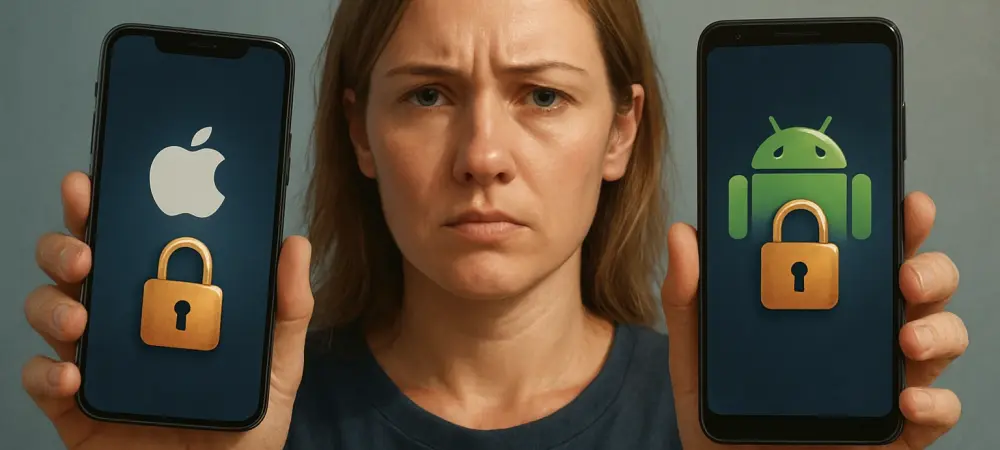
I’m thrilled to sit down with Dominic Jainy, a seasoned IT professional whose expertise in artificial intelligence, machine learning, and blockchain has given him a unique perspective on cybersecurity challenges in today’s digital landscape. With a deep understanding of emerging technologies, Dominic has been at the forefront of exploring how these tools can both protect and expose users, especially when it comes to mobile device security. Today, we’re diving into the urgent world of smartphone threats, from sophisticated spyware bypassing encryption to practical steps everyday users can take to safeguard their data. Our conversation touches on the latest warnings from agencies like CISA, the nuances of features like Lockdown Mode, and the often-overlooked risks in seemingly harmless conveniences like public Wi-Fi or VPNs. Let’s get started.
How do sophisticated cyber threats, like commercial spyware, manage to bypass encryption on popular messaging apps, and what makes this so alarming for the average smartphone user?
Great question. Commercial spyware, like the Sturnus variant recently highlighted by security agencies, often exploits vulnerabilities at the device level rather than directly cracking encryption. These threats can infiltrate through unpatched software, malicious apps, or even zero-day exploits—flaws unknown to the vendor—that allow attackers to gain root access. Once inside, they can intercept data before or after encryption, meaning even apps like Signal or WhatsApp aren’t fully safe if the endpoint is compromised. I recall a case where journalists in a high-risk region had their private messages exposed through such spyware; it wasn’t just a breach of privacy but a direct threat to their safety, as sensitive sources were revealed. For the average user, this is deeply concerning because you don’t need to be a high-profile target—collateral damage in a broader attack can still mean your personal chats, photos, or financial details get scooped up. It’s a stark reminder that encryption is only as strong as the device it’s running on, and that’s a vulnerability most people don’t even think about until it’s too late.
Can you walk us through how enabling Lockdown Mode on an iPhone helps protect users, and what kind of impact or trade-offs might someone notice when using it?
Absolutely, Lockdown Mode is a powerful tool Apple introduced to shrink the attack surface, especially for high-risk individuals like activists or government employees. When activated, it restricts certain functionalities—like limiting web browsing to basic features unless you’re visiting a trusted site, blocking attachments in messages, and disabling FaceTime calls from unknown numbers. Essentially, it puts up a digital fortress by curbing how apps and websites can interact with your device, making it much harder for spyware to exploit common entry points. I’ve seen it make a difference for a colleague working in a sensitive field; after enabling it, they felt a tangible sense of relief knowing random links or unsolicited calls couldn’t easily trigger an attack, especially during a period of heightened threats. However, the trade-off is real—you might find some apps don’t work as smoothly, or you can’t preview links in messages, which can feel like a step back in convenience. It’s like locking your house with multiple deadbolts; you’re safer, but getting in and out takes more effort. Users need to weigh if their risk level justifies that hassle.
Why is sticking to Android manufacturers with long-term security update commitments so crucial, and how does this play out in real-world security for users?
The importance of long-term security updates for Android devices can’t be overstated because the mobile threat landscape evolves so rapidly. Manufacturers who commit to regular updates—like pushing patches for several years post-release—ensure your device isn’t left vulnerable to newly discovered exploits. Without these updates, your phone becomes a sitting duck for attacks that exploit outdated software, something attackers actively scan for. I’ve come across users who stuck with brands offering extended support and dodged major threats, while others on older, unsupported devices fell victim to malware that could’ve been prevented with a simple patch. It’s frustrating to see some manufacturers abandon devices after just a couple of years, leaving users exposed. While I won’t name specific companies, the disparity in update cycles—some offering up to five years of support versus others barely managing two—creates a real gap in safety. For everyday folks, this means your choice of phone isn’t just about features; it’s about how long you’ll be protected from the next big cyber threat.
When it comes to public Wi-Fi hotspots, how do you balance the convenience of connecting in places like coffee shops with the potential security risks, and what alternatives do you recommend?
Public Wi-Fi is a classic double-edged sword. The risk of connecting at a coffee shop or airport is often overstated for the average person due to widespread HTTPS encryption, which secures most data in transit, but it’s not zero. If you’re a high-value target, a malicious hotspot could still intercept unencrypted traffic or trick you into a man-in-the-middle attack. Personally, I’ve connected to public Wi-Fi countless times without issue, but I remember a time at an airport when my gut told me to switch to mobile data instead—the network name just felt off, like it was mimicking the official one. My go-to alternative is using 4G or 5G; it’s not free like a hotspot, but it’s a direct, secure line that bypasses those risks entirely. I advise folks to treat public Wi-Fi as a last resort and double-check network names before connecting. Honestly, for most of us, the convenience often outweighs the slim chance of a targeted attack, but staying vigilant—or tethering from your phone if needed—can give you peace of mind without sacrificing much.
CISA has warned against using personal VPNs on smartphones due to shifting risks. Can you explain why they view VPNs as problematic, and what should users consider if they still want that privacy layer?
CISA’s stance on personal VPNs is eye-opening because it challenges the common belief that they’re a silver bullet for privacy. Their concern is that VPNs don’t eliminate risk; they just shift it from your internet provider to the VPN provider, who might not be as trustworthy. Many free or cheap VPNs have questionable privacy policies—some have been caught logging user data or even selling it, which defeats the purpose. I’ve heard of incidents where shady providers exposed user activity during breaches, leaving people more vulnerable than if they’d skipped the VPN altogether. What’s worse, VPNs can increase your attack surface by routing traffic through potentially insecure servers. For users craving that privacy layer, I’d say stick to well-vetted, paid services with transparent no-log policies, and always download from official app stores. But you’ve got to ask yourself if the added complexity is worth it—CISA’s right that sometimes simpler, built-in device security might be the safer bet. It’s a gut punch to realize a tool marketed as protection could be a liability.
With Google’s warning about malicious VPN apps disguised as legitimate services, how do these fakes manage to fool users, and what steps can people take to avoid falling into such traps?
Malicious VPN apps are a sneaky breed, often impersonating trusted brands or using social engineering to lure users. They exploit timely topics—like geopolitical events or restricted content—to bait people desperate for access, promising free or easy solutions. Once installed, these apps can deploy malware like info-stealers or banking trojans, siphoning off sensitive data such as financial credentials or private messages. I’ve read about cases where users downloaded fake VPNs during a major news event, only to lose access to their accounts because the app harvested login details in the background—it’s devastating to see trust exploited like that. To spot red flags, check for the VPN badge on Google Play, scrutinize app reviews for odd patterns, and avoid sideloading from unverified sources. Never rush to click ‘accept’ on permissions—question why a VPN needs your camera or contacts. These scams work because they prey on urgency and curiosity, so slowing down and verifying the source can save you a world of hurt.
Reviewing app permissions is a recurring piece of advice for smartphone security. Can you detail how over-permissive apps can be exploited, and walk us through a practical way to audit them?
App permissions are a gateway for exploitation when they’re overly generous. If an app has access to your location, microphone, or camera without a clear need, attackers can leverage that to track you, eavesdrop, or even record sensitive moments if the app is compromised or malicious. I recall an incident where a seemingly benign game app misused location data to build detailed user profiles, which were later sold—users had no idea their daily movements were being monetized until a breach exposed it, and the betrayal felt personal. To audit permissions, go to your iPhone or Android settings, navigate to the privacy or apps section, and review what each app can access. Revoke anything unnecessary—if a weather app doesn’t need your microphone, turn it off. Check periodically, especially after updates, as permissions can reset or expand. This small habit is a game-changer because it limits what an attacker can grab even if they break in, and it gives you control over your digital footprint. It’s like locking unnecessary doors in your house—why leave them open?
Keeping smartphones and apps updated is often preached as a basic security step, but why is it so effective, and what happens if users delay those patches?
Updates are one of the most underrated defenses because they directly address known vulnerabilities that attackers are actively exploiting. Each patch closes a door—whether it’s a flaw in the operating system or an app—that hackers could otherwise use to sneak in with malware or spyware. Delaying updates leaves you exposed to these risks, sometimes for weeks or months, and I’ve seen users regret ignoring prompts when a preventable exploit wiped their data; it’s a sinking feeling to know a simple click could’ve saved you. Recently, patches have fixed critical bugs in browsers and messaging apps that allowed remote code execution—scary stuff if left unaddressed. The process is usually automated, but users should check manually in settings under ‘software update’ and enable auto-updates for apps. Make it a habit, like checking your locks at night. If you delay, you’re gambling with odds that worsen every day as threats spread, and that’s not a bet worth taking.
Looking ahead, what is your forecast for the future of mobile device security threats and protections?
I see mobile device security as a constant cat-and-mouse game that’s only going to intensify. Threats will likely grow more sophisticated, with AI-driven malware personalizing attacks based on user behavior—think phishing that mimics your contacts perfectly. On the flip side, protections will evolve too; I expect more integration of hardware-level security and proactive features like real-time threat detection baked into devices. We’ll probably see manufacturers and agencies pushing harder for user education, as human error remains the weakest link. I’m both excited and wary—while tech like blockchain could secure data in novel ways, the sheer pace of threats means no one can afford to get complacent. It’s going to be a wild ride, and I hope users start seeing security as a daily habit, not an afterthought. What do you think will be the next big wake-up call for smartphone users?