

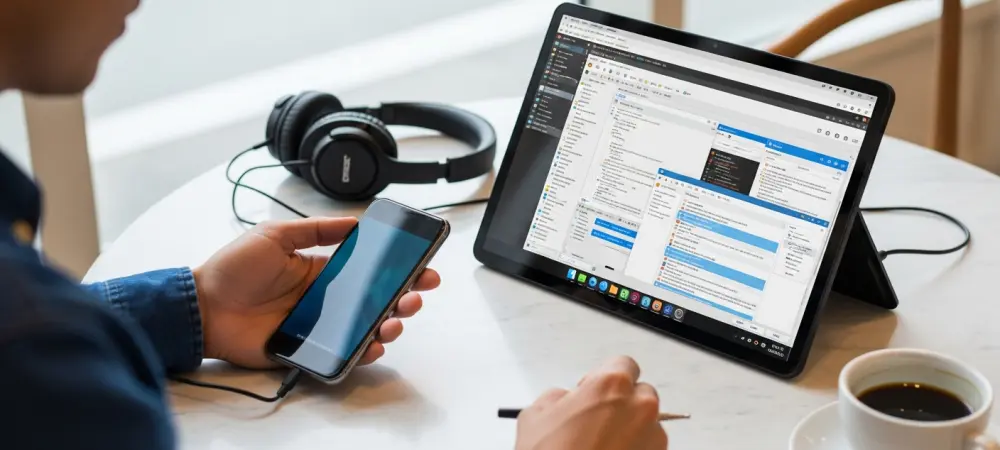
The modern smartphone possesses more raw computational power than the professional workstations that once powered global space exploration, yet its potential remains confined within a mobile interface. Android, while built on the robust Linux kernel, serves as a specialized environment that prioritizes touch interaction and energy efficiency over the versatile multitasking capabilities found in a traditional desktop setup. This inherent limitation creates a significant divide for professionals who require desktop-class software for coding, complex data analysis, or graphic design. As the tech landscape of 2026 continues to evolve, the demand for a unified computing experience has driven developers and hobbyists to explore ways to unlock the full Linux desktop environment on mobile hardware. These efforts are not merely about aesthetics; they represent a fundamental push to transform high-end smartphones into the primary computing devices of the future, effectively bridging the gap between portability and power.
Utilizing Community Tools for Desktop Emulation
Terminal Environments: Scripting the Mobile Desktop
Termux has long stood as the premier solution for those seeking to bypass the traditional constraints of the Android user interface by providing a comprehensive terminal environment. By functioning as a powerful terminal emulator and Linux environment, it allows users to install a wide variety of software packages through a dedicated package manager, essentially creating a mini-distribution within a sandbox. To achieve a graphical interface, users frequently turn to helper scripts that automate the installation of lightweight desktop environments like XFCE or LXQt. These scripts handle the heavy lifting of configuring the underlying file systems and ensuring that the necessary libraries are present to run complex applications. This method essentially turns the smartphone into a local server, where the Linux desktop runs in the background while the user interacts with it through a specialized display client, providing a surprisingly fluid experience on modern multi-core processors.
Technical Hurdles: Managing Repositories and Permissions
Maintaining a stable Linux environment on a mobile device involves navigating a complex landscape of software repositories and security restrictions. Because Android’s system permissions have become increasingly strict, the version of Termux found on mainstream application stores is often outdated and incapable of running modern background processes. Consequently, the open-source community has shifted toward independent repositories like F-Droid to distribute updates that can bypass these limitations. This requirement for manual maintenance highlights the ongoing friction between the desire for an open computing platform and the locked-down nature of mobile ecosystems. Despite these challenges, the persistence of the community ensures that power users can still access a full GNU/Linux toolchain, provided they are willing to engage with the technical nuances of side-loading and manual configuration. This reliance on community-driven development underscores the necessity of a more open approach to mobile hardware.
Exploring Integrated Apps and Direct OS Flashing
Streamlined Packages: Simplified One-Click Solutions
For users who find the intricacies of terminal commands and manual display configuration daunting, a newer generation of standalone applications has emerged to simplify the process significantly. These integrated tools bundle a complete Linux filesystem, display server, and basic application suite into a single, installable package that functions much like a standard Android app. By abstracting the complex setup behind a user-friendly interface, these projects allow even non-technical enthusiasts to launch a full Debian or Ubuntu session with just a few taps. However, this convenience often comes at the cost of flexibility, as the environments are typically locked into specific configurations to ensure stability across a wide range of hardware. These “one-click” solutions represent an important step toward democratizing mobile Linux, moving it away from being an exclusive niche for power users and toward a viable option for those needing to access professional software on a portable device.
System Modification: Native Mobile Linux Installations
A more radical approach involves the complete removal of the Android operating system in favor of a native mobile Linux distribution, such as the Fedora Pocketblue Remix. This project utilizes an atomic update model, where the core system remains read-only to ensure that a failed software update cannot leave the device in an unbootable state. Unlike emulated environments, this method allows the operating system to communicate directly with the smartphone hardware, offering superior performance and better memory management for demanding tasks. The significant hurdle to this approach remains the proprietary nature of modern mobile components, particularly camera sensors and cellular modems, which often lack open-source drivers. Consequently, deep integration is frequently limited to specific devices that have been extensively reverse-engineered by the community. Despite these barriers, the move toward native installations demonstrates a growing commitment to treating high-end handsets as genuine computers rather than consumption tools.
Official Support and the Native Integration Frontier
Native Virtualization: The Google Terminal Experiment
The most promising development in the quest for mobile Linux integration comes from official sources, as Google has begun incorporating a native Linux terminal directly into the Android framework. This feature leverages the Android Virtualization Framework to run a lightweight virtual machine that can host a full Linux distribution without the overhead of third-party emulation layers. Recent developer builds have introduced a dedicated display button that utilizes the Weston compositor to project graphical applications directly into the Android multitasking view. This allows a user to run a professional code editor or a desktop-class web browser alongside their standard mobile apps, creating a seamless workflow that was previously impossible. By providing an official pathway for Linux integration, the system effectively acknowledges the need for more versatile computing environments on mobile devices, especially as high-end hardware continues to outpace the limitations of the current mobile app ecosystem.
Platform Convergence: Merging Android and Desktop Systems
This shift toward official Linux support points to a broader strategy of merging the best features of Android and ChromeOS into a unified platform for tablets and foldable phones. If Android can reliably handle desktop-class Linux applications, it significantly reduces the need for a separate laptop-oriented operating system, allowing a single device to serve all professional roles. This convergence is particularly relevant for the enterprise market, where the ability to transition from a handheld tablet to a full desktop environment by simply connecting a monitor and keyboard is highly valued. The inclusion of native virtualization suggests that the restrictive approach to mobile software is gradually softening in favor of a more open, extensible model. While these features are still technically experimental, they represent a clear path toward a future where the distinction between a mobile phone and a professional workstation becomes entirely a matter of which peripherals are connected.
Advancing the Mobile Productivity Paradigm
The evolution of Android from a strictly mobile interface into a platform capable of hosting a full Linux desktop marked a significant turning point in the history of portable computing. As users explored the various methods of emulation and native integration, it became clear that the hardware was no longer the limiting factor for professional workflows. The transition from community-led scripts to official virtualization frameworks proved that the demand for professional-grade tools on mobile devices was not a passing trend but a permanent shift in user expectations. Those who adopted these technologies early gained a distinct advantage in flexibility, proving that a smartphone could indeed handle the rigors of a traditional desktop workload. Looking ahead, the focus must remain on improving driver support and streamlining the user experience to ensure these powerful environments remain accessible to all. The successful integration of Linux into the mobile sphere paved the way for a more unified digital experience where the device in one’s pocket finally matched the power of the machine on the desk.