

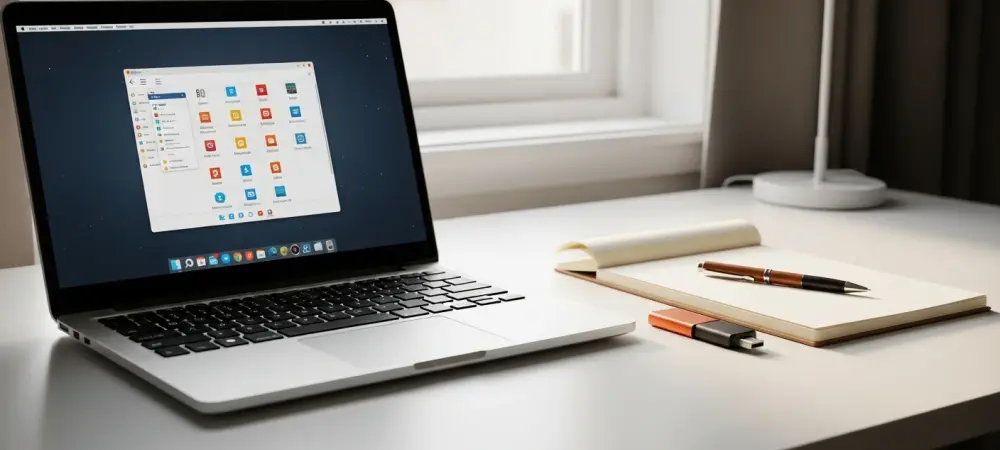
The silhouette of a dormant laptop gathering dust in a closet is a testament to the rapid cycle of consumer electronics, where perfectly functional hardware is often discarded simply because it can no longer support the weight of modern operating systems. It is estimated that millions of these devices are retired every year, not because of hardware failure, but because of a phenomenon known as software bloat, where background telemetry, complex animations, and unoptimized code demand resources that older processors cannot provide. While mainstream tech giants encourage a constant cycle of upgrades, a growing movement of developers is proving that these “obsolete” machines still possess significant utility. By decoupling the hardware from resource-heavy commercial software and installing a lightweight Linux distribution, a computer that once felt like a paperweight can be transformed into a responsive, capable tool for communication and productivity. This revitalization effort is not merely a hobbyist’s project but a strategic approach to digital sustainability and economic efficiency in an era of rising hardware costs.
The Shift in Computing Standards
Why Ubuntu is No Longer the Default Fix
For a significant period, Ubuntu was the go-to recommendation for anyone looking to escape the restrictive and often sluggish environment of proprietary operating systems. It offered a user-friendly interface and a level of polish that made Linux accessible to the average consumer while maintaining a reputation for being leaner than its Windows counterparts. However, as hardware specifications across the industry have climbed, Ubuntu has expanded its feature set to take advantage of more powerful CPUs and larger amounts of RAM. Modern GNOME relies heavily on hardware-accelerated graphics and substantial memory overhead to manage its sophisticated window effects and integrated search features. Consequently, a machine that might have run Ubuntu flawlessly a decade ago would likely struggle to maintain a fluid frame rate or manage multiple browser tabs under the current version. The transition toward containerized application formats, such as Snaps, has further contributed to the resource demands of the standard Ubuntu installation. While these formats offer benefits in terms of security and ease of updates, they often result in slower application launch times and increased disk space usage compared to traditional package management systems. For users with older mechanical hard drives or limited solid-state storage, these delays can make the computer feel unresponsive, even if the underlying processor is technically capable of handling the workload. This shift in the Linux landscape has created a vacuum where users with truly legacy hardware—such as laptops from the early 2010s or low-powered netbooks—find that the most popular Linux distribution is no longer a viable solution. This realization necessitates a move toward more specialized, minimalist alternatives that prioritize system efficiency and low-latency performance over the modern visual flourishes that define the current mainstream Linux experience.
Identifying the Hardware Ceiling
Understanding why a computer feels slow requires an analysis of the “bottleneck” effect, where one underperforming component limits the potential of the entire system. In many legacy machines, the primary bottleneck is not necessarily the processor’s raw speed but the limited amount of available Random Access Memory (RAM) and the slow data transfer rates of aging storage drives. Modern operating systems are designed with the assumption that a machine will have at least eight to sixteen gigabytes of RAM, allowing them to cache large amounts of data for quick access. When an older machine with only two or four gigabytes attempts to run these systems, it is forced to constantly swap data between the RAM and the much slower hard drive, leading to the frustrating “freezing” or “hanging” that users often associate with an obsolete device. By identifying these specific hardware ceilings, developers of lightweight distributions can tailor their software to operate within these narrow constraints, ensuring that every megabyte of memory is utilized effectively.
The graphical demands of modern web browsing have also raised the bar for what constitutes a functional computer, as websites increasingly rely on complex JavaScript and high-resolution media. Lightweight Linux distributions address this by stripping away these non-essential services, leaving the processor free to focus on the applications the user is actually interacting with. This strategic removal of “background noise” can make a significant difference in perceived speed, often making an older dual-core processor feel as snappy as a modern budget machine for basic tasks. Navigating this hardware ceiling involves a delicate balance of choosing software that is modern enough to be secure and compatible with the current web, yet simple enough to respect the limitations of the physical silicon.
Speeding Up with Volatile Memory
The Puppy Linux Methodology
Puppy Linux represents a radical departure from standard operating system architecture by utilizing a mechanism that loads the entire OS into the system’s RAM upon booting. This approach, often referred to as “running in RAM,” provides a level of responsiveness that is virtually impossible to achieve when an operating system must constantly read from a physical disk. Because RAM is significantly faster than even the best solid-state drives, and exponentially faster than older mechanical hard drives, the user interface and basic applications respond almost instantaneously. This makes Puppy Linux an exceptional choice for computers that may have failing or extremely slow storage hardware, as the physical disk is only accessed during the initial boot sequence and when saving files. This architecture allows the system to bypass the traditional wear-and-tear issues associated with old hardware, effectively granting the machine a new lease on life regardless of its internal drive’s condition.
Beyond its unique memory management, the distribution is built using a “layered” file system approach, typically utilizing SquashFS files to keep the installation footprint incredibly small. This design allows the entire operating system to be stored on a small USB flash drive or even a CD, making it one of the most portable computing solutions available. Despite its diminutive size, it comes pre-loaded with a suite of lightweight applications that cover the vast majority of daily computing needs, including word processing, spreadsheet management, and media playback. The system is designed to be “persistent,” meaning that even when running from a USB stick, users can save their settings and files back to the drive, ensuring a consistent experience across different sessions. For a user looking to revive an old netbook for simple writing or web browsing, this methodology provides a high-speed environment that feels more like a modern workstation than a relic of the past.
Benefits of RAM-Centric Computing
The technical advantages of RAM-centric computing extend beyond simple speed, offering a unique layer of stability and security for the user. Since the operating system is running from a read-only image loaded into memory, any accidental changes or temporary file build-ups are wiped clean upon a reboot unless explicitly saved by the user. This “pristine boot” environment ensures that the system does not suffer from the gradual slowdown—often called “bit rot”—that plagues Windows and other disk-heavy operating systems over months of use. For older hardware that may have occasional stability issues, the ability to start with a fresh, clean slate every time the power button is pressed is a major benefit. It also provides a safe environment for testing new software or browsing potentially untrustworthy websites, as any malicious changes to the system files will not persist past the current session.
Furthermore, this approach drastically reduces the power consumption and heat generation of the computer, as the hard drive can be set to spin down or enter a low-power state once the OS has loaded. On older laptops where battery life is already compromised and cooling fans may be struggling, reducing the overall system load can lead to a quieter and more reliable user experience. This efficiency is particularly valuable in 2026, where energy costs and environmental awareness have made the preservation of existing hardware a priority for many households. By shifting the workload away from struggling mechanical components and onto the system’s volatile memory, Puppy Linux maximizes the performance potential of the machine without requiring any physical hardware upgrades. This makes it an ideal tool for users who want a functional, fast computer for specialized tasks without the financial investment of a new device.
Efficiency Through Technical Simplicity
antiX and the Fight Against E-Waste
The antiX distribution is specifically engineered to counteract the growing problem of electronic waste by providing a high-performance environment for hardware that most modern software has abandoned. Built upon the rock-solid Debian Stable foundation, it offers a level of reliability and security that is often missing from “experimental” lightweight projects. The developers of antiX focus on the Intel-AMD x86 architecture, ensuring that even computers approaching two decades of age can still run a modern, secure kernel. This commitment to longevity is a direct challenge to the planned obsolescence prevalent in the tech industry, where software updates are often used to force users into purchasing new hardware. By maintaining compatibility with older instruction sets and legacy drivers, antiX ensures that a perfectly functional processor is not rendered useless simply because it lacks the latest hardware extensions required by mainstream operating systems. The distribution’s focus on technical simplicity is visible in its choice of default interfaces, which favor lightweight window managers like IceWM, Fluxbox, or JWM over more complex desktop environments. These interfaces provide a traditional desktop experience with menus, taskbars, and windows, but they do so using a fraction of the resources required by modern alternatives. On a machine with very little RAM, these window managers allow the user to keep multiple applications open without the system becoming unresponsive. This emphasis on minimalism does not mean a lack of functionality; rather, it provides a “lean and mean” system that gives the user full control over their hardware. For those who are concerned about the environmental impact of discarding tech, antiX provides a practical way to keep older machines in active service, whether as dedicated word processors, home file servers, or simple web kiosks for guest use.
Removing the Bloat of Systemd
One of the most significant technical choices made by the antiX development team is the exclusion of systemd, the initialization system that has become standard in almost all major Linux distributions. While systemd offers many features for modern server and desktop management, it is often criticized for its complexity and the large number of background processes it introduces. On older hardware, these extra processes can consume precious CPU cycles and memory that could be better used by the user’s applications. By utilizing alternative init systems like sysvinit or runit, antiX maintains a much smaller system footprint, leading to faster boot times and a lower idle memory usage. This “init-freedom” is a cornerstone of the distribution’s philosophy, appealing to users who want a transparent system where they can easily see and manage every process that is running on their machine.
This lack of background complexity translates directly into a more responsive user experience, particularly on single-core or early multi-core processors. When the operating system isn’t constantly managing complex service dependencies or logging massive amounts of telemetry in the background, the processor is available to react instantly to user input. This makes the system feel much faster than its hardware specifications would suggest, often outperforming much newer machines that are bogged down by the overhead of a modern Windows or macOS installation. Moreover, the absence of these complex layers makes the system easier to troubleshoot and customize for specific needs. For technical users or those willing to learn, antiX offers a platform that can be stripped down even further, creating a bespoke computing environment that is perfectly matched to the unique quirks and limitations of a specific piece of vintage hardware.
User-Centric Design for Newcomers
Linux Lite as a Bridge from Windows
Linux Lite is designed with the specific goal of making the transition from Windows to Linux as seamless as possible for the average user. Many people who find themselves with an aging PC are not enthusiasts; they are individuals who simply need a reliable device for checking email, managing finances, or watching videos. Recognizing that the biggest barrier to adopting Linux is often the perceived complexity of a new interface, the creators of Linux Lite have carefully themed the XFCE desktop to resemble the familiar layout of classic Windows versions. This includes a traditional start menu, a taskbar with a system tray, and standard desktop shortcuts for “This PC” and “User Files.” By mimicking these design cues, Linux Lite significantly reduces the learning curve, allowing users to feel productive within minutes of their first boot without having to relearn basic navigation.
Beyond the visual similarities, Linux Lite incorporates several custom tools designed to handle common maintenance tasks through a graphical interface, eliminating the need to use the command-line terminal for everyday operations. The “Lite Tweaks” utility, for example, allows users to clear cache files, fix boot errors, and optimize system performance with a few clicks. This focus on “user-centric design” ensures that the operating system remains approachable for those who may be intimidated by the technical nature of other Linux distributions. It effectively turns an old, slow Windows laptop into a “Chromebook-like” experience but with the added benefit of being a full-featured operating system that can run local applications and handle offline tasks. For a student or a senior citizen who just needs a computer that works, Linux Lite provides a stable, fast, and familiar environment that breathes new life into their existing hardware.
Easing the Transition for Casual Users
The inclusion of a curated software selection is another way that Linux Lite eases the transition for those moving away from proprietary systems. Rather than overwhelming the user with a massive repository of unfamiliar programs, the distribution comes pre-installed with recognizable, high-quality alternatives to common Windows applications. This includes the LibreOffice suite for document editing, VLC for media playback, and the Firefox web browser for internet access. The “Lite Software” center further simplifies things by providing a one-click installation process for popular third-party applications like Spotify, Skype, and Steam. This curated approach ensures that the user is not left searching for how to perform basic tasks, as the most common needs are addressed right out of the box. It provides a level of “polish” that is often missing from more minimalist distributions, making the computer feel like a modern, finished product rather than a DIY project.
This distribution also places a heavy emphasis on documentation and community support, providing a comprehensive “Help Manual” that covers everything from installation to advanced configuration. For a user who is used to the professional support of a major tech company, having access to clear, well-written guidance can be the difference between a successful migration and a frustrated return to a slow but familiar OS. The Linux Lite community is known for being welcoming to newcomers, offering a space where users can ask questions without fear of being judged for their lack of technical knowledge. In 2026, as more people look for ways to cut costs and extend the life of their electronics, this focus on the human element of computing is more important than ever. By prioritizing the user experience alongside technical efficiency, Linux Lite serves as a vital bridge, bringing the benefits of open-source software to a wider, less-technical audience.
Minimalism and Aesthetic Balance
Exploring Bodhi Linux and the Moksha Desktop
Bodhi Linux takes a unique approach to the lightweight category by focusing on aesthetic minimalism and a modular design philosophy. It is built on an Ubuntu Long Term Support (LTS) core, which provides users with five years of security updates and a massive repository of compatible software, but it replaces the heavy standard desktop with the Moksha Desktop. Moksha is a fork of the Enlightenment window manager, known for its extreme efficiency and its ability to provide sophisticated visual effects even on very weak hardware. Unlike many other lightweight desktops that can look dated or overly simplistic, Moksha provides a sleek, modern appearance with smooth animations and a highly customizable layout. This allows users to enjoy a beautiful computing environment that doesn’t sacrifice performance, making it an excellent choice for those who want their revived PC to look as good as it runs.
The modularity of the Moksha Desktop is one of its most compelling features, allowing users to add or remove “modules” and “gadgets” to create a bespoke interface. These modules can handle everything from system monitoring and battery indicators to application launchers and desktop effects. Because these elements are loaded only when needed, the base system remains incredibly light, often using less than 300MB of RAM upon a fresh boot. This level of granular control is particularly beneficial for hardware that sits right on the edge of usability, as users can disable any visual feature that causes a stutter. Bodhi Linux proves that a lightweight operating system does not have to be ugly or utilitarian; through clever engineering and a focus on efficient graphical libraries, it offers a sophisticated user interface that respects the limitations of the hardware it resides on.
Granular Control and Modular Architecture
A defining characteristic of Bodhi Linux is its “minimalist by design” software philosophy, which installs only the most essential tools required to get the system up and running. Instead of pre-loading a full office suite or multiple web browsers, Bodhi provides a basic file manager, a terminal, and a simple web browser, leaving the rest of the software choices entirely to the user. This prevents the “software rot” that occurs when an operating system is cluttered with unused applications and background services that consume CPU cycles and disk space. By starting with a clean slate, users can build a system that is perfectly tailored to their specific needs, ensuring that every installed program serves a purpose. This approach is ideal for power users who want a streamlined system, but it also benefits the hardware by keeping the total system load as low as possible from the very beginning.
The underlying architecture of Bodhi Linux is designed to be flexible, offering different versions for different types of hardware. This includes a “Standard” version for most 64-bit machines, an “HWE” version with a newer kernel for slightly more recent hardware, and a “Legacy” version specifically optimized for 32-bit processors that other distributions have long since abandoned. This commitment to hardware diversity ensures that Bodhi can scale its performance to match a wide range of devices, from ancient netbooks to more modern laptops that just need a speed boost. By providing a stable Ubuntu-based core with a highly efficient and beautiful front end, Bodhi Linux strikes a rare balance between modern functionality and old-school efficiency. It empowers users to reclaim their hardware through a process of intentional selection, creating a computing experience that is as unique as the machine it is running on.
Core Principles of Lightweight Linux
The Strategic Advantage of Open Source
The success and diversity of lightweight Linux distributions are a direct result of the modular nature of the Linux kernel and the collaborative spirit of the open-source community. Because the source code for the entire operating system is available for anyone to inspect and modify, developers can strip away any component that is not strictly necessary for a specific use case. This allows for the creation of highly specialized “flavors” of Linux that can be optimized for anything from high-performance servers to twenty-year-old laptops. Unlike proprietary operating systems, which are developed as a monolithic product aimed at the broadest possible market, Linux can be refined into a surgical tool designed to solve a specific problem. This strategic flexibility is why Linux remains the only viable option for reviving hardware that the original manufacturers have deemed obsolete.
This modularity also extends to the software ecosystem, where users can choose from a variety of lightweight applications that are designed to be efficient. For every resource-heavy mainstream application, there is usually a “lean” alternative in the Linux world that provides the same core functionality with a fraction of the overhead. For instance, a user might choose a simple text editor over a full-blown office suite, or a minimalist PDF viewer over a feature-heavy alternative. This culture of efficiency is deeply embedded in the Linux community, where “bloat” is often viewed with skepticism and developers take pride in writing fast, clean code. In 2026, as hardware prices remain high and environmental concerns mount, this ability to do more with less has become a significant strategic advantage. It allows individuals and organizations to extend the utility of their existing investments, proving that the latest hardware is not always a requirement for a modern digital life.
Environmental Sustainability and Longevity
The push to revive old computers through lightweight Linux is not just a technical or economic endeavor; it is a vital component of the global effort toward environmental sustainability. Every computer that is kept in service for an extra three to five years is one less device that ends up in a landfill, where heavy metals and toxic chemicals can leach into the environment. The production of new electronics is a resource-intensive process that requires significant energy and the mining of rare earth minerals. By extending the lifecycle of existing hardware, lightweight Linux users are directly reducing the demand for new manufacturing, effectively lowering their personal carbon footprint. This “reuse and repurpose” philosophy is a practical countermeasure to the “disposable tech” culture that has dominated the industry for decades, offering a path toward a more sustainable relationship with our digital tools.
Furthermore, these distributions provide a way to bridge the digital divide by making computing accessible to those who cannot afford the latest hardware. In schools, community centers, and developing regions, a donated laptop from 2018 can become a powerful educational tool when paired with the right software. Lightweight Linux ensures that these machines remain secure and capable, providing access to the wealth of information available on the internet without the burden of expensive software licenses or high hardware requirements. This democratization of technology is one of the most profound impacts of the open-source movement, as it places powerful tools in the hands of people regardless of their economic status. By focusing on longevity and efficiency, these projects are not just saving old computers; they are preserving the idea that technology should be a durable and accessible resource for everyone.
Choosing the Right Tool for the Job
Matching Distributions to Specific User Needs
Selecting the ideal Linux distribution for an older machine requires an honest assessment of both the hardware’s capabilities and the intended user’s technical comfort level. For a computer that has a failing hard drive or is so old that even basic disk access is a struggle, Puppy Linux remains the most effective solution due to its RAM-based operation. It is the “emergency room” of the Linux world, capable of bringing back machines that appear to be completely non-functional. On the other hand, if the hardware is a bit more recent—perhaps a mid-tier laptop from eight years ago—and the user wants a familiar, stable environment for daily tasks, Linux Lite is the most logical choice. Its focus on Windows-like familiarity and built-in maintenance tools makes it the most “frictionless” option for the average person who just wants their computer to work without a fuss. For those who prioritize technical purity and want a system that will remain fast for years without any background interference, antiX offers a robust, systemd-free environment that maximizes every bit of the CPU’s power. It is perfect for users who enjoy having granular control over their system and don’t mind a slightly more utilitarian aesthetic in exchange for raw performance. Meanwhile, Bodhi Linux serves the niche of users who want a beautiful, modern-looking desktop that still respects the limitations of their hardware. Its modular Moksha desktop provides a level of visual polish that is rare in the lightweight category, making it a great choice for a secondary machine that still needs to feel “current.” By matching the specific strengths of these distributions to the unique needs of the machine and the user, it is possible to create a computing experience that feels intentional and optimized rather than compromised.
Next Steps for Implementation and Recovery
The process of reviving a PC began with the creation of a bootable USB drive, which allowed the new operating system to be tested in a “Live” environment without making any permanent changes to the existing hardware. This crucial step enabled users to verify hardware compatibility—checking that Wi-Fi, sound, and graphics drivers were working correctly—before committing to a full installation. Once a suitable distribution was selected, the installation process typically replaced the sluggish, outdated operating system with a clean, efficient Linux environment. This transition often included the setup of essential applications and the migration of personal files, effectively turning a frustrating piece of technology back into a reliable daily driver. Many users found that after the initial setup, the revived machine performed tasks like web browsing and document editing with a level of speed they had not seen in years. This successful recovery of older hardware demonstrated that the perception of obsolescence was often a result of software bloat rather than physical degradation. By choosing a lightweight alternative, individuals effectively reclaimed their digital sovereignty, refusing to participate in a cycle of unnecessary upgrades. The technical journey encouraged a deeper understanding of how computers actually function, shifting the user’s role from a passive consumer to an active administrator of their own technology. As these revived machines continued to serve their owners well into the current year, the broader community benefited from reduced electronic waste and a more sustainable approach to computing. The practical steps taken to install and configure these distributions provided a clear roadmap for anyone looking to challenge the status quo and find new value in the hardware they already owned.