

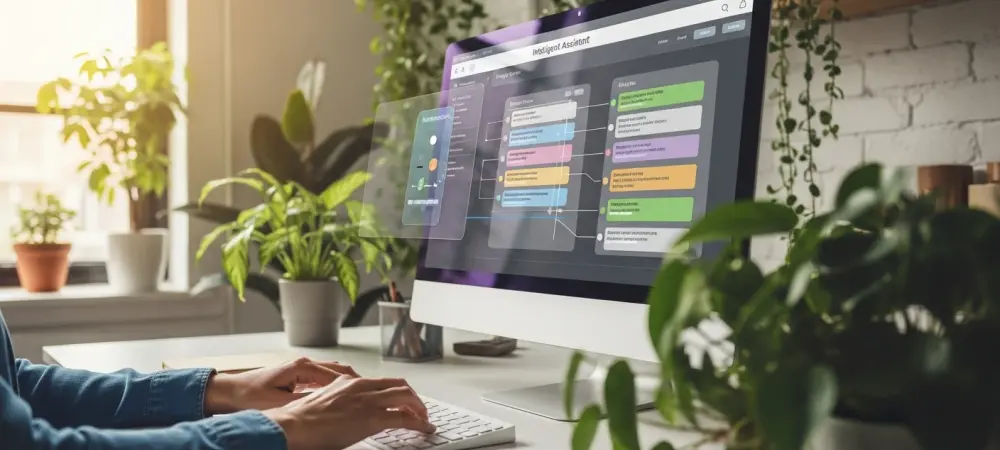
The historical paradigm of computing has long required individuals to serve as the cognitive connective tissue between disparate software applications, manually porting data and intent across isolated windows. For decades, the primary interaction model centered on the user navigating through deep menu trees and managing a chaotic array of browser tabs to complete basic professional tasks. This manual mediation created a persistent layer of “interaction friction,” where the mechanics of using a computer often overshadowed the actual creative or analytical work being performed. As of early 2026, a fundamental shift is occurring as artificial intelligence evolves from a standalone chat interface into an integrated layer within the operating system. These desktop assistants are designed to dissolve the barriers between applications, acting as proactive agents that understand the totality of a user’s digital environment. By internalizing the logic of various software ecosystems, these assistants streamline the modern workflow into a single, fluid experience.
The Hidden Burden: How Application Fragmentation Hinders Productivity
Modern professional environments are rarely contained within a single piece of software, forcing workers to navigate a complex labyrinth of specialized messaging platforms, web-based project managers, and legacy productivity suites. This fragmented landscape demands that a user constantly shift their focus, a process that inherently introduces delays and potential errors as information is moved from one silo to another. While specialized tools provide depth, their lack of inter-connectivity turns the desktop into a collection of isolated islands rather than a cohesive workspace. The simple act of searching for a specific thread in a chat app to update a status in a management tool consumes valuable seconds that, when multiplied across a workday, represent a massive loss in cumulative efficiency. This environment places the burden of organization entirely on the human user, who must remember where every piece of data resides and how each interface functions. Consequently, the desktop has become a site of constant administrative labor rather than a streamlined hub for innovation and execution.
Beyond the mere loss of time, the constant juggling of disconnected applications imposes a significant psychological cost that frequently disrupts the state of deep cognitive flow. Every time a user is forced to alt-tab between windows or hunt for a hidden menu option, their brain must re-orient to a new visual and functional logic, which drains mental energy. This overhead is a fundamental design flaw in traditional computing architectures, as it requires the individual to adapt their natural, non-linear thinking process to the rigid and often arbitrary structures of various software developers. Over time, the fatigue associated with managing the software itself can begin to outweigh the energy available for the actual task at hand, leading to a sense of digital burnout. The friction is not just a technical hurdle but a cognitive barrier that prevents users from reaching their full potential within their digital workspaces. Addressing this issue requires more than just faster processors; it necessitates a complete reimagining of how different software components communicate with one another through a centralized intelligence layer.
Seamless Intelligence: Integrating AI into the Core Operating System
Unlike the initial wave of AI chatbots that required users to open a separate browser tab and manually input prompts, the latest generation of desktop assistants is embedded directly into the operating system. This structural difference is critical because it eliminates the need for context switching, allowing the assistant to remain persistent and accessible without interrupting the active work session. When intelligence lives at the OS level, it can observe the relationships between various open programs and anticipate the user’s needs based on their real-time behavior. This shift ensures that the user stays within their primary workspace, maintaining their momentum while the AI manages the technical transitions between apps. By moving the interface away from isolated prompt boxes and toward a system-wide presence, developers have created a tool that feels like a natural extension of the hardware rather than another demanding application to manage.
One of the most transformative aspects of these embedded systems is their ability to leverage sophisticated context awareness to eliminate what experts call “explanation overhead.” Traditional AI tools often require the user to manually describe their current project, upload specific files, or copy and paste text before any helpful output can be generated. In contrast, a modern desktop assistant capable of “seeing” the screen understands the immediate context of a project without needing a detailed briefing from the user. It can recognize that a user is currently drafting an email based on a specific spreadsheet and a set of Slack messages, allowing it to offer relevant data or draft responses instantly. This level of environmental understanding allows the assistant to provide proactive support, suggesting the next logical step in a sequence or automating the movement of data between windows. By removing the need for manual context setting, these tools drastically reduce the number of steps required to complete complex cross-platform tasks. This evolution marks the end of the user acting as a manual bridge between their tools, as the AI now fills that gap autonomously.
Contextual Awareness: The Shift toward Friction-Light Digital Design
Practical implementations of this technology, such as the specialized assistants designed for macOS or the deeply integrated AI kernels in modern Windows environments, show how system-level integration changes daily labor. These tools do not simply respond to queries; they function as sophisticated workflow observers that identify repetitive manual actions and offer to automate them on the fly. For instance, if a user frequently extracts data from invoices to populate a tracking database, the assistant can learn this pattern and execute it in the background as soon as a new document is opened. This approach maintains the natural flow of work by ensuring that the AI supports the user’s existing habits rather than forcing them to learn new, complex command structures. The value of this software is increasingly measured by how many obstacles it removes from the user’s path, rather than by how many new features it adds to an already crowded interface. This “friction-light” design philosophy prioritizes continuity, allowing professionals to focus on high-level decision-making while the assistant handles the intricate technical details of execution.
Looking toward the immediate progress of the digital workspace, the operating system is rapidly evolving from a simple file manager into a comprehensive cognitive partner. The emerging trend suggests that successful organizations will increasingly rely on systems that prioritize continuity and use environmental context as the primary interface for all digital interactions. By automating the mundane aspects of software navigation and bridging the gap between historically isolated applications, AI desktop assistants are turning fragmented silos into a unified, intelligent environment. This transition represents a major milestone in human-computer interaction, where the machine finally begins to adapt to the human’s workflow rather than the other way around. As these tools become more refined between 2026 and 2028, the distinction between different software brands will matter less than the efficiency of the integrated layer that connects them. Professionals who embrace these assistants will find themselves navigating a complex digital world with significantly more clarity, as the friction that once defined modern work is replaced by a seamless and responsive digital experience.
Strategic Implementation: Navigating the Transition to Unified Workspaces
To fully capitalize on these advancements, IT departments and individual professionals needed to prioritize tools that offered deep API access and system-wide transparency over closed-off legacy apps. The successful transition to an AI-augmented workflow required an audit of current software stacks to identify where the most significant interaction friction occurred during the workday. Organizations that moved quickly to adopt context-aware assistants found that they could reduce the time spent on administrative tasks by nearly thirty percent within the first year of implementation. This shift necessitated a focus on data privacy and security, as allowing an assistant to “see” the desktop required robust local processing capabilities to ensure sensitive information remained on the device. By choosing assistants that prioritized edge computing, companies balanced the need for deep integration with the requirement for ironclad data protection. These early adopters set the standard for a new era of productivity where the technical limitations of individual software applications no longer dictated the speed of business or the creativity of the workforce. The ultimate solution to modern workflow friction resided in the deliberate move away from manual data management toward a model of autonomous synchronization. Users who achieved the highest levels of efficiency were those who leaned into the proactive nature of their desktop assistants, allowing the AI to manage the “glue” between their various professional tools. It was found that the most effective strategy involved setting clear boundaries for automation while allowing the assistant to handle the heavy lifting of context-heavy administrative work. This approach allowed the human element of the workforce to focus exclusively on strategy, empathy, and innovation, areas where AI still served as a support rather than a replacement. As the digital landscape became more complex, the role of the desktop assistant as a central coordinator became indispensable for maintaining a competitive edge. By investing in these cognitive partners, professionals ensured that their digital tools worked for them, rather than the other way around, finally ending the era of the fragmented and high-friction workspace.